 Skip to content

Top 7 Alternatives to ManyRequests
Apart from the tools we already mentioned, here are additional tools to consider. They stand out as ManyRequests alternatives with an intuitive and flexible interface and stellar customer care. Read on to discover your options in our quick list of ManyRequests Alternatives.
Quick List of Top ManyRequests Alternatives
Here’s a quick rundown of platforms that solve what ManyRequests doesn’t.
- Agency Handy: Best for agencies that need full control over tasks, billing, and client data.
- Copilot: Ideal for managing granular client permissions and securing sensitive internal workflows.
- Moxo: Great for teams that prioritize compliance, structured workflows, and client approvals.
- SuiteDash: Best for all-in-one setup with CRM, LMS, billing, and branded portals.
- Accelo: Good for handling complex, end-to-end workflows with project scheduling and reporting.
- Bonsai: Best for creatives who want simple tools bundled into one clean dashboard.
- Zendo: Ideal for selling services in flexible formats with chat and instant quotes.
Deep Dive into 7 Best ManyRequests Alternatives
Tool | White Labeling on All Plans | Multiple Workspace Support | Average Per-User Cost | User Rating |
ManyRequests | ❌ | ❌ | 4.5/5 | |
✔️ | ✔️ | $10.4/Month | 4.9/5 | |
Copilot | ❌ | ❌ | 4.8/5 | |
Moxo | ❌ | ✔️ | 4.5/5 | |
SuiteDash | ✔️ | ❌ | 4.8/5 | |
Accelo | ❌ | ❌ | 4.4/5 | |
Bonsai | ❌ | ❌ | 4.3/5 | |
Zendo | ❌ | ❌ | 4.9/5 |
1. Agency Handy
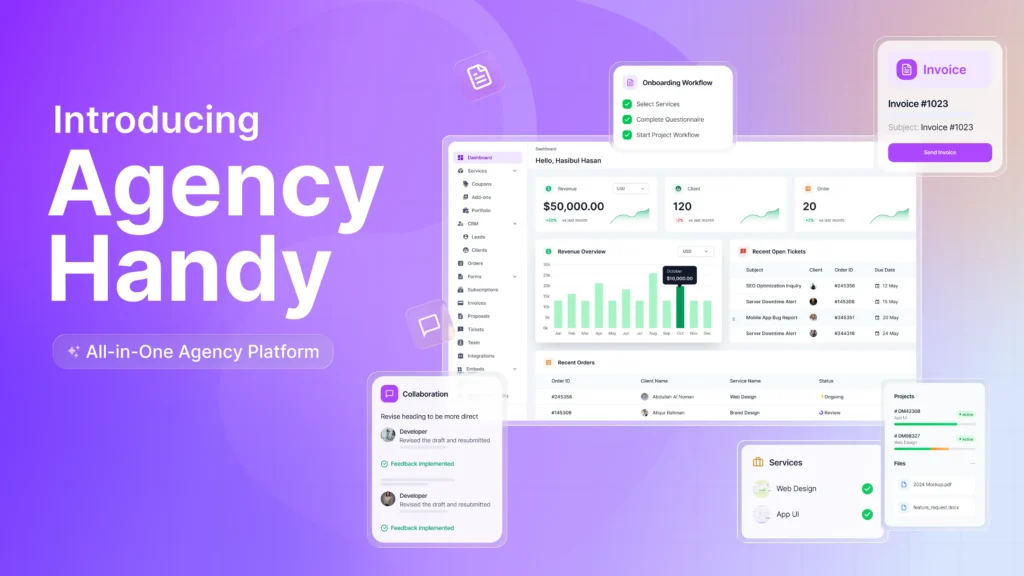
Agency Handy is the best ManyRequests alternative when you need more control over client work. Everything works together inside Agency Handy.
The client portal for design agencies is fully branded and includes chat, file uploads, and task approvals. As soon as a client places an order, it ties into tasks, files, comments, time tracking, and billing.
While Moxo leans on compliance-heavy workflows, we focused on client-facing clarity. That’s why we built file feedback directly into the portal, so clients can leave comments without delays.
Moreover, billing is just as flexible. You can use coupons, offer trials, or set tax rules for different regions. Most importantly, it supports multi currency payment to let work across borders effortlessly.
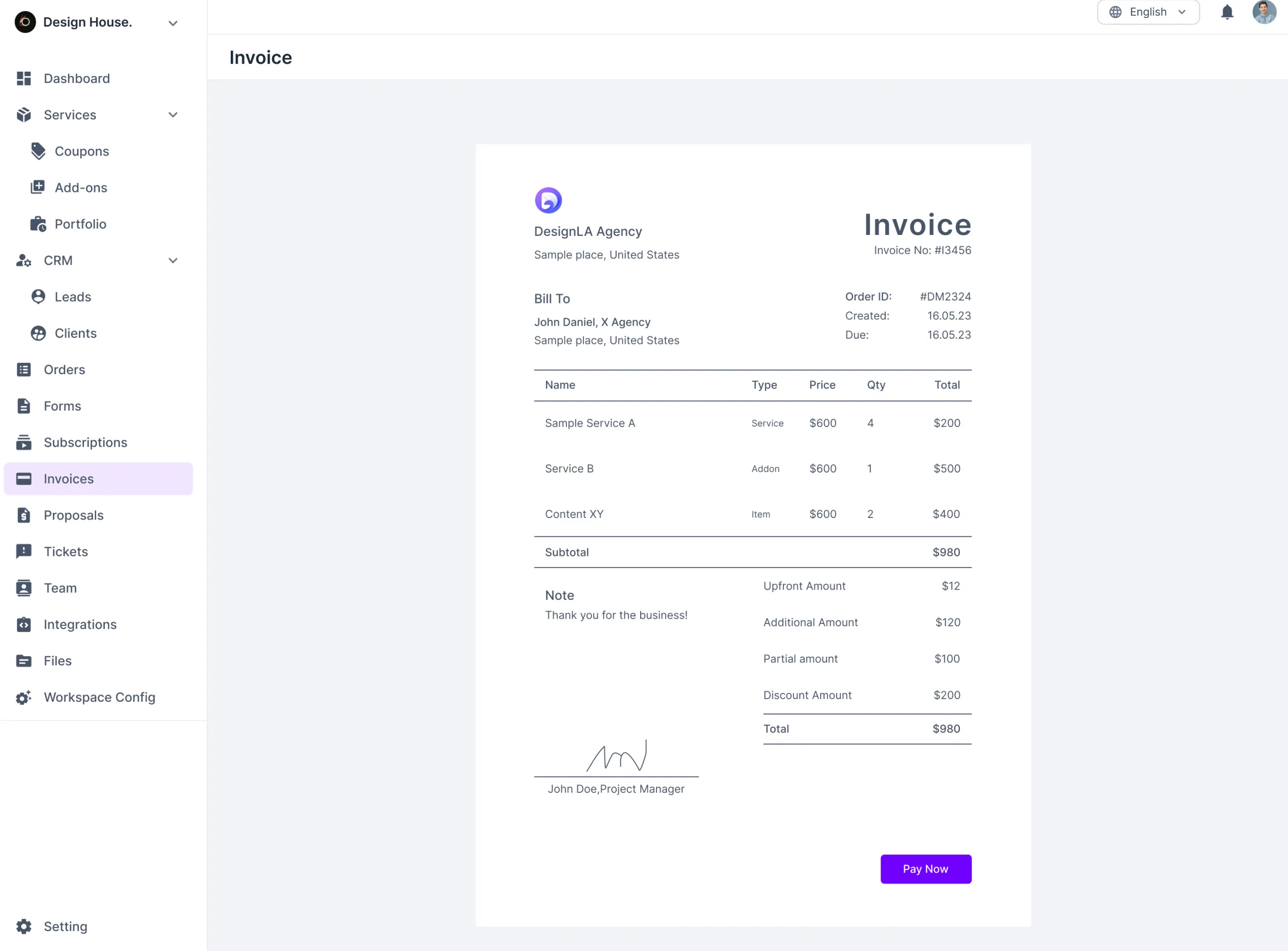
On top of all that, your invoices are white-labeled too, sent either manually or triggered automatically when you finish a task.
Key Features of Agency Handy
Here are the core features that help you manage orders, track work, bill clients, and stay organized, all without switching tools.
White-Label Customization
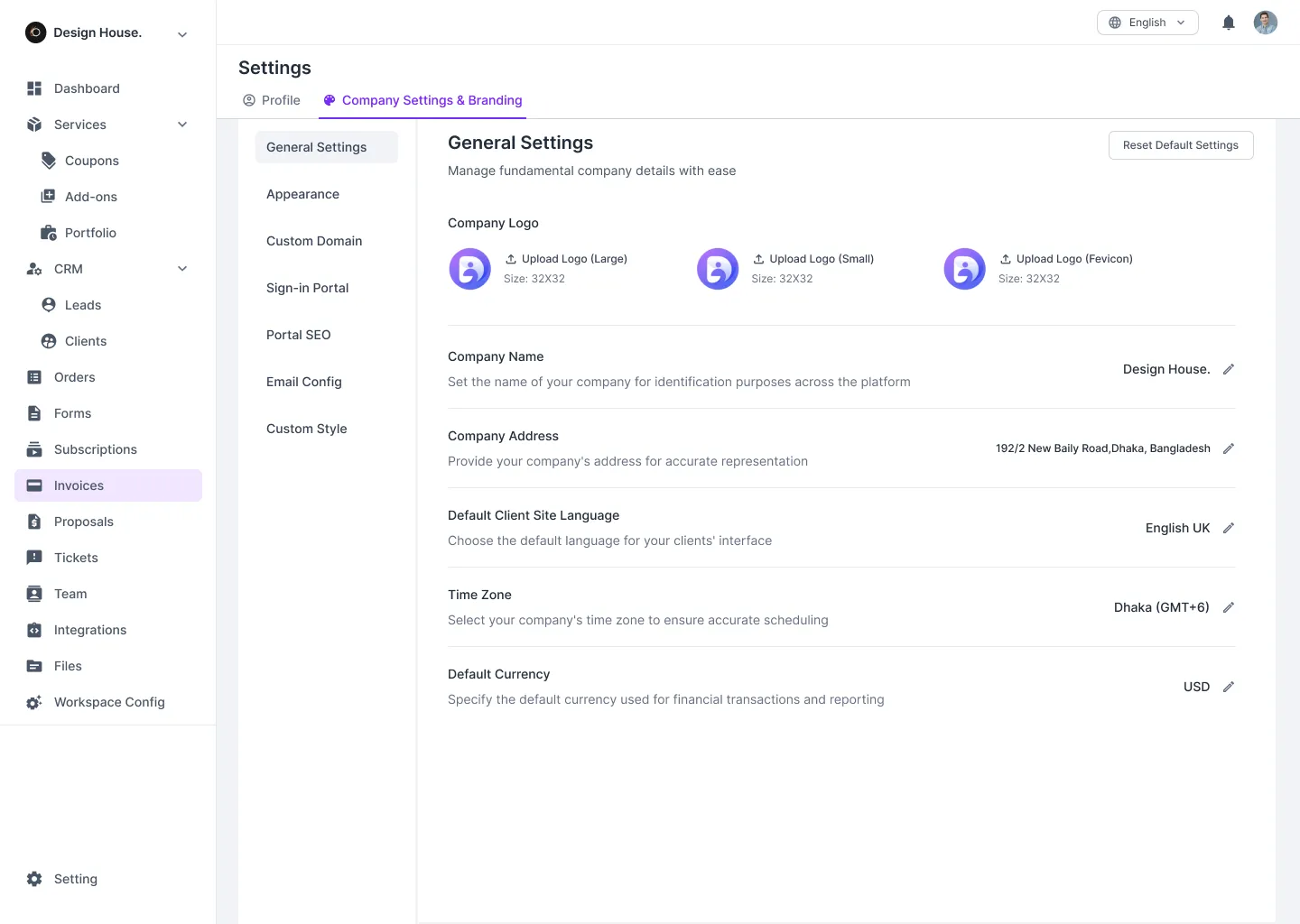
It helps you make the entire platform look and feel like it belongs to your agency. You can upload your logo, use your brand colors, and even set a custom domain. Along with that, you can customize emails, proposals, invoices, and login screens to reflect your branding.
CRM
Agency Handy’s CRM helps you track leads from first contact to becoming a client. You can store details like lead source, value, and last interaction, then move them through clear pipeline stages, New, Qualified, Working, Proposal Sent, etc.
Once converted, everything about the client, like orders, tickets, files, invoices, etc., is linked in one view.
Forms
You can create simple intake or order forms that request details such as project goals, budgets, or service preferences. Clients fill these in when placing an order, and the system stores them automatically. Thus, you don’t need an extra admin to get structured data from day one.
Multi-Package Service Catalog
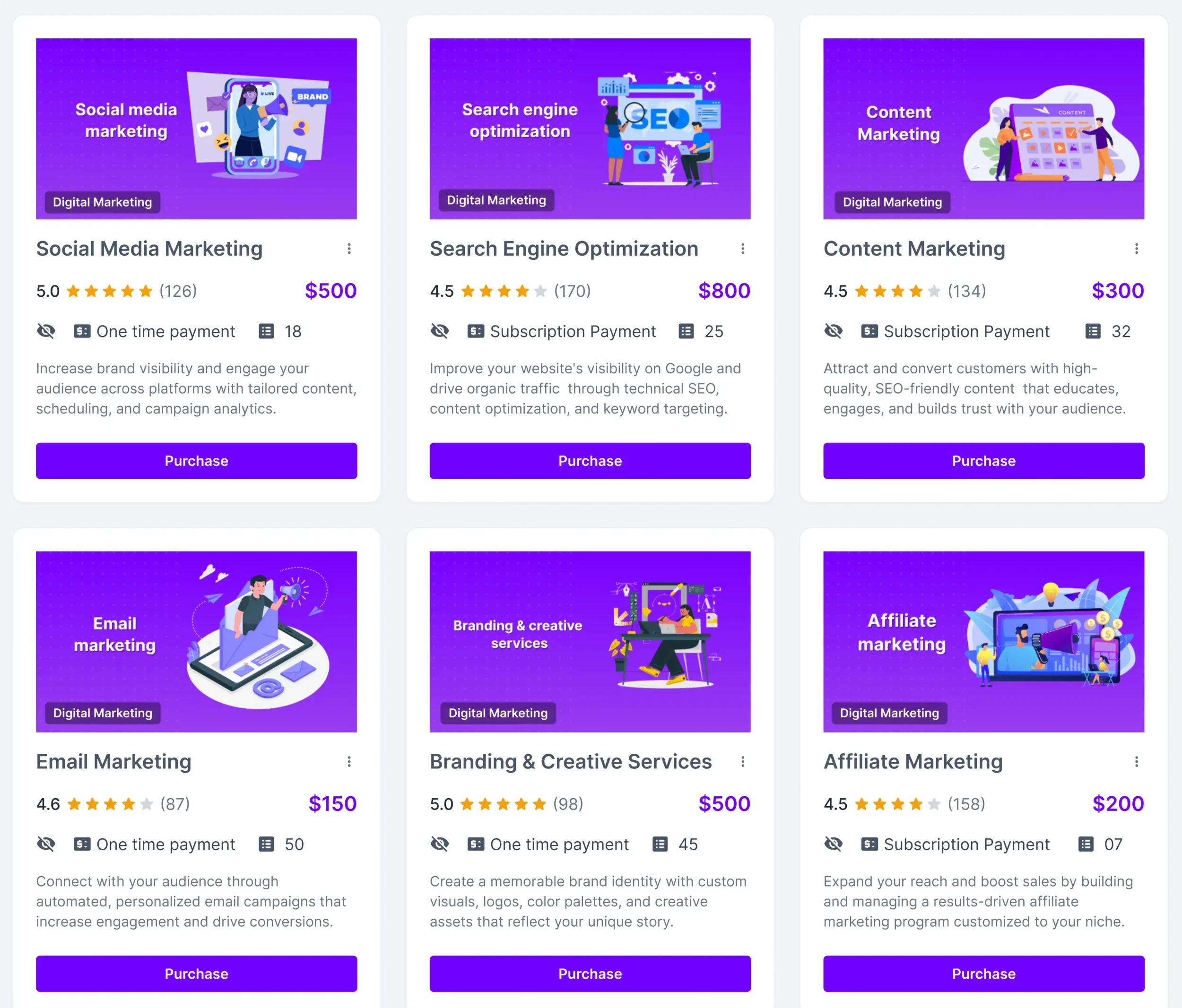
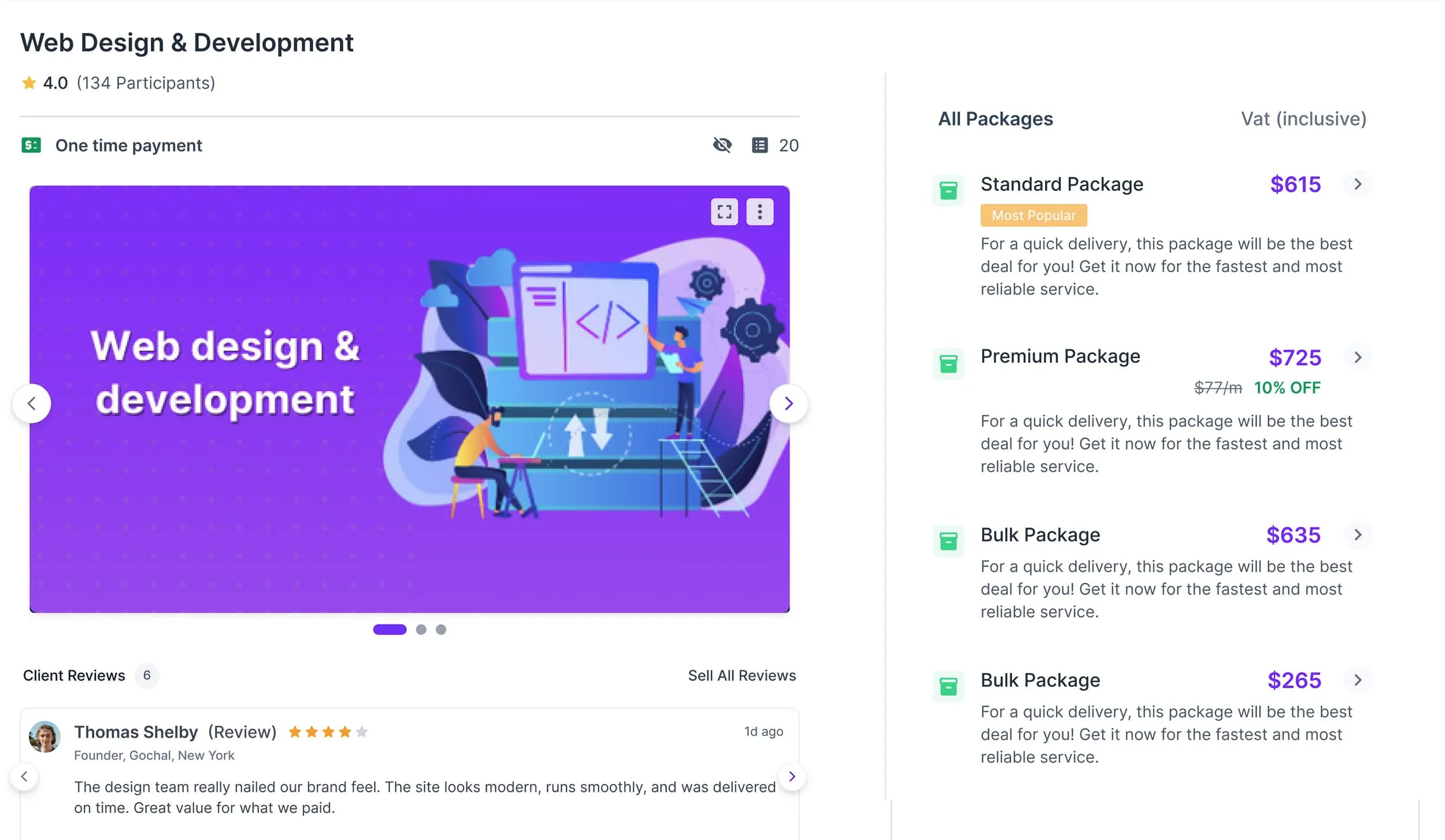
You can set up services with pricing options like Basic, Standard, or Premium. Each package includes clear descriptions. If needed, you can group related services together or run trials.
Most importantly, you can share the catalog directly or embed it on your websites.
Order and Task Management
This feature allows you to convert every client order into structured tasks automatically. It allows you to break large projects into smaller actions, assign them to team members, set deadlines, and track real-time progress.
Besides, the Kanban view helps you monitor priorities at a glance, ensuring no project stalls. Unlike ManyRequests, tasks, orders, and billing are tied together to reduce duplicate work.
Secure Access and Data Management
Agency Handy provides role-based permissions to keep data organized and safe. Roles like Super Admin, Admin, and Manager control who sees what, while encryption protects sensitive files and billing details.
You can even customize the sidebar per role to give each user a focused workspace.
Billing and Subscription Management
You don’t have to create invoices manually for every order. The system handles that once a client checks out, either one-time or recurring. Payment options include PayPal, Wise, Stripe, or direct transfer.
On top of that, automated reminders also go out before renewals or if a payment is overdue.
File Feedback
Upload PDFs, videos, or designs, and let clients leave comments directly on the file. You can track different versions, see exactly what changed, and store all feedback in one place.
That way, you don’t need to spend time going through email threads or losing track of revisions.
Email Setup and Templates
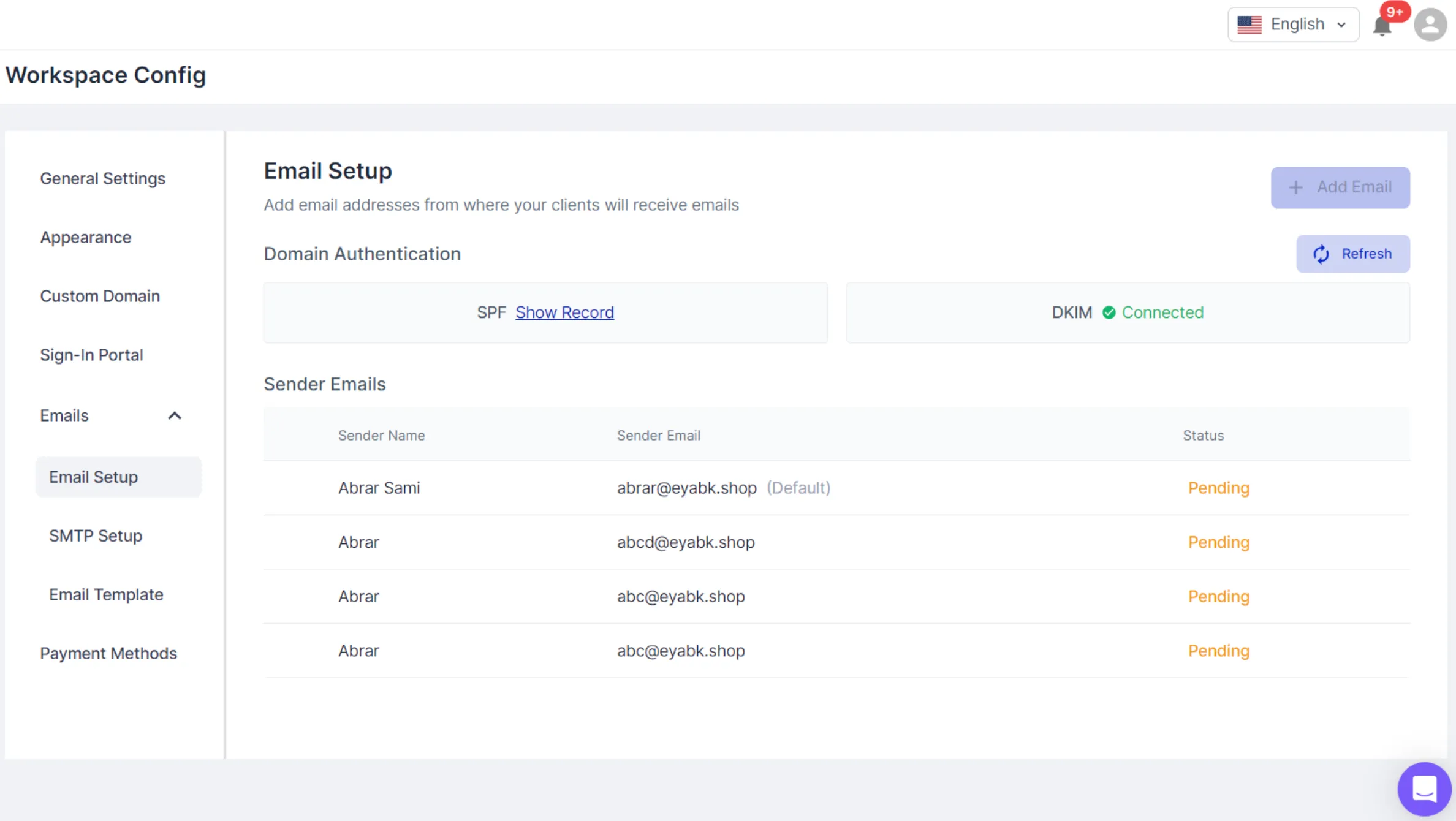
It helps you connect your email domain for secure, branded communication. You can set sender names, use SMTP settings, and customize email templates for everything, from invoices to client comments.
It ensures every message looks consistent and supports your agency’s workflow.
Time Tracking
It’s important to know where time goes. Start the timer when you’re working or log hours manually if needed. You can also add notes for context. All time entries show up in your timesheet, so you can track who worked on what and when.
Embed
Instead of switching between tabs, you can bring content into the workspace. Add links or iframe codes from tools like Google Drive, YouTube, or Figma. Set who can view it, team, clients, or both, and decide where it shows up.
Here are some additional features of Agency Handy —
- Custom Domain
- Sign-In Portal
- Email Setup
- Email Templates
- Custom Invoices
- Tax Configuration
- Coupons
- Add-Ons
- Portfolio
Best Use Cases of Agency Handy
Here’s who gets the most out of Agency Handy and why —
- Marketing and Creative Agencies: You can manage orders, track tasks, bill clients, and handle support, all in one platform.
- Freelancers Selling Productized Services: Set up service packages, track time, send invoices, and collect payments. Everything stays tied to each client, with no manual admin work.
- Subscription-Based Service Providers: Whether you’re running retainers or monthly packages, recurring billing and client activity tracking are built in.
- Design and Development Teams: Use file feedback, task collaboration, and client comments to reduce back-and-forth.
- Support and Operations Teams: Use the ticketing system to assign, track, and resolve issues. Set priorities and monitor ticket history from one place.
- Project-Based Agencies With Add-Ons: Sell extras like rush delivery or extra revisions through the add-ons feature. It’s simple to apply per client or service.
- Agencies Working Across Borders: Handle tax rules, currencies, and multiple payment options like Stripe, Wise, or bank transfers.
Pricing
- Freelancer: $29/month
- Team Starter: $99/month
- Business Pro: $199/month
Every plan starts with a 7-day free trial, with monthly and yearly billing options available.
What Users Say About Agency Handy?
Rating on Product Hunt: 5 out of 5
“Agency Handy is a game-changer for agency operations, seamlessly integrating project management, client communication, and invoicing into one intuitive platform.” – Alauddin
Rating on G2: 4.9 out of 5
“Handy is a fantastic client portal tool for agencies due to its user-friendly interface, making it easy for clients to access and navigate through the platform.” – Andrew J.
Why Should You Choose Agency Handy?
While ManyRequests covers the basics, it misses several features growing agencies need. Here is a quick side-by-side view showing where Agency Handy fills those gaps.
Limitations of ManyRequests | How Agency Handy Meets |
No service embedding | Embed tools, files, or media directly into your workspace. |
Limited proposal and quote features | Customize quotes, set states, automate approvals and invoicing. |
No client data import | Import and manage client records with full history. |
No support ticket system | Track client issues with built-in ticketing and status history. |
No public service catalog | List packages, group services, and share catalog links. |
Lacks customizable tax and multi-currency tools | Set tax rules by region and choose payment currency per invoice. |
White-labeling locked to higher plans | Full white-label tools included in the base plan. |
No multi-workspace setup | One centralized workspace with user roles and access controls. |
No real-time feedback or chat | Share comments, upload versions, and track changes in one place. |
2. Copilot
If ManyRequests doesn’t give you the flexibility you need, Copilot is a practical alternative. The granular permission system stands out. It lets you decide exactly what each client sees without risking sensitive data or overcomplicating internal workflows.
Plus, Copilot brings core tools like CRM, file sharing, contracts, task tracking, billing, and simple automations into one place. You can assign tasks to specific clients, send branded contracts with dynamic fields, publish articles in a help desk, and even manage lead magnets
That way you get more control compared to the rigid structure in ManyRequests.
That said, Copilot takes more time to set up. You’ll need to be comfortable working through integrations, webhooks, and advanced settings. If you want something faster to deploy, with built-in proposals, smarter forms, and workspace flexibility out of the box, Agency Handy may be a better fit.
Copilot still works well if your agency needs tight permission control and is okay investing time upfront.
Key Features of Copilot
Copilot handles client management with automation, billing, and collaboration tools, making it a strong ManyRequests alternative.
- Internal CRM: Track every client and company in one place. Segment access by team member, manage communication history, and use custom tags for advanced filtering and visibility control.
- Client Portals with Granular Permissions: Create customized experiences for each client. Control who sees what, down to the app, file, or form level—no cross-client data exposure.
- White Label Option: Available on advanced plans. Removes Copilot branding entirely, so your clients see only your brand throughout their portal experience.
- Branded Dashboard: Customize your portal’s look with your logo, brand colors, and custom domain. Helps reinforce brand consistency across all client interactions.
- Task Assignment: Assign to-do items to clients or team members. Track status, set due dates, and view task history to keep progress transparent and on record.
- Messaging Hub: Centralized inbox for all client chats. Clients can reply directly from email or within the portal, keeping threads clean and reducing email clutter.
- File Sharing: Share folders, files, and links at the company or client level. Set permissions for uploads, downloads, and visibility with ease.
- Forms and Data Collection: Build and send branded forms for intake, surveys, or assessments. Choose who sees each form and track submission status in real time.
- Subscription & Recurring Payments: Automate client billing with recurring invoices, one-time payments, and scheduled reminders.
- Help Desk: Add self-help articles, videos, and resource links. Clients can browse these on their own without needing to contact your team.
- Custom Apps: Extend the portal with tools like YouTube, Figma, Google Drive, or Calendly. Set visibility rules to tailor the experience for each client.
Pros of Copilot
- Modular apps for billing, files, and CRM.
- User roles with granular access control.
- Embedded intake forms for onboarding.
- Automated workflows for task execution.
- File storage with preview and approvals.
Cons of Copilot
- Higher pricing compared to alternatives.
- No built-in proposal creation tool.
Copilot Pricing
Copilot offers four pricing tiers with limited internal users and a high additional user cost, making it more suitable for smaller companies:
- Starter: $59/month (billed monthly) and $39/month (billed annually)
- Professional: $189/month (billed monthly) and $149/month (billed annually)
- Advanced: $499/month (billed monthly) per user and $399/month (billed annually)
- Supersonic: Custom pricing
What Users Say About Copilot?
Rating on Capterra: 4.7 out of 5
Rating on G2: 4.8 out of 5
Is Copilot Better Than ManyRequests?
If you’re comparing based on flexibility, security, and ease of customization, CoPilot clearly comes out ahead. It gives you granular permissions, branded portals, task assignments, billing tools, and client-specific app visibility.
Also, it supports automation, API integrations, and embeds like YouTube, Google Drive, and Calendars. That said, ManyRequests might still be a solid fit if you’re a design agency that wants a simpler, out-of-the-box setup for a larger internal team.
3. Moxo
We looked at Moxo as ManyRequests was feeling limited and what stood out right away was the built-in workflow builder. You can automate things like client onboarding, document collection, and internal approvals.
You also get secure messaging, task tracking, branded client portals, e-signatures, and conditional logic. We liked how you can control visibility by role, create templates, and view workflow performance through reports.
On top of that, its workflow builder includes approvals, automations, and intelligent alerts that help reduce manual follow-ups. That said, we found the setup slower than expected. White-labeling options cost more. And compared to Agency Handy, pricing was unclear and harder to plan around.
Moxo still makes sense if your agency works in finance, law, or consulting and you need strict control, compliance, and guided workflows.
Further Read: 7 Best Moxo Alternatives & Competitors!
Key Features of Moxo
Moxo is built for businesses that need a secure, automated client collaboration platform without the complexity. Here are the top features:
- Workflow Builder: You can create structured, repeatable workflows using templates, tasks, file requests, and approvals. It’s ideal for managing onboarding, document collection, and service delivery steps.
- Client Portals: It provides branded, role-based portals with live chat, service request forms, and dashboards, making it easier for clients to stay informed and take action.
- Interaction Suite: This feature includes messaging, file sharing with annotations, video meetings, and e-signatures all in one place to keep communication simple and secure.
- Progress Tracker: You get visual tools that show where each task or project stands, helping teams and clients track progress without the need for back-and-forth emails.
- Intelligent Alerts: It sends automated alerts when certain actions happen or deadlines are near, so your team can act fast without constantly monitoring the platform.
- Audit Trail: This feature records all user actions and interactions for up to seven years, offering transparency and helping businesses meet compliance standards.
- Performance Reports: You can access dashboards that show how efficient your workflows are, great for spotting bottlenecks and improving service delivery over time.
- Integration Support: Moxo supports Zapier, webhooks, SDKs, and APIs, allowing you to connect with external tools or build custom solutions depending on your plan.
- White-Labeling Options: It allows you to customize the platform even on mobile apps though some elements may still carry Moxo’s imprint.
- Secure Web Portal: You can securely exchange sensitive files and documents with clients, which is especially useful for regulated industries like finance or healthcare.
- Document Collaboration: It allows you to upload, annotate, and approve files with version tracking and built-in eSignatures.
- Custom Intake & Request Forms: Collect structured client data with forms designed to help onboarding clients and meet service needs.
- API & Third-Party Integrations: Connect with CRM, invoicing, and project management tools for simplifying workflows.
Pros of Moxo
- Task management with assignment tracking.
- Real-time chat for easy client communication.
- Workflow automation improves operational efficiency.
- Role-based permissions ensure data security.
- Audit trails maintain compliance records.
Cons of Moxo
- Mobile app functionality needs improvement.
- Limited client onboarding capabilities.
Moxo Pricing
Moxo pricing depends on the plan and number of users, with additional costs for private-label apps and deployment options.
- Business: Workflow automation and collaboration tools.
- Business Pro: Adds conditional logic, advanced automation, and forms.
- Enterprise: Includes API access, custom business actions, and enterprise controls.
What Users Say About Moxo
Rating on G2: 4.5 out of 5
Rating on Capterra: 4 out of 5
Is Moxo Better Than ManyRequests?
Moxo is a stronger choice, if your business relies on structured, secure workflows. It goes beyond basic client collaboration with advanced automation, branded portals, secure messaging. It’s enterprise-level integration capabilities make it ideal for legal, financial, and service-based teams managing sensitive processes.
However, ManyRequests remains a solid pick for creative and design agencies with simpler needs. It offers essential client and project management tools in a cleaner package
4. SuiteDash
If you’re running into workspace limitations with ManyRequests, SuiteDash is worth considering. It gives you full white-label control; every detail from login screens to portal colors can match your brand without workarounds.
You can even set up unlimited portal pages and public pages that anyone can view if they have the link. Once you set up the access logic for each page and dashboard, you can automate content assignment or visibility fully when new users are onboarded.
Previously, we used SuiteDash to centralize CRM, invoicing, email campaigns, file sharing, and even course delivery. The “Circles” feature let us manage access levels by client type. We also set up email branding with our SMTP details, so everything we sent looked like it came from us not a third-party tool.
Copilot still does a solid job with permission management and has a clean UI. But it requires more configuration up front. If you’re short on time or technical support, SuiteDash helps you launch faster without skipping key features.
Further Read: Top 11 SuiteDash Alternatives to Manage Your Business!
Key Features of SuiteDash
SuiteDash offers a comprehensive all-in-one business platform, providing extensive features that align with ManyRequests alternatives:
- White-Label Branding: You can fully customize the platform from logos, colors, domains, to interface elements, so clients interact with your brand.
- Progressive Web App (PWA): It allows clients to install your portal as a web app on their desktop or phone for easier, app-like access without needing a native mobile app.
- Landing Page Builder: This feature lets you design login or onboarding pages with your own branding, guiding clients into your workspace with a consistent look and feel.
- Custom Email Setup (SMTP): You can send emails using your own domain, so all automated messages from onboarding to alerts look like they’re coming from your team.
- Client Circles (Access Control): It organizes clients into groups with specific permissions. You control who sees what inside the portal, based on their role or plan.
- CRM and Contacts: The built-in CRM lets you store and manage unlimited contacts, track interactions, and automate simple processes for smoother client management.
- File Sharing and Storage: You get 100GB of secure storage for sharing files with clients or teammates.
- Learning Management System (LMS): This feature lets you publish courses, manage lessons, and give clients or staff structured access to training material.
- Automation and Triggers: You can automate actions, like sending emails, updating access, or tagging users based on events like form submissions or logins.
- Custom Menus and URLs: It allows you to define what menu items appear for each client group and set branded, user-friendly URLs for a cohesive experience.
- Proposals and Contracts: You can create interactive proposals and digital contracts with built-in e-signature support, speeding up approvals and deal closures.
- Project and Task Management: It includes tools like Kanban boards and project templates to help your team plan, assign, and track tasks efficiently.
- Billing and Packages: You can handle one-time or recurring invoices, manage service packages, and keep your billing organized within the same platform.
- Support Tickets: The ticketing system lets clients submit requests and questions in a structured way to help you track and resolve issues promptly.
Pros of SuiteDash
- An all-in-one platform eliminates the need for multiple tools.
- Fully customizable client portals with custom page creation.
- Task dependency automation manages project workflows.
- Built-in marketing tools improve client engagement.
- Responsive and helpful customer support.
Cons of SuiteDash
- Technical expertise is required to set up.
SuiteDash Pricing
SuiteDash offers three pricing tiers: Start ($19/mo), Thrive ($49/mo), and Pinnacle ($99/mo). All of them support unlimited users, a 14-day free trial, and no per-seat fees. You can choose monthly, yearly, or a one-time “century” payment.
Alt: SuiteDash Pricing
- START: $19/month (billed monthly), $180/year (billed annually), or $2,240 for a lifetime
- THRIVE: $49/month (billed monthly), $480/year (billed annually), or $3,940 for a lifetime
- PINNACLE: $99/month (billed monthly), $960/year (billed annually), or $6,840 for a lifetime
Further Read: SuiteDash Pricing: Budget Friendly or Expensive in 2025?
What Users Say About SuiteDash
Rating on G2: 4.8 out of 5
Rating on Capterra: 4.8 out of 5
Is SuiteDash Better Than ManyRequests?
Yes, SuiteDash is a better option if you need an all-in-one platform with CRM, marketing tools, and project automation. It offers full white-label branding, custom client portals, role-based access, and built-in tools like CRM, LMS, invoicing, and proposals.
That said, ManyRequests still works well for creative agencies with simple needs. If you don’t require service embedding, ticketing, or complex automation, and prefer a clean, lightweight interface, it may be enough.
5. Accelo
When it comes to managing the entire quote-to-cash process from one system, especially time tracking and billing, Accelo is a practical next step. It can help you reduce manual updates and simplify invoicing.
With Accelo, you can combine client tracking, project management, and team scheduling under one setup. Deal stages, task automation, and built-in reporting give you more visibility and save time on admin tasks.
Plus, its project automation ensures milestones and tasks start once dependencies are met, with options to delay until the next business day. We also loved their resource management feature. It assigns tasks by skill, tracks team availability, and monitors billable hours.
When we looked at Moxo, it’s strong on structured workflows and compliance, but took longer to configure. However, Accelo was quicker to implement and suited our creative workflow better.
Overall, Accelo enables teams to improve efficiency and collaboration while maintaining complete control over their business processes.
Key Features of Accelo
These features position Accelo as a versatile alternative to ManyRequests, serving diverse business needs:
- Client Management: You get a full view of each client from leads, first contact, leads, interactions, quotes, to final invoice, so your team can stay aligned.
- Project Management: This feature helps you launch with templates, track projects, time, expenses, tasks, and materials to ensure timely delivery and budget adherence.
- Time Tracking: You can log billable hours directly inside tasks or projects, making invoicing faster and ensuring you never miss tracked time.
- Resource Scheduling: Assign work based on skill and availability to optimize team productivity. You can balance workloads, monitor capacity, and shift timelines when priorities change.
- Financial Management: Automate invoicing, manage retainers, handle bulk billing, and keep tabs on cash flow—without relying on spreadsheets or manual steps.
- Business Intelligence: Use real-time dashboards to track project performance, monitor costs, identify risks early, and make better decisions using clear operational insights.
- Workflow Automation: This feature lets you automate repetitive tasks by setting rules that move tasks, send alerts, or trigger actions.
- Client Portal: Give clients a secure, customizable hub to check project status, pay invoices, and submit tickets to simplify communication and reduce email back-and-forth.
- CRM and Sales Tracking: You can track deals, create quotes, and convert opportunities into active projects, all in one continuous workflow.
- Team Collaboration: Accelo centralizes messages, meetings, and updates. It keeps your team informed without needing separate chat tools or inbox checks.
- Invoice Customization: You can tailor invoice templates, set late payment reminders, and define billing rules to match how you price services.
- Mobile Access: The mobile app lets teams in the field or on the go log time, check tasks, and keep projects moving without needing a laptop.
- Approvals and Signoffs: Simplify internal and external approvals, allowing clients to approve quotes and managers to sign off on work, time, and expenses.
Pros of Accelo
- Comprehensive client communication tracking
- Accurate time tracking and billing
- Real-time project visibility with Gantt charts
- Seamless integration with external platforms
- Customizable approval processes for tasks
Cons of Accelo
- Complex initial setup process
- Occasional integration challenges reported
Accelo Pricing
Accelo offers three pricing tiers designed to support professional service businesses with a project management client portal —
- Professional: Includes project, sales, and quote management.
- Business: Adds retainer management, ticketing, shared request inbox, and expense tracking.
- Advanced: Unlocks custom workflows, advanced automation, smart scheduling, and adaptive project scheduling.
What Users Say About Accelo
Rating on Capterra: 4.5 out of 5
Rate on G2: 4.4 out of 5
Is Accelo Better Than ManyRequests?
Yes, especially if you’re managing complex workflows and need full control from quote to cash. Accelo brings full-cycle business management with advanced sales tracking, automated workflows, and project scheduling.
If your focus is managing recurring tasks, and you don’t need complex financial tools, split payments, or multilingual support, ManyRequests can work well.
6. Bonsai
Bonsai is a cleaner, all-in-one alternative built for creative agencies that value simplicity with structure. It’s branded client portal allows you to centralizing file sharing, messaging, and task collaboration in one spot.
Beyond that, Bonsai offers smart billing tools like automated invoicing, recurring payments, and global currency support. You also get proposal templates, e-approvals, CRM with tags and notes, and even time tracking with utilization insights.
Compared to ManyRequests, Bonsai brings more structure and less fragmentation. Zendo, on the other hand, adds real-time chat and a flexible service intake system, which some teams might prefer.
You also get integrated time tracking with utilization reports and flexible task management views like Gantt charts. It lets you automate recurring tasks and manage work efficiently. Altogether, Bonsai reduces tool-hopping and keeps operations tightly aligned.
Key Features of Bonsai
Bonsai is an all-in-one business management platform designed to simplify project workflows and financial processes —
- Client Portal: Clients get a secure, branded space to track progress, access files, send messages, and collaborate on tasks.
- Billing: You can generate polished invoices, enable multiple payment options, set up recurring billing, and apply late fees. They’re all with reminders and seen receipts built in.
- Payments: Accept global payments in over 100 currencies through credit card or bank deposit. Clients can pay securely via link, with funds arriving in as little as two days.
- CRM: Keep track of leads, clients, ongoing projects, and interactions with contact profiles, tags, notes, and a full activity timeline.
- Sales Pipeline: Customize your deal stages, track potential revenue, attach estimates, and monitor progress with a simple board view and revenue forecasting insights.
- Proposals: Create clean, brand-aligned proposals that support service packages, deposits, e-approvals, and read receipts. Helps you close deals faster and more professionally.
- Forms: Collect client information and feedback through customizable, embeddable forms. They’re fully integrated with the CRM and projects, with field types and automations to fit your workflow.
- Time Tracking & Timesheets: Use a built-in timer or manual entry to track hours worked on projects across devices. Get detailed timesheets, lock entries, and view team utilization insights.
- Contracts: use customizable contract templates vetted by legal experts, ensuring protection and clarity in agreements.
- Scheduling: Coordinate meetings and appointments efficiently, integrating seamlessly with your calendar for optimal time management.
- Task Management: Organize tasks with simple lists, templates, due dates, and reminders, ensuring project milestones are met effectively.
Pros of Bonsai
- Intuitive time tracking across devices
- Customizable proposal and contract templates
- Automated reminders for payments and tasks
- Expense tracking with receipt uploads
- Responsive customer support via chat
Cons of Bonsai
- Occasional syncing issues with integrations
- Limited customization in reporting features
Bonsai Pricing
Bonsai offers four pricing plans fit for freelancers and businesses, with both monthly and annual billing options —
- Basic: $15/user/month (billed monthly) or $9/user/month (billed annually).
- Essentials: $25/user/month (billed monthly) or $19/user/month (billed annually).
- Premium: $39/user/month (billed monthly) or $29/user/month (billed annually).
- Elite: $59/user/month (billed monthly) or $49/user/month (billed annually, requires a minimum of 3 users).
What Users Say About Bonsai
Rating on G2: 4.3 out of 5
Rating on Capterra: 4.6 out of 5
Is Bonsai Better Than ManyRequests?
You can pick Bonsai when you need one platform for managing client work without switching between tools. It covers the basics from client portal, CRM, proposals, billing, payments, to time tracking in one setup.
That said, ManyRequests still works if you’re mostly focused on service delivery and already use other tools for payments or scheduling.
7. Zendo
Zendo is a practical alternative to platforms like ManyRequests or Accelo. It’s especially effective if you goal is to offer services without being boxed into one format.
It supports productized, subscription-based, and fully custom service types, which makes it easier to match how clients actually buy. With Zendo, you can build order forms, automate quotes and invoices, and track payments from one place. Clients can approve quotes and pay directly through the portal.
Zendo also allows you to customize notification settings. You get notified through your email, the Zendo app, or through browser notifications. However, we found that Zendo takes a different approach than Accelo. It skips detailed reporting and advanced scheduling tools, but makes up for it with faster setup and easier client interaction.
Accelo is great if your priority is resource planning and deep analytics. But if you’re more focused on service delivery and day-to-day communication, Zendo keeps things simpler and more direct.
Further Read: Best Zendo Alternatives & Competitors for Growing Agencies.
Key Features of Zendo
Zendo simplifies agency workflows by combining service management, invoicing, and client collaboration in one platform —
- Service Types: You can sell services as productized, subscription-based, or fully custom. This gives you flexibility in how you package and deliver client work.
- Order Forms: Create custom order forms for each service. Add unlimited fields, share unique URLs, and collect the exact info you need upfront.
- Service Catalog: Display your services publicly through a customizable catalog. Clients can browse, select, and order without needing an account.
- Client Portal: Clients get secure access to track progress, approve quotes, pay invoices, and message your team—all from one dashboard.
- Quotes & Invoices: Generate quotes manually or automatically. You can add line items, apply taxes, use custom names, and send invoices with one click.
- Payments: Zendo supports instant Stripe payments and bank transfers. You can define terms like up-front, split, or pay-on-delivery for each service.
- Automations: Set triggers to send quotes, payment requests, and invoices automatically. It saves time and keeps things consistent across services.
- Real-Time Chat: Communicate with clients and teammates in a clean chat feed. Exchange files, add notes, and track message status without switching tools.
- CRM: Store each client’s full history, notes, and files in one place. The CRM keeps all data organized and easily accessible.
- Task & Request Views: Use Kanban, table, or list views to monitor service progress. Filter by request type or client to stay on top of work.
- White Labeling: Customize domains, email addresses, branding, and remove Zendo’s name from public views with higher-tier plans.
- Zenbot: Automate reminders and responses. You can also rename and rebrand Zenbot to fit your company tone.
- Notifications: Let clients know when something needs action whether its quotes, payments, or files via email, in-app, or browser notifications.
- File Management: All shared files are stored and tied to the client’s request or profile, so nothing gets lost in inboxes.
- User Permissions: Assign teammates to requests, control who sees what, and use private notes for internal updates.
- Multi-Currency Support: Define default currencies and set them per quote or payment request to handle international clients with ease.
Pros of Zendo
- Quick access page for efficient navigation
- Multi-language support broadens usability
- Real-time chat facilitates client communication
- Service catalog simplifies service offerings
- Custom fields allow necessary data collection
Cons of Zendo
- Limited integrations with external applications
- Occasional delays in feature rollouts
Zendo Pricing
Zendo offers three pricing plans, catering to businesses of all sizes with scalable features —
- Essential: Free forever, includes 1 internal user.
- Pro: $49/month, includes 2 users, +$19 per additional user.
- Max: $199/month, unlimited internal users, full white-label.
Further Read: Zendo Pricing and Plans: Don’t Overpay Anymore.
What Users Say About Zendo
Rating on G2: 4.9 out of 5
Rating on Capterra: 5 out of 5
Is Zendo Better Than ManyRequests?
If you’re running a service-based setup and need more flexibility in how you sell or manage work, Zendo gives you more options. You can set up productized, subscription, or custom services. The platform also includes real-time chat, automates quotes and invoices, and supports payments in one place.
That said, ManyRequests still works if your workflow is straightforward and mostly about handing off client projects.
Key Features to Consider While Choosing ManyRequests Alternative?
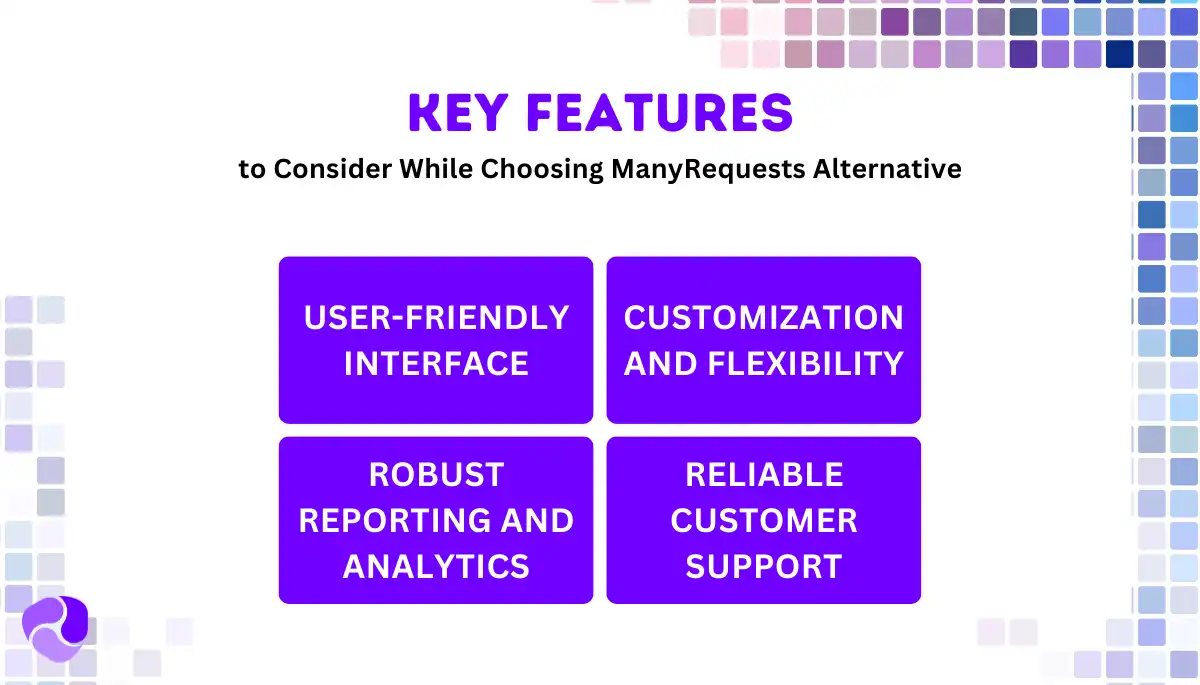
When selecting a ManyRequests alternative, you must consider features that improve efficiency and client management. Here are key features to look for —
Support for Service Embedding
You can’t embed services or display them externally in ManyRequests, which makes it hard to create a seamless sales experience. This creates extra steps just to present your offerings. If you’re trying to simplify client intake or connect forms to your site, the limitations show up quickly.
Ticketing or Support Tools
ManyRequests doesn’t give you built-in ticketing. That means you’re either stuck using external tools or asking clients to email support questions. Important requests often get lost or delayed, which frustrates both sides.
Split Payments or Advanced Billing Options
You’re limited to basic invoicing. There’s no way to break payments into milestones or support subscriptions cleanly. For agencies working on multi-phase projects, this creates friction and confusion during payment collection.
User-Friendly Interface
A simple and intuitive interface makes navigation effortless, saving time and reducing frustration. Look for a clean layout with essential functions easily accessible and minimal training required.
Customization and Flexibility
Businesses have unique needs, so a flexible system should adapt to them. Customizable templates, workflows, fields, and automated responses ensure personalized processes.
Dashboard Analytics
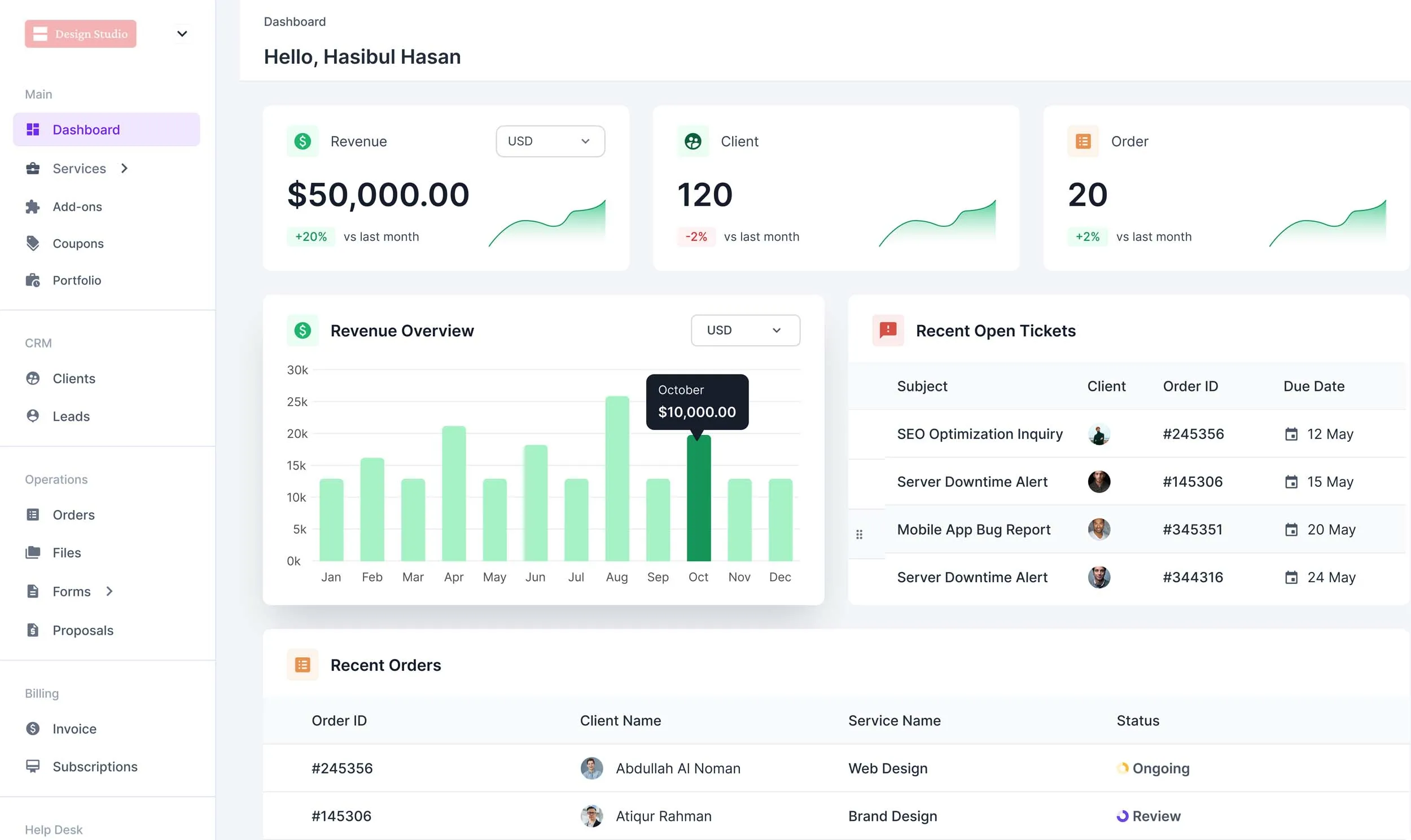
Tracking performance helps in making informed decisions. The platform should offer detailed dashboard where you can see key metrics like revenue, client, order, tickets, etc.
So, What’s The Best ManyRequests Alternative?
If you’re outgrowing ManyRequests, Agency Handy is a better fit. It offers white-labeled client portal, file-based feedback, subscription management, and real-time client chat.
The platform gives you a clear dashboard, fast onboarding, and workspace-level customization. Pricing starts at $13/month with access to key tools like CRM, invoicing, and time tracking.
That being said, Zendo is useful if chat is your focus, whereas Bonsai suits individual service providers.
Final Words
Choosing the right ManyRequests alternatives often comes down to how well it fits your workflow. ManyRequests is solid for basic client and project management. However, it lacks deeper customization, billing flexibility, and real-time collaboration.
Platforms like Copilot, Zendo, and SuiteDash offer improvements in specific areas like permissions, service structure, or branding. But they also come with trade-offs in pricing, setup time, or missing features.
Agency Handy brings a more complete setup for agencies that need control across client communication, task tracking, invoicing, and workspace branding. It covers more ground without forcing you to connect together extra tools.