 Get the best 3-year deal NOW →

 Skip to content
 Get the best 3-year deal NOW →
Impress your clients with Agency Handy's complete order management, intuitive task tracking, and fully customizable branding. Unlike Moxo, Agency Handy provides an all-in-one platform designed for seamless order execution and client collaboration, without the need for add-ons or complex setups. Manage every aspect of your agency's workflow—from onboarding to delivery—at an affordable price.
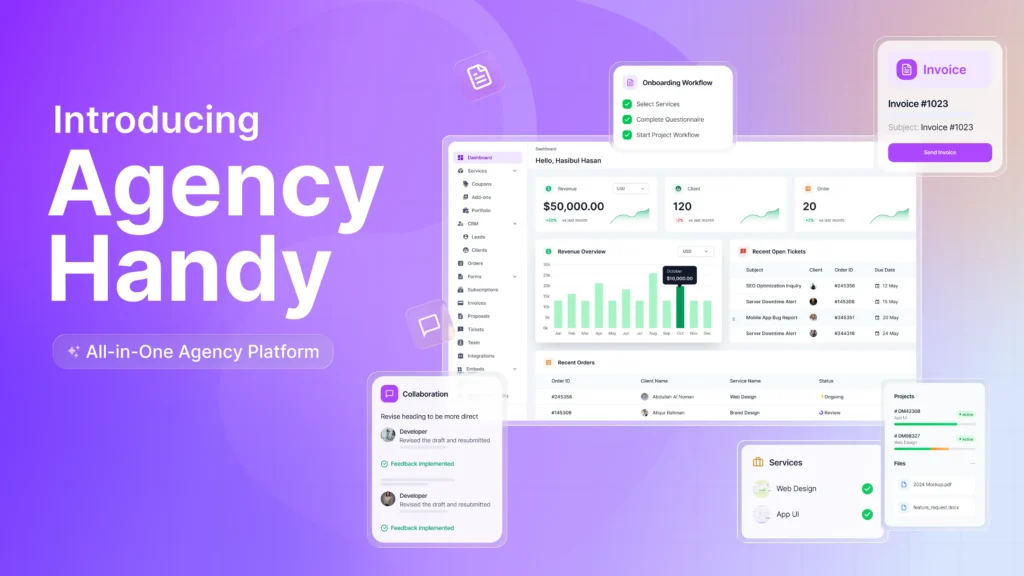

Everything you need to run your agency — without the limitations Moxo leaves behind.
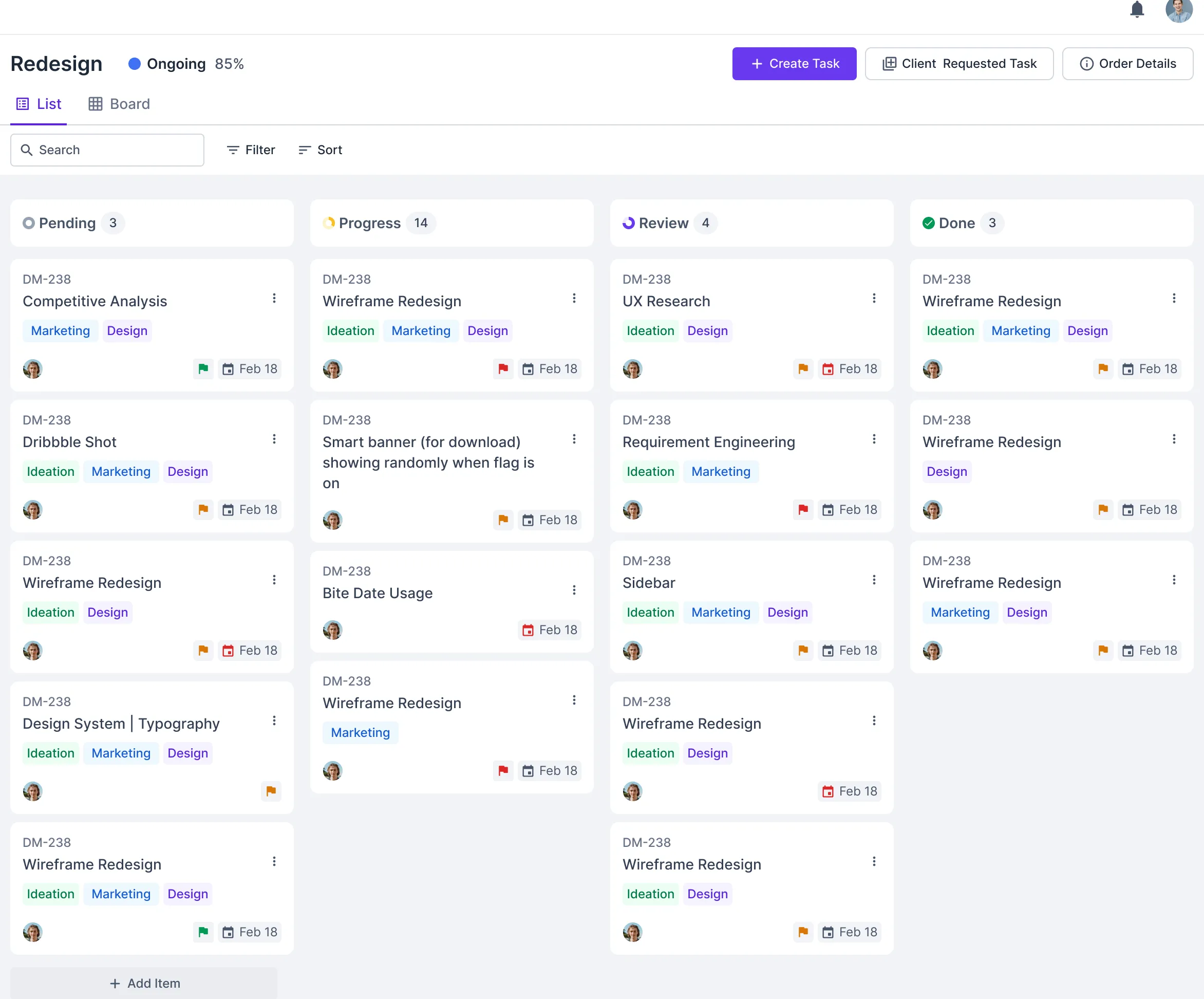
Moxo automates tasks, but Agency Handy empowers you to manage every detail of your projects.
You can break down even the most complex tasks into manageable steps, set specific deadlines, and assign responsibilities to your team members. This way, you have a clear overview of who's doing what and when it needs to be done. All of this happens within a single platform, keeping communication, tasks, and client updates in one place.

Moxo doesn't offer any service listing opportunities, whereas Agency Handy offers a complete service package system to show your services in groups.
Stop juggling multiple platforms to manage your services. Showcase all your offerings in one place, letting clients easily browse, select, and subscribe to services in a clear and organized way. Manage multi-package options and customize services to fit each client's needs, all from a single, unified platform. Simplify the process with built-in tools for service management, reducing confusion and boosting sales effortlessly.
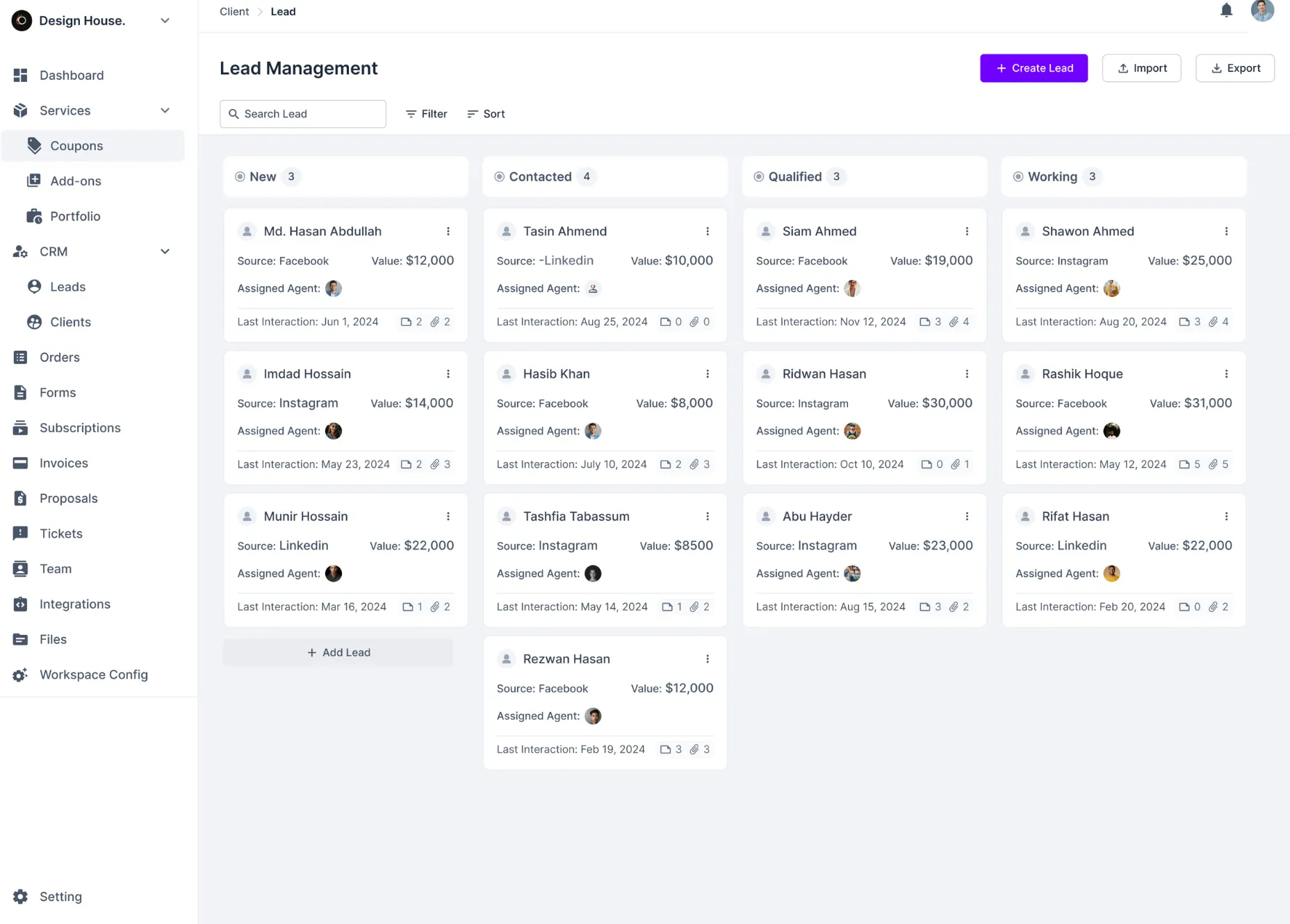
Moxo lacks dedicated CRM features, but Agency Handy shines with its powerful CRM system designed to simplify lead management and nurturing.
Keep everything organized with detailed lead profiles, including contact info, lead source, value, and interaction history, all in one place. Assign leads to team members to ensure accountability and personalized follow-ups. Easily track progress at every stage of the sales funnel and engage leads at the perfect time. Sort and prioritize leads by key factors like value or last interaction, so you can focus on what matters most. Simplify lead management, boost productivity, and drive results —all with Agency Handy's intuitive CRM system.
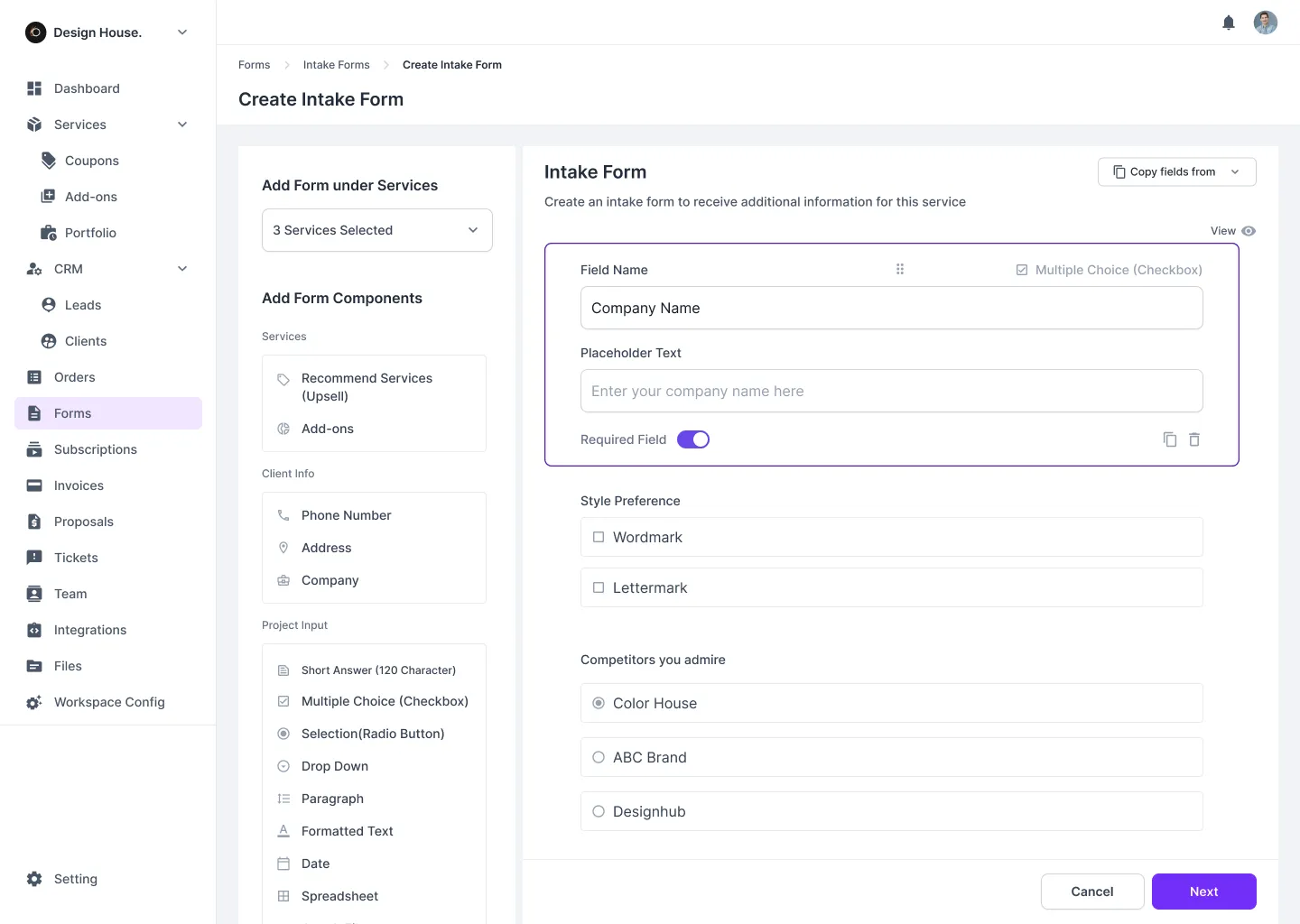
Moxo leaves you in the dark to onboard clients, but Agency Handy gives you a complete solution to get client info and orders seamlessly.
Stop settling for basic onboarding processes. Agency Handy offers full customization with powerful order and intake forms across all plans. Personalize every form to suit your business needs, giving you complete control over how you collect client information. No unnecessary steps, no extra tools required. From the very start, you can streamline onboarding, manage orders efficiently, and create a smooth, professional experience that strengthens client relationships and boosts your agency's performance.
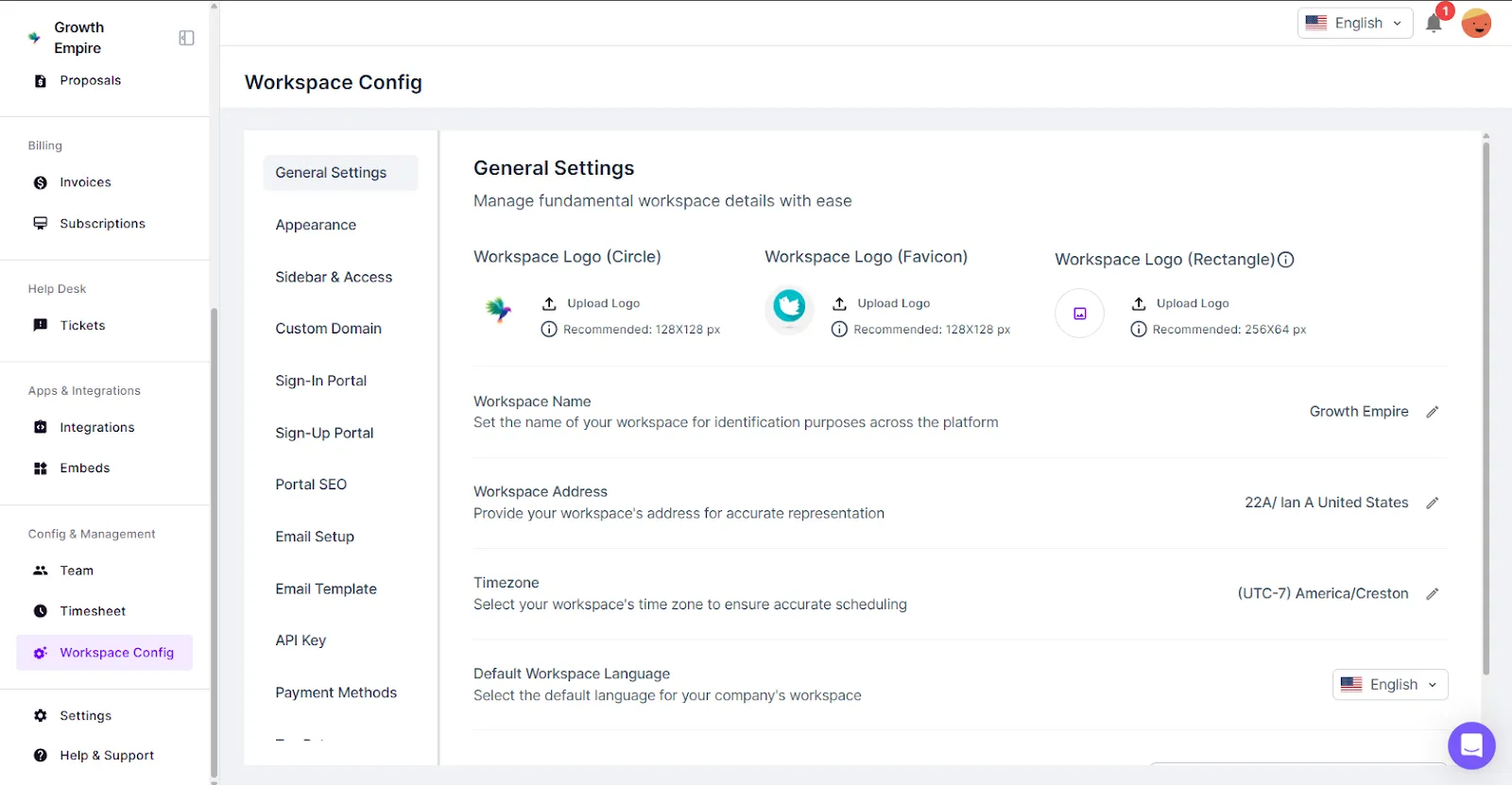
Unlike Moxo, which restricts white-label features to higher plans, Agency Handy provides full white-label customization across all plans.
Agency Handy includes full white-label customization in all of its plans. This means you can immediately customize logos, color schemes, email templates, and even domains to reflect your brand. No need to pay extra for this feature—your clients will experience a fully branded service from day one, ensuring consistent brand recognition at every touchpoint.
Are you trying to choose between Agency Handy and Moxo to manage your agency’s workflow? Both platforms have their strengths, but they cater to different needs.
In this guide, we’ll break down the features, pricing, and best use cases to help you decide which platform is right for you.
We’ll compare Agency Handy and Clinked to see how they measure up. This comparison will look at who each platform is best for, how they can be used, how simple they are to use, how they help with managing tasks and clients, handling billing and invoicing, and what their pricing looks like.
Agency Handy is ideal for digital agencies, freelancers, and creative teams, offering simplicity and ease of use. Moxo, however, targets larger enterprises, especially in regulated industries like finance or healthcare.
Focus areas | Agency handy | Moxo |
Target users | All types of digital agencies | Larger enterprises |
No of users | Up to 30 users (pro plan) | Not mentioned |
Ease of use | Simple, easy to set up | Advanced, requires a sophisticated setup |
Agency Handy is designed for digital agencies, freelancers, and creative teams.
It manages client interactions, tasks, and orders all in one place. You’ll find it easy to set up and use, making it ideal if you need a straightforward platform that doesn’t overwhelm with complexity.
On the other hand, Moxo is built for larger enterprises, particularly those in regulated industries like finance, healthcare, and legal. If your business handles complex B2B relationships and requires strict compliance, Moxo is the right choice.
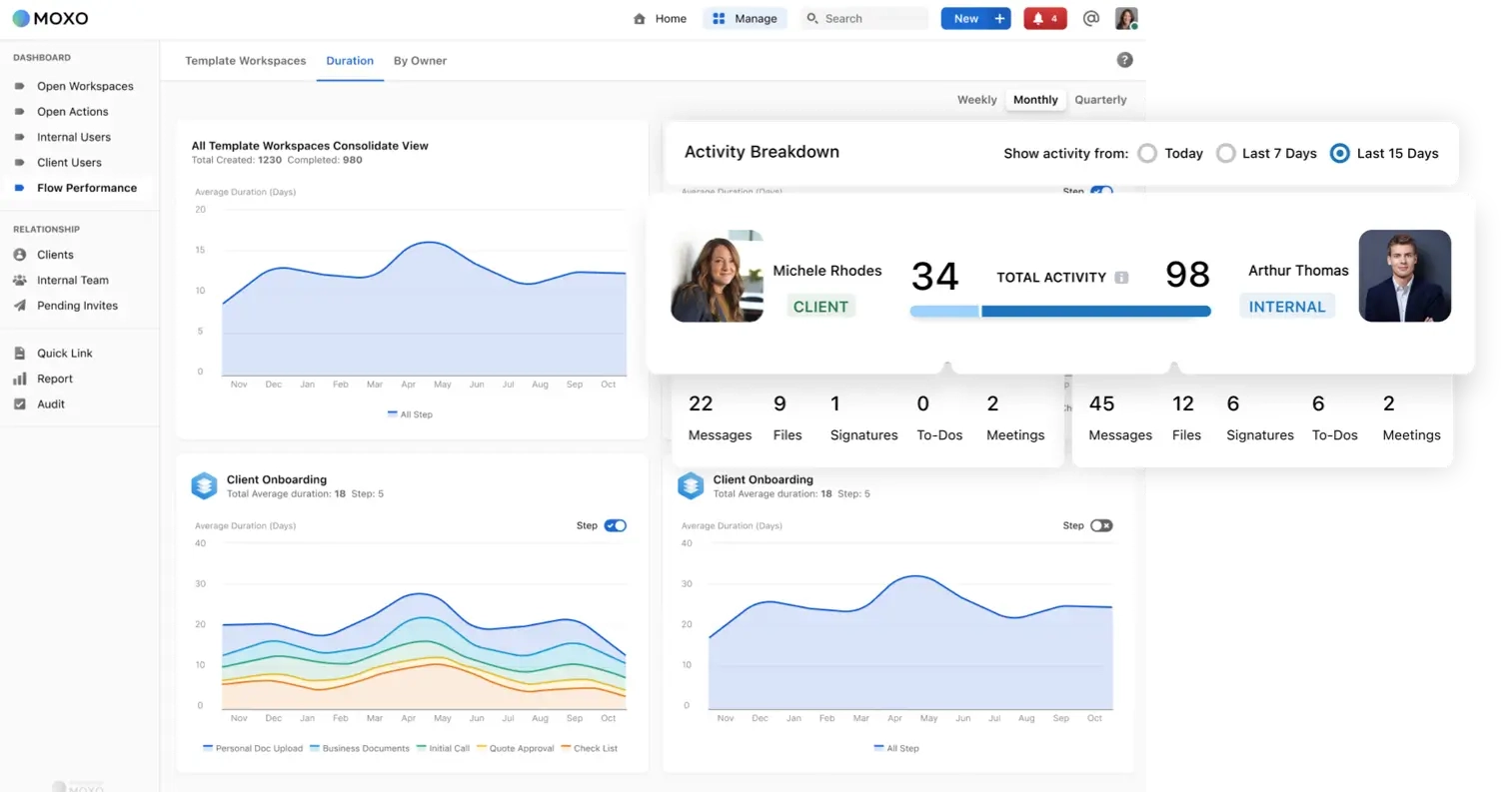
It’s designed to manage intricate workflows, automate processes, and ensure secure, compliant operations.
Agency Handy’s service catalog is a powerful tool for attracting clients, offering customizable multi package service listings, and client feedback. Moxo, however, lacks a service catalog feature, focusing on internal workflows rather than client-facing tools to bring in new business.
Feature | Agency Handy | Moxo |
Service Catalog | Create a group catalog of services to showcase offerings | ✖ |
Service detail page | Build customizable pages to detail each service offering | ✖ |
Price Visibility | Option to show or hide prices for each client | ✖ |
Coupon Management | Set up coupon codes with granular control of accessibility | ✖ |
Client reviews | Collect feedback and reviews for each service | ✖ |
If you’re looking to attract new clients, Agency Handy provides a valuable tool with its service catalog. You can create a detailed list of services, offering multiple packages that cater to different client needs.
Whether you provide simple offerings or more complex, tiered packages, clients can easily explore what you offer.
A standout feature is the ability to hide prices if you choose. This gives you control to hide or show prices for specific target audiences, allowing for more personalized conversations when needed.
You can also create coupons to offer lucrative discounts and get more conversions. With granular control over accessibility, you can select individual clients who get to redeem the coupon, how many times, and when.
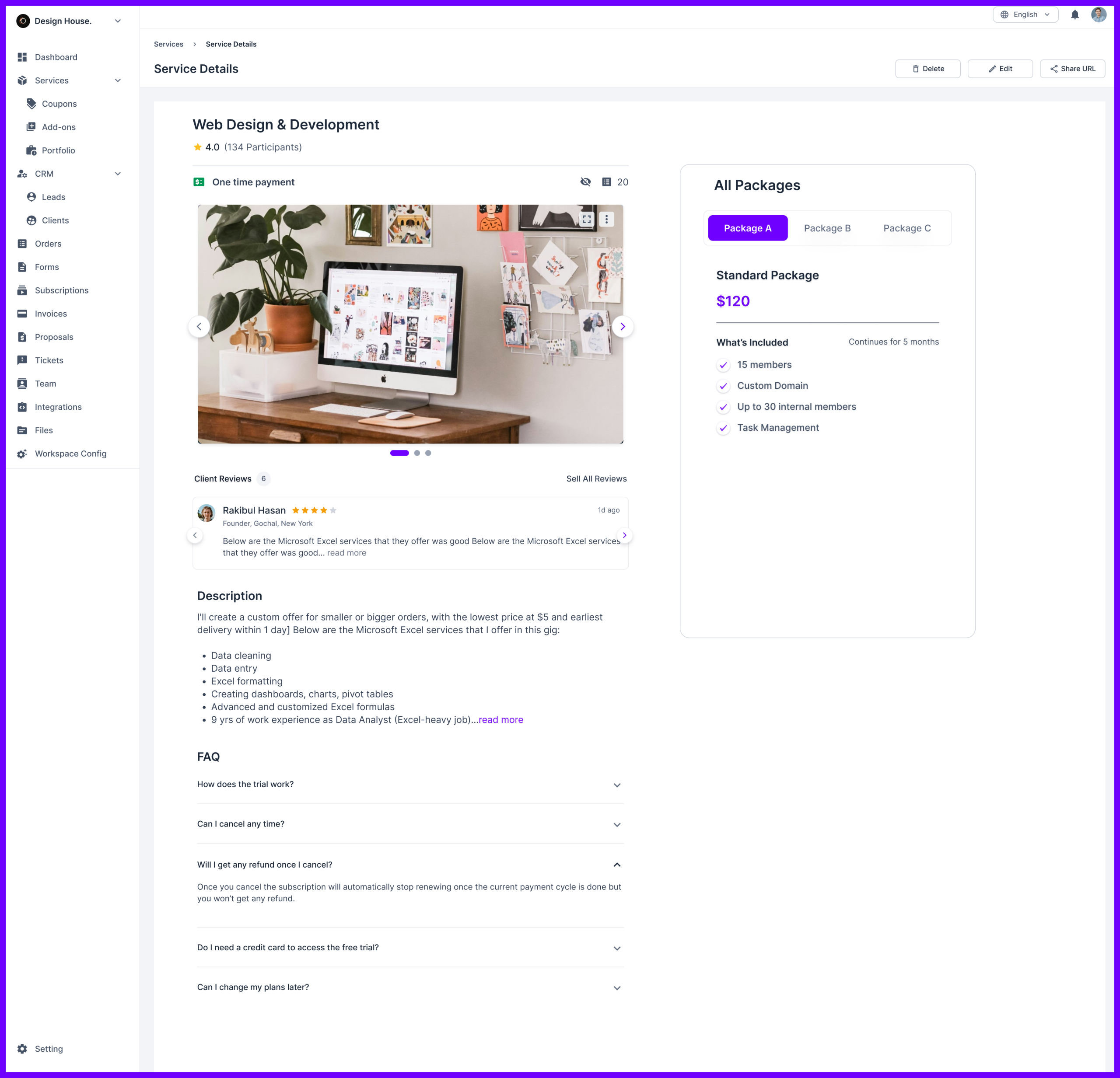
Additionally, clients can leave reviews and feedback, adding credibility to your services and helping you build trust with potential customers.
You can also share your service catalog publicly or embed it on your website using an iframe. The catalog provides a seamless way for clients to browse, select services, and place orders without requiring you to manually manage each inquiry.
In contrast, Moxo does not offer a service catalog feature for client acquisition. Its focus is more on internal workflows and automation, meaning clients won’t be able to browse or compare services in a dedicated catalog.
Agency Handy provides customizable intake and order forms, for detailed client interaction. On the other hand, Moxo focuses on automation, streamlining onboarding with workflows and automated task assignments, reducing manual effort.
Features | Agency Handy | Moxo |
Customizable intake forms | Yes | No dedicated intake forms |
Order forms | Yes | No, lacks structured order forms |
Focus | Designed to handle both onboarding and acquisition. | Focuses on automating and streamlining onboarding. |
If you need a platform that gives you full control over client interactions, Agency Handy is a great choice.
You create customizable intake forms and decide to keep them either before or after payments so clients can provide all the necessary details. In intake forms, there are options to add paragraphs, multiple choice, spreadsheet, or any other files via custom fields.
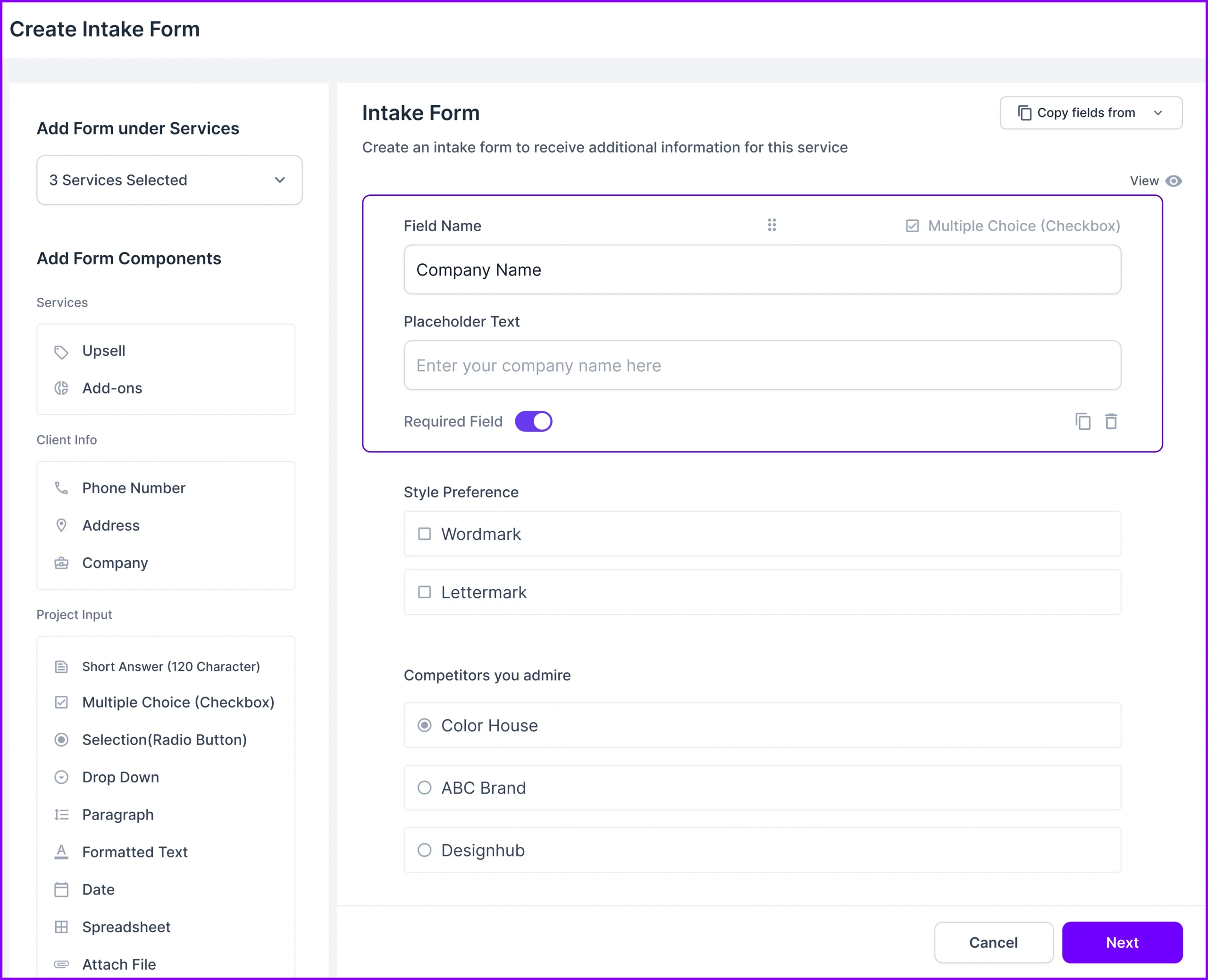
And, the major attraction is the order from where you get all the task details to get started. This is the step where you’ll get all the info about the client’s task, what he expects to achieve, the deadlines, etc.
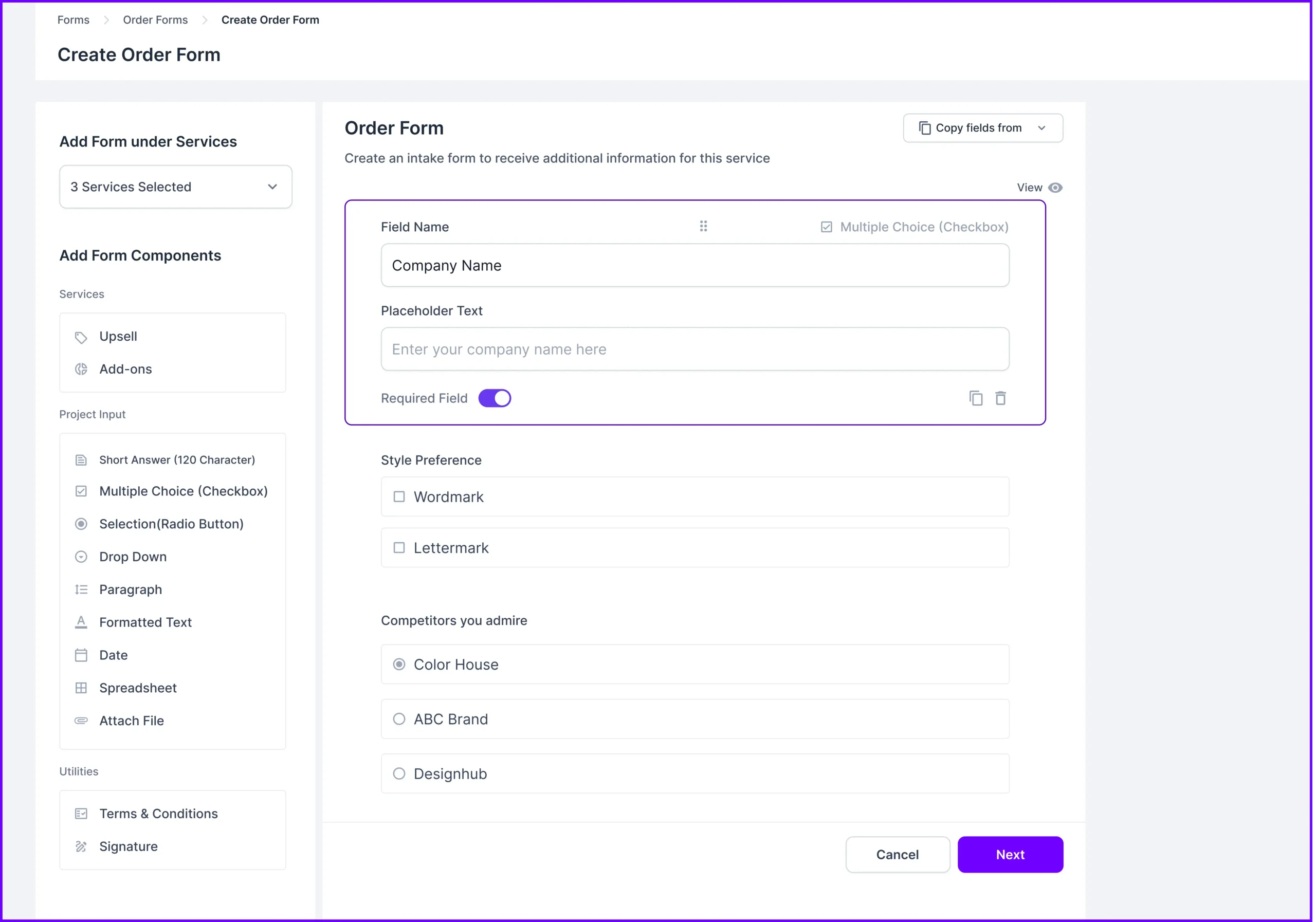
And even, you can share your terms and conditions, and get the proposal signature.
In contrast, Moxo truly stands out when it comes to automation. Its onboarding process is fully automated, using workflows that assign tasks and gather approvals smoothly without any manual effort. Everything runs in the background, making the process efficient and hassle-free.
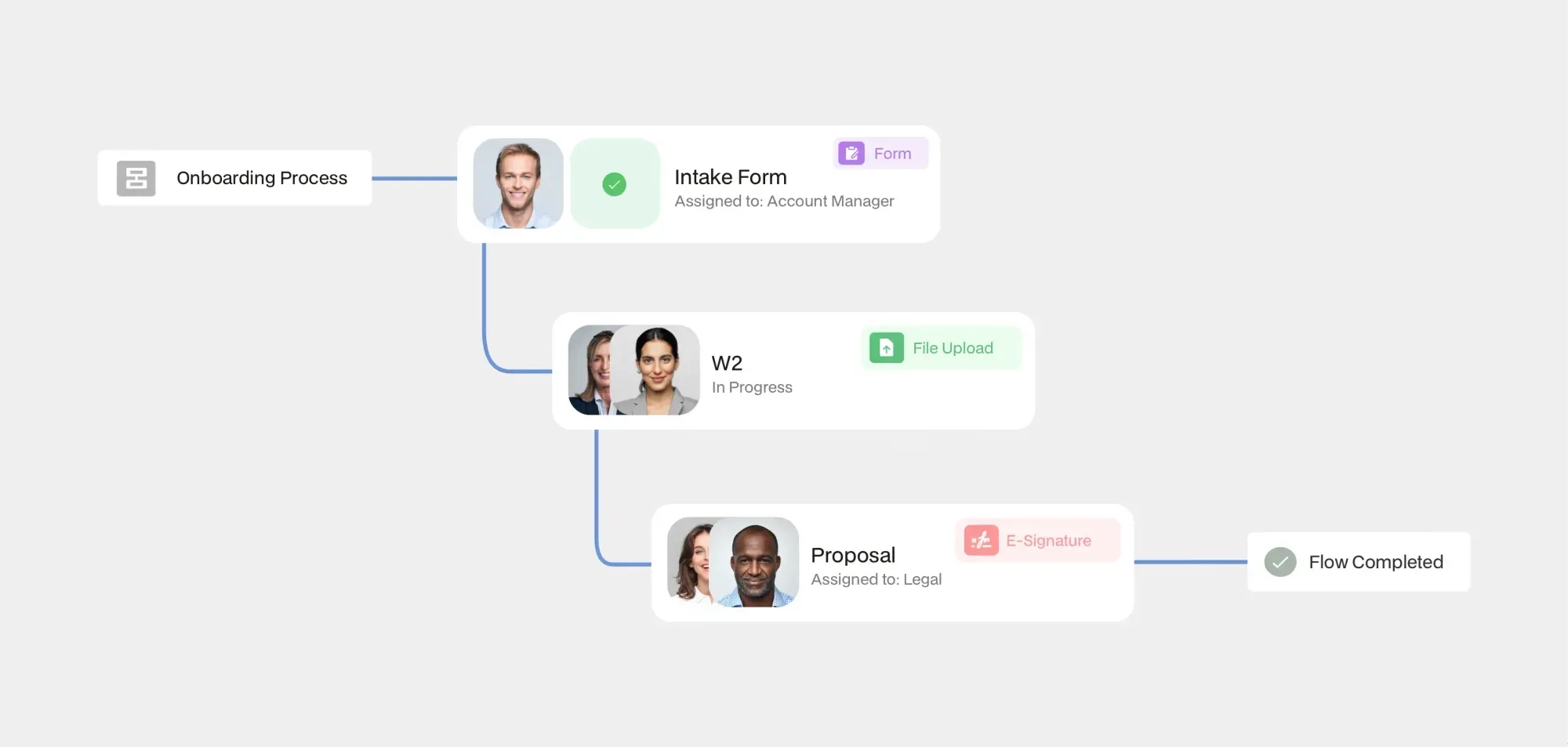
Agency Handy is best if you need detailed, hands-on management of tasks and orders with clear visibility and client involvement. Moxo, however, is more suited for businesses that prioritize automation and efficiency, especially in managing complex, multi-step projects.
Features | Agency Handy | Moxo |
Focus | Designed to provide clear visibility of task and order management. | Focuses on automating complex workflows |
Task management | Offers Kanban boards, list views, and detailed task tracking | Automates task assignments within workflows. |
Client Approval Process | Feedback and approval available | customizable approval workflows |
File Feedback | Allows adding annotations to uploaded files. Version history available. | Annotation and spot comment with audio and video recordings for easy explaination. |
Once you have an order from a client, the next job is to focus on managing and completing the order.
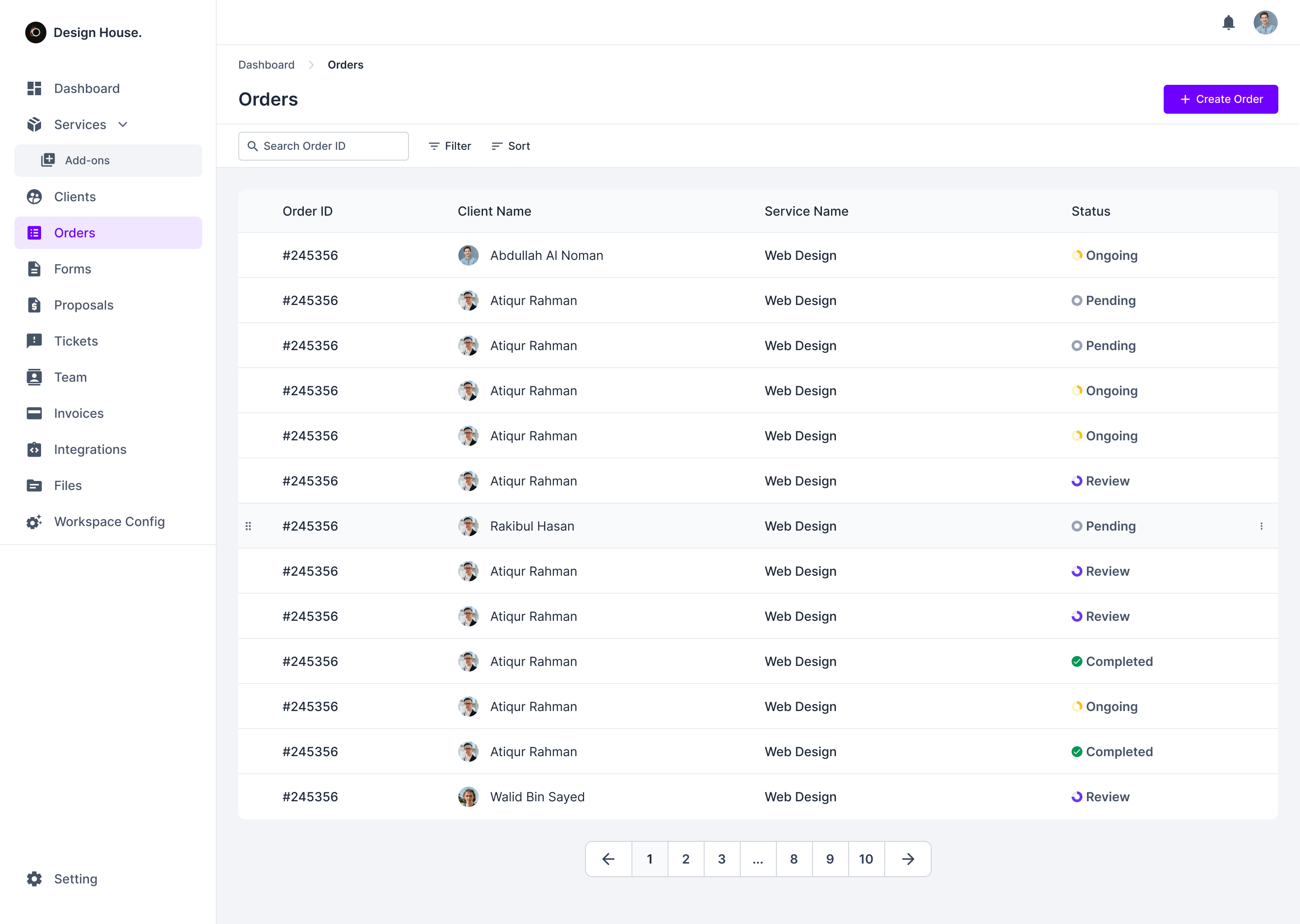
Agency Handy provides tools for managing tasks and orders, making it easy to keep orders on track. You can break down the tasks among members, either based on completion sequence or priority.
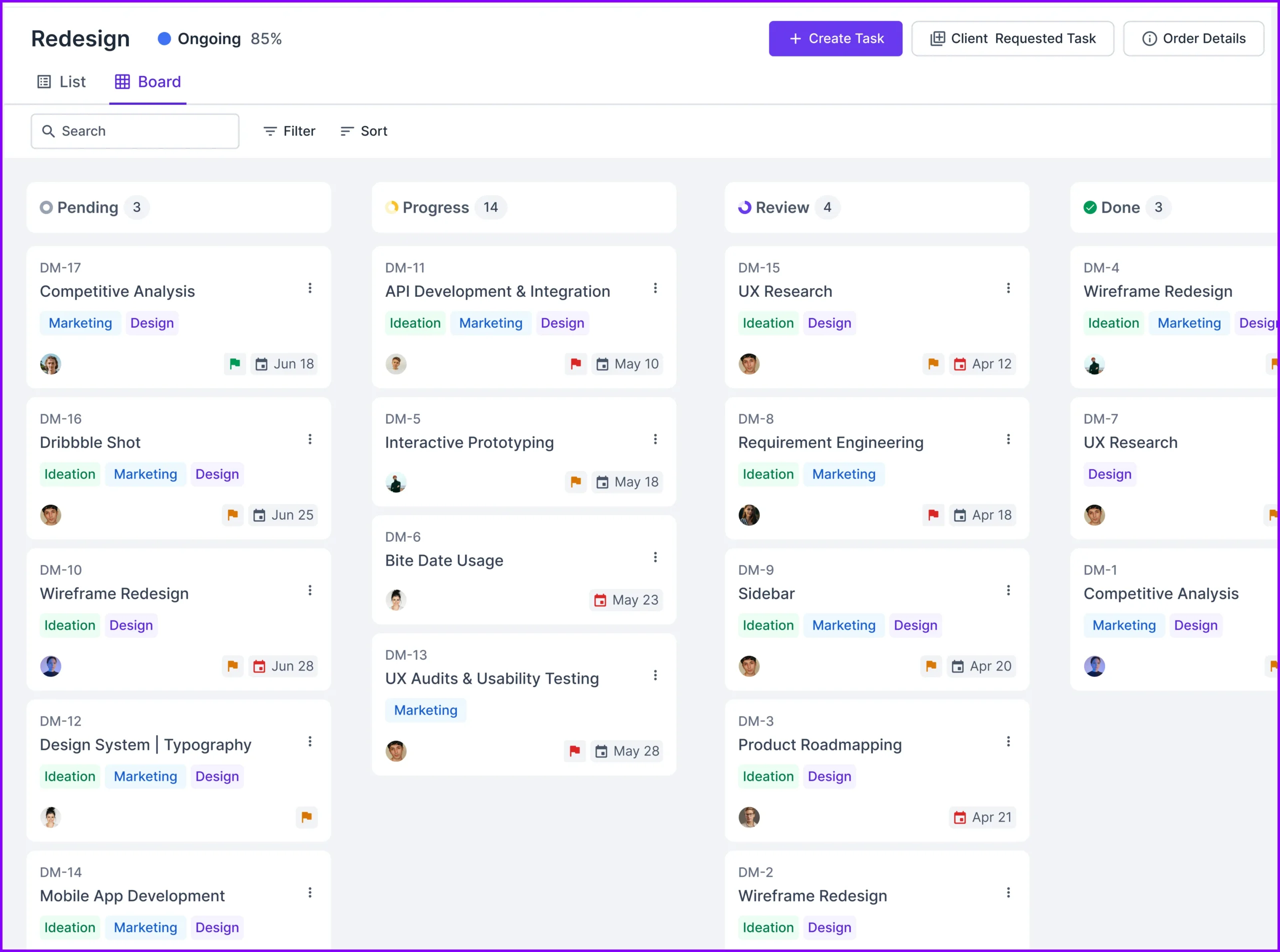
With the Kanban board, you can track orders from start to finish, with clear visibility into start and end dates, task statuses, and client approvals. This level of detail gives you full control over every aspect of task management, ensuring nothing falls through the cracks.

Plus, you can work smoothly with your clients by sharing files and getting real-time feedback. When an order is ready for review, clients can quickly check your work, leave comments, and approve tasks—all within the same system.
Moreover, with file annotation features, teams and clients can effortlessly add comments directly to shared files, fostering clear communication and seamless feedback. Stay organized with version control, which tracks every change, displays edit histories, and allows easy rollbacks to previous versions.
For ultimate transparency, the integrated activity log captures every action taken on a file, who accessed, edited, or commented, complete with timestamps.
Moxo handles tasks and orders with a focus on automation and simplicity. Unlike platforms that use visual tools like Kanban boards, Moxo integrates task assignments into automated workflows.
Moreover, it has advanced file feedback features like recording audio and videos to go with annotations and spot comments. With it, clients can instruct the team for changes in more details.
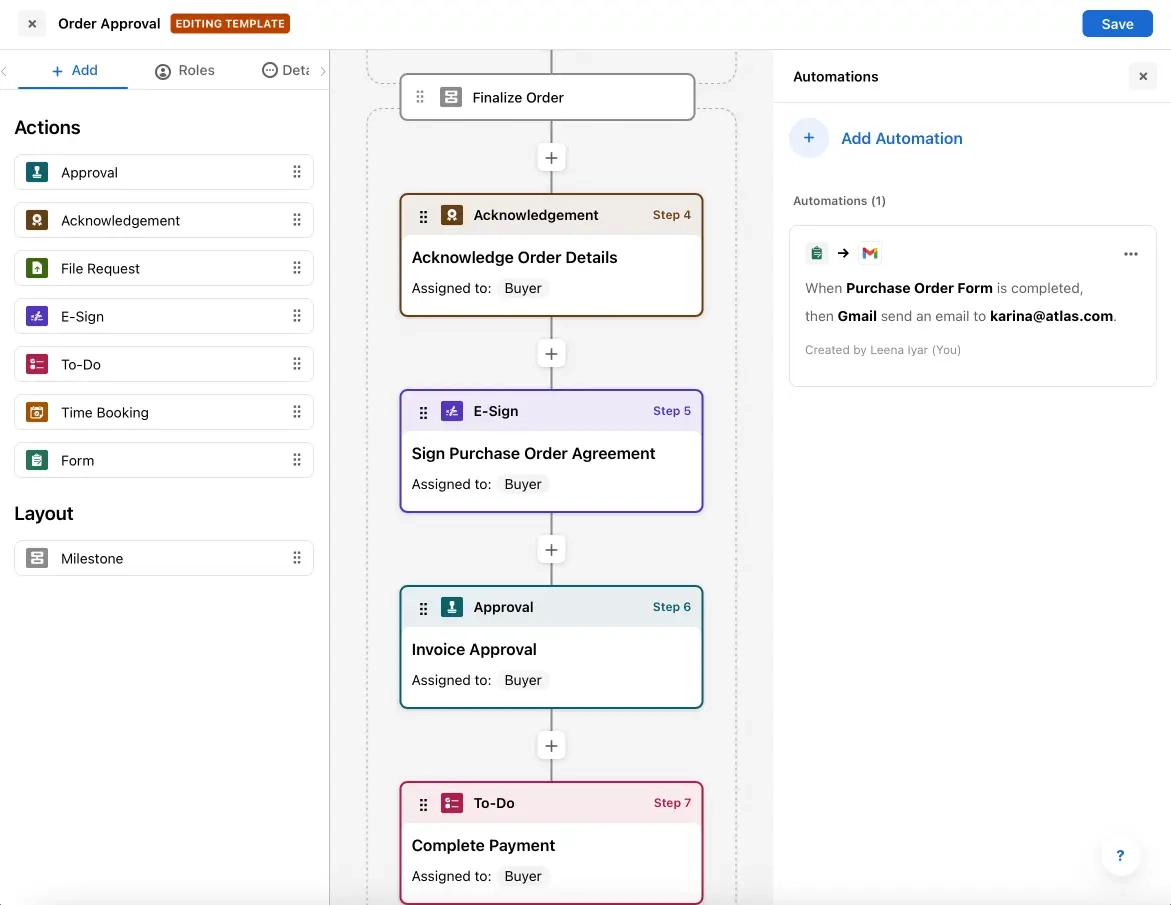
If you’re looking to streamline your processes and reduce the need for constant hands-on management, Moxo offers an efficient solution. It takes care of the details so you can focus on the bigger picture, helping you save time and keep everything on track.
Agency Handy offers lead tracking, client profiles, order and invoice histories, and a ticketing system for support. Moxo provides client workspaces, secure messaging, file sharing with annotations, and service request modules. However, it lacks built-in lead tracking but excels in workflow automation.
Focus Area | Agency Handy | Moxo |
Client Portal | Available | Available |
CRM | Organize and manage lead information throughout the conversion cycle and store client information. | Integrates with external CRM systems; does not offer a built-in CRM. |
Client Profiles | Available | Available |
Communication | Task & ticket comments, email | Secure messaging & video meetings |
Ticketing System | Available | Available as an add-on; offers a Service Requests module for client service tracking. |
Agency Handy’s CRM offers powerful lead-tracking features to ensure no opportunity is missed.
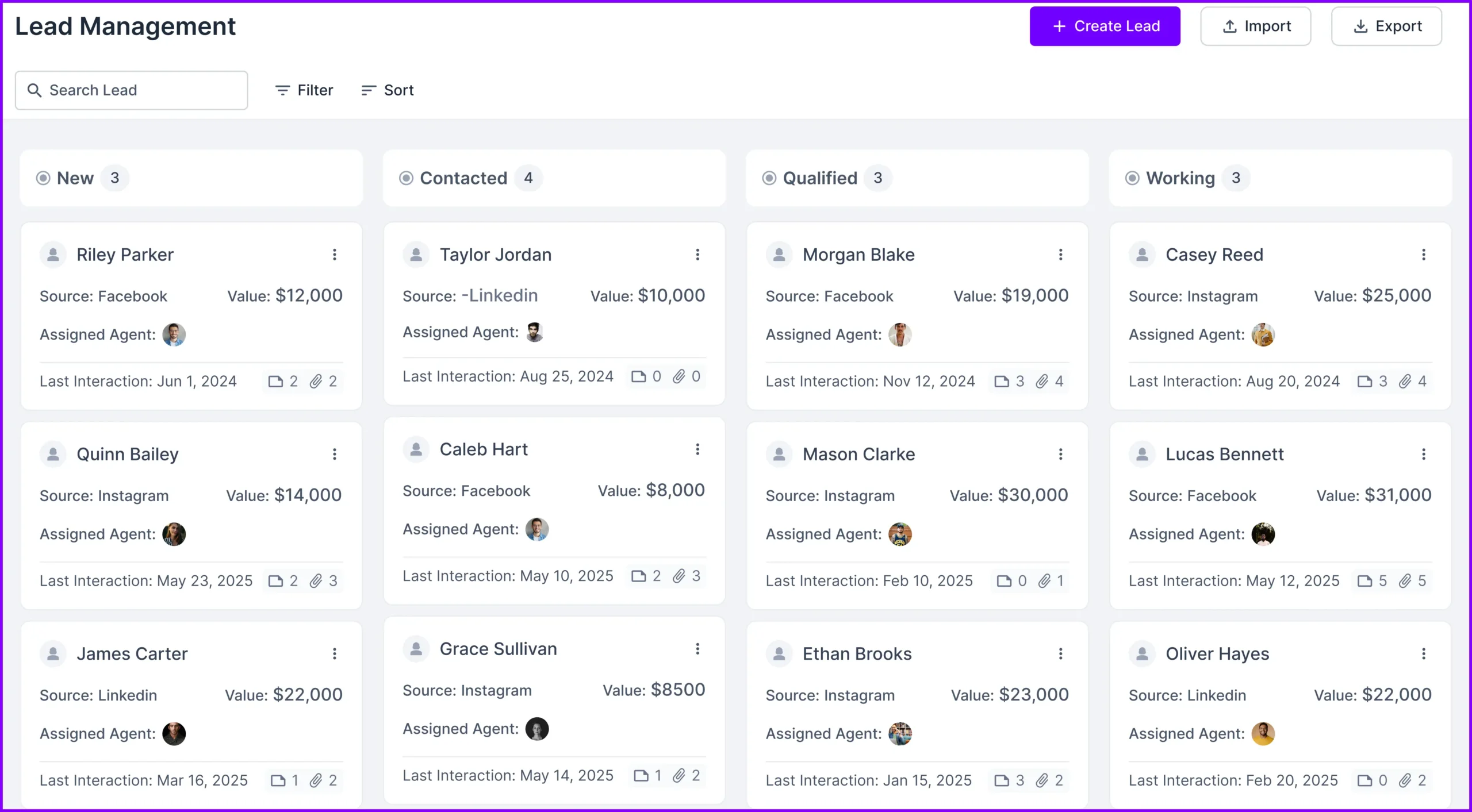
It lets agencies manage lead information and track statuses. This allows timely follow-ups to close deals effectively. The client list provides details like name, email, location, and creation date.
This enables a deeper understanding of each client. Client profiles also integrate order, ticket, and invoice histories, offering a centralized view of client relationships.
Moxo, on the other hand, provides dedicated client workspaces. These workspaces enable secure messaging, video meetings, and file sharing with annotations.
While Moxo lacks a built-in CRM, it integrates with external CRM systems. This ensures agencies can synchronize data and manage client relationships seamlessly. It’s a flexible yet indirect approach to CRM.
Agency Handy also includes a robust ticketing system. Agencies can set ticket priorities, attach files, and facilitate client-team communication. Tickets are easily filtered by client, assignee, status, or priority. This enhances organization and ensures issues are resolved efficiently. It’s a comprehensive tool for client support.
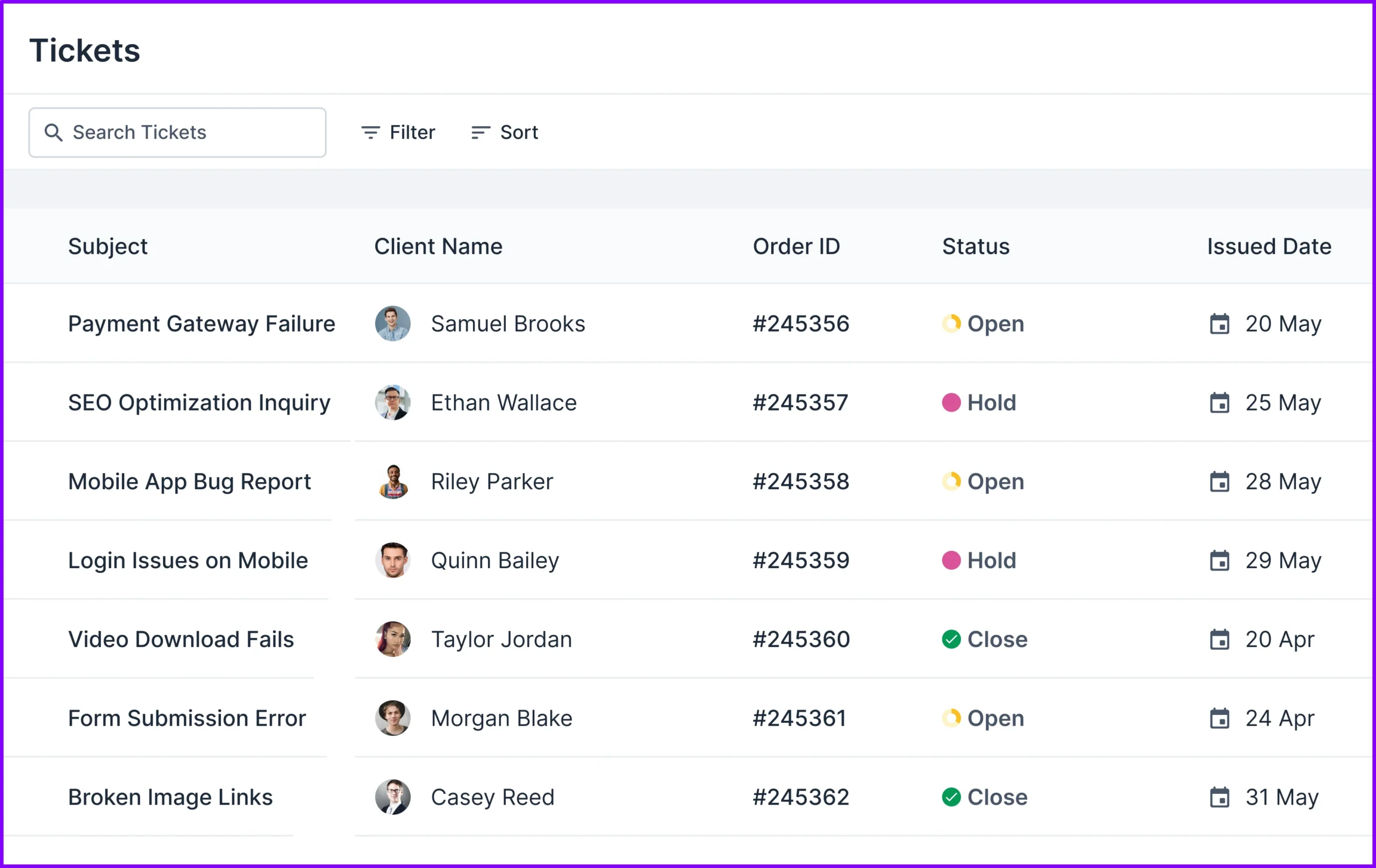
Moxo offers a Service Requests module instead of traditional ticketing. Clients can submit requests and track their progress. This feature simplifies communication between clients and agencies. However, it’s more suited for service-specific requests than for broader client support.
Both platforms excel in client management, but their focus differs. Agency Handy provides detailed lead tracking and a dedicated ticketing system. Moxo shines with collaborative workspaces and CRM integrations, catering to agencies with more dynamic workflows. The choice depends on your agency’s priorities.
Agency Handy streamlines team management with four roles: super-admin, admin, manager, and assignee, providing client access permissions and efficient role management. Moxo features customizable roles but lacks predefined structures, making setup comparitively time consuming but offering more flexibility.
Feature | Agency Handy | Moxo |
User Roles & Permissions | 4 predefined roles: Super-Admin, Admin, Manager, Assignee. | Customizable roles with adjustable permissions. |
Client Access Permissions | Available | Available |
Team Invitations | Available | Available |
Agency Handy makes team management simple and secure with its predefined roles: super-admin, admin, manager, and assignee.
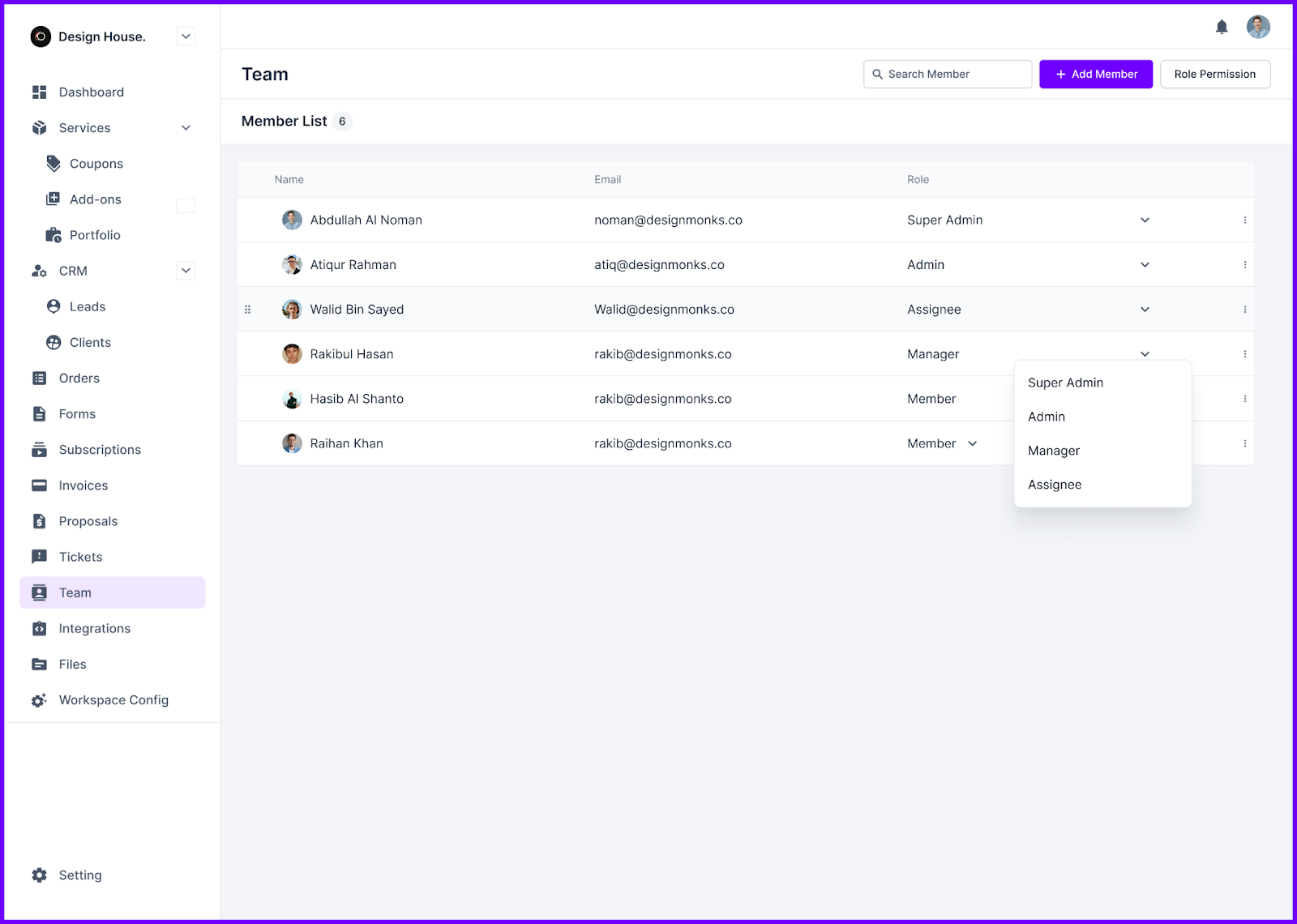
Each role is assigned specific permissions, ensuring clarity and organization. Super-admins oversee everything, while admins manage teams and roles. Managers handle tasks, and assignees focus on their responsibilities without accessing sensitive client data.
The intuitive Team tab makes managing roles, reassigning tasks, and adding team members quick and easy.
In contrast, Moxo offers customizable roles with adjustable permissions, making it highly flexible for teams with diverse needs. Client access permissions and team invitations are available, but the system lacks predefined roles, making setup less straightforward for those seeking a ready-made structure.
Overall, Agency Handy provides a streamlined, role-based system ideal for agencies, while Moxo’s flexibility suits businesses needing more customization.
Agency Handy excels with automated invoicing, recurring subscriptions, and integrations with Stripe, PayPal, Wise, and manual banking. Moxo lacks built-in invoicing and subscription management, focusing only on payment processing. For complete financial management, Agency Handy is the ideal choice.
Focus Area | Agency Handy | Moxo |
Invoicing | Automated and customizable invoices. | lacks built-in invoicing features. |
Payment Gateways | Integrates with Stripe, PayPal, Wise, and manual banking. | Integrates with Stripe and Xero for payments. |
Subscriptions | Automated subscription management. | No built-in subscription billing feature |
When it comes to subscription management, Agency Handy leads with its powerful automation features. It handles everything from invoicing to recurring subscriptions effortlessly.
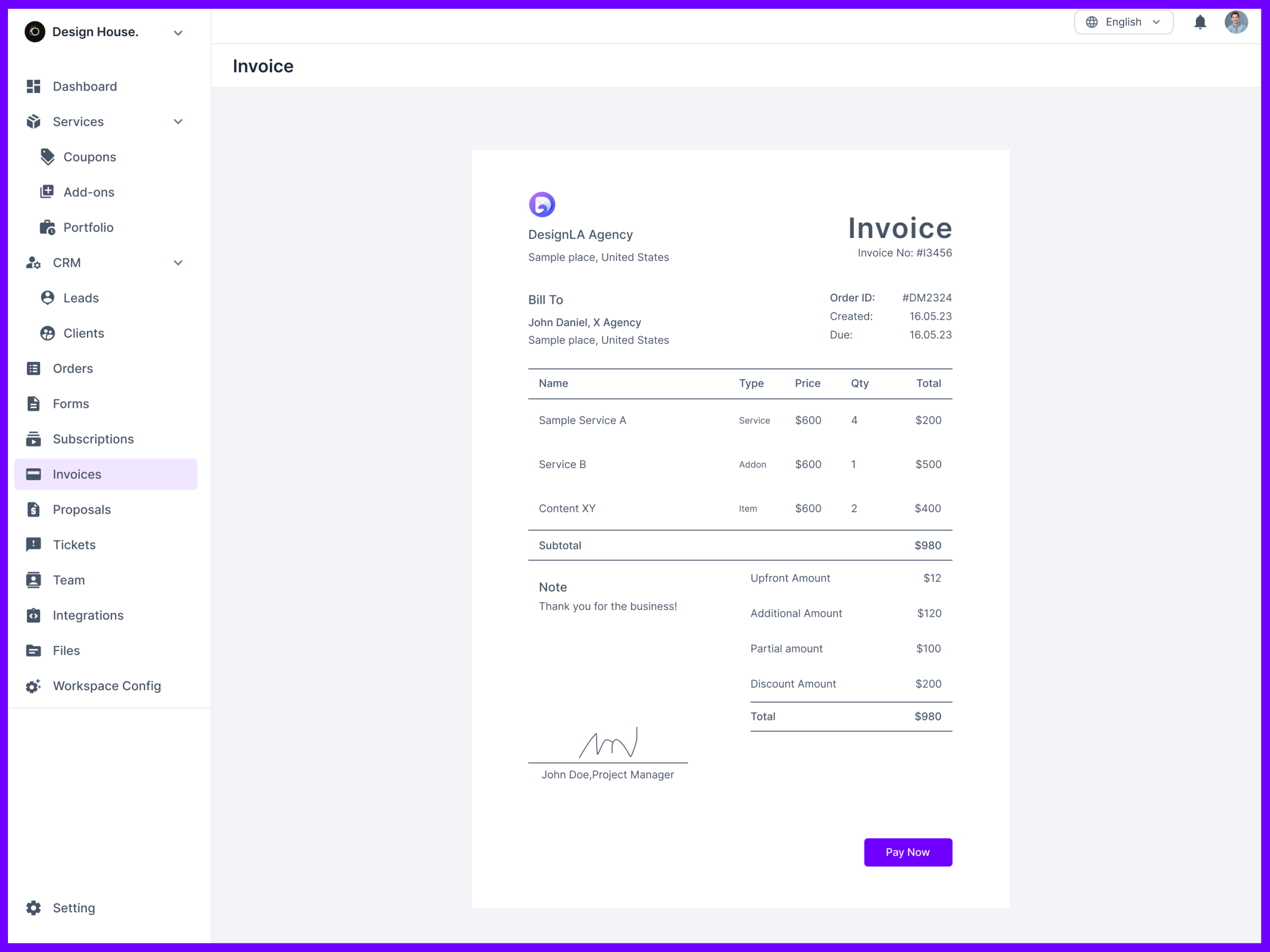
Moreover, it also offers comprehensive invoicing features, including automated and customizable invoices. You can create branded invoices, set up recurring billing, and integrate with payment gateways like Stripe, PayPal, Wise, and manual banking.
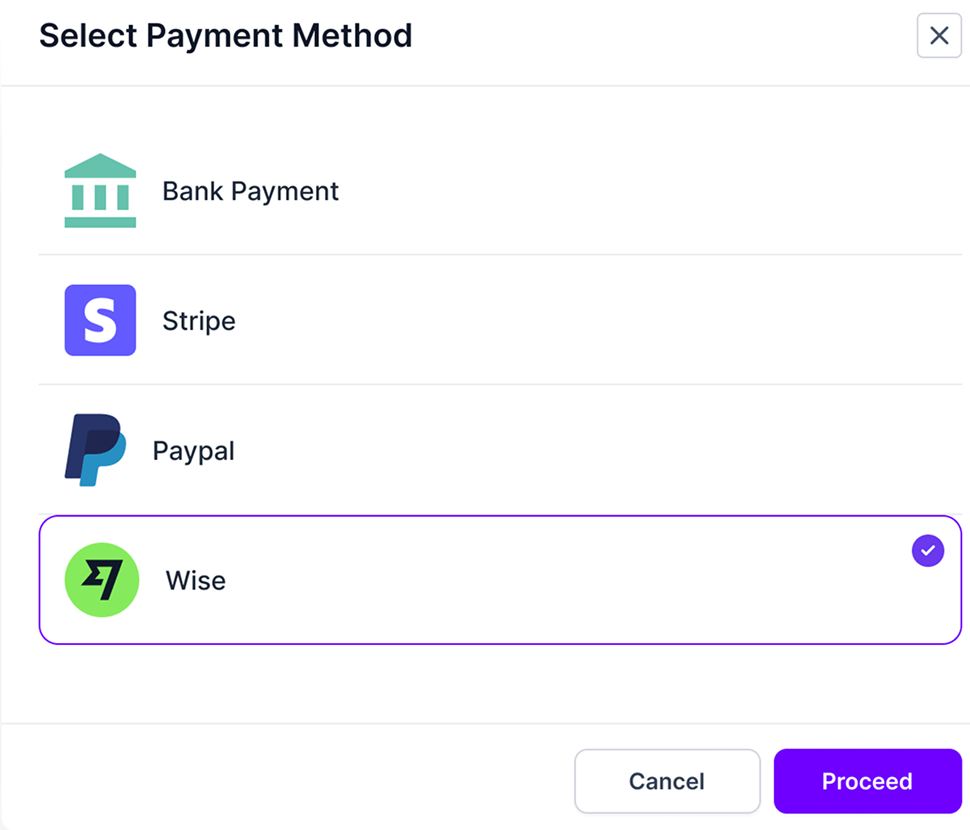
This ensures seamless invoicing, payment tracking, and efficient financial management.
Moxo, on the other hand, lacks built-in invoicing capabilities. While it integrates with payment gateways like Stripe and Xero, it only facilitates payment processing rather than generating or managing invoices. Furthermore, it also doesn’t have built-in subscription management features.
Overall, Agency Handy provides a complete invoicing solution with automation and customization, making it ideal for agencies and teams.
Agency Handy offers a streamlined agency workflow covering onboarding, task management, and billing. Moxo focuses on automating processes with a drag-and-drop builder, intelligent reminders, and role-based permissions.
Feature | Agency Handy | Moxo |
Workflow builder | Predefined workflow with customizable options for onboarding, task management, and billing. | Drag-and-drop workflow builder for creating templates and automating actions. |
Client onboarding | Includes customizable order forms, intake forms, and proposal creation. | Provides seamless onboarding with customizable templates and playbooks for specific processes. |
Task management | The order management system integrates task distribution, tracking, and client approval. | Supports task automation, and internal and external workflows with intelligent nudges and role-based access control. |
When it comes to workflow building, Agency Handy provides predefined workflows that cover key agency tasks like onboarding, order management, and billing. It’s intuitive and built for quick setup.
On the other hand, Moxo offers a drag-and-drop workflow builder that allows for complete customization, letting you automate almost any business action.
In terms of client onboarding, Agency Handy delivers a smooth process with customizable order forms and proposals. This gives agencies a tailored but professional way to onboard clients.
Moxo, however, takes onboarding further with customizable playbooks that allow you to design unique experiences for different clients or projects, ensuring seamless integration.
For task management, Agency Handy focuses on distributing tasks and tracking progress within a simple order management system.
Moxo adds more automation here, with intelligent reminders and role-based permissions that ensure tasks are completed on time, reducing manual oversight.
Agency Handy is a great choice for agencies looking for easy-to-use tools that cover essential needs. While Moxo offers more integrations, Agency Handy focuses on what matters for agencies: handling payments and managing multiple clients smoothly.
Features | Agency Handy | Moxo |
Multi-workspace support | Yes, up to 5 | No, only one workspace per account |
3rd party integrations | Webhooks (up to 30,000 events) | Offers more integrations like Zapier, Google Analytics |
Agency Handy keeps things simple by offering integrations with Stripe, PayPal, Wise, and manual banking. These tools are enough for most agencies to manage their clients’ billing and payments. You won’t get overwhelmed with too many features, just what you need to get the job done.
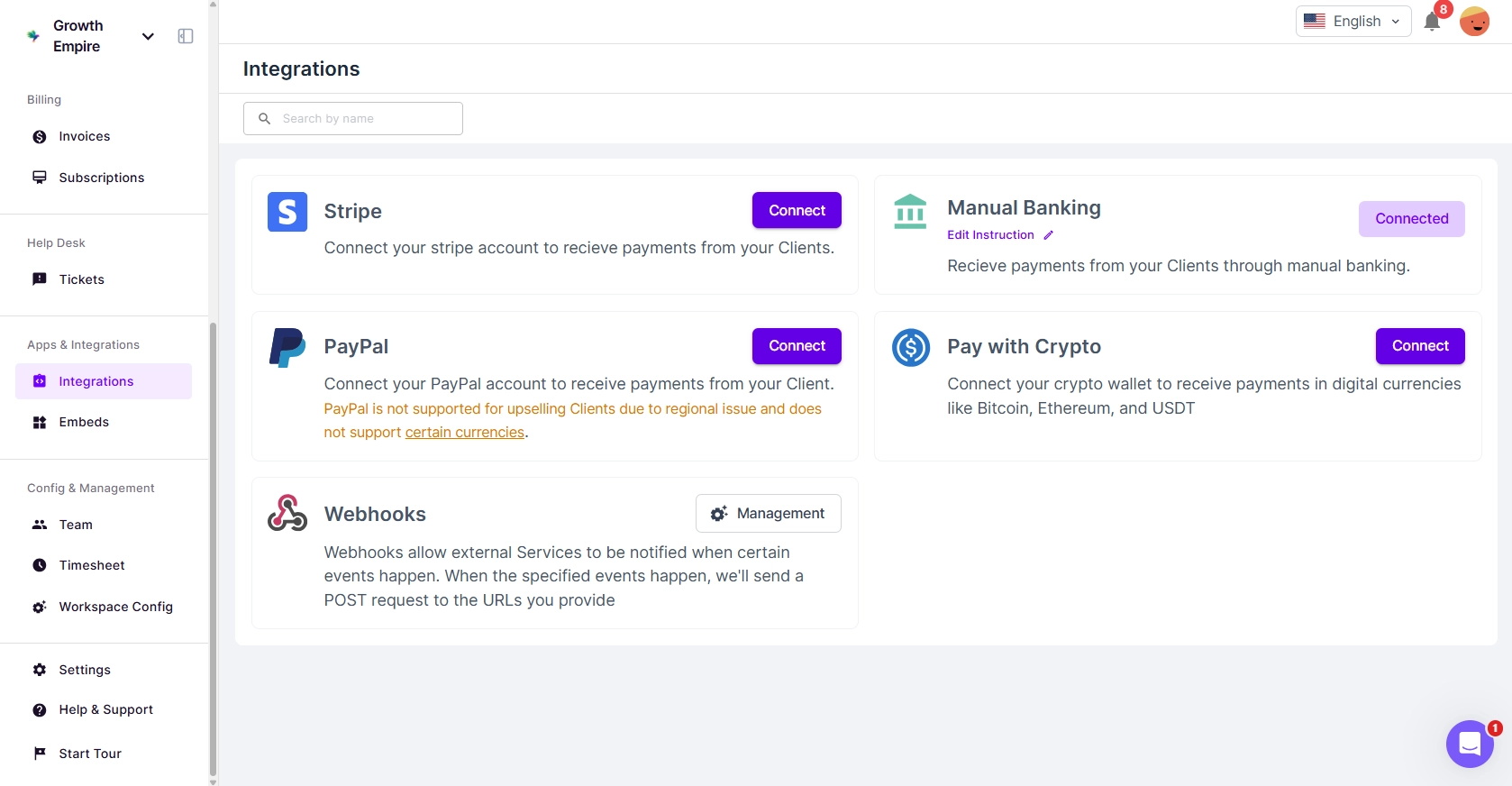
In contrast, Moxo offers more integrations like Zapier and Google Analytics, which may be useful for larger organizations but can be unnecessary for smaller agencies. Agency Handy sticks to the basics, focusing on what agencies use the most.
When it comes to scalability, it stands out with its multi-workspace support. This means you can handle multiple clients and projects within one account, keeping everything organized. Whether you’re managing two or twenty clients, it grows with you.
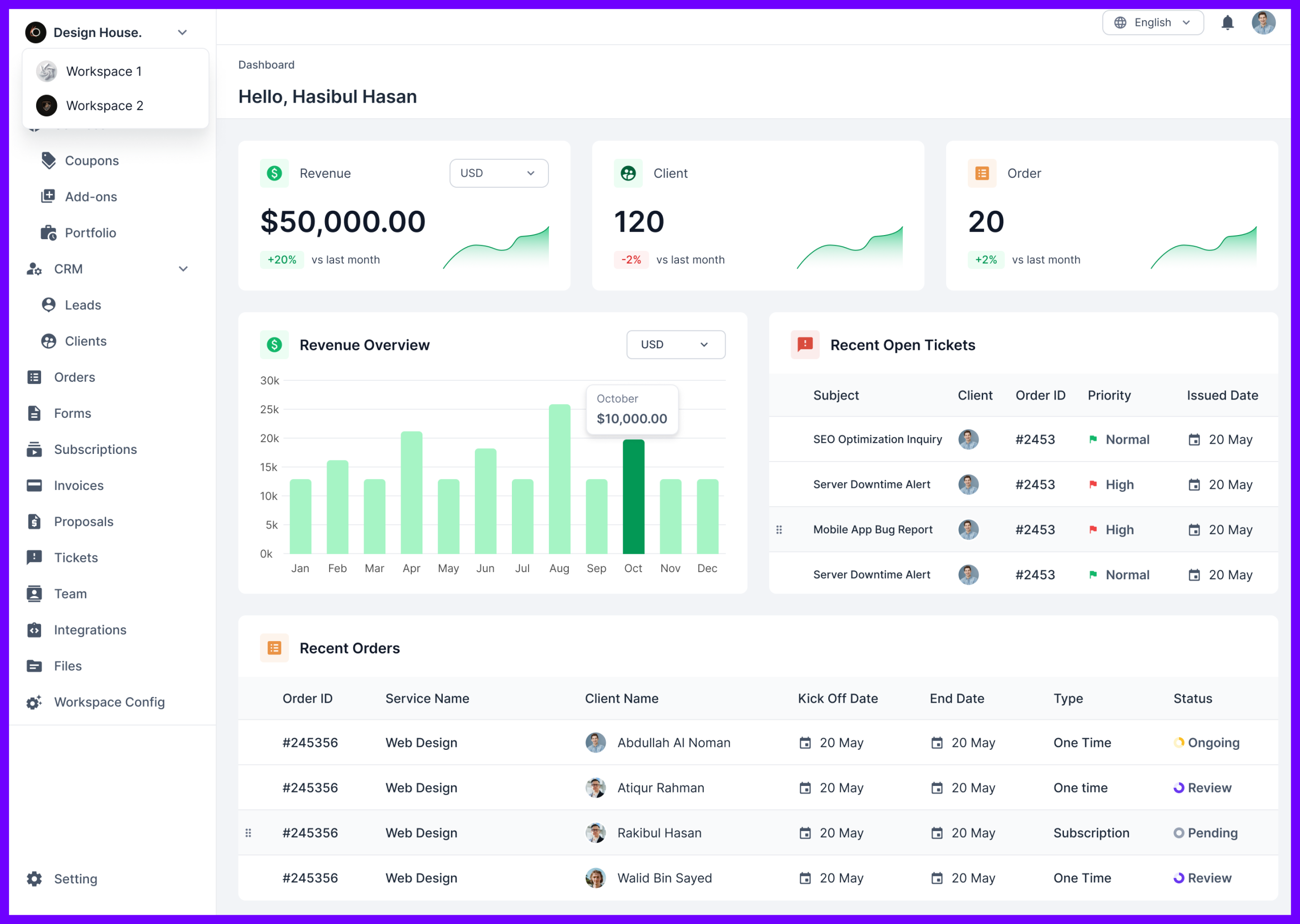
Moxo, on the other hand, only allows for one workspace per account. While it has strong automation features, the lack of multi-workspace support may limit how well it fits agencies that manage lots of different clients.
If your document management needs are straightforward and you’re looking for an easy-to-use system, Agency Handy is a solid choice. However, if you require advanced document management with customization, automation, and top-tier security, Moxo is the better option.
Features | Agency Handy | Moxo |
Document management | Dedicated file library linked to order and tasks | file management with drag-and-drop, workflows, and automation. |
File Uploads by Clients | Available | Available |
Agency Handy provides a straightforward approach to document management. It focuses on organizing files related to specific tasks, orders, or tickets.
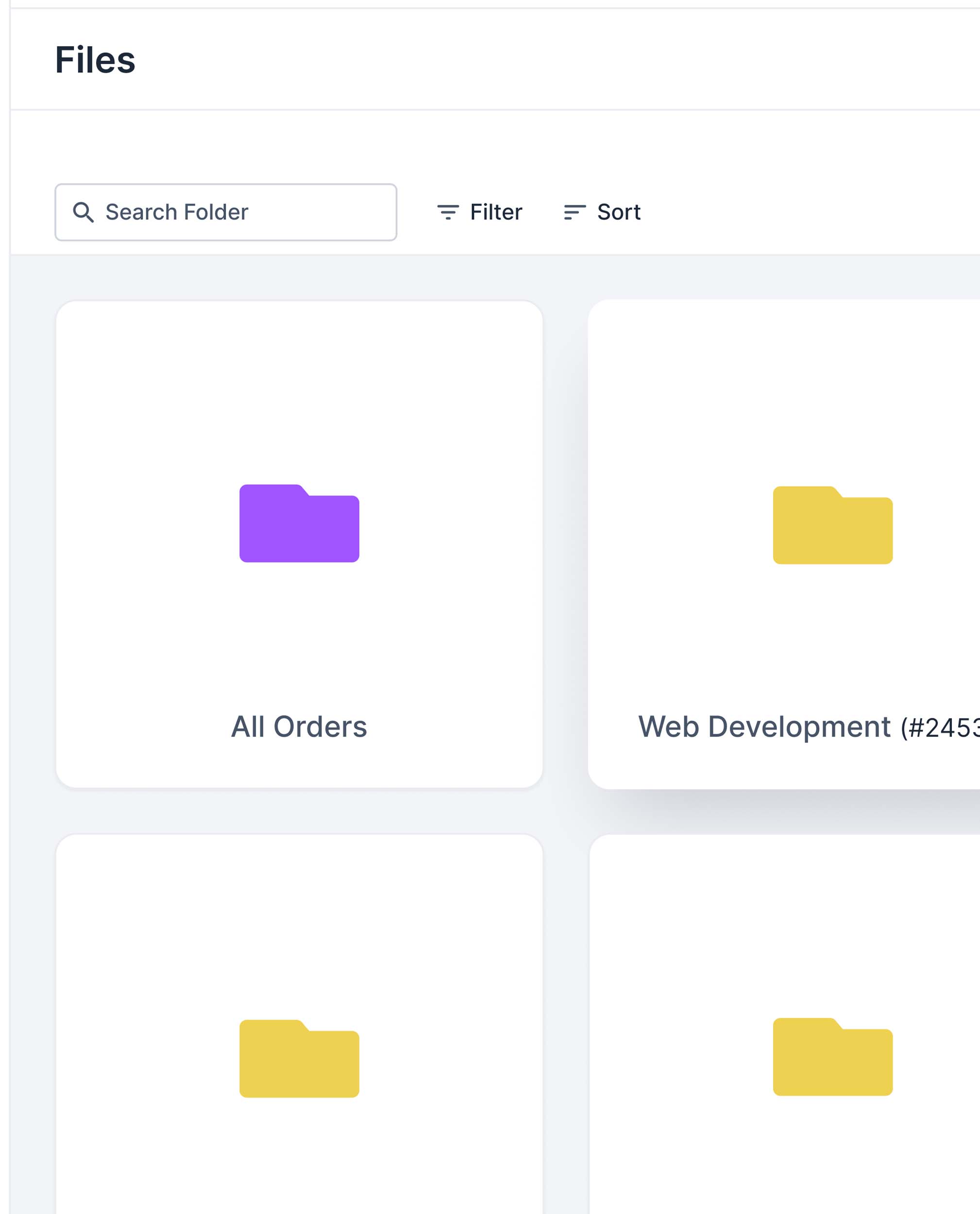
You can easily attach necessary files within these areas, ensuring that everything you need is neatly organized and accessible. This simple file organization system is ideal if your primary need is to keep project-related documents in order without much complexity.
In contrast, Moxo offers a far more advanced document management system. It allows you to manage the entire document lifecycle with a drag-and-drop interface, customizable workflows, and automated processes.
You can configure file requests, set due dates, and automate file submissions, making your document handling more efficient.
If you need substantial storage space shared across your entire team, Agency Handy offers more bulk storage. However, if your business requires storage allocated on a per-user basis, Moxo provides flexible options that scale with your team size.
Agency Handy’s storage:
Plan | Storage | Use cases |
Freelancer | 1 TB | Great for freelancers or small agencies managing moderate file sizes. |
Team Starter | 5 TB | Ideal for mid-sized teams with large media files |
Business Pro | 20 TB | Best for large agencies handling complex projects. |
Moxo’s storage:
Plan | Storage | Use cases |
Business | 10 GB/user | Suitable for small teams where each member has light file storage needs. |
Business pro | 50 GB/user | Useful for businesses with moderate storage needs per user |
Enterprise | 100 GB/user | Perfect for enterprises managing large volumes of files with security needs. |
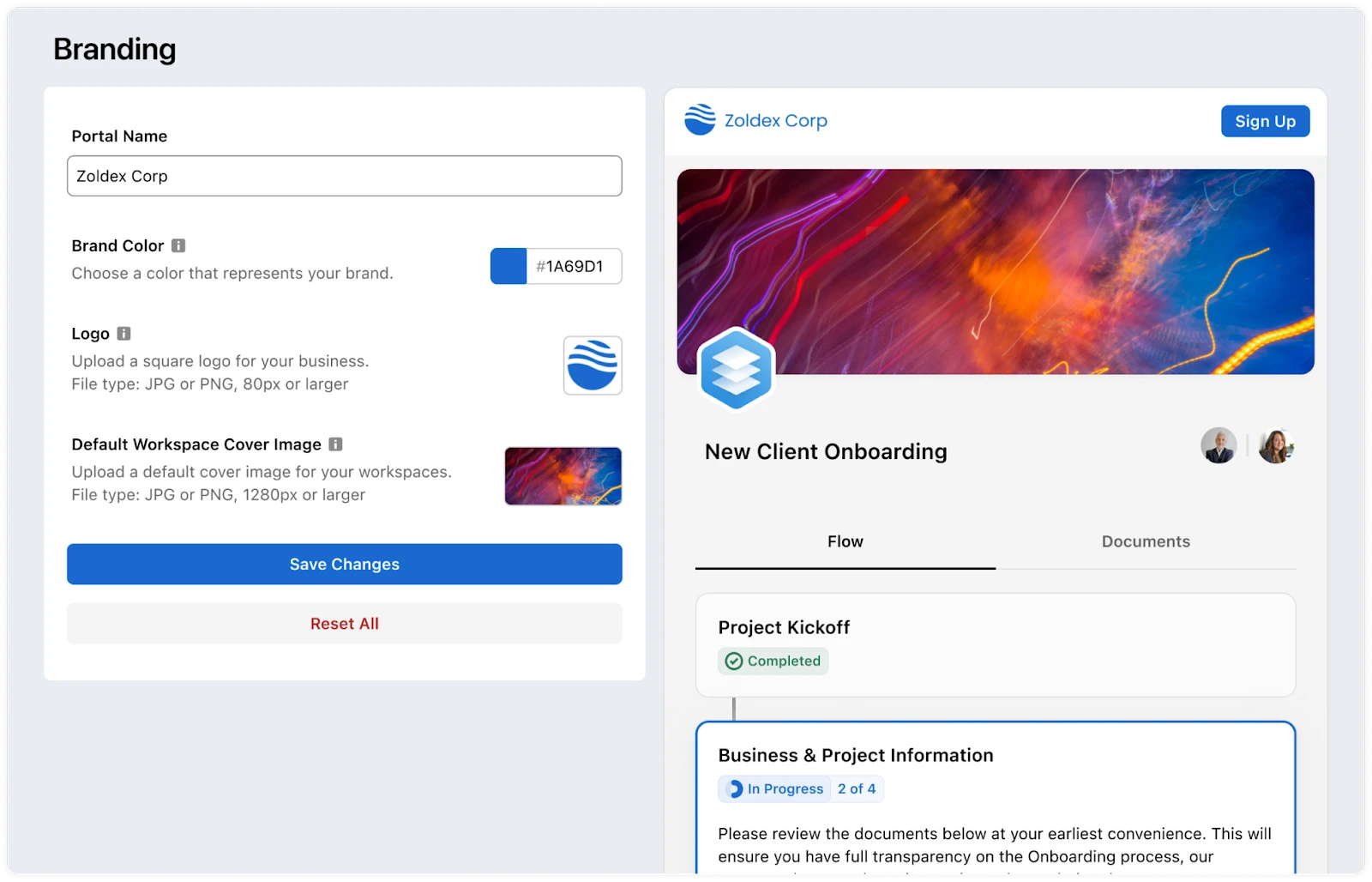
Agency Handy provides more extensive white-label capabilities built into the platform. On the other hand, Moxo offers essential branding features but requires add-ons for full white-label customization.
Features | Agency Handy | Moxo |
Logos and colors | Available on all plan | Available on all plan |
Custom domain | Available | Available as an add-on |
Custom email | Available | Available as an add-on |
White-label email template | Available | Not available |
Multiple language support | 8 languages | Not available |
Agency Handy includes a full suite of white-label features as part of its platform, making it easy for businesses to create a fully branded experience. These features include:

These white-label features are included in the standard plans, making it a comprehensive branding solution for businesses looking to fully integrate their brand across all client-facing elements.
Moxo, on the other hand, offers limited white-label features as part of its core service but provides advanced options as add-ons. The available white-label capabilities include:
Both Agency Handy and Moxo offer 3 types of pricing plans. However, Moxo’s pricing is quotation-based so the pricing differs according to your requirements.
Agency Handy’s Pricing:
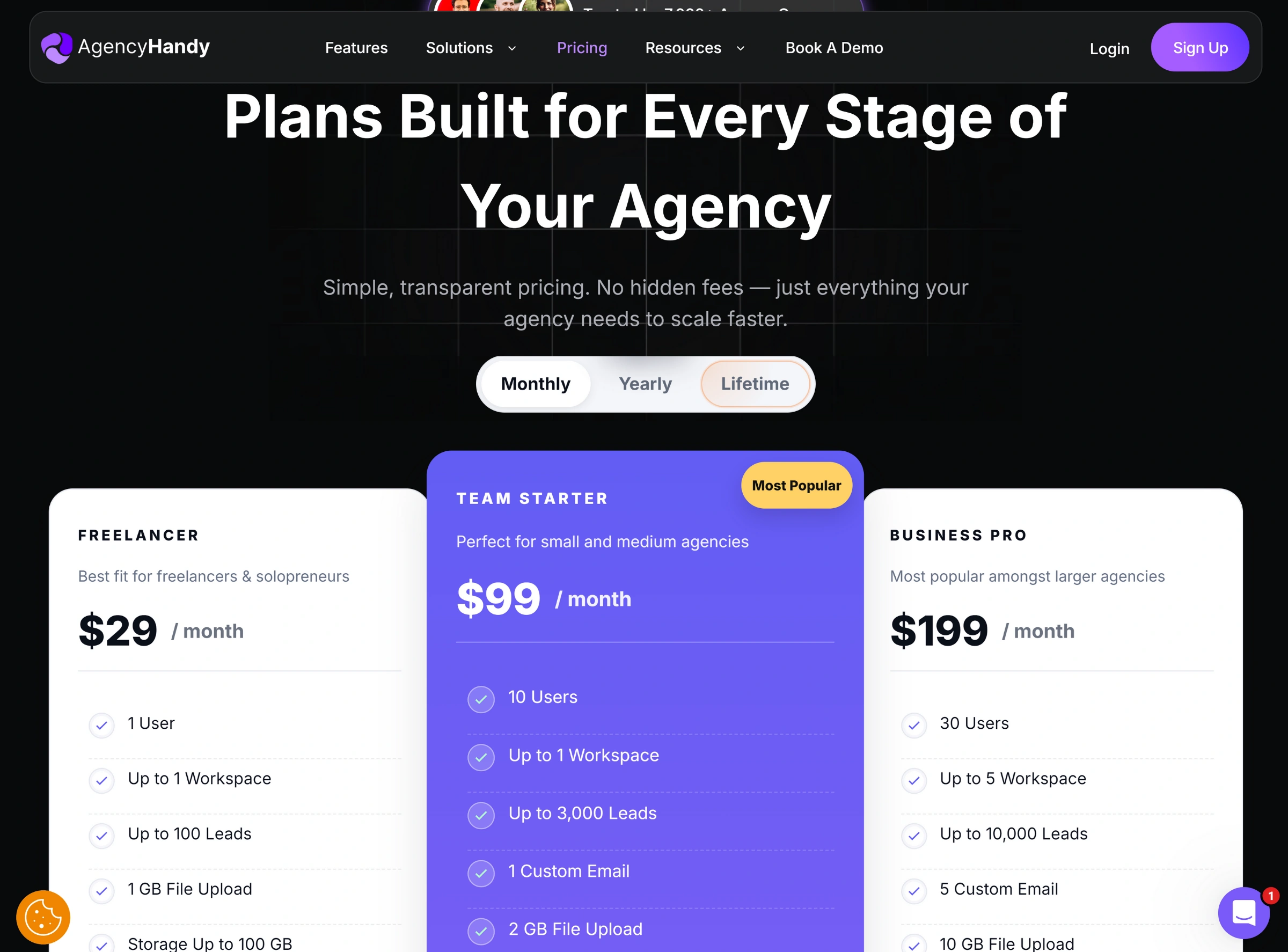
Pricing Tiers | Monthly Billing | Yearly Billing | Users | Features |
Freelancer | $29/month | 1 |
| |
Team Starter | $99/month | 10 | ||
Business Pro | $199/month | 30 |
Moxo’s pricing depends on two main factors:
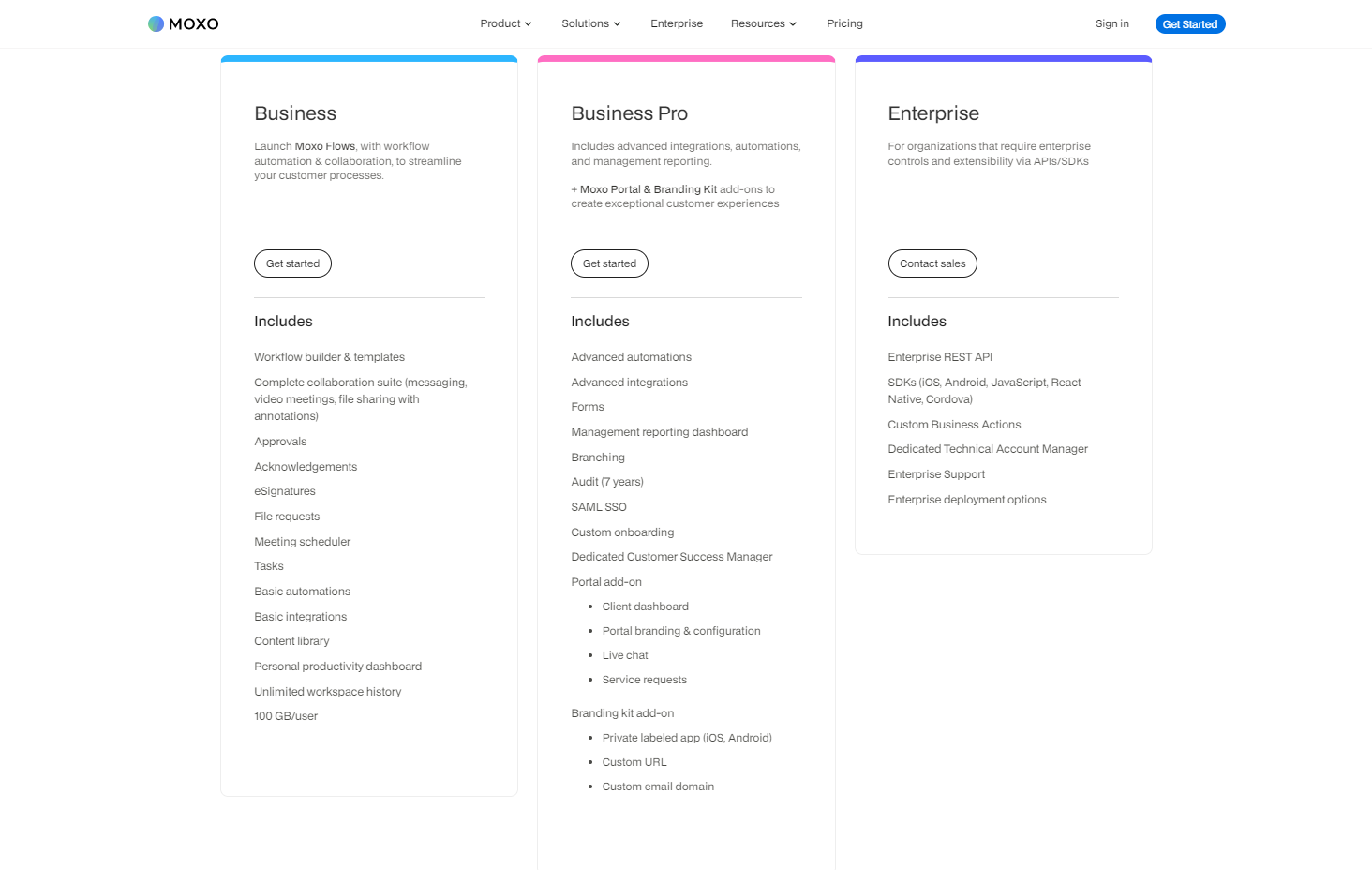
If you want extra features like a private-labeled app, additional support, or special deployment options, those are charged separately as add-ons.
If you’re looking for an all-in-one platform with strong client acquisition tools and easy task management, Agency Handy is a great choice. It’s simple to set up and includes plenty of storage and branding features in its core plans, without the need for add-ons.
On the other hand, Moxo stands out for its automation and ability to manage complex projects, especially in highly regulated industries. However, it falls short on client acquisition tools, and many of its advanced branding features come at an extra cost.
Ultimately, your choice depends on your business needs. Agency Handy is perfect for those who want simplicity and strong client tools, while Moxo excels in automation and managing complex projects.
Selecting the right platform for your business is much like finding a tailored solution that fits your specific needs and goals.
Agency Handy stands out for digital agencies and freelancers who need an all-in-one solution that simplifies client acquisition and offers strong task management.
On the other hand, Moxo is ideal for enterprises that value automation and compliance in handling complex workflows. It’s perfect for businesses focused on streamlining operations in highly regulated industries.
Agency Handy is designed to be simple and user-friendly, so you can get started quickly. You can easily customize your workflows, set up your branding, and manage client interactions without needing any technical expertise. It’s perfect if you’re looking for something straightforward.
On the other hand, Moxo is better suited for larger businesses that deal with complex B2B relationships. It offers more advanced automation and customization options, but it takes longer to set up and requires a more detailed approach.
Agency Handy has clear pricing with no hidden fees across all of its plans. Moxo’s pricing is mostly upfront, but you might encounter extra charges for features like private-labeled apps, custom domains, or email servers.
With Agency Handy, you can manage an unlimited number of projects on all plans. Moxo also allows unlimited projects, but the specific features and storage limits depend on the plan you choose.