

Agency Handy VS. OneHub
A Purpose-Built Platform for Agencies Who Do More Than Share Files


Agency Handy Vs OneHub
Feature-by-Feature Comparison
Features
Agency Handy
OneHub
Centralized Dashboard

Group Service Catalog

Multipricing Service Listing
Coupon Management
Client Form
Order Form
Kanban Boards
CRM
Client Account Management
In-Built Messaging
Client Approval & Feedback
File Feedback
Client Scheduling Tools
Ticketing System
Reporting
Custom Branding
Email Customization
Built-in E-Signature for Contracts
Quotations/Proposals
Multiple Workspace
Automated Workflows
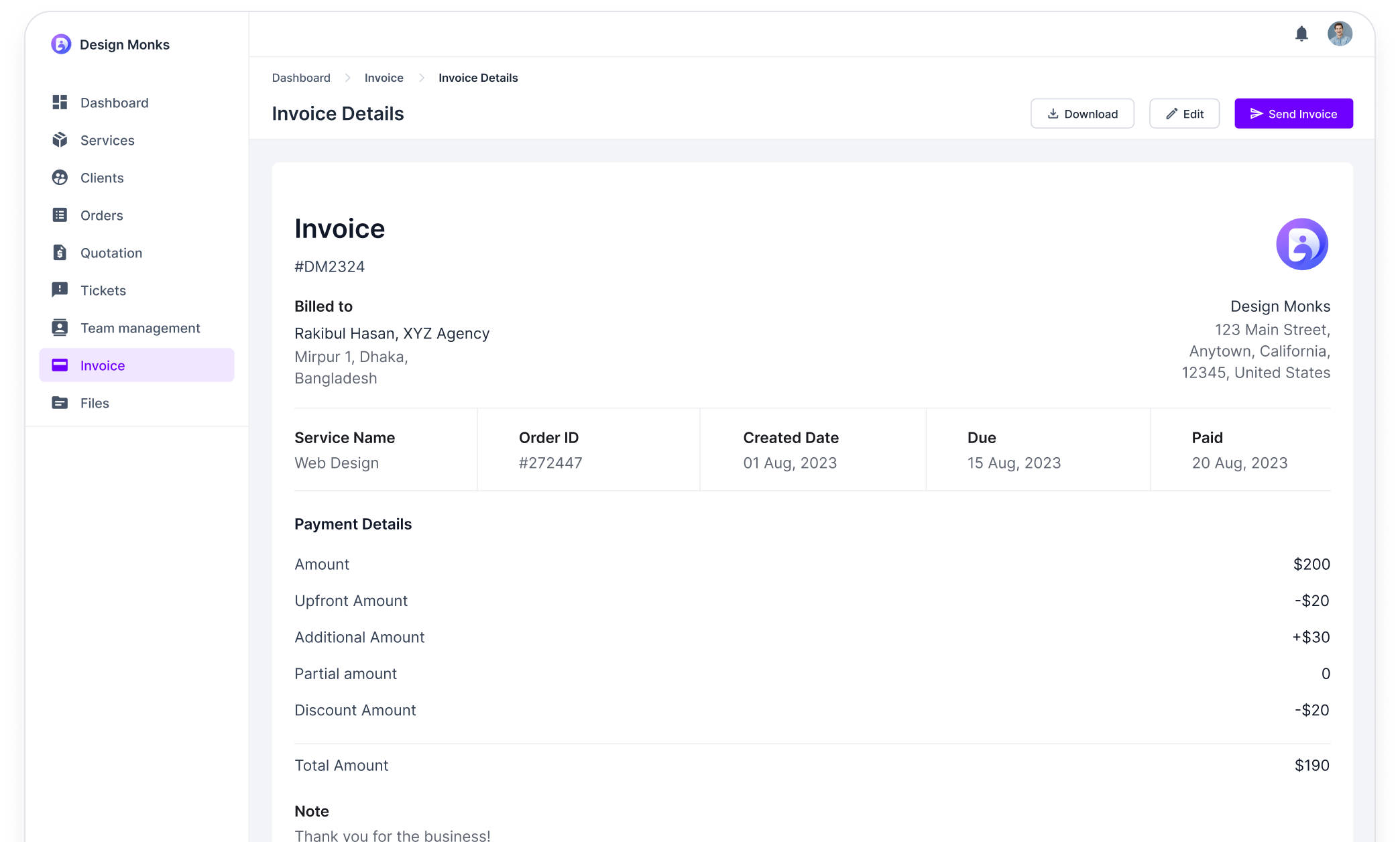
Integrated Billing & Invoicing
Subscription Management
Payment Integrations
Stripe, PayPal, Wise, Manual
None built-in
Affiliate Program
Live Chat Support
Public Roadmap
“Powered by” Removal in All Packages
Built-in Multi-Language Support
Multiple Currency Support
Portfolio Management
Free Trial
7 days
14 days
What Our Clients Say!
Why You Should Choose Agency Handy Over OneHub
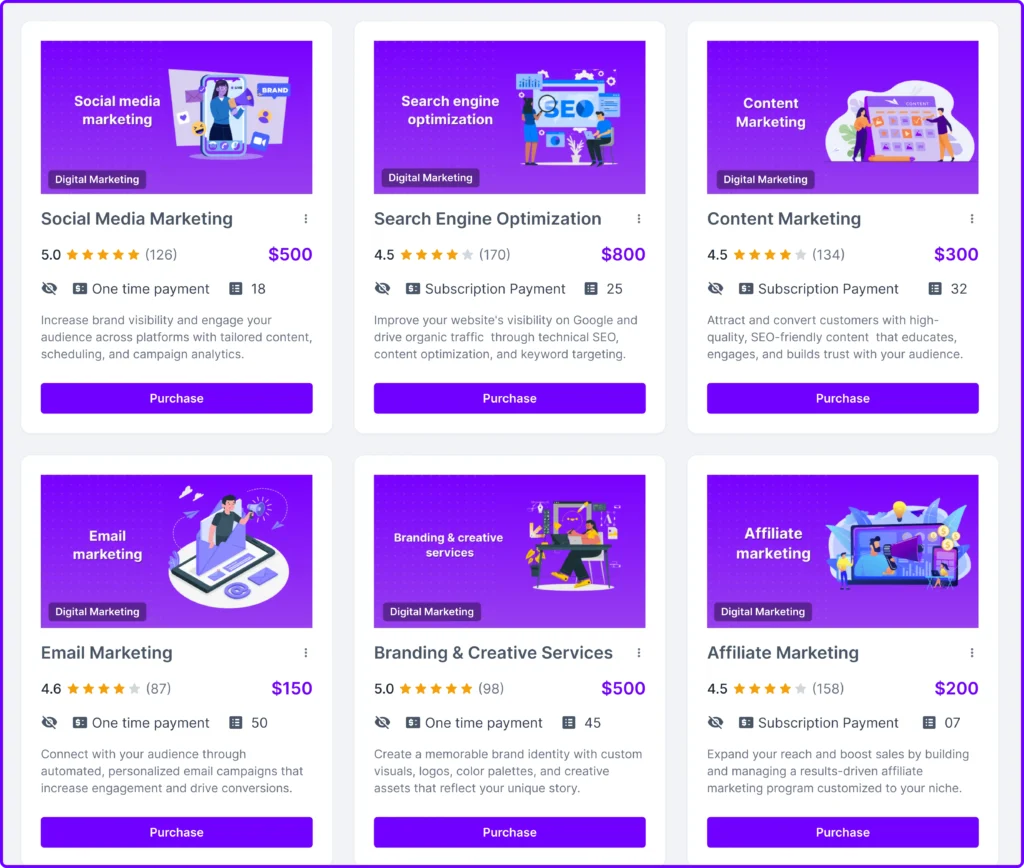
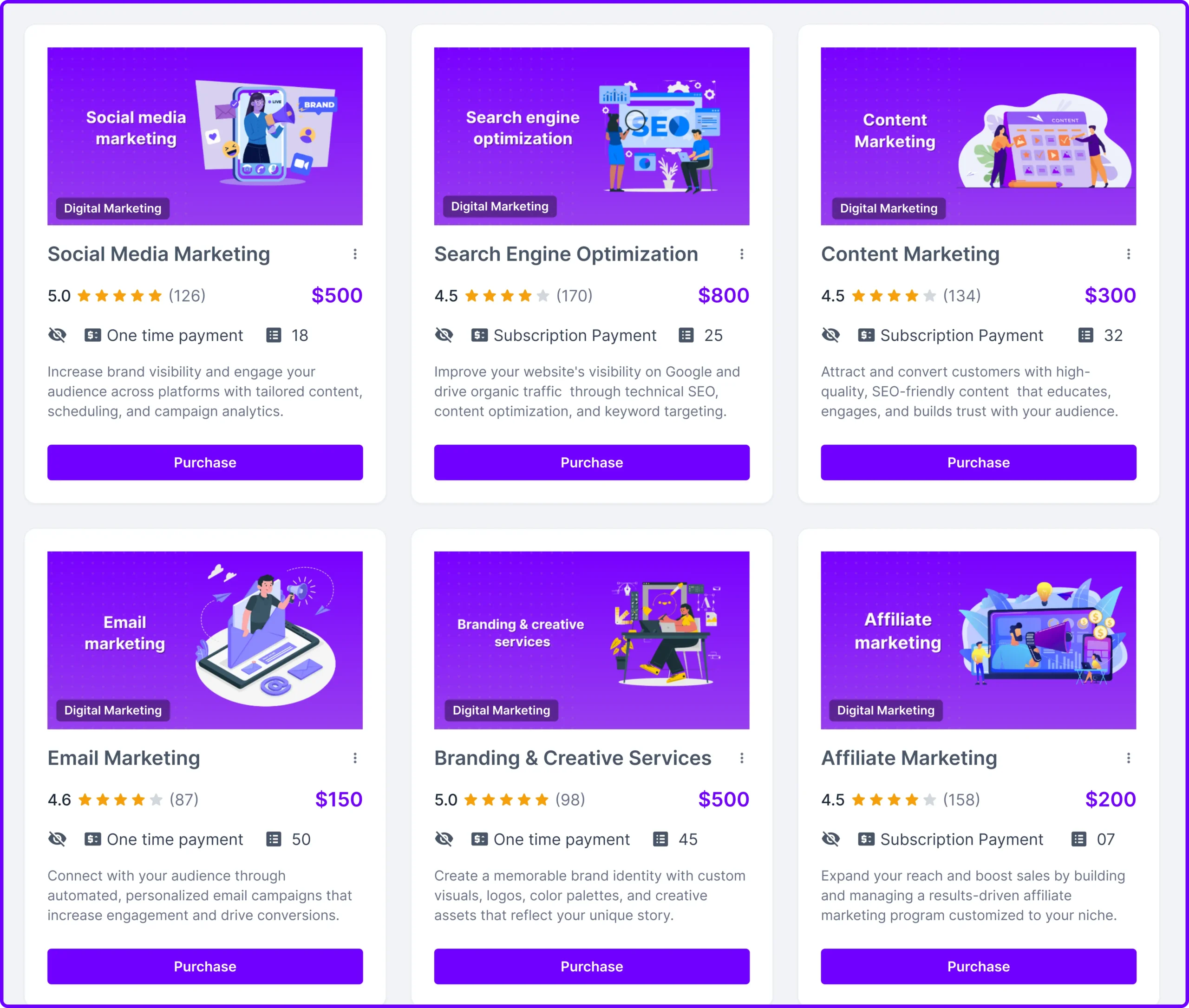
Showcase Flexible Pricing with Service Listings
Onehub doesn’t support listing services or pricing, limiting how you present offerings. Agency Handy includes detailed service listings with multiple pricing options.
Whether you offer tiered packages or custom rates, Agency Handy makes it easy to display services with price ranges. Organize offerings by category, add trial, highlight value, and help clients make informed decisions.
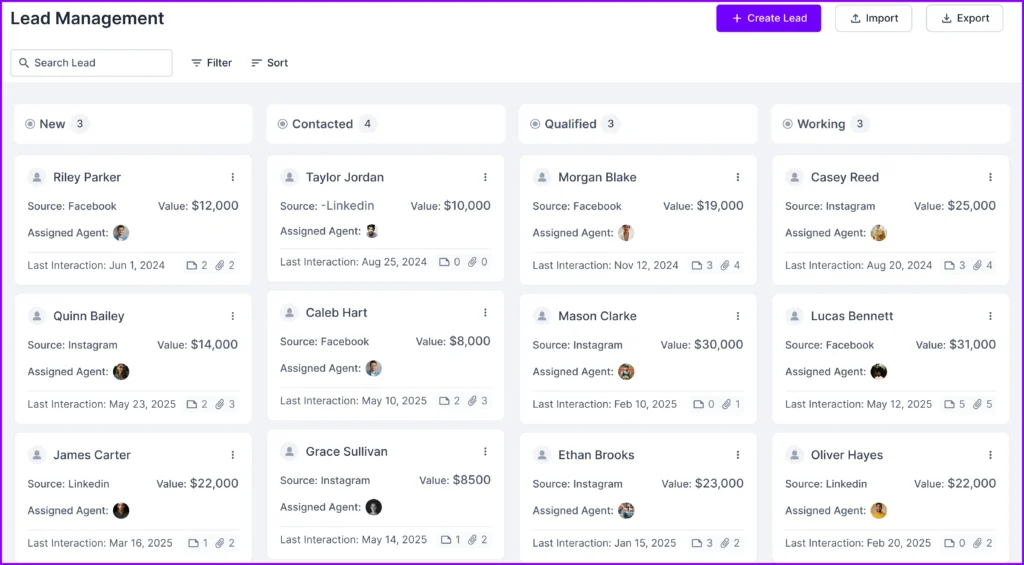
Turn Leads into Clients with Built-In CRM
Onehub lacks any native lead tracking or CRM tools. Agency Handy includes a full client relationship manager to simplify your sales pipeline.
Capture inquiries, qualify leads, and move them through your sales funnel—all in one place. With contact management, deal stages, and activity tracking, Agency Handy helps you convert prospects faster and maintain stronger client relationships over time.

Collaborate Seamlessly with File Annotations and Comments
Onehub supports basic file uploads and downloads but lacks deeper collaborative tools. Agency Handy enables real-time feedback with robust file annotation.
Clients and team members can leave targeted comments, highlight sections, and give approval notes directly on documents. With notifications, activity tracking, and version history, Agency Handy ensures nothing slips through the cracks during review cycles.
Strong Customer Support with a Built-In Ticketing System
Onehub has no support ticketing features. Agency Handy includes an internal ticketing system to manage client requests efficiently.
Clients can submit queries, issues, or feedback directly through their portal. Assign tickets to team members, track resolution status, and maintain a clear communication log—all without needing a separate help desk platform.

Explore More Features of Agency Handy
Forms
Boards
Invoice
Tasks
Ticket
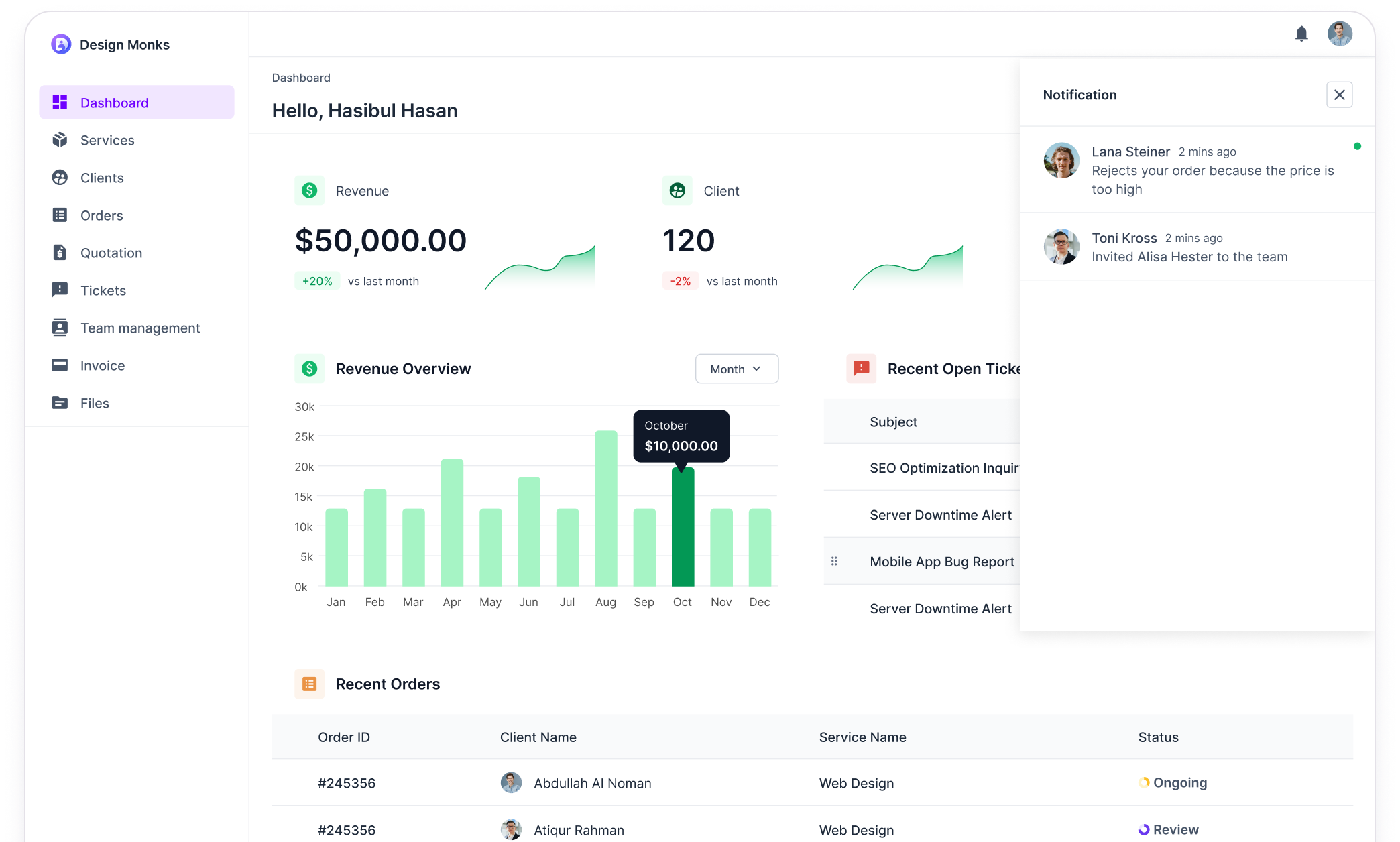
Dashboard
Service
Client Portal
Custom Branding
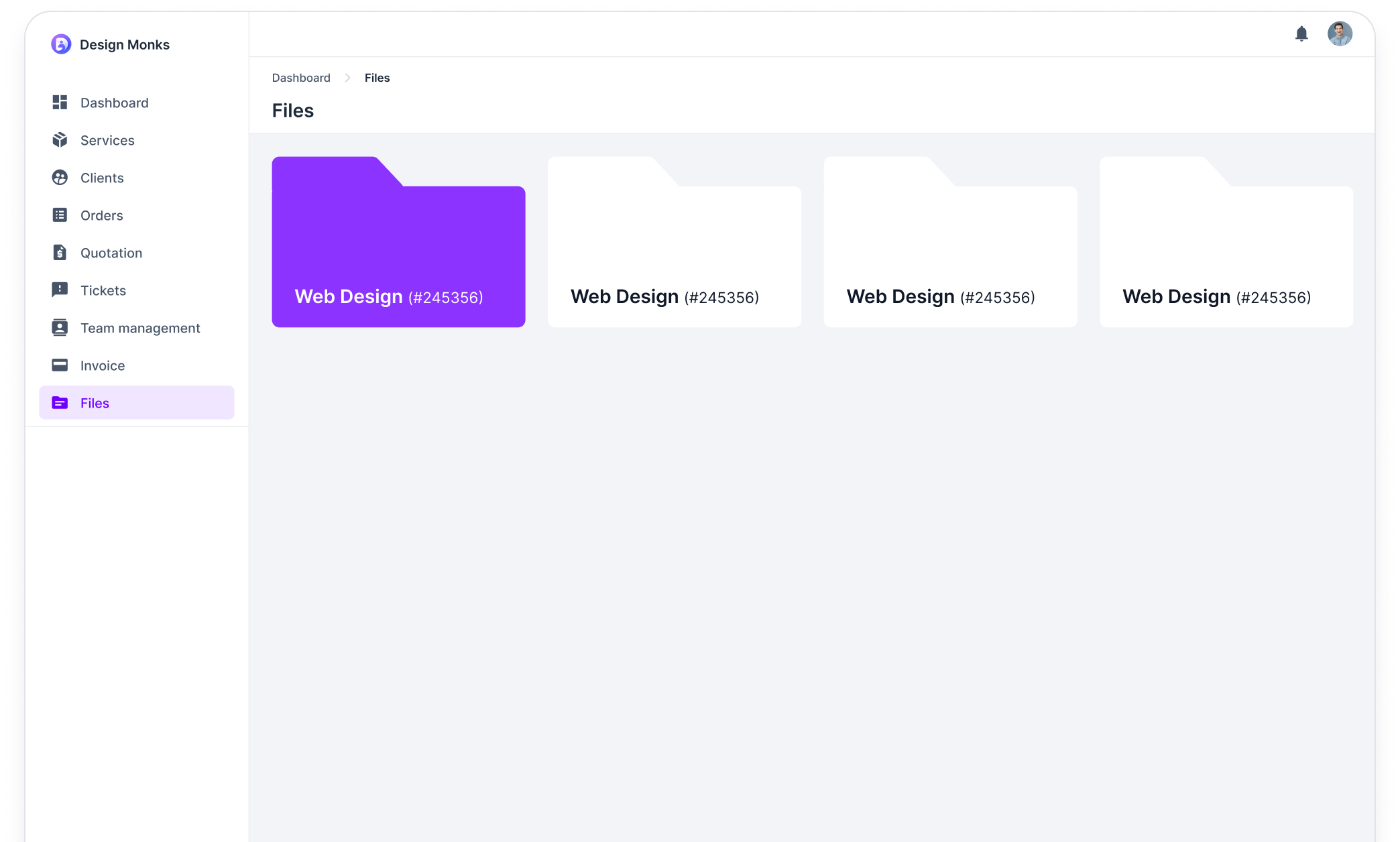
Files





Scalable Software Built for Agencies, By Agencies
Stop settling for mediocre software. Upgrade to Agency Handy and see your agency reach its full potential.

Modular Design
Every agency has unique workflows. Our modular design allows you to build the perfect platform for your specific needs, streamlining processes and boosting efficiency.
100% White Label
Agency Handy lets you remove all traces of our branding, allowing you to showcase your agency and present a professional, branded experience that fortifies your image.
Support & Feedback
We prioritize ongoing real-world agency-driven development. Share your feedback with our channels and community. Get quick support from our expert team for a seamless experience.
Pricing Comparison
Agency Handy
Pricing starts at
- Users Up to 1
- Service Catalog
- Built-in Ticketing System
- Time Tracking
- File Feedback Annotations
- CRM
- Lead Pipelines
- Proposals, Contracts, Invoices
- Recurring billing
- Client Portal
OneHub
Monthly Billing
- CRM
- Lead Pipelines
- Proposals, Contracts, Invoices
- Recurring billing
- Client Portal
- Multipackage Service Listing
- Service Catalog
- Built-in Ticketing System
- Time Tracking
- File Feedback Annotations
Frequently asked questions
Yes, we don’t nickel and dime you for every little feature. Here are more answers:
Which platform gives you better control over user roles and permissions?
Agency Handy provides even more versatility by allowing you to set permissions across tasks, forms, approvals, and portal views. It gives you deeper control over the entire client experience. For document security, Onehub offers solid access controls at the folder and file level.
How do notifications work in Agency Handy compared to Onehub?
While Onehub sends email notifications for file updates and comments, Agency Handy goes a step further with workspace-level notifications. You’ll get real-time alerts for approvals, task changes, and form submissions, along with automated reminders to keep everything on track.
How do task management features differ between Onehub and Agency Handy?
Agency Handy is designed for project management, offering features like task assignments, deadlines, priorities, sub-tasks, and even threaded discussions. On the other hand, Onehub doesn’t offer built-in task management tools, as it’s more focused on file sharing.
Agency Handy vs Onehub: Which Platform is Best for Your Business?
If you’re deciding between Agency Handy’s comprehensive client management and Onehub’s secure file-sharing focus, here’s what to consider:
- If you’re looking for a full client management system with CRM, lead management, task tracking, and real-time collaboration, Agency Handy is ideal for teams.
- If you’re focused on secure file sharing with detailed access controls, Onehub is perfect for teams prioritizing document security.
Let’s dive into the details to help you decide!
Agency Handy vs Onehub: A Detailed Comparison
OneHub and Clientjoy both offer smart tools for agencies, but which one fits your workflow better? We compare their strengths in onboarding, invoicing, collaboration, and customization so you can pick the right platform to power your client experience.
Target Users
Agency Handy is ideal for agencies needing full client lifecycle control with CRM, task tracking, and service catalogs. OneHub excels in secure file sharing but lacks CRM and workflow tools. Thus, making it less suited for teams managing client relationships and projects end-to-end.
| Focus Area | Agency Handy | Onehub |
|---|---|---|
| Best Suited For | Digital agencies needing full client lifecycle management | Teams focused on secure file sharing and management |
| Core Strength | Client management (CRM) | Secure file sharing with access controls |
| Value Proposition | Centralized management from start to finish | Simple, secure file management |
| Key Features | 1. Customizable service catalog 2. Task tracking 3. Subscription management | 1. File storage and organization 2. Secure file sharing 3. Team collaboration on documents |
Agency Handy is built for digital agencies. It helps manage the full client journey—acquisition, onboarding, tasks, and subscriptions. With a built-in CRM and customizable service catalog, it brings structure and visibility to every step.
OneHub is great for secure file sharing. It offers encrypted access, advanced permissions, and organized folders. Perfect for teams that need to share and manage documents safely.
However, OneHub lacks key features like CRM, task tracking, service catalogs, and ticketing. It’s not designed for managing client relationships, making Agency Handy a better choice for full-service agencies.
OneHub also has a very outdated user interface, whereas Agency Handy has a modern UI that impresses clients.
Client Acquisition
Agency Handy offers more flexibility for client acquisition by letting agencies showcase and customize a full range of multi-package services. OneHub has a service listing feature, but it’s limited and intended more for internal reference. It lacks shareable service catalogs or client ordering workflows.
| Focus Area | Agency Handy | Onehub |
| Multi-Package Service Catalog | Centralized service listing for easy browsing | ✖ |
| Direct Orders | Allows clients to place orders directly from the service catalog | ✖ |
| Single Service Listing | Detailed listing for individual services | Simple service selection |
| Coupon Management | Set up coupon codes with granular control of accessibility | ✖ |
| Website Embedding | Integrates the catalog into the agency’s website | ✖ |
Agency Handy makes client acquisition seamless with a robust, customizable service catalog. You can group services into packages, control pricing visibility, and assign different payment gateways.
Add trial periods, offer time-limited coupons, and promote services across your website or social media—all from one place.
With a shareable link, you can embed individual services or the entire catalog into your website. Clients can browse and make purchases directly with secure payment through PayPal, Stripe, Wise, and manual banking.
Moreover, with public forms, you can embed lead capture forms on your website’s landing page.
In contrast, OneHub supports basic listings or folders for internal service documentation. It lacks public-facing service presentation, ordering workflows, or marketing tools.
Client Onboarding
Agency Handy offers a seamless, sales-driven onboarding experience with order forms, intake forms, e-signatures, and client portals. OneHub supports basic proposals and sign-in forms but lacks checkout, upselling, and service selection. Thus, it’s less suited for conversion-focused onboarding.
| Focus Area | Agency Handy | Onehub |
| Order Form | Custom fields with self-checkout | Templated design with no self-checkout |
| Intake Forms | Customizable with file uploads | Customizable discovery forms |
| Proposals | Customizable quotes/proposals with e-signatures | Proposal templates with e-signatures, legal contracts |
With Agency Handy, clients can select services, fill in details, upload files, and pay—all in one go.
You can send branded proposals and contracts, collect e-signatures, and kick off projects instantly.
Moreover, you can attach order forms and intake forms to your services. Order forms are built to showcase add-ons, upsell packages, and drive revenue during onboarding.
Intake forms are designed to gather project-specific info—like preferences, goals, or brand files—so your team can get started fast.
After payment, clients get an invitation to the client portal via email. There, they can look at order details, tasks, file library, ticketing, invoices, proposals, and contracts.
OneHub, by contrast, takes a more traditional, document-driven approach. It supports proposal templates, contracts, and discovery forms. But it lacks self-checkout, service selection, or upsell capabilities. There’s no sales layer baked into the onboarding flow.
Order And Task Management
Agency Handy excels at managing client orders with built-in task tools, visual workflows, and advanced file feedback features. In comparison, OneHub supports basic task tracking but focuses more on file storage than end-to-end order handling.
| Focus Area | Agency Handy | Onehub |
| Order Tracking | Detailed tracking with start/end dates, statuses | Basic marking system |
| Task Management | Task creation, assignments, and tracking with deadlines | Task creation and tracking |
| Workflow Visualization | Kanban boards, list view | Task organization views |
| File Feedback | Allows adding annotations to uploaded files. | Not Available |
| Version History | Available | Available with a version number |
When a client places an order in Agency Handy, it’s automatically created in your dashboard. You can accept or decline it based on availability.
Once accepted, you can assign tasks, set deadlines, and track progress using Kanban boards or list views. Each task is connected to the client order, helping your team stay organized and aligned.
If client approval is enabled, orders only close after client review to ensure expectations are met.
File sharing is also built in. Upload service files, collaborate through annotations, and access version history. The file library keeps everything organized in one place.
OneHub, while strong in secure file sharing, offers limited task features. You can create and organize tasks, but there’s no deep integration with order workflows. There’s also no support for file annotations or centralized feedback.
Instead, OneHub works best for storing and sharing documents securely, not managing service delivery from order to completion.
Team Management
Agency Handy offers a robust team management system with detailed profiles, flexible role control, and secure task delegation. OneHub also supports team roles, but is more focused on file access and workspace permissions than on internal task workflows.
| Feature | Agency Handy | Onehub |
| User Roles & Permissions | 4 Roles: Super-Admin, Admin, Manager, Assignee | 7 Roles: Administrator, Moderator, Collaborator, Creator, Downloader, Printer, Viewer |
| Client Access Permissions | Available | Available (roles inherit permissions across workspaces) |
| Team Invitations | Available | Available (Roles such as Moderator and Administrator can invite users) |
In Agency Handy, you can set up detailed team profiles with defined roles like Super Admin, Manager, or Assignee.
This helps you delegate work efficiently and assign the right level of access to each team member.
You have full control over permissions—who can manage clients, view finances, or edit orders to ensure your workspace remains secure and organized.
OneHub offers a wide range of roles (seven in total), each fit for different levels of file access, like view-only, print, or download.
While powerful for controlling who can interact with documents, it’s less focused on task workflows or service delivery roles.
You can invite teammates and assign roles like Administrator or Moderator. But OneHub lacks the project-specific delegation and role-based workflow controls found in Agency Handy.
Client Management
Agency Handy gives agencies everything they need to manage client relationships. Starting from a branded portal and detailed profiles to CRM tools and ticketing. OneHub, in contrast, focuses on secure file sharing and lacks client-facing features like portals or support workflows.
| Focus Area | Agency Handy | Onehub |
| Client Portal | Dedicated client portal | Available (Unclear in which plan) |
| CRM | Organize and manage leads | Not Available |
| Client Profiles | Detailed profiles with custom fields | Basic profiles with access to shared files and tasks |
| Communication | Email and in-built messaging | |
| Ticketing | Built-in ticketing system | Not Available |
Agency Handy offers a complete client management suite. The customizable portal lets clients log in to view orders, approve tasks, upload files, and communicate in real time.
It’s built-in CRM helps track leads from first contact to conversion. You can store details like contact info, lead value, source, and assign follow-ups to specific team members. Filtering tools let you focus on top-priority leads.
Client profiles include order history, service records, and custom fields. They can also submit support tickets, tracked by status and assignee, for faster resolutions.
On the other hand, OneHub is built for secure collaboration, not full client management. It offers a client portal, but not explicitly mentioned in which plan.
You can control who views, edits, or downloads content using seven predefined user roles. OneHub also supports email communication and legal contracts. But offers no CRM for native lead tracking, messaging system, or support ticketing.
It’s a strong fit for document-driven teams, but less effective for agencies needing structured client workflows, sales tracking, or in-app collaboration.
Billing And Invoicing
Agency Handy and OneHub both offer invoicing, subscriptions, and payment collection features. It includes customizable invoices and multiple payment gateways. In contrast, OneHub focuses on simplicity with card and bank payments, recurring billing, and basic expense tracking.
| Focus Area | Agency Handy | Onehub |
| Invoicing | Automated and customizable invoices | Create invoices, send reminders, and accept payments |
| Payment Gateways | Stripe, PayPal, Wise, and manual banking | Cards and banking |
| Subscriptions | Automated subscriptions | Recurring subscription billing |
| Expense Tracking | Not available | Basic expense tracking |
Agency Handy gives agencies a flexible and automated billing system built for modern workflows.
You can create fully customizable invoices, set auto-reminder sequences, and support multiple payment methods. It includes Stripe, PayPal, Wise, and manual banking. Multi-currency support is available, making it easy to handle international clients.
To simplify subscriptions, recurring billing is handled automatically; no need to generate new invoices every month.
OneHub offers standard invoicing with options to send reminders and accept payments through cards or bank transfers. It supports recurring subscriptions and basic expense tracking.
Customization And Branding
Agency Handy offers full branding control with white-labeled portals, customizable emails, and multi-language support. OneHub provides basic white-labeling for workspaces but lacks email customization and global language options.
| Feature | Agency Handy | OneHub |
| Branding | Logo, favicon, custom domains, branded email, and white-label login portal | Logos, custom colors, and white-labeled workspaces |
| Email Customization | Fully customizable, white-labeled emails | Basic email branding with company name/logo |
| Multi-Language | Multi-language support | Not available |
Agency Handy gives agencies full control over branding. Add your logo, favicon, custom domain, and personalize the login portal for a fully white-labeled experience. It feels on-brand from start to finish.
Email customization is flexible, too. You can design dynamic email templates to match your style and messaging. This keeps client communications consistent and professional.
It also supports multi-language setups, making it ideal for global agencies. You can deliver a localized experience without compromising your branding.
OneHub offers basic white-labeling. You can apply logos, brand colors, and customize shared workspaces for clients.
However, OneHub lacks email template control and multi-language support. It’s better for brand consistency in file sharing, but less suited for full agency personalization.
Integrations & Scalability
Agency Handy is built for scalability. It integrates via Webhooks for easy automation and supports up to 5 workspaces and 30 users.
OneHub, by comparison, operates on a single workspace model. It works well for teams managing shared documents in one centralized hub, but doesn’t support workspace segmentation.
When it comes to integrations, Agency Handy connects primarily through Webhooks. This setup helps automate key actions without overwhelming complexity.
OneHub integrates with tools like Microsoft 365, Google Workspace, and storage services such as Dropbox and Box. However, it doesn’t support advanced marketing or CRM integrations out of the box.
If your needs are focused on secure file sharing with integrations across cloud platforms, OneHub delivers a clean, document-driven environment.
Pricing Plans
Agency Handy offers flexible pricing to support agencies of all sizes, from solo professionals to large teams. OneHub, on the other hand, uses a tiered pricing model based on storage, user access, and security features.
Agency Handy Pricing Plans
Agency Handy offers three flexible plans designed for freelancers, growing agencies, and larger teams with a 7-day free trial.
Freelancer
- $19/month (billed monthly) or $13/month (yearly, 4 months free).
- Includes 1 user, 1 workspace, up to 100 leads, 100 GB storage, CRM, invoicing, subscriptions, task management, file feedback, and unlimited clients.
Team Starter
- $99/month (billed monthly) or $66/month (yearly, 4 months free).
- Everything in Freelancer, plus 10 users, 3,000 leads, 2 TB storage, 1 custom email, Slack integration, custom domain, and white labeling.
Business Pro (Most Popular)
- $199/month (billed monthly) or $133/month (yearly, 4 months free).
- Everything in Team Starter, plus 30 users, 5 workspaces, 10,000 leads, 10 TB storage, and 5 custom emails.
OneHub Pricing Plans
OneHub offers four flexible plans tailored for teams of all sizes. Whether you’re just starting out or managing complex client data rooms, each plan provides transparent pricing and a 14-day free trial.
Standard
- $15/user per month (billed monthly) or $12.50/user per month (billed annually).
- Includes 3 paid users, up to 200 users, 50 workspaces, 1 TB storage, enterprise security, and custom branding.
Advanced (Most Popular)
- $25/user per month (billed monthly) or $20/user per month (billed annually).
- Comes with 5 paid users, up to 1,000 users, 200 workspaces, unlimited storage, enterprise-grade security, password-protected links, audit trails, FTP support, and DocuSign integration.
Data Room Edition
- $375/month (billed monthly) or $300/month (billed annually).
- Offers 5 paid users, up to 1,000 users, 200 workspaces, unlimited storage, plus advanced data room features like watermarks, NDAs, stealth mode, and dedicated support.
Unlimited Edition
- $575/month (billed monthly) or $500/month (billed annually).
- Includes unlimited users, workspaces, and storage, with white label, custom domains, enterprise security, advanced data room features, and 24/7 support.
Agency Handy vs. OneHub: Which Tool Is Right for Your Business?
Now that you’ve explored how Agency Handy and OneHub compare, it’s time to decide which tool fits your needs best. Here’s a breakdown to help guide your choice based on your agency’s priorities.
Agency Handy is your pick if —
- You run a digital agency that offers structured services to multiple clients.
- You need customizable service catalogs, order forms, and intake forms to simplify client onboarding.
- Automated invoicing, subscription billing, and multi-currency support are essential to your billing process.
- You want to manage multiple workspaces across teams or service divisions.
- Client portals, integrated ticketing, and detailed CRM tools are must-haves.
- You need a fully white-labeled platform with custom domains, email templates, and multi-language support.
- Your team is growing, and you need a scalable solution with flexible pricing for up to 30 users or more.
OneHub is your pick if:
- Your business focuses on secure document sharing and collaboration over complex client workflows.
- You need fine-grained file permissions, data room features, and advanced security controls (e.g., watermarks, 2FA).
- Managing sensitive documents is a priority, and you need audit trails, file versioning, and stealth access.
- You prefer a file-driven workspace with integrations to tools like Dropbox, Google Drive, and Microsoft 365.
- You don’t need service catalogs, order tracking, or CRM, but value branded file-sharing environments.
- Your clients interact with you primarily via shared folders, not through a full client portal.
- You want to scale secure storage access across users, with unlimited plans available.
Final Words
Choosing between Agency Handy vs OneHub depends on what you value most. OneHub is strong for secure file sharing, with advanced permissions and audit trails suited for document-driven teams. But it falls short on CRM, service catalogs, and integrated client workflows.
Agency Handy, meanwhile, covers the full client lifecycle from onboarding, task tracking, invoicing, to branded portals. Its service catalogs, customizable order forms, and automated billing stand out as conversion-focused features.
For agencies wanting a scalable, client-first platform, Agency Handy provides a stronger foundation for long-term success.
Take the First Step
Let's get started with us now!
No credit card needed. Cancel anytime!
