Skip to content
  New year sale is live! →




Every small business hits a breaking point. Suddenly, you’ve got 15 active clients, 8 prospects, 3 overdue invoices, and absolutely no idea what you promised to deliver by Friday.
Client management software for small businesses is what stands between “I’ve got this handled” and “I’m drowning in my own success.”It will act as your second brain to remember every deadline, send every follow-up, and keep your entire client pipeline visible at a glance.
We’ve compared 10 platforms that small businesses actually use. These tools solve different problems, from lead tracking to full client lifecycle management.
Quick List of Top 10 Client Management Software for Small Business
- Agency Handy: All-in-one solution managing leads, projects, client portals, and payments without switching platforms
- Zoho CRM: Growing businesses needing highly customizable pipelines, workflows, and AI-powered sales insights at scale
- vcita: Solo business owners needing easy scheduling, invoicing, and client communication.
- HubSpot CRM: Startups wanting an intuitive free CRM with marketing integration that scales as the business grows faster
- Bonsai: Freelancers managing proposals, e-signature contracts, invoicing, and project tracking in a single workflow
- HoneyBook: Creative professionals needing beautiful automation for bookings, contracts, and a branded client experience
- Dubsado: Service businesses wanting complete workflow customization and powerful automation after an initial setup investment
- Monday CRM: Visual teams needing a sales pipeline combined with project management boards in a collaborative environment
- Pipedrive: Sales-focused businesses prioritizing deal tracking, activity reminders, and closing opportunities efficiently
- Zendesk Sell: Teams using Zendesk Support want simple CRM integration with straightforward pipeline management tools
What is Client Management Software?
Client management software is your central system for handling everything related to your customers. From the first time someone shows interest in your services to ongoing project delivery and payments.
Think of it as replacing the mess of spreadsheets, sticky notes, email threads, and mental reminders with one organized place.
You can see who your leads are, what stage they’re at in your sales process, which clients have active projects, and who needs to pay their invoice. All without switching between five different tools or digging through your inbox.
Who Needs Client Management Software?
If you’re using more than a handful of clients and finding yourself:
- Forgetting to follow up with leads because they got buried in your inbox
- Scrambling to remember what you discussed in the last client meeting
- Manually chasing payments or sending the same emails repeatedly
- Losing track of which projects are waiting on client feedback
Then you need client management software. It’s not just for big companies with sales teams. Freelancers, consultants, small agencies, photographers, coaches, and anyone who works directly with clients benefits from having their client relationships organized in one system.
The software handles the repetitive admin work that eats up your day. Automatic follow-ups, payment reminders, project status updates, and more. You focus on the actual work that grows your business instead of managing the chaos around it.
10 Client Management Software for Small Business
Below 10 tools address various small business problems. Your ideal pick should be the one that offers features most suitable and aligned for your business type.
| Software | Client Onboarding | Invoice | Subscription | Starting Price |
| Agency Handy | Public forms & automated onboarding | ✅ | ✅ | $19/mo |
| Zoho CRM | Lead capture forms | ✅ | ✅ | $20/user/mo |
| vcita | Centralizes all client info | ✅ | ✅ | $35/user/month |
| HubSpot CRM | Meeting scheduler + contact capture | ✅ | ✅ | Free / $15/user/mo |
| Bonsai | Proposal → Contract → Client workflow | ✅ | ✅ | $15/mo |
| HoneyBook | Automated booking + onboarding workflow | ✅ | ✅ | $36/mo |
| Dubsado | Lead forms + workflow automation | ✅ | ✅ | $20/mo |
| Monday CRM | Customizable client intake forms | ✅ | ✅ | $12/user/mo |
| Pipedrive | Web form capture | ✅ | ✅ | $19/user/mo |
| Zendesk Sell | Web forms + lead routing | ✅ | ✅ | $19/mo |
1. Agency Handy

When we built Agency Handy, we had one goal: create the best client management software for small business that doesn’t force you to use five different tools. Or pay for features you’ll never touch.
After testing mainstream CRMs and seeing where they miss the mark, we developed something different. An all-in-one solution that combines CRM, client portal, project management, and payment handling in one place.
Agency Handy gives you visual lead management, smooth client communication, and real-time project tracking. All working together without the mess of switching between platforms.
You can capture leads through public forms embedded on your website. Track them through your sales pipeline with a kanban board that makes sense at a glance. Convert them to clients and immediately start managing projects in the same system.
Your clients get their own branded portal where they can check project progress, upload files, leave feedback, and handle payments. Meanwhile, you see everything—leads, projects, invoices, team activity—from one dashboard.
We’ve worked with agencies and small businesses long enough to know what actually moves the needle. It’s not about having 500 features. It’s about having the right ones that connect smoothly so you can focus on delivering great work instead of managing software.
No steep learning curve. No months of setup. Just a system that works the way your business actually operates.
Top Features of Agency Handy for Small Business
As a client management software, Agency Handy has to offer the following things –
Public Forms & Lead Capture
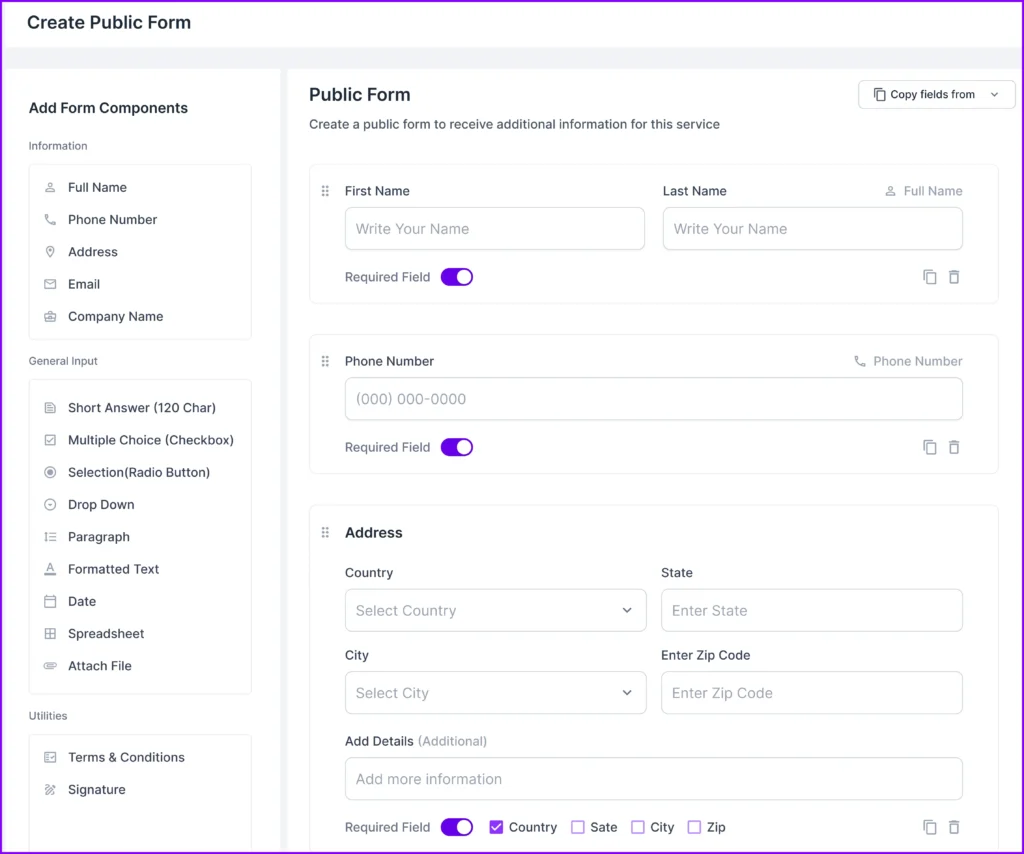
Agency Handy won’t let you lose leads. When someone fills out a form on your website, their details land straight in your dashboard with a client profile already created.
No copying and pasting from emails into spreadsheets. No “wait, did I follow up with that person?” moments.
Your sales process starts the second a prospect shows interest.
Lead Management with Visual Kanban Board

Our kanban board shows you exactly where every potential client stands. New inquiry? They’re in “New.” Had a good call? Move them to “Qualified.” Sent pricing? They’re in “Proposal Sent.”
Drag and drop leads between stages as they move forward. You’ll see who needs a follow-up call, who’s waiting on a proposal, and who’s ready to sign.
When deals pile up at one stage, you know exactly where to focus your energy.
Client Contact Management
Pull up any client’s full history in seconds. Every email, every call, every project detail—it’s all attached to their profile.
You won’t have to hunt through old email threads or ask your team “what did we tell this client last week?” Everyone sees the same information and stays coordinated.
Client Portal for Self-Service
Your clients get their own space to see project progress, drop files, and give feedback right on your work. They can comment directly on designs or documents instead of sending long explanatory emails.
Updates happen in real time. They stay informed without you manually keeping them in the loop. Fewer “just checking in” messages hitting your inbox.
Integrated Invoice & Payment Management
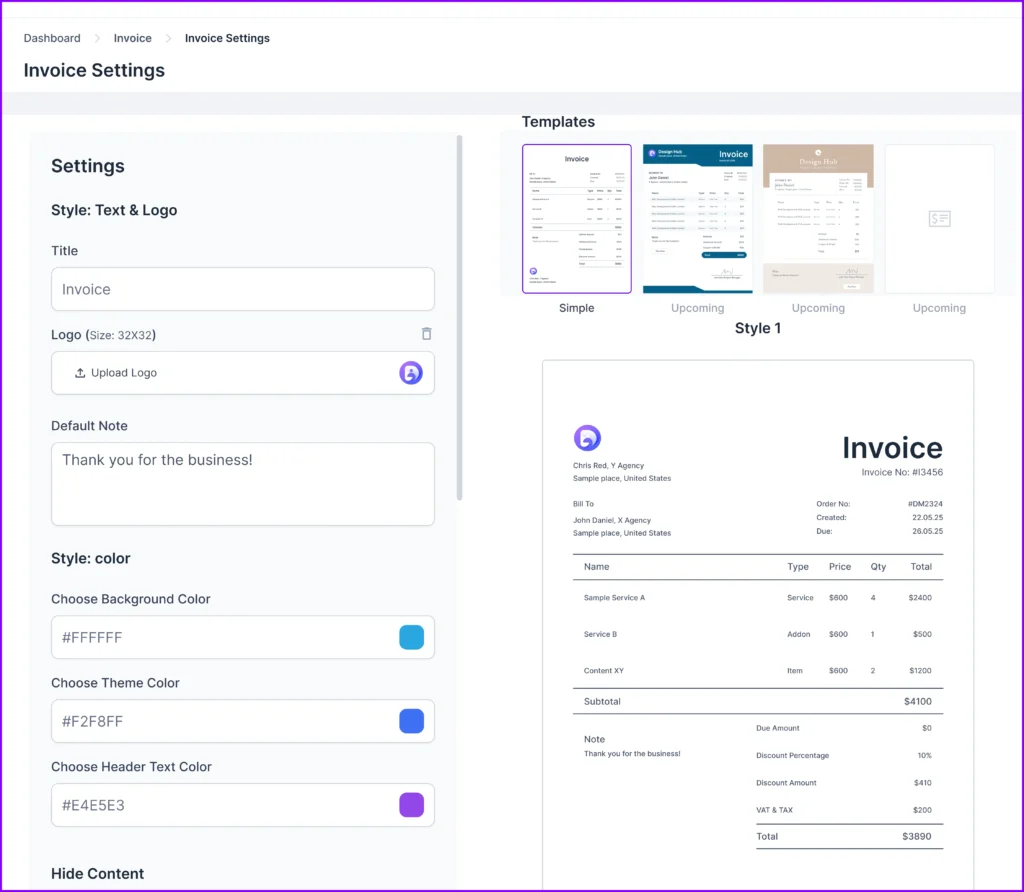
Send invoices and get paid without leaving the platform. Set up recurring billing for retainer clients so payments happen automatically each month.
Your clients see their invoices in their portal and can pay immediately. You’re not switching between tools just to bill someone or wondering if they received your invoice.
Additional Client Management Features
- Complete project management and task tracking
- Team collaboration and assignment tools
- Ticketing system for client support
- File feedback with visual annotation
- Time tracking and timesheet for productivity
- API and webhook integrations for custom workflows
- Multi-user access with permission controls
- Real-time notifications and updates
- Custom branding and white-label options
- Secure client file storage and sharing
- Activity logs and audit trails
- Email integration and templates
What Users Say About Agency Handy
G2: 4.9 out of 5
“I really like how Agency Handy keeps everything in one place—it makes managing tasks and tracking team hours super easy. The proposal tool is awesome too. It lays out all the package options in a way that makes sense to clients, and then it automatically creates tasks for my team based on what they select. It honestly saved me so much time.” – Sheena S.
Capaterra: 4.5 out of 5
“Agency Handy is an all-in-one solution that has streamlined our operations, improved client satisfaction, and boosted team productivity. It’s an indispensable tool for any digital agency looking to scale their business efficiently.” – Priyanka P.
Agency Handy Pricing

Freelancer
- Monthly: $19/mo
- Yearly: $13/mo
Team Starter
- Monthly: $99/mo
- Yearly: $66/mo
Business Pro
- Monthly: $199/mo
- Yearly: $133/mo
2. Zoho CRM

Zoho CRM has been around long enough to refine its features and build a reputation as a reliable option for growing businesses.
You get lead management, contact organization, deal tracking, and workflow automation that covers the essentials of client management software for small business operations.
The interface takes some getting used to. It’s not the most intuitive platform you’ll find, but once you’re past the learning curve, it handles day-to-day CRM tasks without issues.
The real advantage here is depth—Zoho gives you room to customize fields, pipelines, and processes as your needs evolve.
If you’re comparing cheap CRM for small business options, Zoho’s Standard plan at $20/user/month competes well on price. HubSpot CRM offers a cleaner interface, but Zoho gives you more customization control from the start.
Key CRM Features of Zoho CRM
- Lead and Deal Management: Track leads from first contact through your sales pipeline with customizable stages. Score leads automatically based on engagement so your team focuses on prospects most likely to convert.
- Sales Automation: Set up workflows that send follow-up emails, assign tasks, and update records based on triggers you define. Reduces manual work and ensures nothing falls through when managing multiple deals.
- Zia AI Assistant: Get predictive sales insights and best time to contact recommendations. Zia analyzes patterns in your pipeline and surfaces deals that need attention or are likely to close.
- Customization and Integration: Modify fields, layouts, and workflows to match your business process. Connects with Google Workspace, Microsoft 365, Mailchimp, QuickBooks, and other tools through native integrations.
- Mobile CRM Access: Manage your pipeline, update records, and respond to leads from iOS or Android apps. Your sales team stays productive even when away from their desk.
Pros
- Free plan actually useful for small teams
- Highly customizable fields and workflows
- AI assistant included in higher tiers
- Extensive third-party app integrations available
- Scales well from solopreneur to enterprise
Cons
- Interface feels cluttered and dated
- Steep learning curve initially
Zoho CRM Pricing

Standard
- Monthly: $20/user/month
- Yearly: $14/user/month
Professional
- Monthly: $35/user/month
- Yearly: $23/user/month
Enterprise
- Monthly: $50/user/month
- Yearly: $40/user/month
Ultimate
- Monthly: $65/user/month
- Yearly: $52/user/month
3. vcita

vcita pulls your scheduling, invoicing, and client chats into one spot, which makes it a solid pick if you run a small business and don’t need heavy sales-centric software. Each client profile stores notes, payments, and appointments, so you always have the full picture.
Plus, the client portal keeps things easy since people can book, pay, and share files without long back and forth. It also gives useful automations for reminders and follow-ups, plus an AI helper that drafts estimates.
Now, if you weigh Zoho CRM against vcita, Zoho is stronger for sales tracking. Meanwhile, vcita feels better for day-to-day client work in one place.
Key Features of vcita
Here is a concise breakdown of its core features and what each one actually helps you do in day-to-day operations.
- Client Management: Manage all client information, notes, documents, payments, and interactions in one profile to deliver consistent, personalized service.
- Lead Management: Capture, track, and nurture leads from first contact to conversion with alerts, estimates, and pipeline visibility.
- Custom Views: Create custom dashboards that surface key client segments, priorities, and tasks so your team always stays focused.
- Automation: Automate routine tasks like reminders, follow-ups, and approvals to free up time for client-facing work.
- Reports and Analytics: Build clear reports that show performance trends across appointments, revenue, and engagement to guide better decisions.
- Integrations: Sync vCita with accounting, calendars, payments, messaging, and automation tools to keep your entire stack connected.
Pros of vcita
- Automates scheduling, reminders, and follow-ups effortlessly.
- Offers a secure client portal for smooth interactions.
- Supports multiple payment options for faster collections.
- Delivers intuitive AI assistance for replies and estimates.
- Makes invoicing and estimates quick and professional.
- Easy to configure and beginner-friendly for small teams.
Cons of vcita
- Reporting can feel slow during busy hours.
- Customizing marketing templates may require extra payment.
- Document storage limits push users toward pricier plans.
vcita Pricing

Starting Small
- Monthly: $35/seat/month
- Yearly: $29/seat/month
Business
- Monthly: $65/seat/month
- Yearly: $54/seat/month
Platinum
- Monthly: $110/seat/month
- Yearly: $93/seat/month
4. HubSpot CRM

HubSpot CRM is one of the most recognized names in the CRM space, and for good reason. Their free plan includes essential CRM features, including contact management, deal tracking, email integration, and basic reporting that covers what most small businesses need to get started.
The CRM wants you to upgrade. The free plan works, but you’ll hit limits quickly if you need marketing automation, advanced workflows, or custom reporting. Once you move to paid tiers, prices jump significantly—the Starter plan begins at $15/user/month.
HubSpot makes onboarding smooth, which matters when you’re trying to get your team actually using the system instead of reverting to spreadsheets.
HubSpot CRM works well as the best CRM for startups needing a standard CRM for small businesses to begin with. Compared to Zoho CRM (another affordable option at $20/user/month), HubSpot is easier to use but gets expensive faster as you scale.
Key CRM Features of HubSpot CRM
- Contact and Deal Management: Store unlimited contacts and track deals through customizable pipelines.
- Email Integration and Tracking: Connect your Gmail or Outlook inbox to log emails automatically and track when contacts open them.
- Marketing and Sales Alignment: Track lead sources, campaign performance, and conversion rates in unified dashboards.
- Meeting Scheduler: Share your availability link with prospects who can book time directly on your calendar.
- Reporting and Analytics: Build custom reports and dashboards to track pipeline health, sales activities, and team performance.
Pros
- Extremely intuitive and easy to learn
- Strong marketing and sales integration capabilities
- Excellent email tracking and automation features
- Large ecosystem of integrations and resources
Cons
- Advanced features locked in high tiers
HubSpot CRM Pricing

Starter Customer Platform
- Monthly: $15/user/month
- Yearly: $9/user/month
Smart CRM Professional
- Monthly: $50/user/month
- Yearly: $45/user/month
5. Bonsai
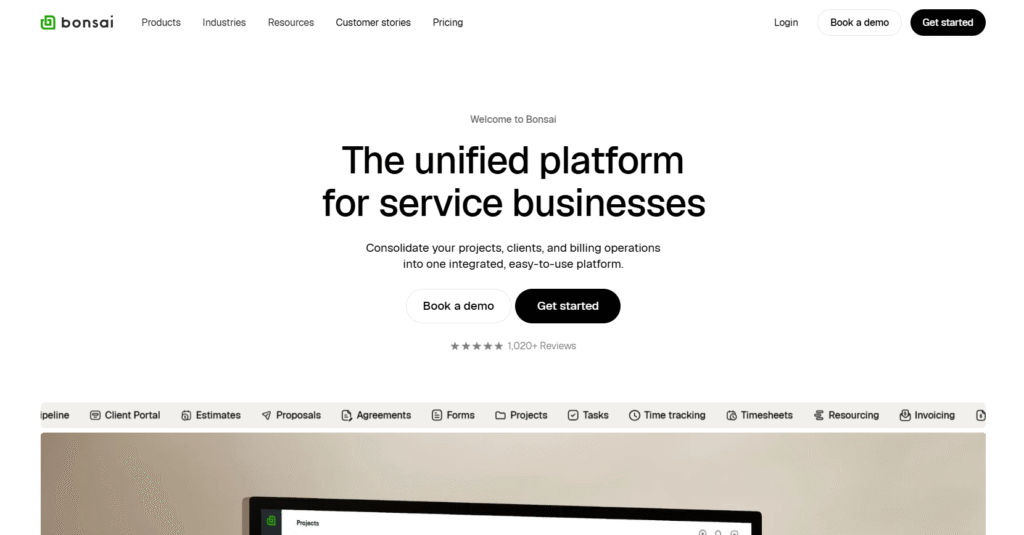
Bonsai, being one of the most popular small business management software, puts CRM, proposals, contracts, invoicing, and project management in one place.
What Bonsai does really well is client-facing documents. You can create a professional proposal, get it signed as a contract, and send an invoice without leaving the platform. Your clients sign and pay right there.
This isn’t a CRM built for sales teams tracking 500 leads. It’s for people managing 10-50 clients who need to handle both the relationship side and the actual work delivery. If you’re a designer, consultant, or marketing agency, that’s the sweet spot.
The CRM features are simpler than what you’d get with a dedicated sales platform. But if you need to manage clients, send them contracts, track projects, and get paid, Bonsai handles that workflow without making you stitch together multiple tools.
Bonsai costs $24/month, sitting between Dubsado at $20/month and HoneyBook at $36/month in both price and features.
Key CRM Features of Bonsai
- Client and Lead Management: Organize contacts, tag them as leads or active clients, and track where they are in your workflow from inquiry to project completion.
- Proposals and Contracts: Create branded proposals with pricing options clients can select, then automatically generate contracts with e-signature capability built in.
- Invoicing and Payments: Send professional invoices, set up recurring billing for retainer clients, and accept payments through Stripe, PayPal, or ACH transfers.
- Client Portal: Give clients their own login where they can view project status, upload files, review invoices, and communicate with your team.
- Time Tracking and Project Management: Track billable hours with integrated timers, manage tasks across projects, and generate reports on profitability and team utilization.
Pros
- All-in-one solution for freelancer workflows
- Excellent proposal and contract templates
- Clean interface easy to navigate
- Automated invoicing with payment reminders
Cons
- Per user cost is expensive
Bonsai Pricing
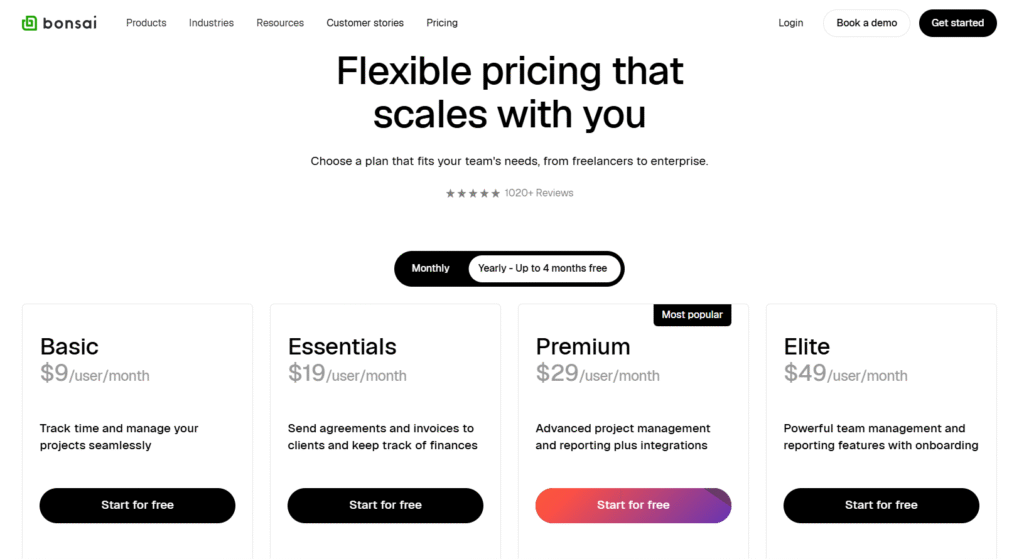
Basic
- Monthly: $15/user/month
- Yearly: $9/user/month
Essentials
- Monthly: $25/user/month
- Yearly: $19/user/month
Premium
- Monthly: $39/user/month
- Yearly: $29/user/month
Elite
- Monthly: $59/user/month
- Yearly: $49/user/month
6. HoneyBook
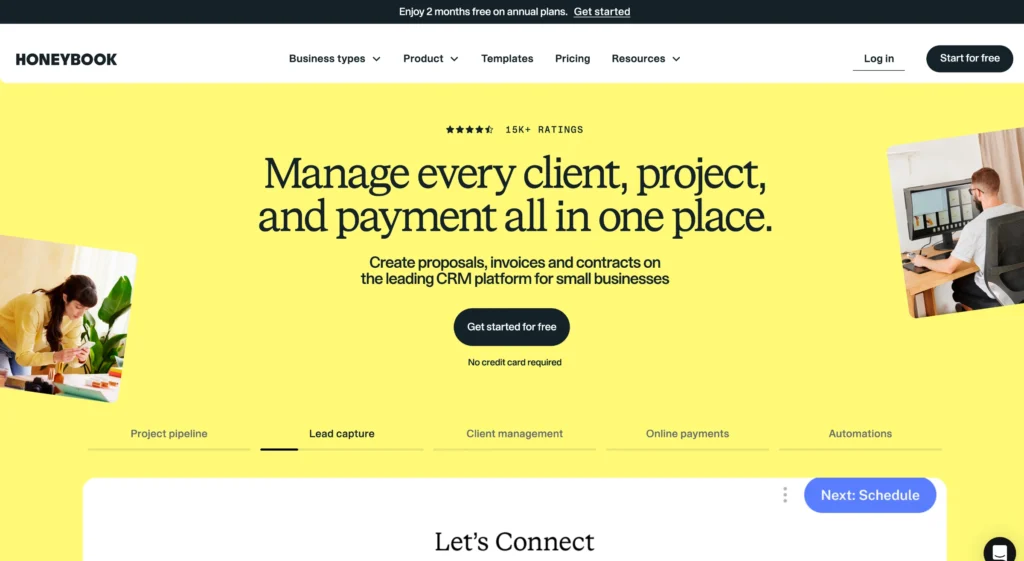
HoneyBook is built for creative entrepreneurs, including photographers, event planners, designers, and coaches. It handles your client bookings, contracts, invoices, and project management in a professional and branded environment.
The main draw here is automation. Set up a workflow once, and HoneyBook takes care of the rest.
Someone inquires through your website? They automatically get a welcome email.
They book? The contract goes out.
They sign? Invoice triggers. You’re not manually remembering to follow up with 15 different people.
Everything you send looks good, too. Proposals, contracts, and invoices, all branded to match your business. Your clients don’t see generic forms. They see a cohesive experience that makes you look more established.
Here’s what happened though: HoneyBook raised prices significantly in early 2025. The entry plan jumped from $19/month to $36/month. That’s nearly double.
For a solopreneur counting every expense, that matters. Bonsai costs $24/month and Dubsado starts at $20/month with similar features.
Key CRM Features of HoneyBook
- Lead Capture and Management: Use customizable forms embedded on your website to capture leads, then track them through your sales pipeline with automated follow-ups.
- Proposals and Contracts: Send branded proposals with multiple package options clients can choose from, then convert accepted proposals into contracts with e-signatures.
- Automated Workflows: Set up trigger-based sequences that send emails, create tasks, and move clients through your process without manual intervention.
- Client Portal: Clients get a branded space to view project details, sign documents, make payments, and communicate with you in one organized location.
- Scheduling and Invoicing: Let clients book appointments directly on your calendar and send payment schedules with automatic reminders for deposits and instalments.
Pros
- Strong automation reduces repetitive admin tasks
- Beautiful templates for client-facing documents
- Excellent client booking and scheduling features
- Good for maintaining brand consistency
- Active community and helpful resources
Cons
- More expensive than competitors
HoneyBook Pricing
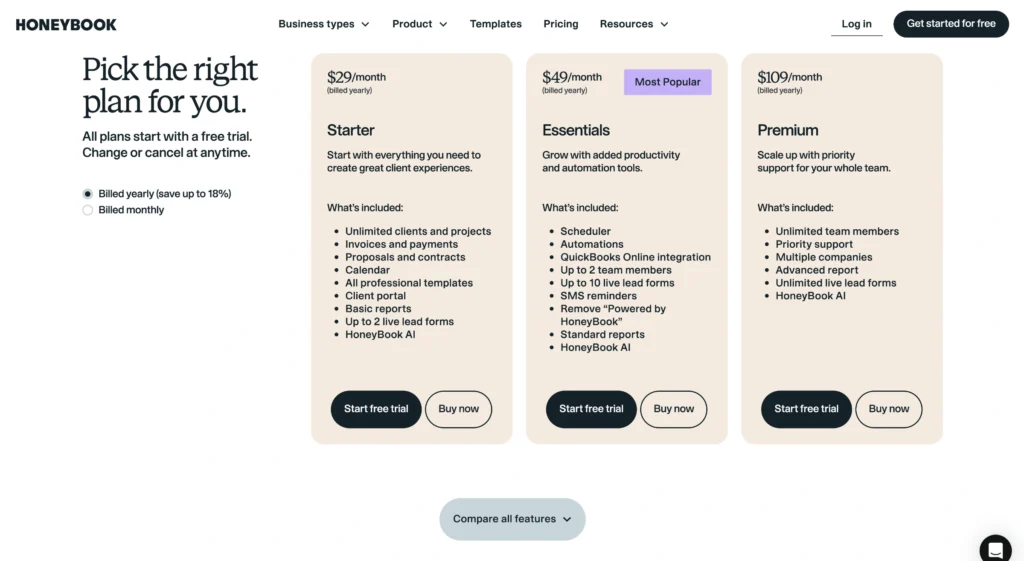
Starter
- Monthly: $36/month
- Yearly: $29/month
Essentials
- Monthly: $59/mo monthly billed
- Yearly: $49/mo yearly billed
Premium
- Monthly: $129/month
- Yearly: $109/month
7. Dubsado
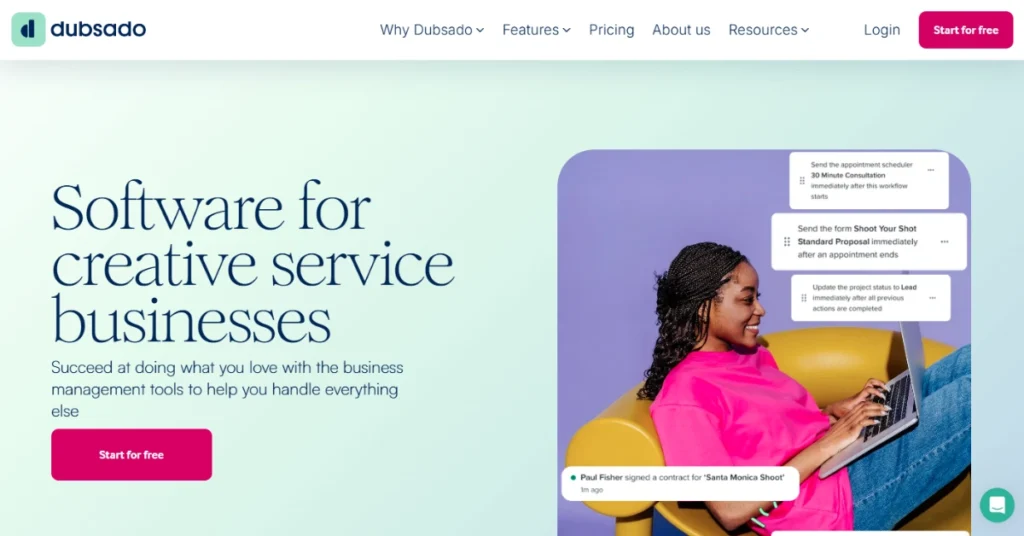
Dubsado is the most customizable option in the freelancer CRM space.
It’s designed for service businesses seeking full control over their client management system’s appearance and functionality. You can customize everything including forms, emails, workflows, and client portals.
Once it’s configured though, Dubsado runs your entire client process on autopilot. Lead inquiries trigger automatic responses. Signed contracts trigger invoices. Payment triggers project kickoff emails. The workflow automation is powerful when you set it up right.
Dubsado costs $20/month for the Starter plan, making it the cheapest option among similar tools, but a bit more than Agency Handy, which costs $19/month.
But remember, Dubsado’s lower price comes with more setup work on your end.
Key CRM Features of Dubsado
- Lead and Client Management: Track leads through customizable pipelines and convert them to active clients with all their project information, contracts, and payment history in one profile.
- Workflow Automation: Build complex automations that trigger emails, tasks, forms, and invoices based on specific actions like signing a contract or making a payment.
- Custom Forms and Contracts: Design branded questionnaires, proposals, and contracts with conditional logic that shows different options based on client responses.
- Client Portal: Give clients a fully branded portal to view project timelines, submit files, sign documents, and make payments without email back-and-forth.
- Scheduler and Invoicing: Let clients book time directly on your calendar and create payment schedules with automatic reminders for deposits and milestone payments.
Pros
- Extremely customizable to match your workflow
- Powerful automation capabilities once configured
- Unlimited clients and projects
- Strong contract and proposal features
Cons
- Time-consuming initial setup
Dubsado Pricing

Starter
- Monthly: $20/month
- Yearly: $200/year
Premier
- Monthly: $40/month
- Yearly: $400/year
8. Monday CRM

If you’ve used Monday for projects, the CRM will feel familiar. If you haven’t, expect bright colors and lots of customization options.
The platform is built around visual boards. Your sales pipeline looks like a kanban board where you drag deals between stages.
You can see everything at a glance and see which deals are stuck, which need follow-up, who’s working on what. It’s intuitive once you start using it.
Where Monday CRM gets interesting is the overlap with project management. You’re not just tracking a sale and then switching tools to deliver the work. You can manage the entire client relationship from first contact through project delivery in one system. That’s useful for agencies and service businesses.
Monday CRM works well for visual thinkers and small teams that need both CRM and project management. Compared to Zoho CRM at $20/user/month, Monday is easier to use but less customizable.
Key CRM Features of Monday CRM
- Visual Sales Pipeline: Track deals through customizable stages using a kanban-style board with color coding and drag-and-drop simplicity.
- Lead Management and Scoring: Capture leads from forms and automatically score them based on criteria you define to prioritize your sales efforts.
- Email Integration and Tracking: Connect your Gmail or Outlook to send and track emails directly from the CRM with automatic logging of all communication.
- Automation and Workflows: Set up rules that move deals, send emails, create tasks, and update fields based on triggers without manual work.
- Customizable Dashboards: Build visual dashboards with charts and widgets that show pipeline health, sales activities, and team performance in real time.
Pros
- Extremely visual and intuitive interface
- Strong project management integration
- Easy customization without technical skills
- Good automation capabilities
- Collaborative for team workflows
Cons
- Can get expensive quickly
Monday CRM Pricing

Basic
- Monthly: $12/user/month
- Yearly: $9/user/month
Standard
- Monthly: $14/user/month
- Yearly: $12/user/month
Pro
- Monthly: $24/user/month
- Yearly: $19/user/month
Enterprise
- Custom pricing
- Contact sales for quote
9. Pipedrive
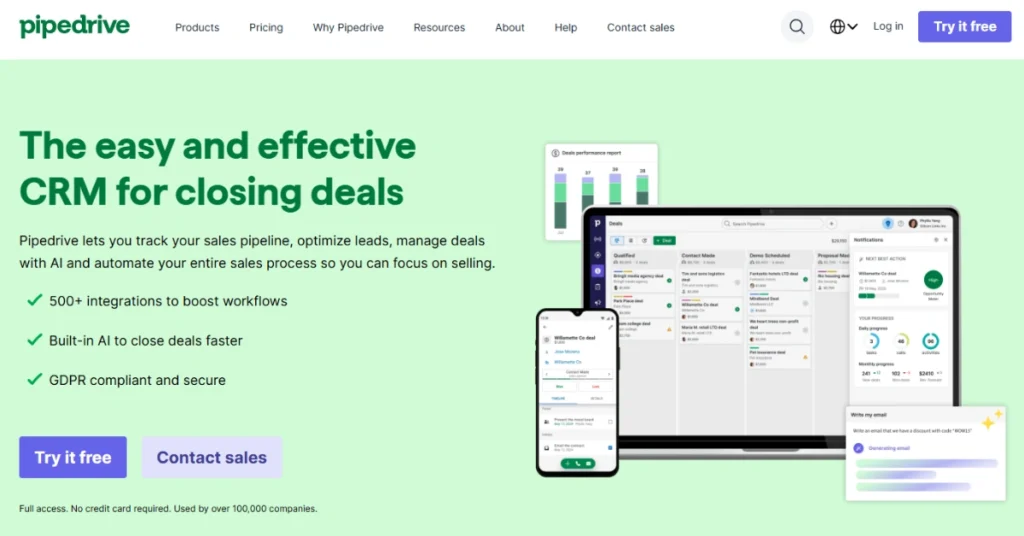
If you’re running a sales-focused business where tracking opportunities is your main concern, Pipedrive keeps things simple and visual.
The interface centers on your pipeline. You see every deal, what stage it’s in, and what action comes next. Drag a deal from “Proposal Sent” to “Negotiation” and Pipedrive prompts you with the next activity.
Pipedrive is laser-focused on sales pipeline management. That’s a good thing if that’s what you need, but it means you’ll probably need other tools for post-sale work.
Pipedrive works well for small sales teams that need a dedicated CRM without complexity. Compared to Monday CRM at $12/user/month or Zoho at $20/user/month, Pipedrive costs more but delivers a more focused sales experience.
Key CRM Features of Pipedrive
- Visual Sales Pipeline: Manage deals through customizable stages with a drag-and-drop interface that shows exactly where every opportunity stands.
- Activity Management: Schedule calls, emails, and meetings with reminders that keep you on top of follow-ups and prevent deals from going cold.
- Email Integration and Tracking: Sync with Gmail or Outlook to send emails from the CRM and track when prospects open them or click links.
- Sales Reporting: Track team performance, conversion rates, and deal velocity with built-in reports that show what’s working in your sales process.
- Lead Management: Capture leads from web forms and automatically route them to the right salesperson with customizable assignment rules.
Pros
- Clean visual pipeline easy to understand
- Strong sales activity tracking and reminders
- Good email integration and tracking features
- Focused on closing deals efficiently
- Mobile app works well for field sales
Cons
- Limited features on entry plan
- No built-in project management
Pipedrive Pricing

Lite
- Monthly: $19/user/month
- Yearly: $14/user/month
Growth
- Monthly: $34/user/month
- Yearly: $24/user/month
Premium
- Monthly: $64/user/month
- Yearly: $49/user/month
Ultimate
- Monthly: $89/user/month
- Yearly: $69/user/month
10. Zendesk Sell

Zendesk Sell is built for teams that want to track their pipeline and manage client relationships without wading through features they won’t use.
The contact management is straightforward. Add a lead, log your interactions, and see their entire history in one place.
The pipeline view shows you where every deal sits. You can customize the stages to match how you actually sell, then drag deals between them as they progress.
Lead capture works through web forms that feed directly into the system. Zendesk Sell also enriches contact data automatically—pulling in company details and social profiles so you’re not manually researching every prospect.
Key CRM Features of Zendesk Sell
- Contact and Lead Management: Store contact details, track interaction history, and organize leads with tags and custom fields that help you segment and prioritize prospects.
- Pipeline and Deal Tracking: Manage deals through customizable sales stages with visual boards that show exactly where each opportunity stands in your process.
- Email Integration and Activity Logging: Connect your email to automatically log conversations, track opens and clicks, and send messages directly from contact records.
- Lead Scoring and Routing: Automatically score leads based on engagement and assign them to the right team members using customizable rules and workflows.
- Sales Reporting and Analytics: Track pipeline health, conversion rates, team performance, and revenue forecasts with customizable dashboards and reports.
Pros
- Clean interface focused on essential CRM tasks
- Good contact and interaction tracking
- Visual pipeline management easy to understand
- Integrates well with Zendesk Support
- Mobile app lets you work remotely
Cons
- Limited customization compared to competitors
- Entry plan misses key features
Zendesk Sell Pricing

Sell Team
- Monthly: $19/month
Sell Growth
- Monthly: $55/month
Sell Professional
- Monthly: $115/month
Sell Enterprise
- Monthly: $169/month
What Features to Look For for a Client Management Software
Here’s the thing: not every client management software is built the same way, and your business doesn’t operate like everyone else’s.
A photographer needs a scheduling system and beautiful client galleries. A marketing agency needs project management and team collaboration. A consultant needs proposal templates and time tracking. Paying for features you’ll never touch is just wasted money.
Consider Your Workflow
Map out what tasks eat up most of your time. Identify which information you need to access quickly throughout the day. Notice where things typically fall through the cracks in your current process.
Spend hours each week chasing client approvals? Prioritize software with a strong client portal. Constantly switching between email and your calendar? Email integration matters more than fancy reporting dashboards. Managing a team? Collaboration features move to the top of the list.
Core Areas to Evaluate
- Lead Management: Determines how new inquiries enter your system and whether you can track them through your sales process without constant manual updates.
- Client Communication: Controls where conversations with clients live and whether your whole team can access the full history without digging through forwarded emails.
- Project Delivery: Covers the task management, file sharing, and approval workflows you need to actually deliver your services after the sale.
- Billing Capabilities: Makes the difference between manually creating invoices every month and automating recurring payments that clients can handle on their own.
Conclusion
Every hour you spend switching between tools is an hour you’re not spending on billable work. The math is simple: consolidate your client management into one platform and reclaim your time. Agency Handy gives you everything you need without the bloat. Try it for 7-days for free.
Frequently Asked Questions
What is the simplest CRM to use?
HubSpot CRM and Agency Handy are the simplest options with intuitive interfaces that require minimal setup. Both platforms let you start managing clients immediately without technical expertise.
Is a free CRM system worth it?
Free CRM systems like HubSpot and Zoho work well for solopreneurs and startups with basic needs. They’re worth it initially but expect to hit limits on contacts, automation, and advanced features as you grow. Most businesses upgrade within 6-12 months when they need more functionality.
What is the cheapest CRM software?
Agency Handy offers the lowest entry price at $19/month for freelancers, followed by Dubsado at $20/month and HubSpot’s free plan. Zoho CRM’s free tier and HubSpot CRM provide no-cost options, though with limited features. For full functionality, Agency Handy and Dubsado deliver the best value under $25/month.
What’s the difference between CRM and client management software?
CRM focuses primarily on sales pipeline and lead tracking, while client management software handles the entire client lifecycle including projects, contracts, and payments.
Can small businesses use client management software?
Yes, client management software is specifically designed for small businesses, freelancers, and agencies managing 10-100 clients. Platforms like Agency Handy, Bonsai, and Dubsado cater to small business workflows without enterprise complexity.
How much does client management software cost?
Client management software ranges from $15-$200/month depending on the software name and plans.
What features should I look for in client management software?
Essential features include lead tracking, client portal, project management, invoicing, and email integration.
Do I need client management software as a freelancer?
Freelancers managing more than 5 active clients benefit significantly from client management software to avoid losing leads and missing deadlines. Tools like Agency Handy, Bonsai, and Dubsado handle proposals, contracts, invoicing, and project tracking in one place.