Skip to content
  New year sale is live! →





You already know what a client portal does. The harder part is choosing the right client portal software for accountants that actually matches how you work. Some tools focus heavily on documents, others on billing, automation, or client communication.
Those differences matter more than feature lists. Today, you’ll see clear comparisons, real strengths, and honest gaps, so you can pick a portal that grows with your firm.
Quick List Client Portal Software for Accountants
- Agency Handy: Best for accountants needing client portals, billing, tasks, and approvals strongly connected.
- Canopy: Best for firms focused on tax workflows, organizers, and structured compliance-heavy processes.
- SmartVault: Best for document-heavy tax practices needing secure uploads, OCR search, and mapped drives.
- Karbon: Best for teams prioritizing workflow visibility, task ownership, and client communication clarity.
- OneHub: Best for firms managing large file volumes, external reviewers, or secure data room collaboration.
Comparison Table of the Best Client Portal for Accountants
The following table gives you a quick, side-by-side snapshot to help you shortlist faster.
| Client Portal Software | Security and Compliance | Billing | Automated Reminders | Starter Pricing (Monthly) |
| Agency Handy | EncryptedRole-based access | Built-in invoicing and subscriptions | Client and payment reminders | $29/month |
| Canopy | Compliance-focused controls | Invoicing and payments included | Task and document reminders | $60 per user |
| SmartVault | SOC 2IRS-aligned document security | Limited | Document request reminders | $70 per user |
| Karbon | Enterprise-grade security2FA | Integrated billing and payments | Workflow-based reminders | $79 per user |
| OneHub | Role-based permissions | No native billing | Limited | $15 per user |
5 Top Client Portal Software for Accountants
When we tested client portal software for accountants, we used it as a real firm would. We created client accounts, requested documents, ran intake forms, sent approvals, and followed tasks from start to finish.
More importantly, we watched how smoothly work moves between your team and your clients. Hence, you can trust our process is built to help you choose tools that work in real workflows.
1. Agency Handy

Agency Handy is the best client portal software for accountants as it fixes disorganized communication and weak workflow control.
It keeps all client documents, invoices, orders, and conversations in one secure place. Meanwhile, your clients upload tax files, review drafts, and approve work directly in their portal. That way, it saves you from version mix-ups.
Plus, your team can work from task boards, tickets, and built-in time tracking. During busy tax seasons, you can assign priorities, track deadlines, and see progress instantly.
Agency Handy also manages billing and subscriptions inside the portal. You can send one-time or recurring invoices, support Stripe, PayPal, Wise, or bank payments, and apply tax rules. Most importantly, it keeps every invoice and payment linked to the client profile.
With role-based access, encrypted data, white-labeled portals, and automated invoicing, you stay compliant and professional. As your firm grows, Agency Handy grows with you without adding more tools or complexity.
Features of Agency Handy
Agency Handy brings everything into one secure, structured system so your team spends less time managing chaos and more time serving clients confidently.
Client Portal With Role-Based Access
Agency Handy helps you lock down client data without slowing the team down. You can also assign roles, like Super Admin, Admin, Manager, or Assignee, so staff only see what they need for their work. It reduces compliance risk and limits accidental exposure.
Centralized Client Profiles
It offers a single client record where orders, invoices, tickets, files, and communication history stay connected. This way, accountants don’t need to search through email threads to find last quarter’s notes or the latest W-2 upload.
Task and Work Management
When a client places an order (like monthly bookkeeping or tax filing), an order can auto-create the workflow base. Then, you assign tasks across the team and monitor progress from a Kanban board. It helps you to see who owns payroll clean-up, who’s waiting on client documents, and what’s due this week.
Built-In Ticketing System
Agency Handy’s ticketing system helps you control client questions or issues. Clients submit tickets from their dashboard, and you assign them to the right person with priorities and due dates. Every ticket keeps a full update history, so you always know what was promised, what was delivered, and what’s pending.
File Sharing
With Agency Handy, clients can upload and share files directly inside their workspace. So, you don’t need to go through email, WhatsApp, or Drive links to get important documents. Plus, your team can keep files linked to the right client and the right order.
File Feedback and Versioned Review
With file feedback, clients can comment directly on uploaded files (PDFs, images, videos) instead of sending vague “see page 3” messages. In the meantime, you can upload multiple versions of the same file, so both sides can see what changed and when. It cuts miscommunication and reduces rework.
Forms for Intake
Agency Handy helps you collect client info in a structured way using custom intake and order forms. Instead of chasing details, you can gather the same required information every time. On top of that, you can break down the forms into sections/pages so clients don’t feel overwhelmed.
Multi-Package Service Catalog
Agency Handy helps you turn your services into a clear catalog with multiple packages. For a bookkeeping/tax practice, this is how you standardize offers, like “Monthly Bookkeeping,” “Payroll Support,” “Year-End + Tax Filing,” without custom quoting every time. Thus, clients can pick the package that fits them.
Invoicing
Agency Handy’s invoicing lets you generate invoices manually or automatically and keep them linked to the right client and order. You can set one-time pricing or recurring invoice schedules, choose the right currency, and include billing address details and notes.
Guardrails also reduce mistakes, like limiting invoice edits to Draft status, so billing records stay clean and reliable.
Billing and Payments
Agency Handy helps you collect payments using multiple methods so clients can pay the way they prefer. It includes options, like Stripe, PayPal, Wise, and manual banking (plus crypto support, if needed). Plus, its automated reminders for unpaid invoices and upcoming renewals keep cash flow steadier.
White-Label Branding and Custom Domain
Agency Handy allows you to present a polished and consistent client experience under your own brand. You can use your logo, brand colors, and a custom domain, plus customize emails, invoices, and proposals.
Additional Features That Push It Further
A client portal is mostly about the “core.” But these add-ons help you run cleaner and faster.
- Coupons
- Add-Ons
- Public or Embeddable Catalog
- Portfolio
- Export to Excel/CSV
- Tax Rate Configuration
- Custom Fields in CRM
- Slack Integration
- Time Tracking
Best Use Cases of Agency Handy
Here are practical ways accountants use it daily to reduce workload, stay compliant, and improve client experience.
- Accounting and Bookkeeping Firms: Centralize client documents, invoices, tax files, and communication in one portal. Tasks, deadlines, and approvals stay visible, reducing follow-ups and missed submissions.
- Tax Consultants and Tax Filing Professionals: Use custom intake forms to collect financial data, track filing status, and manage recurring tax services. Automated invoices and reminders help keep billing on schedule.
- Payroll Service Providers: Manage recurring payroll tasks, employee data files, and monthly billing from a single dashboard. Role-based access keeps sensitive payroll data restricted and secure.
- International Accounting Firms: Handle multi-currency invoicing, tax rules, and client data securely. Custom domains and white-labeling maintain a professional, region-agnostic client experience.
Pros of Agency Handy
- Keeps client documents organized and easy to retrieve
- Improves compliance through controlled access and audit trails
- Simplifies client onboarding with guided, repeatable workflows
- Connects billing, tasks, and client records seamlessly
- Makes client interactions clearer and more predictable
- Gives clients a professional, self-serve experience
Agency Handy Pricing
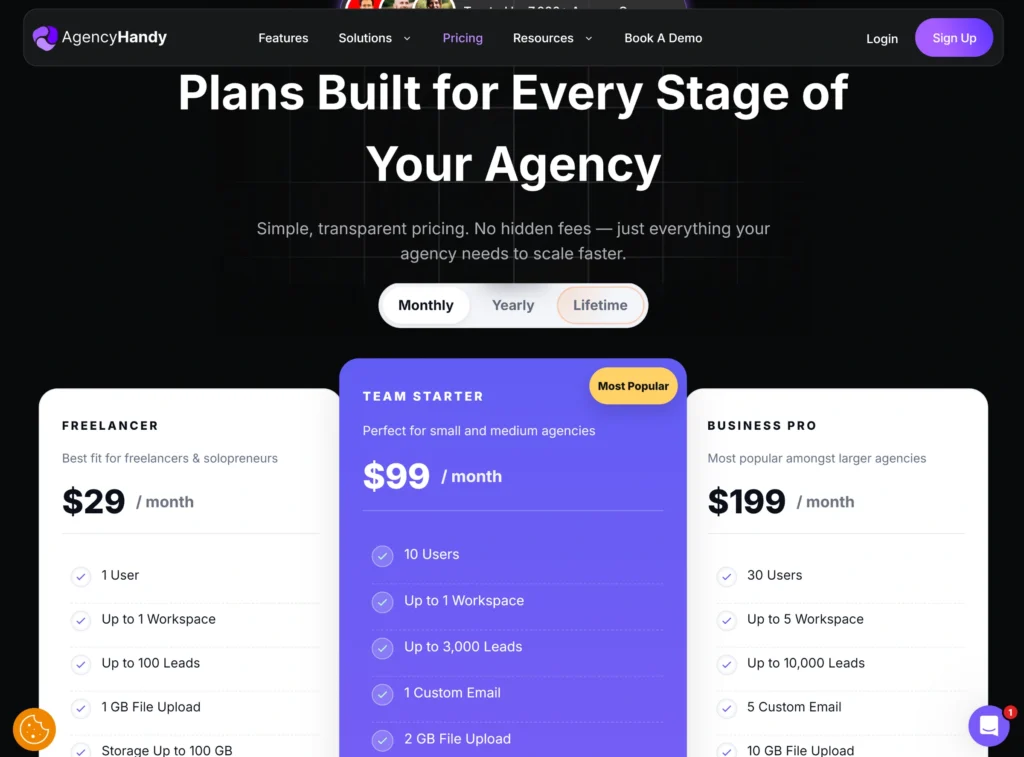
- Freelancer: $29/month
- Team Starter (Most Popular): $99/month
- Business Pro: $199/month
Agency Handy also offers a free trial, and with the annual plan, it gives you free 4 months.
What Users Say About Agency Handy
Reviews on G2: 4.9 out of 5
“It is remarkably beneficial as the process is seamlessly connected—each client onboarding automatically triggers new tasks or projects with minimal effort. “ – Bao H.
Reviews on Trustpilot: 4 out of 5
“they offer a lot of features which will make your agency actually complete. You won’t regret it.” – Michel Pronk
Reviews on Capterra: 4.5 out of 5
“I didn’t have major problems with the platform expect some issues submitting products from time to time.” – Henry P.
Why Should You Choose Agency Handy as a Client Portal Software For Accountants
Accountants need a system that keeps client work organized, secure, and easy to manage. That is where Agency Handy fits in.
| Issues Faced by Accountants | How Agency Handy Meets |
| Slow client communication | Clients messages and comments inside one shared portal. |
| Missing or misplaced documents | Files are uploaded, stored, and accessed per client. |
| Compliance and data risks | GDPR-aligned data handling. |
| Data risks | Encrypted storage and role-based access. |
| Repeated follow-ups for client info | Structured intake and order forms collect details upfront. |
| Manual invoicing | Auto-generated invoices with reminders. |
| Workload spikes during tax season | Task boards with priorities. |
| No clear client history | All files, invoices, tickets, and notes stay in one client profile. |
| Support requests getting lost | Built-in ticketing system. |
2. Canopy
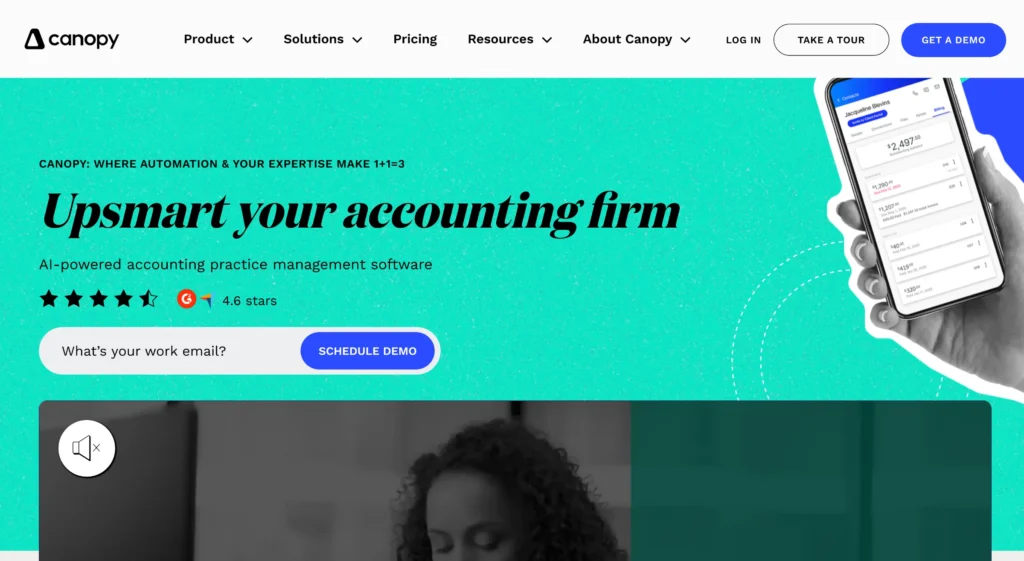
Canopy stands out as a solid client portal software for accountants. It brings document sharing, workflow automation, billing, and compliance tools into one system.
Your clients can upload files, sign forms, complete questionnaires, and pay invoices in one place. On your side, Canopy excels with automated task creation, smart intake, and connected document workflows.
That said, it is not flawless. Sarah R. from G2 user put it simply: “I wish the client portal had a built-in communication feature,” which can matter if messaging is central to how you work.
Features of Canopy
Here are the core features the Canopy client portal brings to the table.
- Client Portal: Create a single secure space for clients to upload documents, sign forms, complete tasks, and pay invoices.
- Secure Access and Authentication: Protect sensitive financial data with encrypted access, multi-factor authentication, and secure action links for clients.
- File Sharing and Upload Handling: Manage client document uploads with mobile capture, bulk uploads, and automatic matching to requests or tasks.
- Document Requests and To-Do Lists: Create structured request lists with deadlines and reminders to reduce delays caused by missing client documents.
- eSignatures: Collect legally binding signatures through secure links or portal access without printing, scanning, or email back-and-forth.
- Custom Questionnaires and Organizers: Build digital forms to collect client data, tax organizers, and supporting documents in one guided flow.
- Smart Intake: Generate checklists and questionnaires automatically using past data to reduce manual entry and speed up work start.
- Workflow and Task Management: Manage tasks, checklists, and engagements with templates, automation, and clear status tracking across teams.
Pros of Canopy
- Reduces disorganized email and manual client follow-ups
- Simplifies document sharing and signature collection
- Improves visibility across tasks, deadlines, and workloads
- Supports secure, compliant client communication
- Helps firms replace multiple disconnected tools
Cons of Canopy
- Initial setup and learning curve can feel heavy
- Client portal lacks real-time chat messaging
Pricing
Canopy offers two pricing plans designed for small accounting firms.
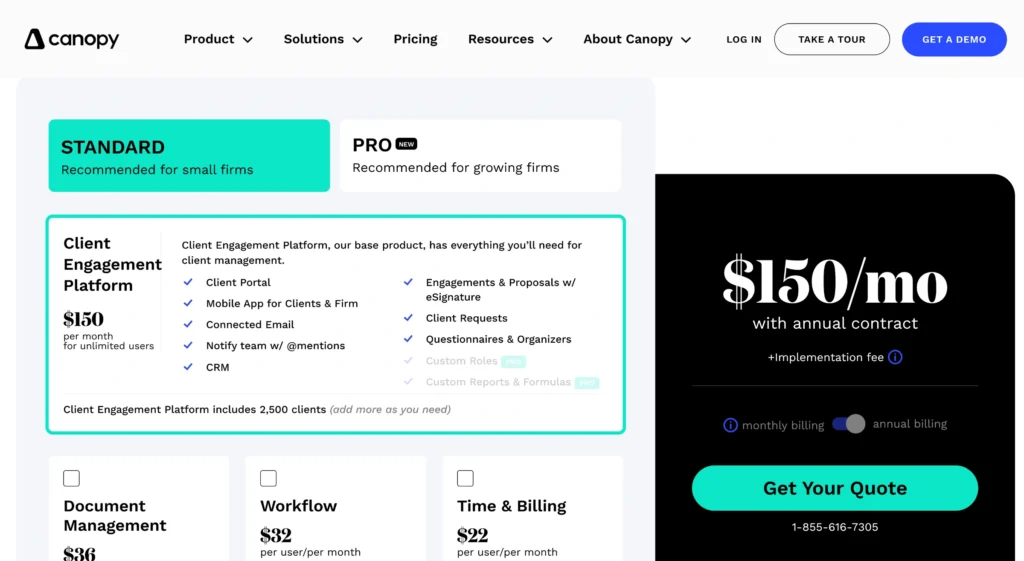
- Starter: $60 per user/month
- Essentials: $88 per user/month
What Users Say About Canopy
Reviews on G2: 4.6 out of 5
“t has made tracking throughout the year much easier and much more simple and concise than our team has ever seen before.” – Jade A.
3. SmartVault
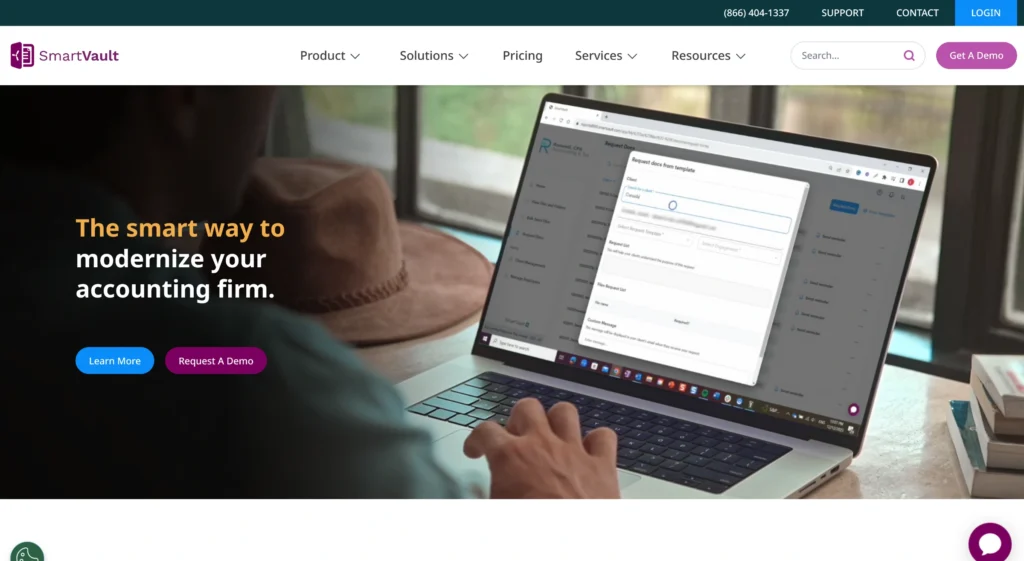
SmartVault is a client portal built for accountants who spend most of their day handling documents. It gives you one secure place for client uploads, document requests, eSignatures, and unlimited cloud storage.
What makes it practical is how well it fits into real accounting workflows. OCR search, audit trails, version history, and mapped drive access let you work with more control. SmartRequestAI also helps you start tax work faster by creating intake checklists from prior-year returns.
That said, flexibility can feel limited. As Kim S., Partner, shared on G2, “some components would work better if we could customize ourselves,” which may slow certain firms.
Features of SmartVault
SmartVault is designed for small tax and bookkeeping firms that offer the following features.
- Client Portal for Accountants: Create a secure, branded space where clients upload documents, sign forms, complete requests, and access files anytime.
- Secure Document Sharing: Share sensitive tax and financial files through encrypted links instead of email attachments, reducing risk and client confusion.
- Built-In eSignature: Collect signatures for engagement letters, tax forms, and POAs through secure links on any device.
- OCR Search and Auto-Filing: Find documents instantly using full-text OCR search and auto-route files into correct client folders.
- Mapped Drive Access: Access SmartVault folders directly through Windows File Explorer, keeping familiar workflows for staff.
- Permission Controls and Audit Logs: Control who can view, upload, edit, or download files with detailed access tracking.
- Compliance and Security Controls: Protect client data with SOC 2 Type 2 compliance, encryption, multi-factor authentication, and IRS-aligned safeguards.
- Backup and Version Recovery: Recover deleted or overwritten files using automatic backups and version history for peace of mind.
Pros of SmartVault
- Strong security and compliance for sensitive financial data
- Reduces email clutter and manual document chasing
- Easy client adoption with simple upload and access flow
- Integrates well with major tax and accounting software
- Unlimited storage supports growing client document volume
Cons of SmartVault
- Limited customization for portal and workflows
- Navigation and interface feel dated to some users
Pricing
SmartVault offers three plans for accounting and tax firms that want secure document handling, client collaboration, and strong compliance.
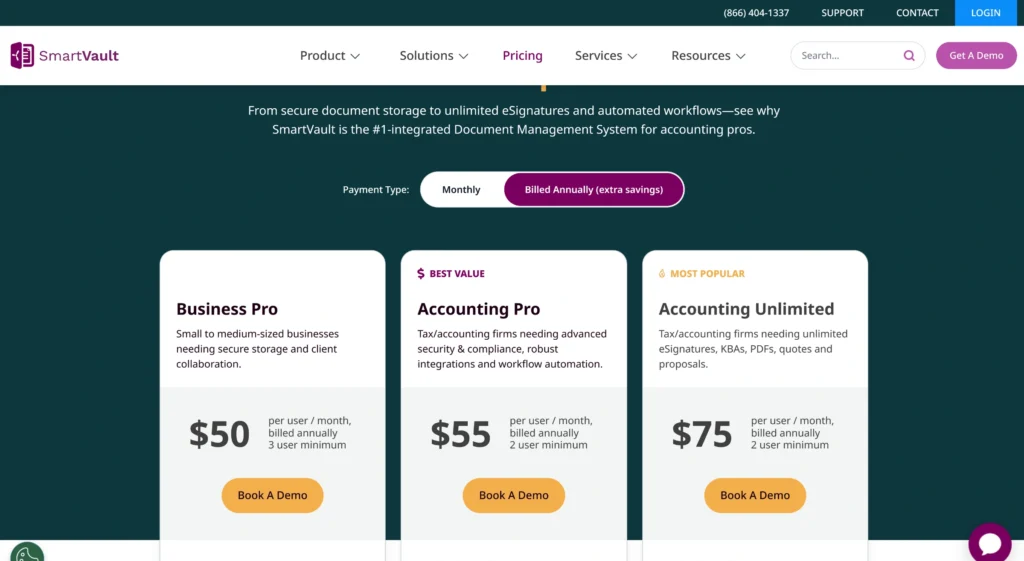
- Business Pro: $70 per user monthly (billed monthly, 3-user minimum).
- Accounting Pro: $75 per user monthly (billed monthly, 2-user minimum).
- Accounting Unlimited (Most Popular): $100 per user monthly (billed monthly, 2-user minimum).
SmartVault doesn’t offer a free plan. That said, you can book a demo to see how it fits your workflow before making a decision.
What Users Say About SmartVault
Reviews on G2: 4.3 out of 5
“The storage and file-sharing service of the device are very efficient. The tool provides secure sharing facilities and thus is very beneficial to store companies’ confidential data.” – Subhangi B.
4. Karbon
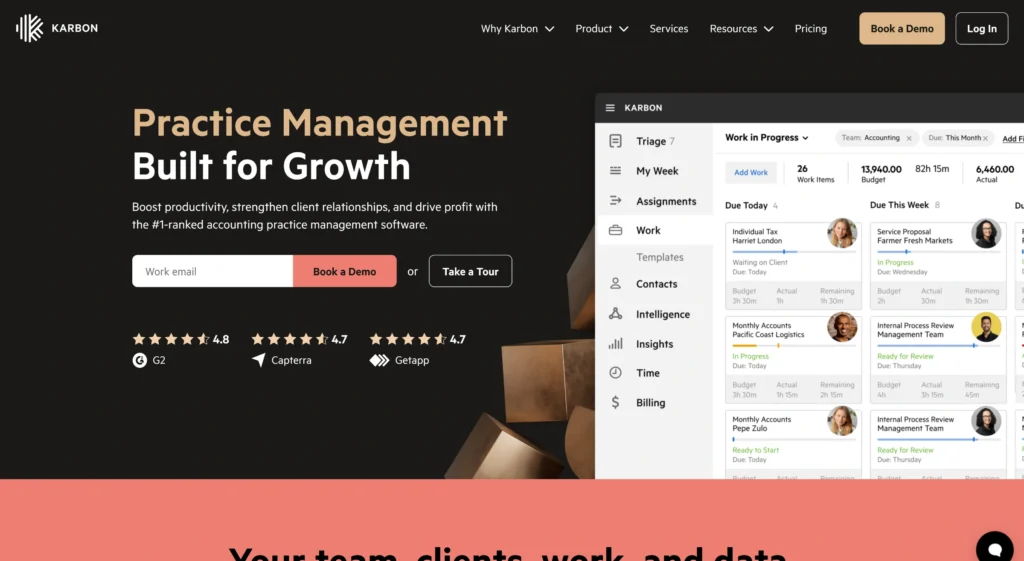
Accountants who need a client portal software for more control over client work, Karbon practice management platform is a good option. It offers one connected system that links client communication directly to delivery.
What makes it practical is how tightly everything connects. Where engagement letters trigger tasks, likewise, client uploads attach to the right job. Meanwhile, AI-powered client summaries give quick context before you reply.
Now, if your work leans heavily into tax resolution and compliance, Canopy can feel stronger there. Again, Karbon fits better if you care more about workflow visibility and client communication.
Features of Karbon
Here are the key features Karbon gives you —
- Client Portal (Karbon for Clients): Create a secure, branded portal where clients view tasks, upload documents, sign files, and track progress anytime.
- Real-Time Client Updates: Keep clients informed with live task status, timelines, and automated notifications without manual check-in emails.
- Secure File Sharing: Manage encrypted document uploads and sharing directly inside workflows, keeping sensitive client data protected.
- eSignatures and Approvals: Collect legally compliant signatures and approvals through secure links, with real-time tracking and audit history.
- Custom Branded Experience: Strengthen client trust by customizing the portal with your firm’s logo, colors, and messaging.
- Integrated Invoicing and Payments: Automate invoice creation and payment collection based on engagement terms and completed work.
- Document Management: Store, organize, and link documents automatically to clients, jobs, and workflows.
- Enterprise-Grade Security: Protect client data with two-factor authentication, encrypted storage, and audit-ready compliance controls.
Pros of Karbon
- Clear task visibility improves client accountability
- Tight portal connection prevents work falling through
- Strong automation handles reminders, tasks, and status updates
- Integrated email keeps all client communication in one place
- Secure portal access builds client trust with sensitive data
Cons of Karbon
- Initial setup and learning curve can feel overwhelming
- Billing tools lack flexibility for retainers and credits
- Interface complexity may slow new users early on
Pricing
Karbon offers clear, role-based pricing that scales with your firm’s size, complexity, and automation needs.
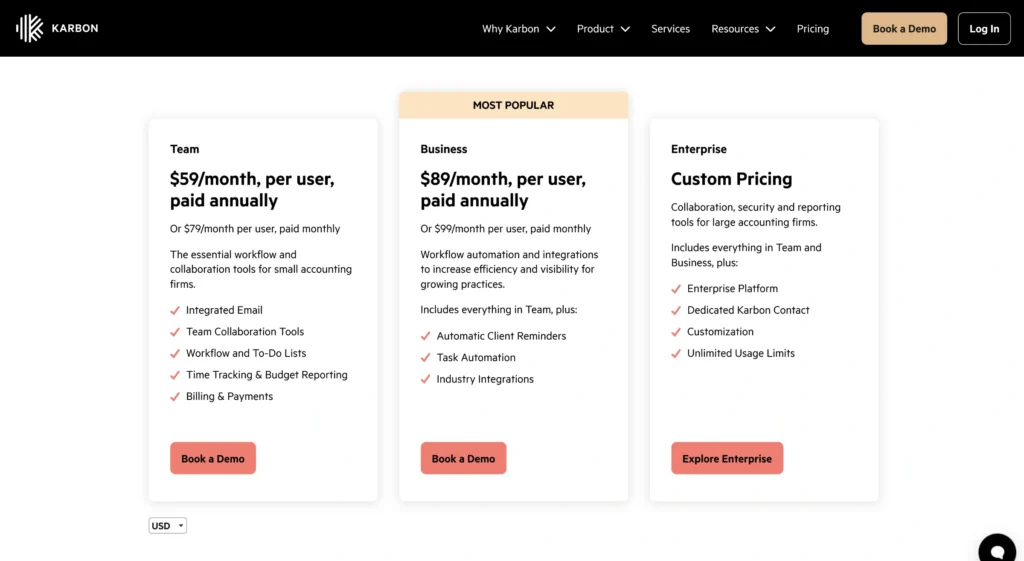
- Team: $79 per month billed monthly
- Business (Most popular): $99 per month billed monthly
- Enterprise: Custom pricing
You can book a demo to see how Karbon fits your firm before making a decision.
What Users Say About Karbon
Reviews on G2: 4.8 out of 5
“Karbon helps organize my daily and weekly tasks in a way that is easy to keep me on schedule and lets me easily track down past conversations or involve coworkers on a conversation where I want their input.” – Heather J.
5. OneHub
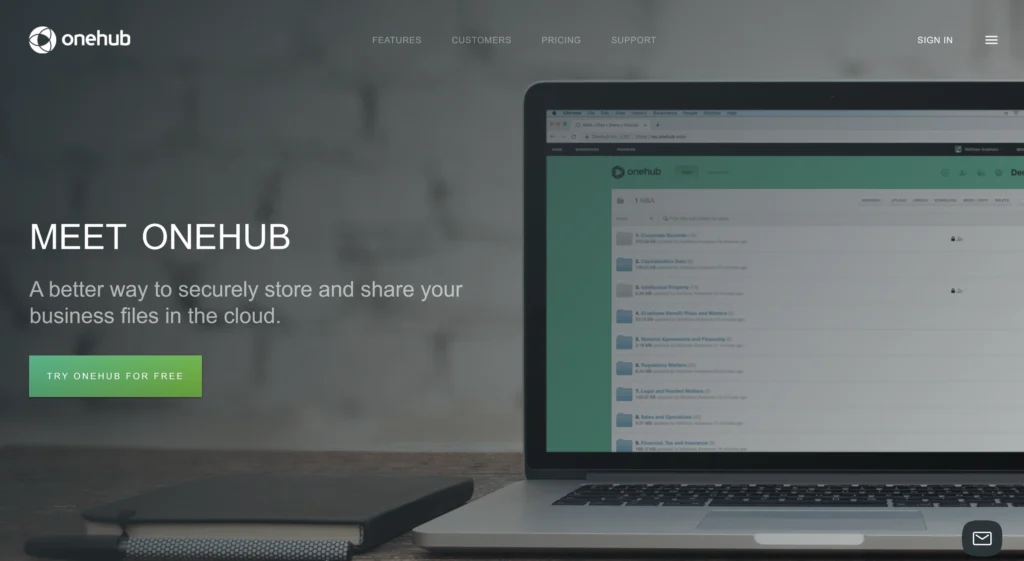
OneHub is a secure client portal for accountants who manage high volumes of client documents and need control without clutter. Its core value is to keep your client files organized, protected, and easy to access in one place.
In real-world use, OneHub and SmartVault shine in different situations. If your day revolves around tax intake, document requests, and mapped-drive style workflows, SmartVault often feels natural. But if you deal with wider client collaboration, external reviewers, or sensitive data rooms, OneHub stands out.
Besides, with OneHub, you can work with drag-and-drop uploads, role-based permissions, and 24/7 secure access for both your team and clients. Plus, its version control, full-text search, audit trails, Microsoft Office and Google Drive integration, and DocuSign signing let you move files faster.
Features of OneHub
Onehub focuses on clean file control, collaboration, and branding.
- Client Portals: Create secure, branded client portals with dashboards, embedded sign-in, and controlled external access.
- Version Control: Track every document change automatically, keep previous versions safe, and roll back edits when mistakes happen.
- Drag-and-Drop Uploading: Create a simple upload experience by letting clients and staff add files or folders instantly through the browser.
- Role-Based Permissions: Control who can view, edit, download, or print files to protect sensitive client information.
- Object-Level Security: Set access rules at the workspace, folder, file, or link level for precise data sharing.
- Comments and Feedback: Collaborate in context by adding comments directly to files instead of long email threads.
- DocuSign Integration: Collect digital signatures and automatically store signed documents back into client folders.
- Custom Branding: Build a branded client portal with your logo, colors, custom domain, and optional white-labeling.
Pros of OneHub
- Strong access controls protect confidential client information
- Clear folder structure keeps client files organized
- Audit trails support compliance and accountability needs
- Easy file sharing without relying on email attachments
- Client portals feel professional with custom branding options
Cons of OneHub
- Interface can feel outdated compared to newer platforms
- Learning curve when exploring advanced security features
Pricing
Onehub keeps pricing straightforward, with plans that scale from small teams to enterprises handling sensitive data.
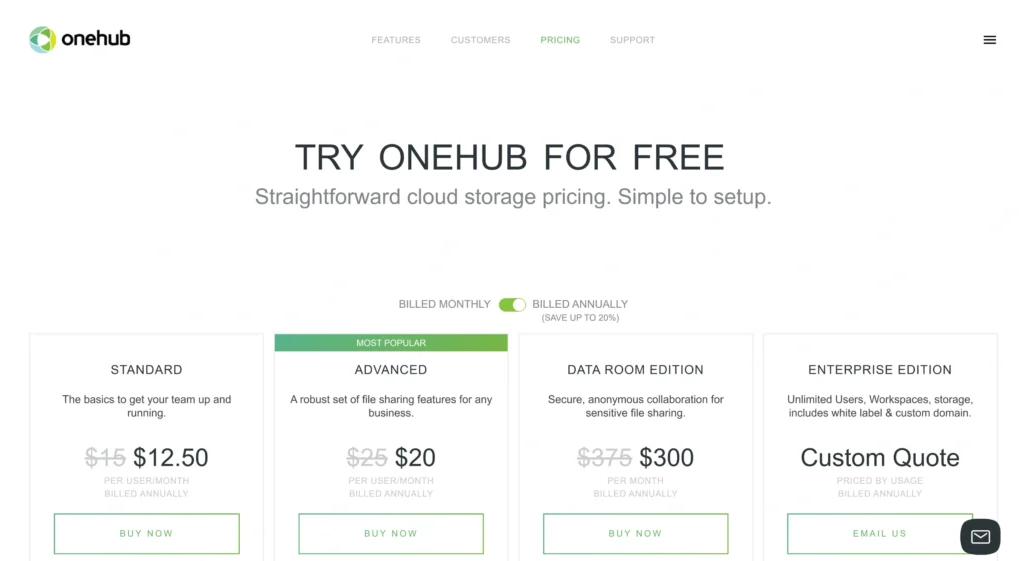
- Standard: $15 per user per month.
- Advanced (Most popular): $25 per user per month.
- Data Room Edition: $375 per month.
- Enterprise: Custom pricing.
Every plan includes a 14-day free trial, so you can try Onehub hands-on before making a decision.
What Users Say About OneHub
Reviews on G2:
“Allows you to configure each document sent in such a way that you can self-destruct it at a certain time, so that they can not use it after reading it.” – Brenda C.
How to Select the Best Accounting Portal Software
When it comes to picking the right accounting portal software, you need something that keeps your work clean, secure, and predictable.
- Client Portal With Secure Access: Look for tools that give clients one secure place to upload files, review work, and approve requests. It keeps conversations out of email and prevents document mix-ups. Plus, role-based access ensures sensitive data stays in the right hands.
- Centralized Client Records: Ensure the tool has a single client view where files, invoices, tasks, and communication live together. This way, you can understand a client’s full history without jumping between inboxes or folders.
- Task and Workflow Management: Select a tool that has clear task ownership, deadlines, and priorities. During busy periods, this visibility helps you stay ahead instead of reacting at the last minute.
- Document Sharing and Version Control: Look for tools that manage uploads, feedback, and version history in one place. It helps everyone work from the latest file and avoids confusion when documents change.
- Billing and Payment Handling: Most importantly, the software must include invoicing and payment tracking tied to client records. That way, it can reduce your manual billing work and help you get paid on time without constant reminders.
So, What’s The Best Client Portal Software for Accountants?
Agency Handy is hands down the best client portal software for accountants. It gives you a single client portal where documents, conversations, tasks, and billing stay together.
Plus, your clients upload tax files, review drafts, and approve work inside their portal. At the same time, you track deadlines from clear task boards with built-in time tracking, so nothing gets missed.
Beyond the basics, Agency Handy supports structured intake forms, automated invoicing, ticketing, and white-label branding. Most importantly, every action stays linked to the client profile, which keeps compliance tight and work easy to manage.
Final Words
The right client portal software for accountants shapes how easily you collect documents, track deadlines, and stay compliant as your firm scales. See, Canopy, SmartVault, Karbon, and OneHub each cover different needs, from document security to workflow visibility and collaboration. But none fit every firm the same way.
If you want one system that connects client portals directly to tasks, billing, payments, and branding, Agency Handy is worth a look. It boasts practical features, like role-based access, built-in invoicing, automated reminders, and structured intake forms.
FAQs
What is accounting client portal software?
Accounting client portal software is a secure online space where accounting firms and clients share documents, track tasks, view financial records, and follow project progress in one place.
Why do accountants need a client portal?
Accountants need a client portals to simplify communication and securely exchange sensitive financial files. It also reduces email back-and-forth, and collaborate efficiently with clients, especially during high-pressure periods like tax season.
Are client portals compliant with data protection standards?
Quality client portals are built to protect confidential financial data and often comply with standards like GDPR and SOC 2. They use strong security controls to ensure privacy, trust, and safe handling of sensitive information.