Skip to content
  New year sale is live! →





Choosing the right client portal software for photographers becomes challenging once your workflow gets busier.
You already know email threads, Drive folders, and scattered payment tools stop working at scale. The real risk is lost time, delayed payments, and confused clients.
Up next, we’ll walk you through the leading client portal options, compare what actually works, and highlight real trade-offs. Hence, it’ll help you choose a platform that fits how you run your business today.
Quick List of Client Portal for Photographers
- Agency Handy: Best for photographers needing branded portals, task tracking, file feedback, subscriptions, and role-based access.
- SuiteDash: Ideal for photographers wanting deep automation, white-label portals, and structured onboarding workflows.
- Dubsado: Perfect for photographers focused on proposals, contracts, quick approvals, and smooth booking flows.
- HoneyBook: Best for photographers prioritizing fast payments, mobile access, templates, and simple client experiences.
- Bonsai: Ideal for photographers managing retainers, time tracking, invoicing, and client visibility across projects.
Comparison Table of Client Portal Software for Photographer Agencies
Here’s a quick matrix comparing five popular client portal software for photographers on the essentials.
| Platform | Lead Management | File Sharing | Payment Integration | Starter Pricing (Monthly) |
| Agency Handy | ✅ | ✅ | StripePayPalManual bankingCrypto | $29 monthly |
| SuiteDash | ✅ | ✅ | StripeBraintreePayPalAuthorize.Net | $19 monthly |
| Dubsado | ✅ | ✅ | Credit cardDebit cardACH (US and Canada)Tap to Pay | $35 monthly |
| HoneyBook | ✅ | ✅ | Credit cardDebit cardBank transferApple PayGoogle Pay | $36 monthly |
| Bonsai | ✅ | ✅ | Credit cardDebit cardBank transfer | $15/user/month |
Top 5 Client Portal Software for Photographers to Manage Clients Smoothly
While testing, our point of view came from real clients, real projects, and real deadlines. In fact, we set up full workflows from start to finish. We paid close attention to speed, clarity, and the client experience. If a tool slows you down or breaks under pressure, that counts.
You can trust our reviews because they come from hands-on use.
1. Agency Handy

Agency Handy is the best client portal software for photographers because it pulls your entire workflow into one branded space your clients actually like using.
You stop bouncing between email threads, Drive folders, and invoices. Instead, everything sits behind a clean client login that feels professional and fully aligned with your brand.
Once a client places an order, the system does the heavy lifting. Orders, tasks, and invoices are created automatically. You can split a shoot into tasks, set deadlines, track progress on a Kanban board, and record hours using built-in time tracking. File delivery, approvals, and comments stay linked to the same order, so nothing gets lost.
Client collaboration stays organized and predictable. Clients review files, leave comments, submit tickets with attachments, and request extra work through clear approval flows. Intake forms, orders, tickets, and feedback all live inside one client profile.
On the business side, you handle invoicing, subscriptions, coupons, add-ons, and taxes through Stripe, PayPal, and Wise. Role-based access keeps things scalable and secure.
Features of Agency Handy
Here are the core features (in a natural workflow order) that matter most for a photography client portal.
White-Label Client Portal Customization
Agency Handy lets you present the portal as your studio, not someone else’s software. You can add your logo, set brand colors, and use a custom domain so clients log in at a clean, memorable URL. It also keeps your communication consistent to match your tone and branding.
Orders to Projects Workflow
When a client places an order or purchases a service, Agency Handy creates an order. That way, you don’t manually set things up each time. For photographers, this is a practical structure as each client’s job becomes a trackable unit with everything linked to it.
Task Management With Kanban Tracking
This provides a simple way to break big photography jobs into smaller steps and track them visually. You can create tasks, set priorities, add deadlines, and move work across a Kanban board as it progresses. It’s useful when you’re jumpintg shoots, editing, revisions, and delivery across multiple clients.
Client Collaboration and Approvals
Agency Handy offers built-in collaboration so clients can follow progress without chasing you. Clients can review tasks, approve work, and leave comments inside the portal. Your team can also collaborate around the same project without switching between apps.
File Feedback and Versioning
With this feature, you can upload files inside the client’s order and collect feedback on the file itself. Clients can open PDFs, images, and videos and leave clear comments using highlights, text notes, or simple markups. You can upload multiple versions of the same file, too, which helps you track changes and avoid confusion.
Ticketing for Client Support Requests
Clients can submit tickets from their dashboard. Plus, you can assign them to the right team member with priorities and deadlines. Each ticket keeps a full history of updates, so you can track what was asked, what changed, and what’s resolved.
On top of that, clients can now attach files when submitting tickets, and images can be added to tickets, comments, and task descriptions.
Invoicing, Payments, and Subscription Billing
Invoices can be created automatically after an order, and they support one-time payments and recurring subscriptions. Also, clients can pay via Stripe, PayPal, Wise, manual banking, or even crypto. Most importantly, its automated reminders help reduce late payments and renewal slip-ups.
Role-Based Access and Portal Permissions
Agency Handy allows you to control who sees what, which matters when you have editors, assistants, or clients inside the same workspace. You can assign roles like Super Admin, Admin, Manager, or Assignee, each with different access levels. Besides, you can customize the sidebar per role or even per user.
CRM for Lead-to-Client Tracking
It offers a structured way to manage leads and move them toward becoming paid clients. You can track statuses from New to Negotiation to Client using a clear pipeline. Once converted, the client record becomes a central profile. Meanwhile, it offers custom fields to let you customize the CRM to your workflow.
Embed Third-Party Tools Inside the Portal
With Embed, you can bring outside content into your workspace so clients and your team don’t bounce between tabs. You can embed Google Drive folders, YouTube videos, Google Docs/Sheets/Slides, and Figma files using URLs or iframe codes.
Time Tracking on Tasks
You can track time on each task using a simple start and stop timer or by adding hours manually. Every entry flows into timesheets, where you can filter by team member, task, or service. That said, you can only log time while tasks are marked as Pending. Once a task is set to Done, the time log becomes view-only.
Other Features That Take Agency Handy Further
Beyond the core portal flow photographers care about most, these extra tools help you run a tighter, more scalable operation —
- Service Catalog
- Add-Ons
- Coupons
- Portfolio
- Tax Rate Configuration
- Workspace Settings
- Appearance Controls
- Custom Sign-in Portal
- Email Setup (SPF/DKIM/SMTP)
- Email Templates
- Slack Integration
Best Use Cases of Agency Handy
Some of the practical ways photographers across different specialties can use Agency Handy as a full client portal are —
- Wedding Photographers: Manage contracts, invoices, timelines, and photo delivery in one branded portal. Clients can review albums, request revisions, and complete payments without email back-and-forth.
- Portrait and Studio Photographers: Use intake forms to collect shoot details, preferences, and deadlines upfront. Deliver edited photos securely, collect approvals, and upsell retouching add-ons through the same portal.
- Event Photographers: Track multiple events as separate orders with clear deadlines and task breakdowns. Clients can access galleries, download assets, and raise support tickets if changes are needed.
- Commercial and Brand Photographers: Centralize feedback on product shots, campaigns, or brand visuals using file comments and annotations. Keep contracts, revisions, and invoices tied to each client profile for clarity.
- Real Estate Photographers: Offer service packages (photos, videos, drone shots) through a public or embedded catalog. Deliver assets fast, collect payments automatically, and handle urgent client requests via tickets.
- Freelance Photo Editors and Retouchers: Receive files, instructions, and revision requests in one place. Track time spent per task, manage approvals, and bill clients accurately based on completed work.
- Photography Agencies or Studios: Assign tasks to team members, track progress on a Kanban board, and control access by role. Clients get a clean, professional dashboard without seeing internal workflows.
Pros of Agency Handy
- Centralized workflows to reduce manual coordination.
- Clear feedback prevents misunderstandings with clients.
- Structured billing helps photographers get paid on time.
- Clients always know where to find files, updates, and invoices.
- Fewer client mistakes and missed details
- A Kanban board reduces confusion about timelines and deliverables.
Agency Handy Pricing

- Freelancer: $29 per month
- Team Starter (Most Popular): $99 per month or $792 per year billed annually
- Business Pro: $199 per month or $1,592 per year billed annually
There is a free trial available and 4 months free with an annual subscription.
What Users Say About Agency Handy
Reviews on G2: 4.9 out of 5
“I like the intuitiveness of Agency Handy. The team is always available and it feels like they’re there 24/7, which is awesome.” – Michael P.
Reviews on Product Hunt: 5 out of 5
“Agency Handy is a game-changer for agency operations, seamlessly integrating project management, client communication, and invoicing into one intuitive platform.” – Alauddin
Why Should You Choose Agency Handy as a Client Portal Software For Photographers
Agency Handy brings everything into one clean portal so you stay organized and clients always know what’s next.
| Challenges Faced by Photographers | How Agency Handy Meets |
| Manual setup after every order | Auto-creates orders, tasks, and invoices instantly |
| Confusing feedback and revisions | Collects comments directly on files with version control |
| Missed deadlines and unclear progress | Tracks work visually with Kanban boards and task deadlines |
| Late payments and follow-ups | Automates invoices, reminders, and subscription billing |
| Clients asking for updates repeatedly | Gives clients real-time access to progress and files |
| Managing teams and assistants securely | Uses role-based access with controlled permissions |
2. SuiteDash
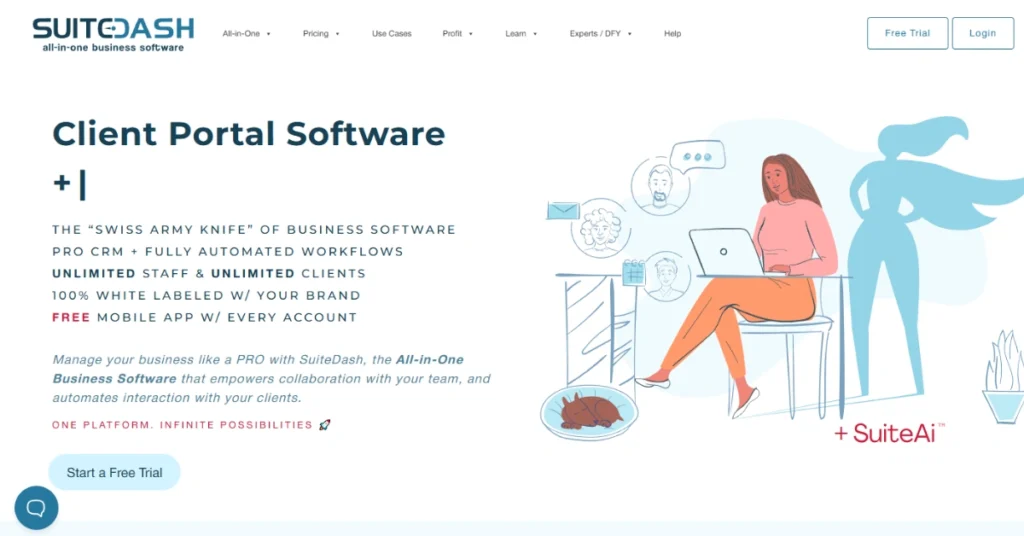
SuiteDash is a client portal software designed for independent photographers and small studios who don’t want to switch between tools. It centralizes onboarding, communication, files, and billing in one branded space.
Meanwhile, CRM records, Kanban project boards, timers, and automated payment reminders work together to reduce follow-ups. Plus, the workflow automations handle onboarding steps and reminders automatically.
That said, SuiteDash has a learning curve. As Aniket A., CEO (G2) notes, “You’re getting an all-in-one solution, so it takes time to learn.” This may affect photographers who want an instant setup.
Features of SuiteDash
SuiteDash offers photographers a centralized, white-labeled client portal along with the following features —
- White-Label Client Portal: Create a fully branded client dashboard where clients access files, updates, invoices, and messages securely anytime.
- Automated Client Onboarding: Create guided onboarding flows that collect forms, signatures, files, and appointments without manual follow-ups.
- Project and Task Management: Manage shoots, edits, and deliveries using Kanban boards, timelines, and task automations for predictable project flow.
- Secure File Sharing: Share, receive, and organize large photo files securely inside projects, reducing email attachments and version confusion.
- Invoicing and Online Payments: Create and automate invoices, subscriptions, or payment plans with secure online payment processing.
- Time Tracking and Billable Hours: Track time spent on editing or retouching and convert hours directly into billable invoice items.
- Support Tickets and Client Messaging: Manage client questions and change requests through structured tickets instead of scattered emails.
Pros of SuiteDash
- Creates a fully white-labeled, professional client experience
- Reduces email clutter and client follow-up work
- Automates routine admin tasks, saving significant time
- Keeps all client history accessible in one place
- Strong automation improves consistency across client interactions
Cons of SuiteDash
- Initial setup can feel overwhelming and time-consuming
- Interface may feel cluttered due to feature depth
Pricing of SuiteDash
SuiteDash offers three flexible pricing plans, designed to support solo professionals through growing agencies.

- Start: $19/month (billed monthly).
- Thrive: $49/month (billed monthly).
- Pinnacle: $99/month (billed monthly).
SuiteDash also offers a 14-day free, full-featured trial on all plans, with no contracts and no per-user fees
What Users Say About SuiteDash
“The intuitive interface allows me to seamlessly manage tasks, and the client portal adds a professional touch that impresses my clients every time.” – Seb D.
3. Dubsado
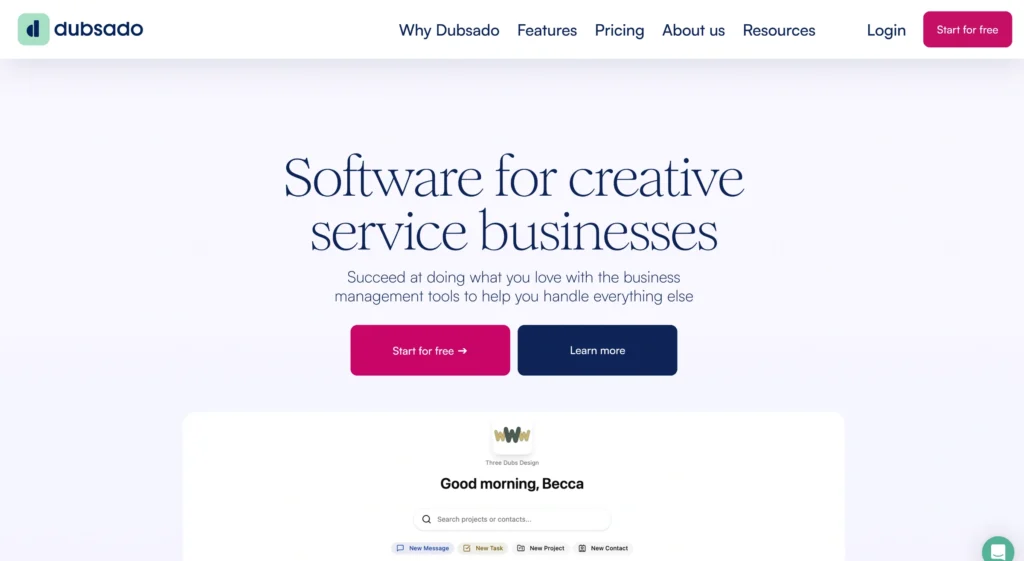
Dubsado helps you manage your photography business from the first inquiry to the final payment, all in one system. With branded forms, automated workflows, and bundled proposals, your process stays structured and professional.
The best part of Dubsado is that everything works together closely. Its lead forms automatically kick off workflows, proposals turn into contracts and invoices, and scheduling syncs with Zoom and Google Meet.
That said, Dubsado is not perfect for everyone. Some photographers find the client portal and task tools limited. As one G2 reviewer noted, “The client portal doesn’t really work all that well as a project management tool” (Verified User, Photography, G2).
Features of Dubsado
Dubsado gives features for independent photographers and small studios —
- Client Portal: Manage a secure space where clients access documents, invoices, messages, and updates without searching through emails.
- Lead Capture and Proposals: Create branded forms and proposals that turn inquiries into confirmed projects.
- Invoicing and Payments: Create branded invoices, accept multiple payment methods, and automate reminders.
- Project and Task Tracking: Manage projects with dashboards, to-do lists, and status tracking.
- Contracts and E-Signatures: Generate legally binding contracts with smart fields, timestamps, and IP tracking for smoother, safer client approvals.
- All-in-One Checkout Flow: Bundle proposals, contracts, and invoices into one link so clients can review, sign, and pay instantly.
- Scheduling and Calendar Integration: Let clients book sessions in their own timezone with synced calendars, video links, buffers, and optional paid bookings.
- Automation Workflows: Build automated steps triggered by client actions like form submissions, signatures, or payments.
Pros of Dubsado
- Creates a polished, professional client-facing portal
- Automates repetitive admin tasks, saving photographers time
- Speeds up approvals with proposal to payment workflows
- Improves cash flow through structured billing and reminders
- Keeps client documents organized and easily accessible
Cons of Dubsado
- Client portal feels limited for deep project collaboration
- Weak task and project management capabilities
Pricing of Dubsado
Dubsado keeps pricing straightforward with two clear plans.
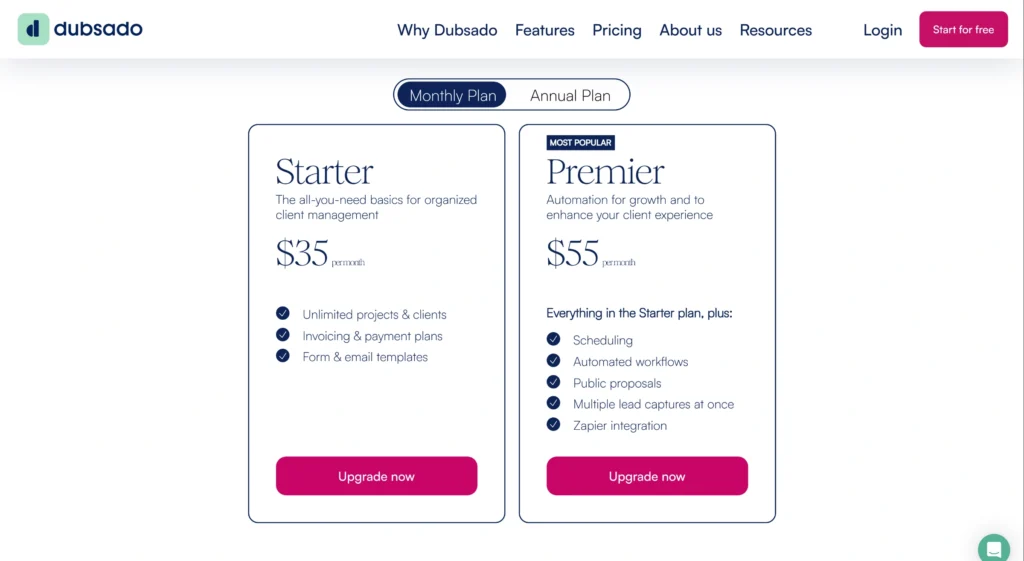
Alt: Dubsado Pricing Page
- Starter: $35/month (billed monthly).
- Premier: $55/month (billed monthly).
You can also choose annual billing to save the equivalent of two months
What Users Say About
Reviews on G2: 4.3 out of 5
“They respond quickly within business hours and always within a reasonable time frame without outside business hours.” – Michelle R.
4. HoneyBook
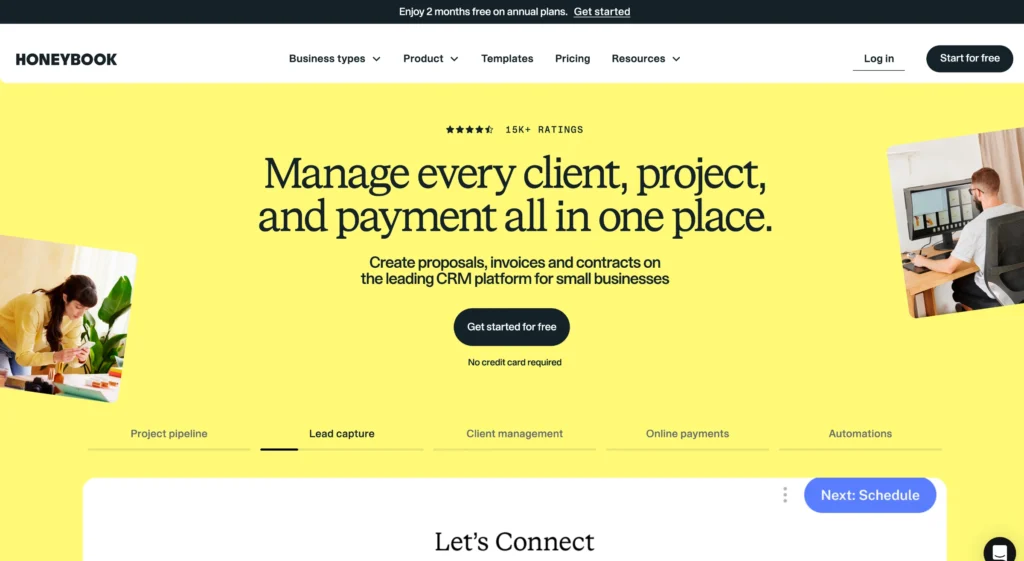
When it comes to a client portal software, HoneyBook takes a spot on this list due to a few aspects. See, it connects contracts, proposals, invoices, scheduling, payments, and a client portal, though project management depth is limited.
For independent photographers, the biggest win is payments and bookings. Clients can review, sign, and pay in one step, while automation handles reminders and onboarding. The mobile app also matters when shoots keep you away from your desk.
That said, HoneyBook is not perfect. One G2 reviewer, Austin P., warned, “never try to leave… exporting data is painful.” Pricing increases are another concern as businesses grow over time.
Features of HoneyBook
Here are the features from HoneyBook that you can use —
- Client Portal: Manage a branded hub where clients access proposals, contracts, invoices, files, messages, and schedules in one secure place.
- Online Payments: Accept card payments, ACH transfers, and recurring charges with fast deposits, fraud protection, and automated payment reminders.
- Proposals: Create visually polished proposals that combine services, contracts, and payments to speed up booking decisions.
- Contracts and E-Signatures: Generate legally vetted contracts clients can review and sign on any device without friction.
- Workflow Automations: Build automated workflows triggered by inquiries, signatures, or payments to reduce manual follow-ups.
- Scheduling: Let clients book sessions through branded links with calendar sync, time buffers, and automatic confirmations.
- Invoicing: Create branded invoices with flexible payment terms, real-time tracking, and scheduled delivery for faster payments.
Pros of HoneyBook
- Automates booking, payments, and follow-ups
- Makes getting paid faster and more reliable
- Mobile app supports work on the go
- Keeps all client files and history organized
- Strong templates speed up client onboarding
Cons of HoneyBook
- Pricing is high for small photographers
- Transaction fees reduce overall earnings
Pricing of HoneyBook
HoneyBook offers three flexible pricing plans, and all plans include a free trial. And you can change or cancel anytime.
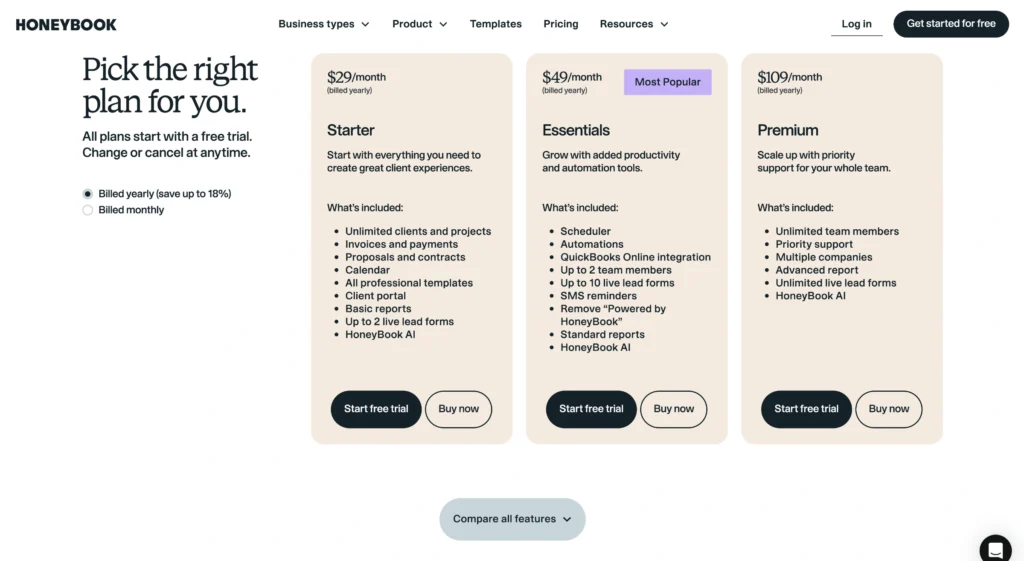
- Starter: $36/month (billed monthly).
- Essentials (Most popular): $59/month (billed monthly).
- Premium: $129/month (billed monthly).
What Users Say About HoneyBook
Reviews on Trustpilot: 3.4 out of 5
“We use it as a client communication hub, for sending contracts and invoices, and for collaborating with wedding planners.” – Hunter
5. Bonsai
If you are managing clients, timelines, budgets, and payments in your photography business, Bonsai works as a practical client portal. Your clients get a clean place to check project progress, view invoices, and access shared files.
At the same time, you handle tasks, time tracking, and finances from one dashboard, without hopping between tools. Where Bonsai really helps is visibility. Time tracking feeds straight into invoices, project views show budget health instantly, and multi-currency payments support international clients.
Still, it has trade-offs. One G2 user, Scott R., notes it can feel like a “jack of all trades, master of none,” especially for deeper task management needs.
Features of Bonsai
Bonsai client portal comes with a set of features —
- Client Portal: Create a secure, branded space where clients view project updates, invoices, contracts, files, and messages in one place.
- CRM and Client Management: Manage leads, clients, vendors, notes, and custom fields while linking everything to projects, contracts, and invoices.
- Sales Pipeline: Track inquiries from first contact to signed agreement using customizable stages that keep bookings organized and visible.
- Project Management: Manage budgets, tasks, files, and timelines using Kanban, Gantt, or calendar views to deliver projects on schedule.
- Task Management: Assign tasks, set deadlines, track dependencies, and log time directly within tasks to maintain clear project progress.
- Time Tracking: Track billable and non-billable hours with built-in timers and timesheets that connect directly to invoices.
- Invoicing and Payments: Generate branded invoices, accept payments in multiple currencies, and automate reminders to improve cash flow.
Pros of Bonsai
- Clean client portal improves professionalism and trust
- Saves time by reducing manual admin work
- Strong invoicing and payment tracking for photographers
- Time tracking connects directly to billing
- Supports retainers and ongoing client work
Cons of Bonsai
- Task and workflow depth trails dedicated project tools
- Customer support can feel slow or inconsistent
Pricing of Bonsai
Bonsai gives you four pricing plans, built to grow with you from solo work to team setups.
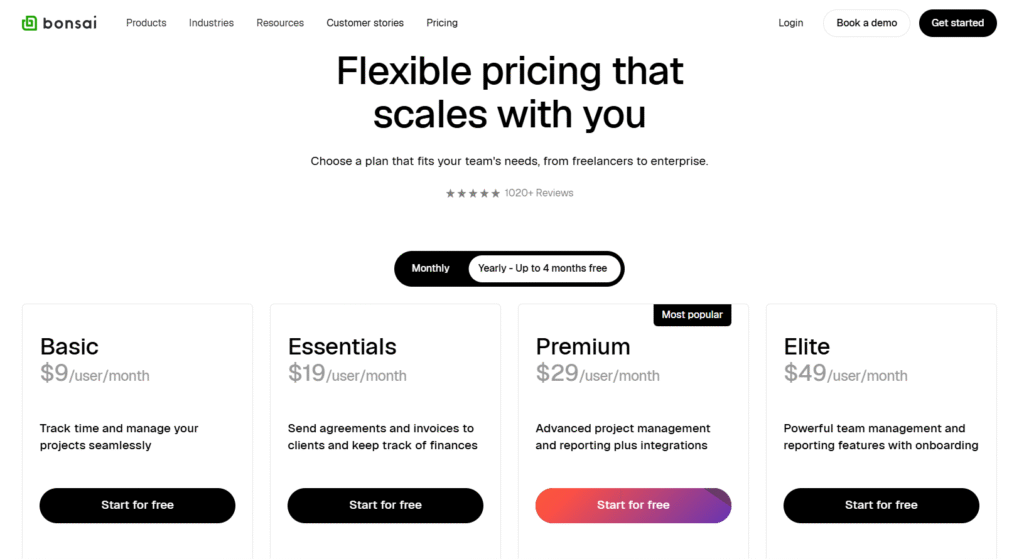
- Basic: $15 per user per month (billed monthly).
- Essentials: $25 per user per month (billed monthly).
- Premium (Most popular): $39 per user per month (billed monthly).
- Elite: $59 per user per month (billed monthly).
You can start with a free trial, then choose monthly billing or switch to yearly and save up to four months.
What Users Say About Bonsai
Reviews on Capterra:
“Bonsai has everything that we are looking for with our company, Invoicing, security and the electronic signatures which we are very excited for.” – Bryanna O.
How to Choose the Client Portal Software for Photographers
When you are selecting a client portal, shiny features matter less than how well the tool fits into how you actually work.
- Client-Centric Portal Experience: Look for client portals that give your clients one secure place to log in and get answers fast. Files, invoices, messages, and updates should stay in one place.
- Order-to-Project Workflow: Ensure the tool has a clear way to turn bookings into real work. Once a client confirms, the system should move naturally into tasks, deadlines, and delivery steps.
- Built-In Client Collaboration: Select a software that keeps collaboration inside the platform. Clients should be able to review files, leave feedback, approve work, or request changes right where the work lives.
- Invoicing and Payment Management: Look for a portal that can handle invoicing and payments in the same system. Add automated invoices, subscriptions, reminders, and multiple payment options, which help you get paid on time.
- Task and Progress Visibility: Choose software that lets you break work into tasks and see progress at a glance. Clear timelines, task statuses, and ownership help you stay in control when handling multiple clients.
So, What’s The Best Client Portal Software for Photographers?
If you want a client portal software for photographers to run your business without switching between tools, Agency Handy is the strongest option. It offers a fully branded client portal where orders automatically turn into projects, tasks, and invoices.
Meantime, its file feedback with annotations keeps revisions clear. Plus, the Kanban board shows exactly where each of your shoots, edits, or deliveries stands.
On top of that, it’s built-in CRM, role-based access, subscriptions, add-ons, and secure payments let you grow without adding more software.
Final Words
Client portal software for photographers is actually needed to run your business smoothly. It reduces confusion, saves you time, and gives clients a polished experience from order through final delivery.
And Agency Handy stand out here. Its branded client portals, order-to-project automation, built-in approvals, and flexible billing help you move clients from inquiry to payment.
FAQs
What is client portal software for photographers?
A client portal software for photographers is a secure, branded workspace where clients can book sessions, sign contracts, pay invoices, and communicate, all in one place.
What’s the difference between a client portal and a photo gallery?
A client portal manages the full relationship, including contracts, invoices, questionnaires, timelines, messages, and galleries together. On the other hand, a photo gallery only lets clients view and download images.
Can clients make payments through the portal?
Yes, clients can make payments through the portal using integrations like Stripe or PayPal. Most portals support invoices, deposits, payment plans, automated reminders, and secure card or wallet payments inside the same system.