Skip to content
  New year sale is live! →




For typical agency work, the scenario is like you collect leads and follow up, manage projects and give clients the updates, run multiple campaigns, track financial reports, and so on.
A CRM for digital marketing agency deals with such operations, and takes care of 50-60% of the operations.
But all CRMs aren’t the same. Some are marketing-focused. Whereas some handle leads and projects. That’s why you need to have your agency requirements upfront.
After weeks of trial and testing, here’s the shortlist of 10 top CRMs. Along with some mainstream CRMs, this list also includes ones that focus on stability then the number of features.
Quick List of 10 CRMs for Digital Marketing Agency
- Agency Handy: All-in-one CRM with client portals, project boards, and billing.
- Productive: Financial tracking CRM with resource management and profitability.
- ManyRequests: Client portal CRM for productized services and request management.
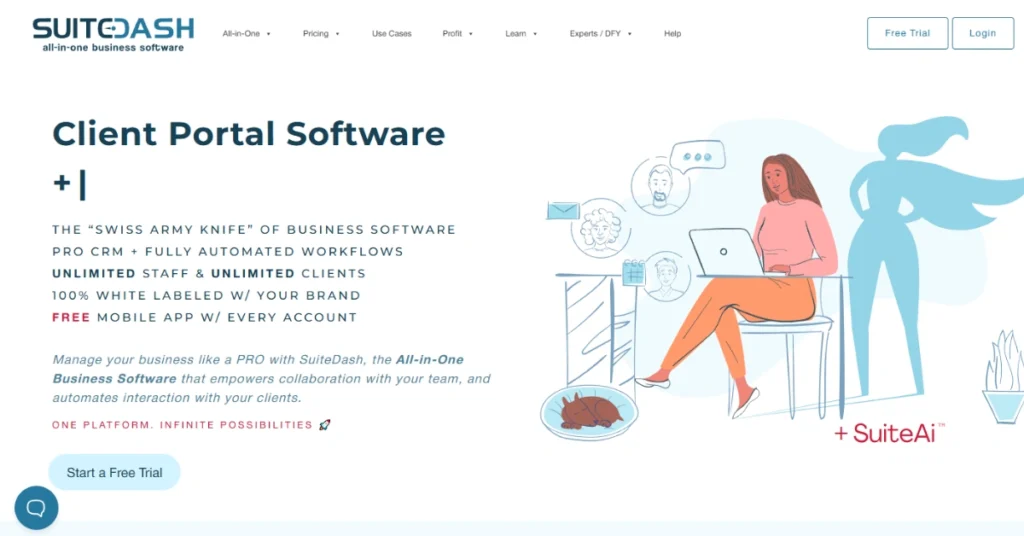
- SuiteDash: White-labeled CRM with invoicing, projects, and client portals.
- OneSuite: Agency CRM for proposals, time tracking, and project collaboration.
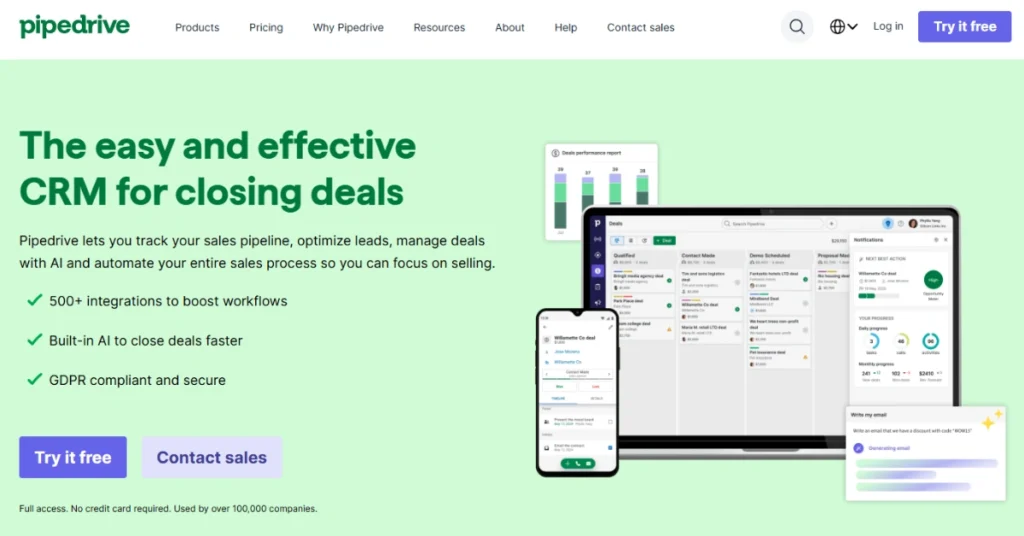
- Pipedrive: Sales-focused CRM with visual pipeline and deal tracking automation.
- Agile CRM: Budget-friendly all-in-one with marketing automation and telephony.
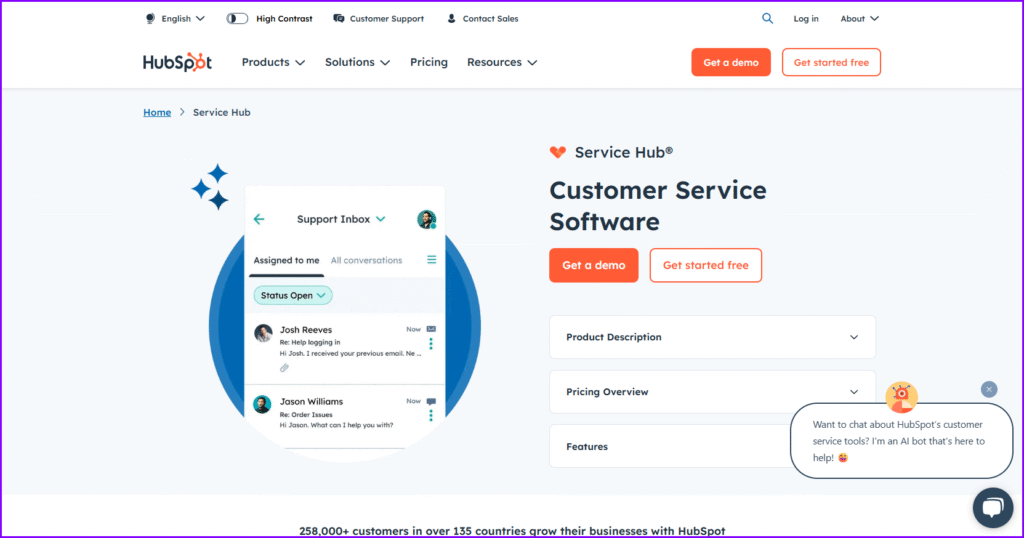
- HubSpot CRM: Marketing automation CRM with inbound tools and AI insights.
- Zoho CRM: Affordable enterprise CRM with omnichannel and extensive integrations.
- Insightly: Sales and project CRM linking deals to delivery and milestones.
10 Best CRM for Digital Marketing Agency
Here are digital marketing CRMs differ from each other in terms of price and features. Here’s the comparison table showing key offerings –
| CRM | Lead Pipeline | USP | Subscriptions | Project Management | Starting Price |
| Agency Handy | Visual pipeline with custom stages | All-in-one agency management | ✓ | ✓ | $19/month |
| Productive | Deal tracking with sales pipeline | Agency operations & financials | ✓ | ✓ | $11/month |
| ManyRequests | Basic lead capture | Client portal focused | ✓ | ✓ | $29/month |
| SuiteDash | Customizable sales pipeline | All-in-one business platform | ✓ | ✓ | $19/month |
| OneSuite | Lead management with tracking | Agency project management | ✓ | ✓ | $29/month |
| Pipedrive | Visual drag-and-drop pipeline | Sales-focused CRM | ✓ | ✗ | $19/month |
| Agile CRM | Customizable pipelines | All-in-one sales & marketing | ✓ | ✗ | $8.99/month |
| HubSpot CRM | AI-powered pipeline management | Inbound marketing CRM | ✓ | ✗ | $45/month |
| Zoho CRM | Multi-stage pipeline tracking | Enterprise-level CRM | ✓ | ✗ | $20/month |
| Insightly | Opportunity tracking pipeline | CRM with project features | ✓ | ✓ | $29/month |
1. Agency Handy

Price: Starts from $19/month (billed monthly)
Agency Handy is an all-in-one agency management platform built specifically for digital marketing agencies, design studios, and creative teams. You can manage clients, projects, and billing from a single platform.
What makes Agency Handy different is its focus on the complete client journey — from the moment a lead reaches out to ongoing project delivery and invoicing.
The platform handles client onboarding seamlessly with customizable intake forms and manages complex projects with visual boards. Clients and team members can communicate through the branded client portal.
The client experience is where Agency Handy truly shines. Your clients receive a white-labelled portal to view project progress, provide feedback on deliverables, approve work, and manage invoices.
For agencies looking to deliver a premium experience without building custom software, Agency Handy provides that polished feel right out of the box.
Top features of Agency Handy
Here are some of Agency Handy’s standout features:
- Lead and pipeline management

Capture leads through custom forms and track them through your sales process with a visual pipeline. You can assign leads to team members, set follow-up reminders, and convert qualified prospects into paying clients with one click.
- Comprehensive contact management
Store all client information, communication history, and project details in organized profiles. Custom fields let you track exactly what matters to your agency, from industry type to project preferences and billing cycles.
- Visual project management with Kanban boards
Break down client orders into actionable tasks and track them across customizable workflow stages. Assign tasks to team members, set deadlines, and monitor progress so nothing slips through the cracks.
- Client and team collaboration

Give clients secure portal access to view project updates, submit requests, and communicate directly with your team. Internal collaboration tools keep your team aligned with task comments, file sharing, and activity notifications.
- File feedback with annotations
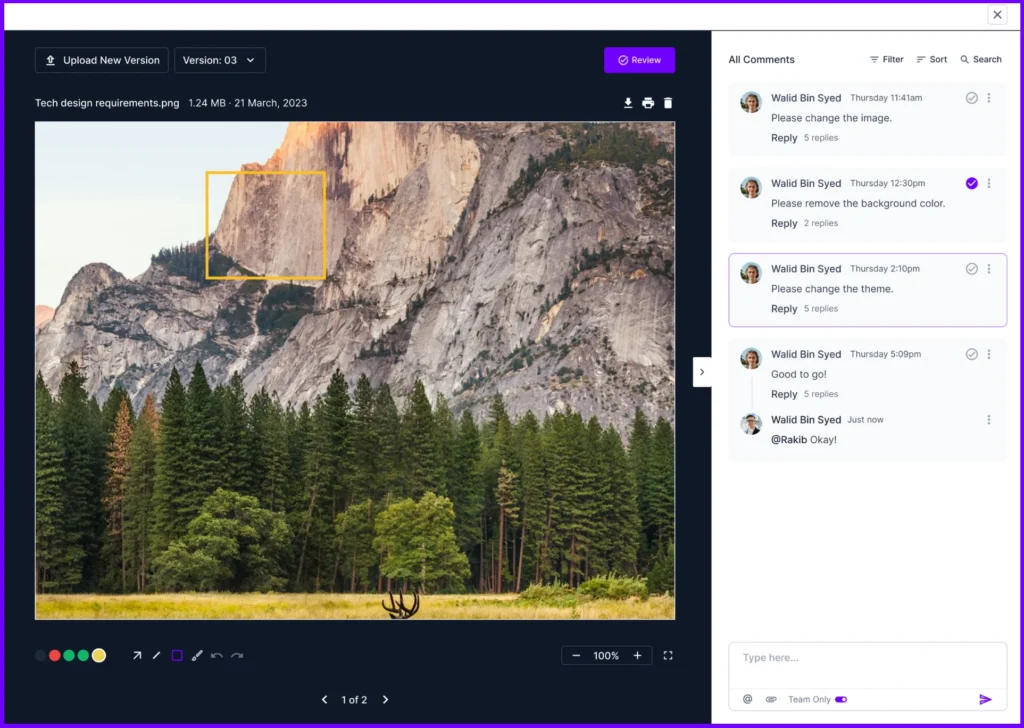
Upload deliverables and let clients leave feedback directly on files with visual markup tools. They can draw arrows, add shapes, and leave comments right where they need changes — eliminating confusing revision requests over email.
- White-labeled client portal

Customize the portal with your agency’s branding, including logo, colors, and custom domain. Clients experience a professional interface that looks and feels like custom software built specifically for your agency.
- Service catalog and packages
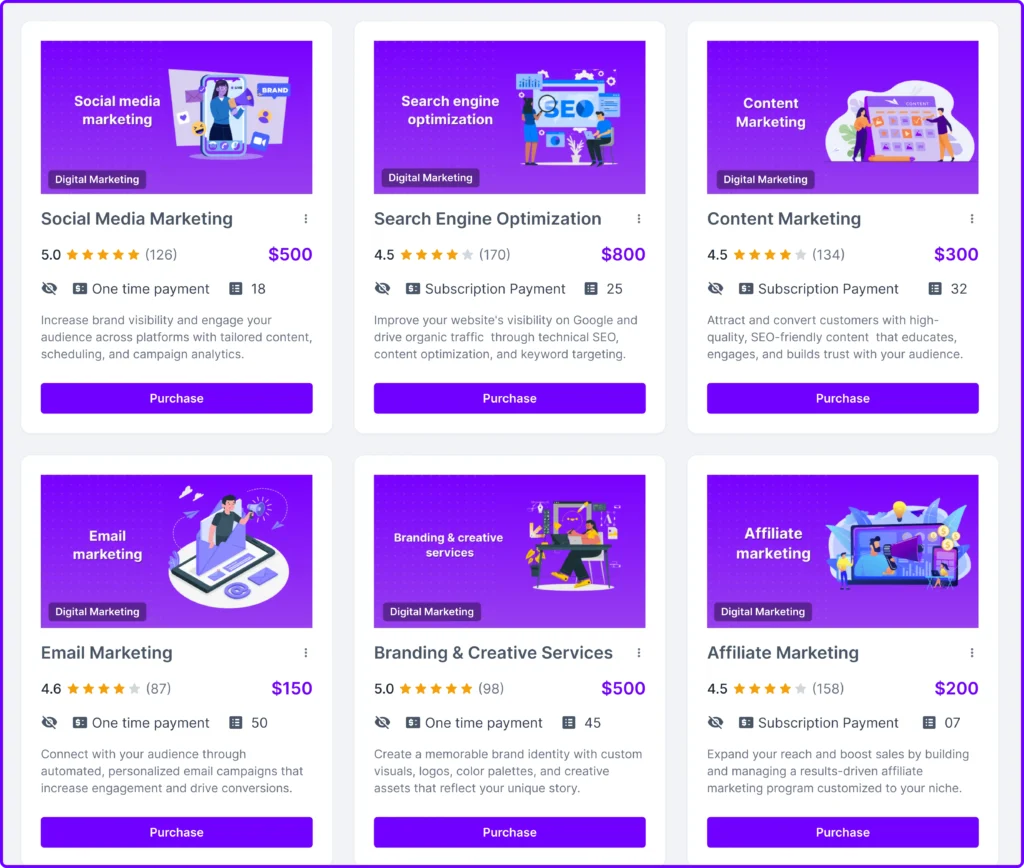
Create a catalog of your services with detailed descriptions, pricing tiers, and portfolio examples. Clients can browse offerings and purchase services directly. They can further proceed to payment and get invoices.
- Automated invoicing and billing
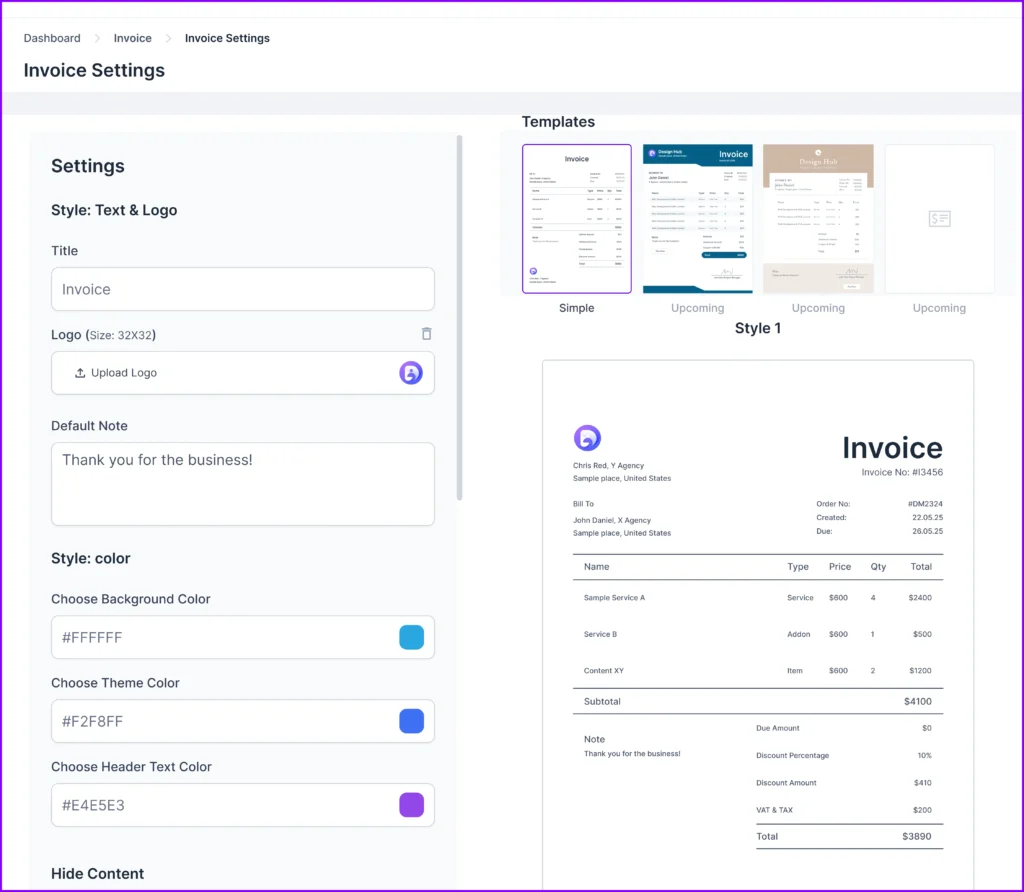
Generate professional invoices automatically based on service packages or custom quotes. Integrate with Stripe, PayPal, Wise, Crypto, and banks to accept payments directly through the portal and track payment status in real-time.
- Team management for up to 30 members

Add team members with role-based permissions to control who can access client information and manage projects. Track individual workload and performance to ensure balanced task distribution across your team.
- Analytics and reporting
Access dashboards that show revenue trends, project statuses, and team performance metrics. Track which services are most profitable and identify bottlenecks in your workflow to make data-driven improvements.
Limitations of Agency Handy
Here’s where Agency Handy falls short:
- No built-in email marketing campaigns
- Limited advanced marketing automation
Reviews of Agency Handy
Here’s what real users of Agency Handy have to say about the platform:
- G2: 4.9/5 star rating
- Capterra: 4.5/5 star rating
2. Productive.io

Price: Starts from $11/month (billed monthly)
Productive is a comprehensive agency management platform that goes beyond traditional CRM functionality.
If you’re running a digital marketing agency and find yourself constantly switching between spreadsheets to track budgets, resources, and profitability, Productive might be your answer.
While most CRMs help you manage clients and close deals, Productive helps you understand whether those deals are actually profitable.
The platform shines when it comes to resource management. You can see who’s working on what, track billable hours, and forecast capacity — all in real-time.
Top features of Productive
Here are some of Productive’s standout features:
- Financial intelligence built in
Track budget vs. actual spend, project margins, and revenue sources in real-time. You’ll finally know which clients are profitable and which ones are costing you money without opening a spreadsheet.
- Resource scheduling and capacity planning
Visual calendars show exactly who’s available and who’s overbooked at a glance. This helps you assign work strategically and avoid burning out your team or missing revenue opportunities.
- Time tracking integrated with billing
Team members log hours directly in the platform, which automatically flow into client invoices. No more manually calculating billable hours or chasing down timesheets at month-end.
- Sales pipeline with deal tracking
Manage leads through a visual pipeline that connects directly to project delivery once deals close. Client information transfers seamlessly from sales to execution without redundant data entry.
- Insightful reporting and analytics
Dashboards display utilization rates, revenue trends, and project health in one place. You get clear visibility into agency performance without building custom reports.
Limitations of Productive
- Steep learning curve
- No native email marketing
- Limited client-facing features
Reviews of Productive
Here’s what real users of Productive have to say about the platform:
- G2: 4.6/5 star rating
- Capterra: 4.6/5 star rating
3. ManyRequests
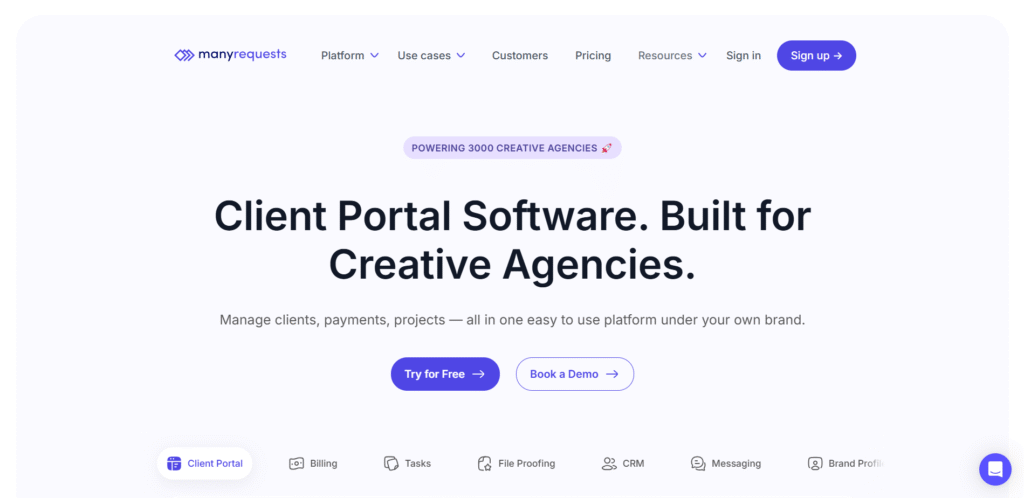
Price: Starts from $29/month (billed monthly)
ManyRequests is designed specifically for creative and marketing agencies that handle repetitive service requests.
If your agency offers productized services like weekly social media content, monthly SEO reports, or ongoing design work, ManyRequests streamlines how clients submit requests and how your team delivers them.
On ManyRequests, clients log into their branded portal, submit requests using custom forms, and track progress in real-time.
On your end, you manage everything through Kanban boards and automated workflows that keep projects moving without constant back-and-forth emails.
The portal feels professional and polished, which helps smaller agencies compete with larger firms. Clients can see exactly what stage their project is in, leave feedback, and approve deliverables.
Top features of ManyRequests
Here are some of ManyRequests’ standout features:
- Custom request forms for service intake
Create branded forms that capture exactly what you need from clients when they submit requests. This eliminates the back-and-forth emails asking for missing information and ensures you have all project details upfront.
- White-labeled client portal
Give clients a branded experience with your logo, colors, and domain. They can submit requests, track progress, and approve work all in one place, making your agency look more professional and organized.
- Kanban-style project boards
Visualize all client requests and projects across different stages with drag-and-drop boards. Your team can see what’s in progress, what’s pending approval, and what needs attention without jumping between tools.
- File sharing and feedback system
Clients can upload files, leave comments, and request revisions directly on deliverables. This keeps all project communication and assets organized in one thread instead of scattered across email chains.
- Automated workflows and notifications
Set up triggers that automatically move requests through stages and notify team members when action is needed. This reduces manual task management and ensures nothing falls through the cracks.
Limitations of ManyRequests
Here’s where ManyRequests falls short:
- Weak CRM and lead management features
- No native billing or invoicing tools
- Basic reporting and analytics
Reviews of ManyRequests
Here’s what real users of ManyRequests have to say about the platform:
4. SuiteDash
Price: Starts from $19/month (billed monthly)
SuiteDash is an all-in-one business management platform that combines CRM, project management, invoicing, and client portals into a single solution.
The platform offers white-labeled client portals, contract management, file sharing, team collaboration, and even a built-in website builder.
The platform emphasizes customization and white-labeling throughout. You can brand everything from the client portal to invoices and proposals. For agencies focused on delivering a premium client experience without breaking the bank, SuiteDash delivers solid value.
Top features of SuiteDash
Here are some of SuiteDash’s standout features:
- Fully white-labeled client portal
Customize every aspect with your branding, including logos, colors, and domain. Clients interact with what feels like your proprietary software, elevating your agency’s perceived professionalism and credibility.
- CRM with sales pipeline management
Track leads, manage contacts, and visualize your sales process through customizable pipelines. You can segment clients, log interactions, and automate follow-ups to keep deals moving forward.
- Integrated invoicing and payment processing
Generate professional invoices, accept payments online, and track outstanding balances all in one place. Clients can pay directly through their portal, reducing friction and speeding up payment collection.
- Project management with client collaboration
Assign tasks, set deadlines, and track project progress with boards and timelines. Clients can view project status, approve deliverables, and provide feedback without needing access to internal tools.
- Secure file storage and sharing
Upload unlimited files and organize them by client or project with built-in file management. Share documents securely with clients through the portal and control who has access to sensitive information.
Limitations of SuiteDash
Here’s where SuiteDash falls short:
- Overwhelming interface with too many features
- No native email marketing or automation
- Limited third-party integrations
Reviews of SuiteDash
Here’s what real users of SuiteDash have to say about the platform:
- G2: 4.8/5 star rating
- Capterra: 4.9/5 star rating
5. OneSuite

Price: Starts from $29/month (billed monthly)
Built specifically for digital agencies, OneSuite is an all-in-one project management platform looking to handle leads to delivery.
If you’re running a growing agency and need a centralized system to manage clients, projects, proposals, and finances, OneSuite brings everything together.
The platform focuses on simplifying agency workflows with an intuitive interface. You can manage leads, send proposals, track projects, collaborate with teams, and handle invoicing. This makes it particularly appealing for small to mid-sized agencies.
What makes OneSuite stand out is its balance between comprehensiveness and usability. OneSuite keeps things straightforward while still covering the essential features agencies need daily.
The client collaboration tools ensure transparency, while the financial management features help you stay profitable as you scale.
Top features of OneSuite
Here are some of OneSuite’s standout features:
- Lead management and client tracking
Capture leads, organize client information, and track every interaction in one centralized system. You can see the complete history of client communications and project details without digging through email threads.
- Proposal and contract management
Create professional proposals with customizable templates and send them directly to clients for e-signatures. Track proposal status, send reminders, and convert accepted proposals into projects automatically.
- Project management with team collaboration
Assign tasks, set deadlines, and monitor project progress with visual boards and timelines. Team members can collaborate on deliverables while clients stay updated through real-time progress tracking.
- Time tracking and invoicing
Log billable hours against specific projects and clients, then generate invoices automatically based on tracked time. This ensures you’re billing accurately and getting paid for every hour your team works.
- Client portal for transparency
Give clients secure access to view project status, share files, and communicate with your team. This reduces email clutter and creates a more professional client experience.
Limitations of OneSuite
Here’s where OneSuite falls short:
- Limited marketing automation capabilities
- Basic reporting compared to competitors
- Fewer integrations with third-party tools
Reviews of OneSuite
Here’s what real users of OneSuite have to say about the platform:
6. Pipedrive
Price: Starts from $19/month (billed monthly)
Pipedrive is a sales-focused CRM that excels at helping agencies visualize and manage their sales pipeline. The platform primarily helps you convert leads into clients. If deal tracking is your main priority, this tool keeps things simple.
The visual interface makes it easy to see where every prospect stands, what actions need to happen next, and which deals are likely to close. This laser focus on sales makes it ideal for agencies where business development is a top priority.
What makes Pipedrive appealing for digital marketing agencies is its simplicity combined with powerful marketing automation CRM.
You can set up workflows that automatically create tasks, send emails, and update deal stages based on specific triggers. This keeps your sales process moving without manual intervention.
Top features of Pipedrive
Here are some of Pipedrive’s standout features:
- Visual sales pipeline management
Drag-and-drop interface shows every deal’s current stage and what needs to happen next. You can customize pipeline stages to match your agency’s sales process and see bottlenecks at a glance.
- Sales automation and workflows
Set up automated actions that trigger based on deal activity, like sending follow-up emails or creating tasks. This ensures no prospect falls through the cracks and keeps your team focused on high-value activities.
- Lead tracking and scoring
Capture leads from multiple sources and score them based on their likelihood to convert. The system prioritizes hot leads so your team focuses on prospects most likely to become clients.
- Activity and goal tracking
Set daily, weekly, and monthly sales goals and track team performance against targets. Built-in reminders ensure your team follows up on time and stays accountable to revenue goals.
- Email integration and tracking
Sync your inbox to send and receive emails directly within Pipedrive while tracking opens and clicks. You’ll know exactly when prospects engage with your outreach so you can follow up at the perfect moment.
Limitations of Pipedrive
Here’s where Pipedrive falls short:
- Minimal project management features
- No native invoicing or billing tools
- Limited marketing automation capabilities
Reviews of Pipedrive
Here’s what real users of Pipedrive have to say about the platform:
- G2: 4.3/5 star rating
- Capterra: 4.5/5 star rating
7. Agile CRM

Price: Starts from $8.99/month (billed monthly)
If you’re a startup or small agency looking for comprehensive CRM features without the premium price tag, Agile CRM delivers impressive functionality for the cost.
What makes Agile CRM stand out is how much you get in the free plan. Agile’s free plan isn’t just a watered-down trial. You get real features like contact management, email campaigns, appointment scheduling, and automation for up to 10 users.
The platform covers the entire customer journey from lead generation to customer support. You can run email campaigns, track website visitors, score leads, manage deals, and handle support tickets — all within one interface.
For agencies that need marketing automation CRM capabilities without spending hundreds per month, Agile CRM offers serious value.
Top features of Agile CRM
Here are some of Agile CRM’s standout features:
- Marketing automation included
Build email campaigns, create landing pages, and set up automated workflows to nurture leads. The drag-and-drop campaign builder makes it easy to design multi-step sequences without technical skills.
- Sales pipeline with deal tracking
Visualize your sales process with customizable pipelines and track deals from first contact to closed-won. Automated reminders ensure your team follows up at the right time to move deals forward.
- Built-in telephony integration
Make and receive calls directly through the CRM with integrated VoIP calling. Call logs, recordings, and notes are automatically attached to contact records for complete communication history. Businesses can also explore VoIP pricing to find the plan that best suits their communication needs.
- Lead scoring and web tracking
Score leads based on their engagement and behavior, then prioritize outreach to the hottest prospects. Web tracking shows which pages visitors view and how they interact with your site.
- Help desk and ticketing system
Manage customer support requests with a built-in ticketing system that routes issues to the right team members. Track response times and customer satisfaction without paying for separate support software.
Limitations of Agile CRM
Here’s where Agile CRM falls short:
- Outdated interface and user experience
- Limited project management features
Reviews of Agile CRM
Here’s what real users of Agile CRM have to say about the platform:
- G2: 4.0/5 star rating
- Capterra: 4.1/5 star rating
8. HubSpot CRM
Price: Starts from $45/month (billed monthly)
HubSpot CRM is one of the most popular customer relationship management platforms on the market, and for good reason. HubSpot handles everything from capturing leads to keeping customers happy. The platform grows with your agency, so you won’t outgrow it as you scale.
What sets HubSpot apart is its inbound marketing focus. The platform was built around attracting, engaging, and delighting customers through content and relationships.
For digital marketing agencies, this means powerful tools for email marketing, social media management, content creation, and analytics — all integrated with your CRM data.
Top features of HubSpot CRM
Here are some of HubSpot CRM’s standout features:
- Robust marketing automation
Build email workflows that automatically adjust based on how people interact with your content. Segment your audience and send personalized messages that nurture leads without manual work.
- Comprehensive contact management
Store unlimited contacts with detailed records of every interaction, email, call, and meeting. The timeline view gives you complete visibility into each relationship so your team always knows the context.
- Email tracking and templates
Send tracked emails directly from HubSpot or your inbox and get notified when prospects open or click. Reusable templates save time while ensuring consistent messaging across your team.
- Sales pipeline and deal management
Visualize your entire sales process with customizable pipelines that match your workflow. Drag-and-drop deals between stages and get AI-powered insights on which opportunities are most likely to close.
- Powerful reporting and analytics
Build custom dashboards that track the metrics that matter to your agency. From campaign performance to sales velocity, you can measure ROI and make data-driven decisions.
Limitations of HubSpot CRM
Here’s where HubSpot CRM falls short:
- Gets expensive as you scale features
- Limited project management capabilities
Reviews of HubSpot CRM
Here’s what real users of HubSpot CRM have to say about the platform:
- Capterra: 4.5/5 star rating
9. Zoho CRM

Price: Starts from $20/month (billed monthly)
Zoho CRM is a budget-friendly yet feature-rich platform that helps agencies manage their entire customer lifecycle. If you’re looking for a cost-effective alternative to Salesforce or HubSpot that still delivers enterprise-level features, Zoho CRM deserves serious consideration.
Beyond the core CRM, you get access to the entire Zoho suite — including Zoho Projects, Zoho Books, Zoho Campaigns, and more. Everything connects seamlessly, so you won’t need to jump between different tools or mess with complicated integrations.
The platform excels at automation and customization. You can create custom modules, fields, and workflows that match your agency’s unique processes.
Whether you’re tracking social media campaigns, managing client deliverables, or forecasting revenue, Zoho CRM adapts to how your team actually works.
For agencies that need flexibility without paying developer fees, this level of customization is invaluable.
Top features of Zoho CRM
Here are some of Zoho CRM’s standout features:
- Omnichannel communication
Engage with leads and clients across email, phone, social media, and live chat from one unified inbox. Every interaction gets logged automatically to contact records.
- Advanced automation with workflows
Set up rules that automatically assign leads, send emails, update fields, and trigger tasks based on specific conditions. Blueprint workflows guide your team through complex processes step-by-step to ensure consistency.
- AI-powered insights with Zia
Get predictive lead scoring, deal recommendations, and anomaly detection powered by artificial intelligence. Zia analyzes your data to surface the best opportunities and warn you about deals that might slip away.
- Extensive integrations
Connect with 800+ third-party apps including Google Workspace, Microsoft 365, Mailchimp, and Slack. The Zoho ecosystem means most tools your agency uses can sync data seamlessly.
- Customizable dashboards and reports
Build visual dashboards that track KPIs specific to your agency’s goals. Generate reports on everything from sales performance to campaign ROI without exporting data to spreadsheets.
Limitations of Zoho CRM
Here’s where Zoho CRM falls short:
- Interface feels outdated and cluttered
- Customer support can be slow to respond
Reviews of Zoho CRM
Here’s what real users of Zoho CRM have to say about the platform:
- G2: 4.1/5 star rating
- Capterra: 4.3/5 star rating
10. Insightly

Price: Starts from $29/month (billed monthly)
Insightly connects your sales and project teams in one platform. When you close a deal, all client information flows directly into project management. No more manual handoffs or recreating client details in different tools.
While most CRMs stop at closing the deal, Insightly continues tracking the work your team does after the contract is signed. You can manage tasks, set milestones, and track project progress without switching to a separate tool.
Sales and project teams work from the same system. Your sales team tracks leads while project managers handle deliverables and deadlines. Everyone sees the same client information without switching tools.
Top features of Insightly
Here are some of Insightly’s standout features:
- CRM with integrated project management
Link projects directly to opportunities and contacts so all related information stays connected. When you close a deal, convert it into a project instantly with all client details already populated.
- Relationship linking
Map complex relationships between contacts, organizations, and projects to understand how everyone connects. This is especially useful for agencies managing multiple stakeholders across different departments at client companies.
- Pipeline and opportunity tracking
Visualize your sales pipeline with customizable stages that match your process. Track deal probability, expected close dates, and revenue forecasts to predict monthly and quarterly income.
- Email integration and tracking
Sync your inbox to send and receive emails within Insightly while automatically logging all correspondence. Track opens and clicks to know when prospects engage with your outreach.
- Custom reporting and dashboards
Build reports that track metrics specific to your agency’s needs, from sales performance to project completion rates. Dashboards give you real-time visibility into what’s working and what needs attention.
Limitations of Insightly
Here’s where Insightly falls short:
- Limited marketing automation features
- Project management less robust than dedicated tools
Reviews of Insightly
Here’s what real users of Insightly have to say about the platform:
- G2: 4.2/5 star rating
- Capterra: 4.0/5 star rating
Features to Look for in a CRM for Digital Marketing Agency
I’ve heard of dozens of agency owners who jumped into a CRM because it looked good on paper, only to realize months later that it didn’t fit how their team actually works. The expensive tool sat unused while they went back to spreadsheets and email chaos.
Here’s what you should actually look for when evaluating a CRM for your agency:
Lead and pipeline management
Your agency needs a clear view of where every potential client stands in your sales process. Look for a CRM that lets you capture leads from multiple sources including website forms, social media, referrals, and track them through customizable pipeline stages.
Contact management
Managing client relationships means keeping track of every conversation, project, and interaction in one place. Your CRM should store comprehensive contact information with the ability to add custom fields that matter to your agency.
Marketing automation
Repetitive marketing tasks eat up time you could spend on strategy or client work. A good marketing automation CRM lets you set up email sequences, segment your audience, and trigger campaigns based on specific actions.
Email marketing
Your agency needs to stay in touch with leads and clients consistently. Look for built-in email marketing tools that let you create campaigns, use templates, and track performance metrics like open rates and click-throughs. Integration with your existing email platform (Gmail, Outlook) would be a huge plus.
Project management
The best agency CRM software includes project management features like task boards, deadline tracking, and team assignments. Visual tools like Kanban boards help you see what’s in progress, what’s blocked, and what needs attention.
Campaign tracking
Digital marketing agencies run multiple campaigns across different channels for various clients. Your CRM should help you track campaign performance, measure ROI, and see which efforts are driving results. Look for tools that integrate with advertising platforms, analytics software, and social media.
Analytics and reporting
You can’t improve what you don’t measure. Your CRM should provide dashboards and reports that show key metrics like revenue trends, sales pipeline health, project completion rates, and team performance.
Customer service and support
Even after projects wrap up, clients need ongoing support. Look for CRM features like ticketing systems, support request tracking, and client communication tools.
Communication tools
Your team and clients need easy ways to stay in touch. The best CRM for agencies includes built-in messaging, commenting on tasks, and client portal features.
Billing and revenue tracking
Getting paid shouldn’t be complicated. Your CRM should handle invoicing, payment processing, and revenue tracking without needing separate accounting software. Look for features like recurring billing for retainer clients, payment gateway integrations (Stripe, PayPal), and automatic invoice generation.
Conclusion
Choosing the best CRM for digital marketing agency operations comes down to your specific needs. Whether you prioritize lead management, project delivery, or client experience, there’s a solution on this list. Start with free trials, test workflows with your team, and pick the platform that simplifies your daily operations.
Frequently Asked Questions
What is the best CRM for a digital marketing agency?
Agency Handy, Productive, and HubSpot CRM are top choices for digital marketing agencies. Agency Handy excels at client portals and project management, while HubSpot offers powerful marketing automation. Choose based on your budget and whether you prioritize project delivery or marketing campaigns.
Do marketing agencies need a CRM?
Marketing agencies need a CRM to manage leads, track client projects, and handle billing efficiently. Without a CRM, agencies struggle with scattered client information, missed follow-ups, and disorganized workflows.
What’s the difference between a regular CRM and an agency CRM?
Agency CRMs include project management, client portals, and time tracking features that regular sales CRMs don’t offer. Regular CRMs focus only on lead tracking and deal closing, while agency CRM software manages the entire client lifecycle from sales to project delivery and invoicing.
How much does a CRM for marketing agencies cost?
CRM pricing for marketing agencies ranges from free (Agile CRM for 10 users) to $45+/month per user. Budget options like Agile CRM start at $8.99/month, mid-range options like Agency Handy at $19/month, and premium platforms like HubSpot CRM at $45/month with additional costs for advanced features.
Can small marketing agencies use free CRM software?
Small agencies can use free CRMs like Agile CRM (up to 10 users) or HubSpot’s free tier. These free plans include contact management, email tracking, and basic automation features. However, you’ll need paid plans for advanced project management, white-labeled portals, and billing features.
What features should a CRM for startups include?
A CRM for startups should include lead pipeline management, contact tracking, project boards, and basic invoicing.