Skip to content
  New year sale is live! →




Most CRM tools with client portal features are either overloaded with functions you’ll never use or too limited for what they cost. I’ve seen plenty that look great on paper but struggle in real-world use.
A good CRM should do one simple thing: keep your contacts and lead pipeline organized so you can follow every opportunity. And while a good client portal lets clients help themselves, so you’re not replying to update emails at 2 AM.
After trying dozens of these tools firsthand, I’ve narrowed down the 10 that actually deliver. In this article, I’ll break down what each one does best, where they fall short, and who they’re right for.
Quick List of Top CRM Software with Client Portal
- Agency Handy: CRM and client portal to manage leads, clients, and projects in one place.
- Service Provider Pro: CRM and portal for tracking clients, billing, and service requests.
- Bonsai: All-in-one CRM and client portal for proposals, invoicing, and client tracking.
- SuiteDash: Unified CRM + client portal for contact management and project workflows.
- Softr: Build your own CRM and branded client portal using Airtable data.
- Clinked: Secure client portal with light CRM for document sharing and collaboration.
- Zoho CRM: Powerful CRM with connected portal access through Zoho Desk and Projects.
- Dubsado: CRM and client portal for managing leads, contracts, invoices, and workflows.
- Moxie: Compact CRM + client portal for freelancers managing clients and payments.
- Plutio: CRM and portal workspace combining projects, invoices, and client dashboards.
- ManyRequests: CRM and client portal for managing subscriptions and client requests.
10 CRM Software with Client Portal: Comparison Table & Overview
The following list includes CRM tools with client portal features for small to large businesses, agencies, and freelancers.
| Tool | Lead Pipeline Nature | Subscription Management | Team & Client Collaboration | File Feedback Type | Starting Price |
| Agency Handy | Kanban pipeline with stages | ✅ | ✅ | Annotation-based | $19/mo |
| Service Provider Pro (SPP) | CRM tracking for orders | ✅ | ✅ | Text-based | $99/mo |
| Bonsai | Basic contact & deal flow | ✅ | ✅ | Text-based | $15/mo |
| SuiteDash | Contact circles & automation | ✅ | ✅ | Text-based | $19/mo |
| Softr | Custom pipeline via Airtable | ✅ | ✅ | Text-based | $59/mo |
| Clinked | Limited client record system | ❌ | ✅ | Annotation-style comments | $119/mo |
| Zoho CRM | Full-featured deal pipeline | ✅ | ✅ | Text-based | $12/mo |
| Dubsado | Workflow-based lead tracking | ✅ | ✅ | Text-based | $20/mo |
| Moxie | Simple pipeline & contacts | ✅ | ✅ | Text-based | $12/mo |
| Plutio | Basic CRM pipeline view | ✅ | ✅ | Annotation widgets (limited) | $19/mo |
| ManyRequests | Client CRM with request flow | ✅ | ✅ | Text-based | $29/mo |
1. Agency Handy

Running an agency feels like living inside six different tools – one for clients, one for invoices, one for projects, and three more you barely remember.
Agency Handy fixes that problem. It’s built as a true all-in-one system that gives you both a full CRM and a branded client portal. From the first lead to the final deliverable, everything flows through one platform.
On the CRM side, Agency Handy helps you track leads, manage clients, send proposals, and convert deals into active projects.
On the portal side, your clients can log in to approve proposals, pay invoices, check project progress, give file feedback, or request support—all without sending another “Just checking in” email.
Unlike tools like Bonsai, Dubsado, or Plutio, which were built mainly for freelancers, Agency Handy scales easily for teams and multi-department agencies.
And compared to SPP or SuiteDash, it stays easier to set up while offering simple onboarding workflows for agencies that sell packages, subscriptions, or retainer services.
Agency Handy CRM Features
Let’s see what Agency Handy offers as a CRM –
Full Lead-to-Client Pipeline
When any prospect fills out a public form on your website, Agency Handy instantly captures their info and adds them as a lead. There’s a Kanban board where you can organize leads by stage—new, contacted, qualified, working, proposal sent, and client. No one slips through the funnel.
Client Profiles with 360° View
Each client has a dedicated profile showing everything—notes, invoices, subscriptions, projects, and files. Everyone in your team gets the full picture in one place.
Proposals & Onboarding
Create branded proposals, send them directly from the platform, and once accepted, the system automatically moves the lead into your onboarding workflow. No need to jump between proposal tools or manual handovers.
Client Portal Features
Here are the client portal centric features you will get from Agency Handy –
Truly All-in-One Portal
Your clients can access invoices, subscriptions, tasks, feedback, and files from a single login. It gives self-help service and saves you from endless “Can you send me that link again?” emails.
File Feedback with Annotations
Clients can comment directly on images, videos, or documents using advanced annotation tools. This keeps reviews visual, fast, and easy to follow.
White-Label Branding
Use your logo, colors, and domain to create a branded experience for clients. It instantly makes your agency look more professional.
Service Catalog & Add-Ons
List your services, offer add-ons, and let clients place orders directly from their portal. It turns your service offerings into a real online storefront.
Subscription Billing & Invoices
Handle recurring payments, track billing cycles, and automate invoice delivery from the platform. It keeps your cash flow predictable and hands-free.
Tickets & Support
Clients can raise support tickets and track responses right in their portal. It keeps communication organized and transparent for both sides.
What Users Say About Agency Handy
G2: 4.9 out of 5
“I really like how Agency Handy keeps everything in one place—it makes managing tasks and tracking team hours super easy. The proposal tool is awesome too. It lays out all the package options in a way that makes sense to clients, and then it automatically creates tasks for my team based on what they select. It honestly saved me so much time.” – Sheena S.
Capaterra: 4.5 out of 5
“Agency Handy is an all-in-one solution that has streamlined our operations, improved client satisfaction, and boosted team productivity. It’s an indispensable tool for any digital agency looking to scale their business efficiently.” – Priyanka P.
Agency Handy Pricing

Freelancer
- Monthly: $19/mo
- Yearly: $13/mo
Team Starter
- Monthly: $99/mo
- Yearly: $66/mo
Business Pro
- Monthly: $199/mo
- Yearly: $133/mo
2. Service Provider Pro
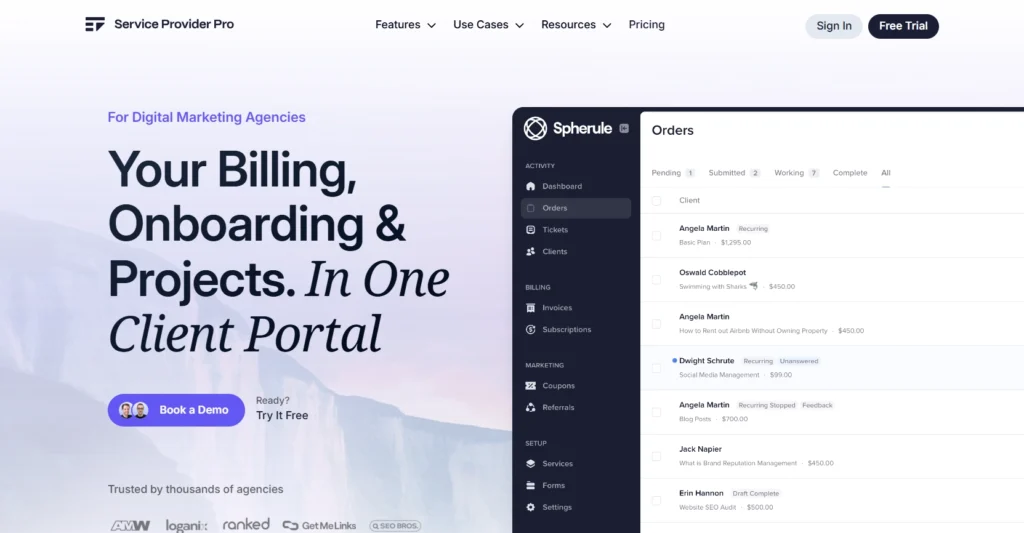
If you sell SEO packages, content bundles, or any kind of recurring service, you already know how messy it gets once you scale past a handful of clients.
Spreadsheets stop working, emails get lost, and keeping track of who owes what becomes a headache. That’s where Service Provider Pro (SPP) steps in.
SPP combines a CRM with a client portal built specifically for agencies selling productized services. On your end, it helps you track leads, manage subscriptions, assign tasks, and keep client records in one place.
On the client’s end, they get a professional portal where they can place orders, pay invoices, upload files, and see project updates without sending you 20 emails. For small to mid-size agencies, SPP hits the balance between easy setup and serious scalability.
It’s not a freelancer tool like Bonsai, and it’s not a generalist system like SuiteDash. Bonsai is better for solo operators. SuiteDash is more budget-friendly for small teams. But if your agency sells services at volume and you need workflows built around that model, SPP is the stronger fit.
Service Provider Pro Features
- CRM to track leads and clients
- Branded client portal with self-service access
- Automated invoicing and subscription billing
- Task management connected to client orders
- Ticketing system for client support requests
- Custom forms with file upload
Pros
- Organized CRM for agency clients
- White-label client portal branding
- Automated recurring billing system
- Support tickets with client context
- Task tracking tied to billing
- Custom intake forms available
Cons
- CRM less flexible than others
- Setup takes learning curve
- Higher price for scaling
SPP Pricing
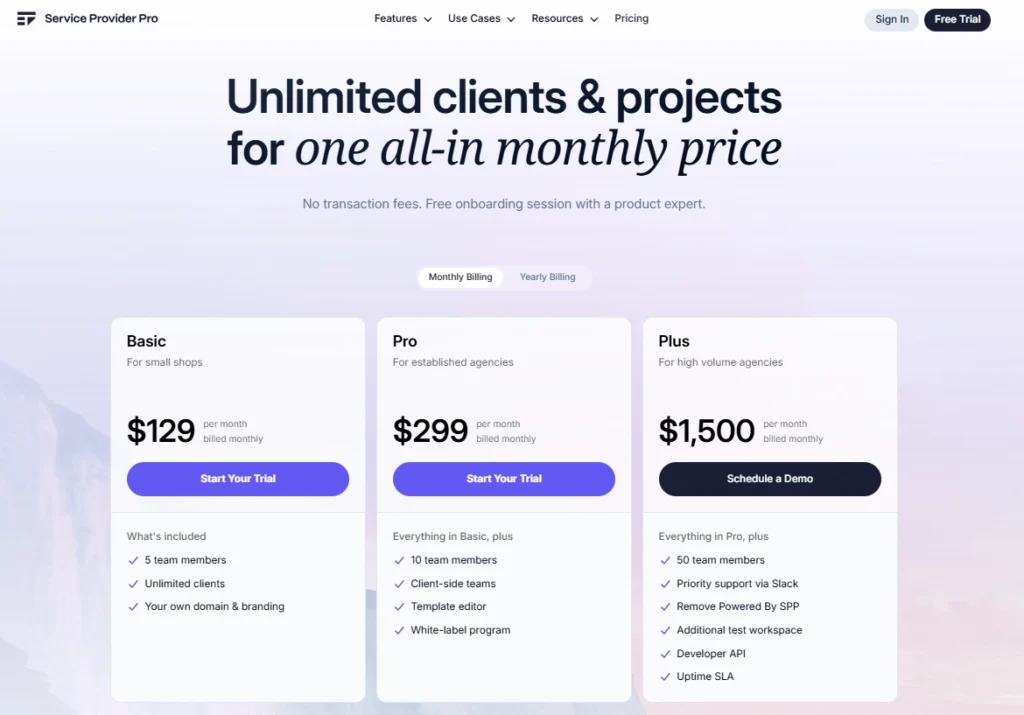
Basic
- Monthly: $129/month
- Yearly: $99/month
Pro
- Monthly: $299/month
- Yearly: $249/month
Plus
- $1,500/month
3. Hello Bonsai
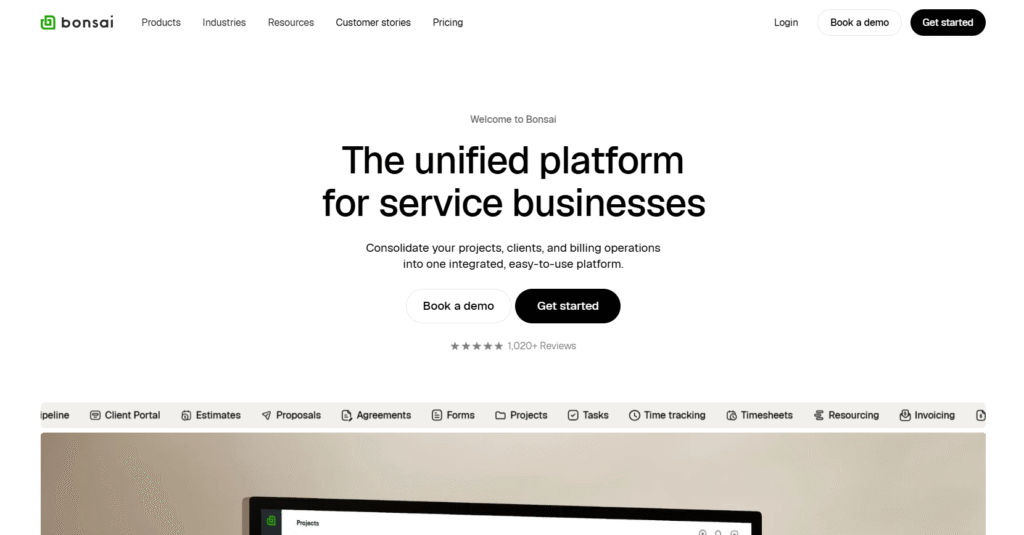
Bonsai is one of those all-in-one platforms where your CRM and client portal features live side by side with invoicing, contracts, project management, and more.
The platform is especially good for solo pros or small service businesses that don’t yet need a 30-user enterprise system, but want something smarter than spreadsheets and manual workflows.
On the CRM side, you manage contacts, leads, proposals, and pipelines. From Bonsai client portal app, your clients get access to view project status, invoices, shared files, and send you feedback—all in a branded space.
If I were you, I’d compare Bonsai to tools like Dubsado or HoneyBook as freelancer/agency-friendly platforms. Compared to Dubsado, Bonsai is stronger on financial workflows; compared to something like SuiteDash, it doesn’t scale as aggressively for huge teams, but is cleaner and simpler for small setups.
Bonsai Features
- CRM manages contacts, leads, and pipelines
- Branded client portal with secure access
- Proposals, contracts, and e-sign workflows
- Invoices, subscriptions, payment processing
- Project & task management with time tracking
- Client messaging, feedback, and file sharing
Pros
- Branded portal improves client experience
- Contracts, proposals, and billing in one
- Projects tied to client records
- Built-in time tracking and invoicing
- Automations reduce repetitive tasks
Cons
- Per-user cost adds up
- Onboarding has a curve
Bonsai Pricing
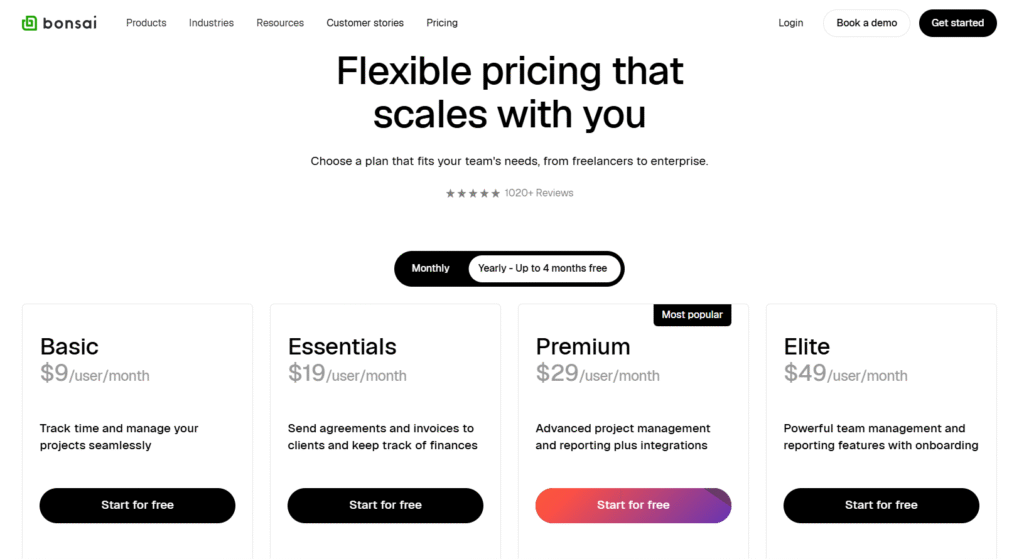
Basic
- Monthly: $15/user/month
- Yearly: $9/user/month
Essentials
- Monthly: $25/user/month
- Yearly: $19/user/month
Premium
- Monthly: $39/user/month
- Yearly: $29/user/month
Elite
- Monthly: $59/user/month
- Yearly: $49/user/month
4. SuiteDash
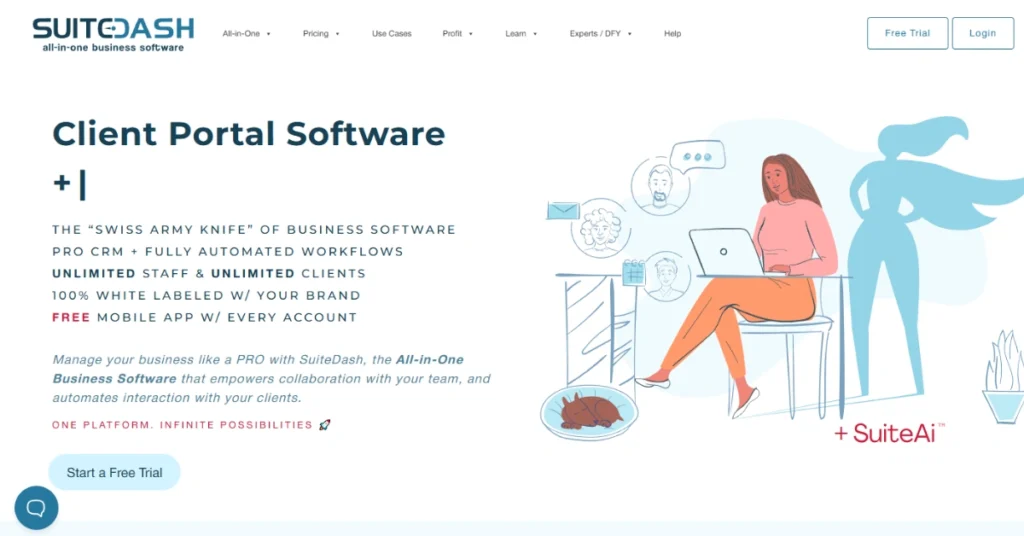
SuiteDash is one of those all-in-one platforms that stitches together your CRM and client portal for solopreneurs and growing agencies. You get to manage your contacts, deals, tasks, billing, and client communication all from SuiteDash client portal software.
On the CRM side, SuiteDash helps you track leads, segment contacts using “Circles,” bulk edit records, and trigger automations as contacts move through stages.
From the portal side, your clients log in to personalized dashboards, see only what you want them to see, upload/download files, check project status, sign documents, and pay invoices securely. Portal pages are fully white labeled, so your clients feel a professional portal environment.
If you compare SuiteDash with SPP, SuiteDash starts much lighter (good if your team is small) and gives you infinite users/clients without extra charge. But its automation and agency-level workflows are slightly behind SPP’s when your operations become more complex.
And compared with Bonsai, SuiteDash feels more powerful for agencies who want a platform that scales beyond solo work.
SuiteDash Features
- CRM with contact circles and automations
- White-label client portal dashboards
- Invoicing, subscriptions, payment processing
- Dynamic proposals + e-signature integration
- Project & task management with templates
- Secure file sharing and portal upload/download
Pros
- Unlimited users and clients included
- Deep white-label branding control
- Automations tie CRM to billing
- Clients get polished portal access
- Built-in proposals and e-sign documents
- Tasks connect to client and billing
Cons
- Steep learning curve initially
- Performance lags at scale
SuiteDash Pricing

Start
- Monthly: $19/month
- Yearly: $180/year
Thrive
- Monthly: $49/month
- Yearly: $480/year
Pinnacle
- Monthly: $99/month
- Yearly: $960/year
5. Softr

If you feel stuck between “buy a rigid CRM + portal tool” or “hire a dev to build something custom,” Softr gives you a third option: a no-code builder you can shape to your needs.
It’s especially useful for small teams, startups, or agencies that want custom workflows without wrestling with code.
With Softr, you can build your own CRM and client portal together. The CRM lets you set up your data sources (Airtable, Google Sheets, SQL, or Softr’s internal database) and define custom views, lead pipelines, or contact records.
On the portal side, clients log in to dashboards, see their projects or invoices, upload files, use forms, and interact with content you choose to expose based on roles and permissions.
If I were you choosing between tools: compare Softr with more traditional all-in-ones like SuiteDash or SPP. Softr gives you flexibility and custom control (you build what you need), but you’ll likely spend more time configuring.
Against something like Bonsai, Softr is more flexible and scalable—but not as turnkey off the shelf.
Softr Features
- Drag-and-drop builder for pages and layouts
- Role-based access and permissions controls
- CRM built on connected databases
- Client portal dashboards and gated content
- Invoicing, payments & subscription support
- File upload, document sharing, and forms
Pros
- Highly flexible, customizable portal
- Build your own CRM from scratch
- Role-based access limits what clients see
- Integrates with Airtable, Sheets, SQL
- No coding skills required
- Clients enjoy branded dashboard experience
Cons
- More setup time required
- Performance lags with heavy data
Softr Pricing

Basic
- Monthly: $59/month
- Yearly: $49/month
Professional
- Monthly: $167/month
- Yearly: $129/month
Business
- $269/month
Enterprise
- Custom
6. Clinked

If your business deals with sensitive files, regulated clients, or you just want a client portal that feels serious and secure, Clinked might be exactly the tool you’ve been hunting for.
This CRM portal is built for teams, consultancies, agencies, professional services, and enterprises that need control, security, and full collaboration.
Clinked white-label client portal lets clients to access projects, documents, tasks, and communication, all in one branded place.
On the “CRM” side, Clinked’s focus is lighter, it’s not a full sales CRM. But you still get structured client profiles, permissions, and workflows tied to your portal interactions.
As a client portal app, Clinked shines: branded domains, versioned file sharing, discussion threads, task assignments, custom permissions, real-time updates, and optional mobile apps.
If you’re comparing Clinked, think of it against SuiteDash or SPP in the portal space. SuiteDash gives you a broader CRM + portal package for small businesses, but it may lack Clinked’s security depth and enterprise-grade controls.
SPP is more agency-centered; Clinked leans more into document collaboration, control, and client workspaces. If you’re more process- and compliance-driven than “sell and scale,” Clinked could be your safer bet.
Clinked Features
- White-label portal with custom branding
- Role-based access and granular permissions
- File versioning, watermarking, audit logs
- Task management with Kanban and deadlines
- Real-time chat, threads, and discussions
- Document upload, comments, and approvals
Pros
- Strong security & compliance controls
- Clean, branded client portal experience
- Granular permissions on documents
- Built-in task workflows & collaboration
- Versioning, watermarking, audit logs
- Real-time updates and messaging
Cons
- Not a full CRM system
- Higher cost for small teams
Clinked Pricing

Lite
- Monthly: $119/mo
- Yearly: $95/mo
Standard
- Monthly: $299/mo
- Yearly: $239/mo
Premium
- Monthly: $479/mo
- Yearly: $599/mo
7. Dubsado
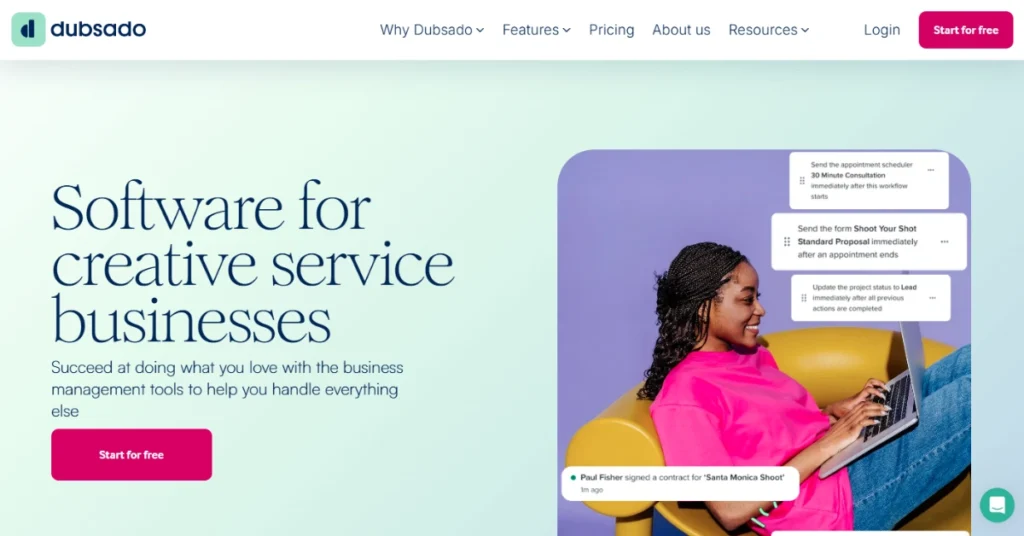
If you’re a freelancer, coach, designer, or small service business owner, and have decided to use a single platform to manage operations, Dubsado could be a go-to option.
It blends a CRM-style client management with a portal where clients can log in to see their projects, invoices, contracts, and forms.
Dubsado’s sweet spot is for solo or small teams who want to automate repetitive client tasks without investing in heavy enterprise systems. It isn’t built for massive teams out of the box, but it gives you more control than a simple invoicing tool.
Compared with Bonsai, Dubsado gives you stronger workflow automation and client portal organization. Compared to SuiteDash, it’s lighter on CRM depth but more focused on client workflow rather than full agency scaling.
Dubsado Features
- Workflow automation for repeating tasks
- Client portal for contracts, invoices, files
- Branded proposals and e-signature integration
- Calendar scheduling & booking built in
Pros
- Automations reduce manual work
- Clients get clean portal access
- Integrated proposals/contracts + signatures
- Scheduling built into your system
- Branding across portal & communications
Cons
- Not full CRM depth
- Team features are limited
Dubsado Pricing

Starter
- Monthly: $20/month
- Yearly: $200/year
Premier
- Monthly: $40/month
- Yearly: $400/year
8. Moxie
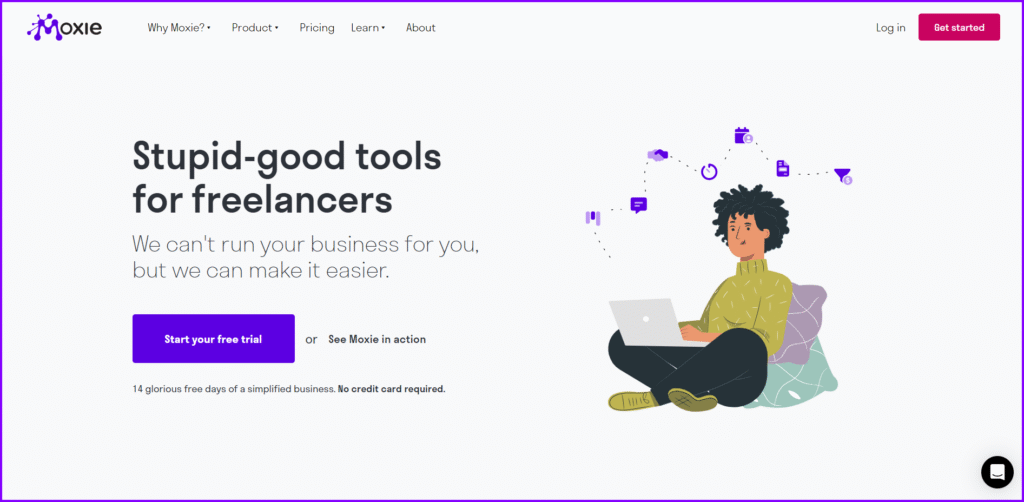
Moxie is one of those “all-in-one for freelancers & small teams” platforms that bring client emails, contracts, projects, and payments under one roof. It’s built around the idea that your CRM and client portal shouldn’t live in separate silos but should talk to each other by default.
Moxie CRM handles contacts, leads, pipelines, billing, and workflows. The client portal lets clients log in to see invoices, approve agreements, track project status, upload files, and leave comments. You can control which modules each client sees.
Moxie is best for freelancers, solopreneurs, or very small teams that want serious functionality without the complexity of enterprise tools.
Moxie Features
- Client portal with permissions & module control
- CRM with pipeline, contacts & billing integration
- Branded portal: custom domain, look & feel
- Workflow automations and task triggers
- Proposal / agreement modules with client approvals
- Time tracking & linking time to invoices
Pros
- CRM + portal out of one app
- Clients see only what matters
- Branded portal feels professional
- Automations reduce tedious tasks
- Invoices + agreements tied together
Cons
- CRM depth is moderate
- Team capabilities are limited
Moxie Pricing
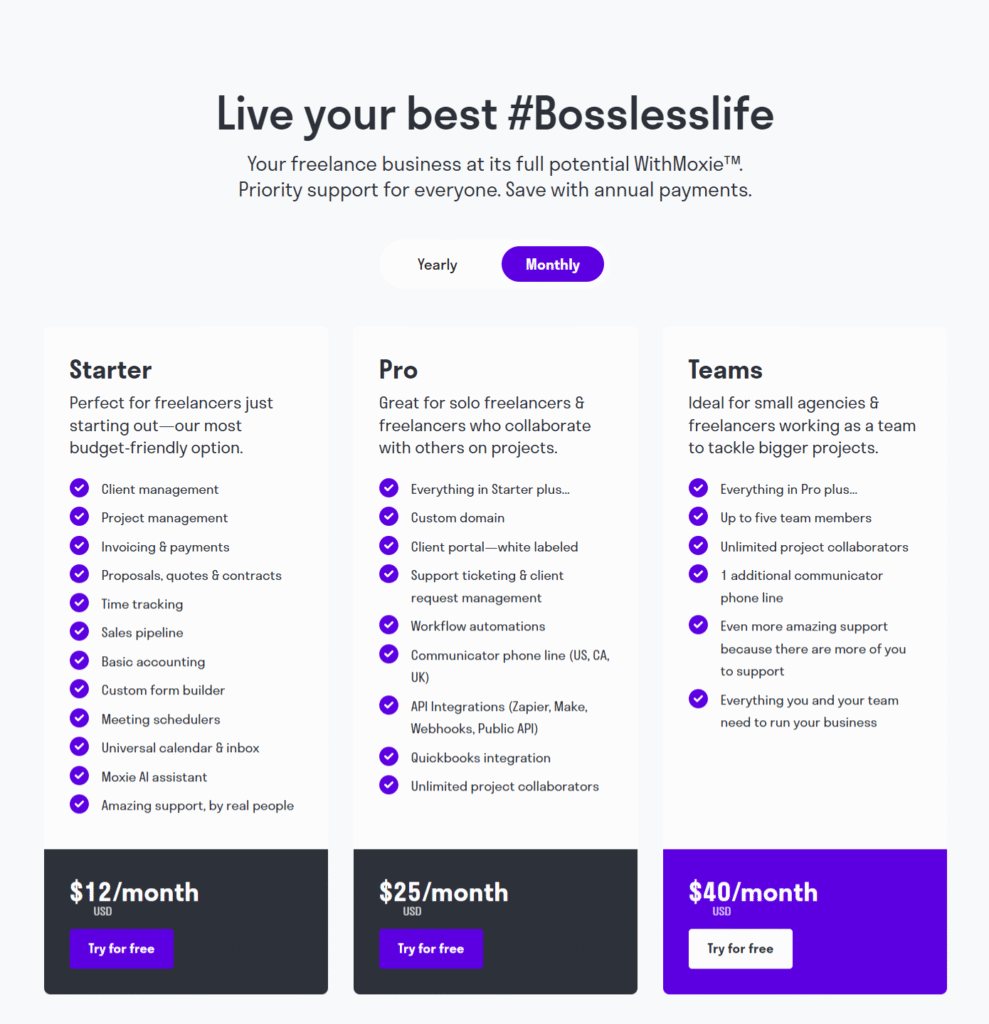
Starter
- $12/month billed monthly
- $10/month billed yearly
Pro
- $25/month billed monthly
- $20/month billed yearly
Teams
- $40/month billed monthly
- $32/month billed yearly
9. Plutio

Plutio calls itself a “business operating system,” and it’s built to adapt whether you’re a solo freelancer, a small team, or an agency trying to stay lean.
Plutio CRM gives you contact and client management, ability to invite clients into your workspace, and roles/permissions to control what they see.
Their client portal’s standout feature is its custom dashboards (Pages): you can build client-facing dashboards with widgets (tasks, invoices, messages) so each client sees what matters to them.
Plutio Features
- Client dashboards (Pages) with role-based views
- Contact / client management with roles & permissions
- Projects link tasks, invoices, files, messages
- Branded proposals, contracts, e-signatures
Pros
- Integrated CRM + client workspace
- Custom dashboards for each client
- Projects tie everything together
- Branding control (white-label in higher plans)
Cons
- CRM features less deep than dedicated CRMs
Plutio Pricing

- Solo: $19/month
- Studio: $39/month
- Agency: $99/month
10. Manyrequests
ManyRequests is built for agencies selling recurring or productized services, where you need a place to manage client requests, files, billing, and updates without drowning in email. Think design subscriptions, marketing retainers, or development packages, this is where ManyRequests fits.
From its CRM, you can manage client profiles, subscription details, invoices, and service history all in one view. Your clients get a branded portal (your logo, your domain) where they can submit tasks, check progress, upload files, and pay invoices.
ManyRequests sits in the same price band as SPP, far above freelancer tools like Bonsai or Plutio. But if your business model is running recurring services at scale, the combination of CRM + branded portal is exactly what keeps clients happy and your team organized.
Manyrequests Features
- CRM for client profiles and billing history
- White-label client portal with custom domain
- Task request submission and progress tracking
- Invoices, subscriptions, and payment management
- File uploads and client communication threads
Pros
- Clean CRM tied to portal
- Branded client-facing portal access
- Great for subscription agencies
- Clients request tasks easily
- Billing linked to client records
Cons
- Not a full enterprise CRM
- Limited outside productized workflows
Many Request Pricing

Starter
- Monthly: $29/month/seat
- Yearly: $19/month/seat
Extra Seat (max 2 seats total): $20/month
Core
- Monthly: $59/month/seat
- Yearly: $39/month/seat
Extra Seat: $20/month
How CRM Software with Client Portal Features Benefits Your Business
You pretty much got it. A CRM with client portal functionalities will replace 5-6 separate tools. But how is this going to help your business? This section clears it for you –
1. Everything stays organized and connected
Instead of hopping between spreadsheets, inboxes, and project boards, a combined CRM + client portal keeps all data — leads, deals, invoices, projects, and messages — in one place. You always know what’s happening with every client at any stage.
2. Faster lead conversions
When someone fills out your public form, their info goes straight into your CRM. You can send a proposal, get it signed, and move them into onboarding — all without switching tools or losing track of follow-ups.
3. Clear client communication
The portal gives your clients their own space to check project progress, upload files, give feedback, and view invoices. They don’t need to email you for every update.
4. Improved collaboration and accountability
Your team can assign tasks, track time, and communicate directly within the same system linked to client records. Everyone knows who’s doing what and what’s next, so nothing slips through.
5. Predictable cash flow
Integrated billing and subscription tools mean invoices go out automatically and clients can pay inside the portal. No chasing payments, no manual tracking — just a steady, predictable revenue cycle.
6. Stronger client relationships
When clients see professionalism like a branded portal, organized projects, timely communication, they immediately trust your process more. It strengthens long-term relationships and increases client retention.
Must-Have Features for CRM Software with a Client Portal
Most businesses don’t need flashy features in their CRM client portal. What really matters are the core common CRM software features that make your daily operations smoother and your client experience better. Here’s what to look for (and what’s worth skipping)
A Clear Lead Pipeline
Your CRM should make it simple to track leads from first contact to conversion. A visual Kanban or stage-based pipeline works best. You see exactly where each prospect stands and what needs action next. If you can’t tell who’s ready to buy at a glance, the CRM isn’t doing its job.
Centralized Client Profiles
Every client should have one place where all their info lives like messages, invoices, tasks, project files, and notes. It saves you from digging through emails or spreadsheets and gives your team full context before every call or update.
Built-In Proposals and Onboarding
You shouldn’t need three separate tools to send a proposal, collect a signature, and start onboarding. Look for CRMs that can send proposals directly from the platform and automatically move leads into projects once approved.
Simple Subscription and Billing Management
Recurring invoices, payment tracking, and automated reminders should come built in. It keeps your cash flow consistent and saves you from manually chasing overdue payments every month.
True Two-Way Client Portal
A client portal shouldn’t just be a file dump. It should give clients real access — to view progress, pay invoices, submit tasks, and give feedback without emailing you. Bonus points if it supports custom branding, your domain, and mobile access.
File Feedback and Collaboration Tools
Annotation tools inside the portal make reviews faster and clearer. Instead of endless back-and-forth emails, clients can comment directly on files, images, or videos, cutting revision time in half.
Scalable, Not Bloated
You don’t need enterprise analytics or AI if your team is under 20 people. Pay for what improves your daily workflow; lead tracking, proposals, tasks, billing, and communication are enough for most cases. Anything beyond that should be optional, not mandatory.
Integration and Flexibility
Good CRMs connect easily with tools you already use like email, Google Drive, or Slack. But integrations should extend your workflow, not replace it. If it takes weeks of setup or third-party help to integrate, it’s not worth the effort.
Conclusion
Before choosing any CRM with a client portal, think about how your team actually works and what your clients really need. Don’t rush to buy. Most of these tools offer free trials—use them for a week, test real workflows, and pick the one that fits your business best.
Frequently Asked Questions
What is customer relationship management software?
Customer Relationship Management (CRM) software helps businesses manage leads and clients in one place. It stores contacts, tracks communication, automates follow-ups, and keeps sales pipelines organized to strengthen customer relationships and improve team coordination.
What is a CRM with a client portal?
A CRM with a client portal combines customer relationship management and client collaboration in one platform. It lets you manage leads, projects, billing, and communication while giving clients a secure space to view updates, share files, and make payments.
Why do businesses need a CRM with client portal features?
Businesses need a CRM with client portal features to keep everything organized and transparent. It reduces back-and-forth emails, speeds up approvals, centralizes data, and helps teams and clients stay on the same page.
Which is the best CRM with a client portal for small businesses?
For small businesses, tools like Agency Handy, SuiteDash, and Bonsai work best because they combine affordable CRM management with easy client access, invoicing, and file sharing in one place.
What features should I look for in a CRM with a client portal?
Look for an all-in-one CRM with contact management, proposals, invoicing, file sharing, task tracking, and client feedback tools. White-label branding and automation features are also key for professional client experiences.
How much does a CRM with a client portal cost?
CRM software with client portals typically costs between $15 and $300 per month, depending on the number of users and advanced features like automation, white-labeling, and subscription billing.
What’s the difference between a CRM and a client portal?
A CRM helps your team manage leads, sales, and internal tasks, while a client portal is the external workspace your clients use to view updates, invoices, and deliverables. Together, they connect your business and client workflows seamlessly.