Skip to content
  Once in a lifetime deal →




You know that moment when you realize you’re paying for a Ferrari but driving a Honda? That’s Vcita.
The sales page promised an all-in-one platform. What you got was scheduling that works, a CRM that’s okay, and a growing list of “sorry, you’ll need to upgrade for that” messages. No white label. No real project management. Support takes forever to respond. And somehow your bill keeps creeping up.
You can still get more for a much lower price point. Choose a Vcita alternative. After testing a few dozen tools, we have gathered the top 10 alternatives for various purposes.
Quick List of Top Vcita Alternatives
- Agency Handy: All-in-one agency management platform with client portal, project management, and subscriptions.
- HoneyBook: Combines proposals, contracts, and invoices in one flow for creatives.
- Zoho CRM: Enterprise-grade automation and workflow management for complex sales teams.
- Suitedash: White-label business management with client portals and project tracking.
- Bitrix24: All-in-one workspace replacing multiple tools with CRM and team collaboration.
- Pipedrive: Visual sales pipeline with AI-powered deal scoring for sales-focused teams.
- Dubsado: Automated workflows and public proposals for project-based businesses.
- Thryv: Done-for-you marketing services with SEO, ads, and business management tools.
- 17hats: All-inclusive plan with 3-in-1 documents for freelancers and solopreneurs.
- Calendly: Simple, focused scheduling tool with powerful calendar integrations.
Why Should You Look for Vcita Alternatives?
Vcita isn’t a bad platform. But it’s not for everyone, and you might be starting to feel that pinch.

Aggressive Pricing
Vcita pricing starts at $35 per user per month for Kickstart, $65 for Business, and $110 for Premium when billed monthly.
If you’ve got a small team of 5 people, you’re looking at $175/month minimum just to get everyone on board. That’s over $2,000 a year for the entry-level plan.
And the frustrating part? The Kickstart plan doesn’t even let you send billing reminders or manage recurring subscriptions—features most service businesses actually need.
Paying for Unnecessary Features
The Business plan doesn’t let you assign roles to team members or manage marketing campaigns.
And if you want those features, you’re jumping straight to the $110/month Premium plan. That’s overkill for most small businesses that just need solid basics without the bloat.
Hidden Costs
Add-ons and certain features require costly upgrades, and once you upgrade, you can’t downgrade. SMS texting? That’s extra. Want certain integrations? Pay more. Before you know it, your “affordable” plan has doubled in price.
Too Simple or Too Complicated
If you’re running a business with a complex sales process, Vcita feels like bringing a butter knife to a steak dinner.
You’d be better off with something like HubSpot or Pipedrive. These platforms handle complex sales cycles with advanced automation, customizable pipelines, and proper workflow management.
On the flip side, if you just need Vcita scheduling? You’re paying for a whole platform when something like Calendly would do the job for way less. If you need a CRM as well, CRM platforms like Agency Handy can get you Calendly with their integration system.
No White-label
If you’re running an agency and want to give clients a fully branded experience, Vcita doesn’t cut it. Your clients will see Vcita’s branding, not yours. That’s a dealbreaker for agencies trying to look professional and established. Vcita client portal isn’t white-label either.
No Automated Client Onboarding
Vcita doesn’t automatically onboard your clients the way tools like Agency Handy do. You’ll be manually sending welcome emails, portal credentials, and project details. For busy business owners, that’s just more work on your plate.
Slow Support
Multiple users report that customer support is hard to reach and often lacks the knowledge to help effectively. Vcita is actually a bit complicated to set up. So when you need help and can’t get it, you’re stuck.
Comparison Table of Best Vcita Alternatives
At a glance, the following table provides a clear overview of what these 10 Vcita alternatives have to offer.
| Tool | Lead Pipeline | Service Catalog | Marketing Automation | Calendly Integration | Starting Price |
| Agency Handy | ✅ | ✅ | ❌ | ✅ | $19/mo |
| HoneyBook | ✅ | Package options | ✅ | ❌ | $29/mo |
| Zoho CRM | ✅ | ❌ | ✅ | ✅ | $14/mo |
| Suitedash | ✅ | ❌ | ✅ | ✅ | $19/mo |
| Bitrix24 | ✅ | ❌ | ✅ | ❌ | $49/mo |
| Pipedrive | ✅ | ❌ | ✅ | ✅ | $14/mo |
| Dubsado | ✅ | Package options | ✅ | ❌ | $20/mo |
| Thryv | ✅ | Done-for-you marketing | ✅ | ❌ | $646/mo |
| 17hats | ✅ | Package options | ✅ | ❌ | $60/mo |
10 Best Vcita Alternatives for Business Management
The most suitable Vcita alternative would be the tool that is designed to help you with your type of day-to-day operations.
1. Agency Handy

Even though Vcita is a well-built platform, it only does its job for SMBs. If you need something more specific that only comes with features to run agencies flawlessly, Agency Handy is the right alternative.
This is how Agency Handy’s workflow goes;
Public form → lead capture → proposals → service catalog → payment → onboarding → collaboration → delivery → billing → renewals.

Where Vcita is really good at is scheduling, payments, and their BizAI. But most agencies might not need these especially creative ones. Agency Handy comes with a robust CRM and lead pipeline, a white-label client portal, a project management tool, and team, client, and subscription management.
For scheduling, Agency Handy comes with Calendly native integration. So you can always schedule important meetings with clients without paying extras.
You will also have full control over your service packages, upselling services, subscriptions, and white-label customization.
Clients can collaborate with your team by messaging and giving feedback. For creative projects, clients provide feedback with annotation tools, which is something you don’t get with Vcita.
If your business is already linked with big platforms like HubSpot and Salesforce, you can integrate them with Agency Handy with API and Webhooks. The same goes if you need to sync your financial data on QuickBooks and Xero.
Agency Handy Features as a Vcita Alternative
The following are the topmost features Agency Handy excels over Vcita. See if your agency operations heavily depend on these.
Service Catalog
You can create service packages with Vcita. But can’t present those services in a convenient catalog view. Agency Handy lets you list all your services with multipackage pricing and display them in a catalog view. You can embed this catalog on your website for visitors to order even when you’re away.
CRM and Lead Management
Agency Handy uses public forms to capture leads from websites. You can customize fields and inputs of the form to tailor it for specific audiences. Once a prospect fills up the form, you get their leads to add to your platform’s Kanban board.
At a glance you will see which leads you have sent proposals to, who’s on your waiting list, who are eligible to work with. No leads get overlooked.
Automated Client Onboarding
Agency Handy automates your client onboarding even when you sleep. Once any prospect purchases from your service catalog, he then proceeds to generate an invoice and complete the payment.
After a while, Agency Handy sends the person a welcome email with client portal credentials, and then guides to use the portal.
All these without you to even move a needle.
Client Portal
Inside the client portal, clients get a branded environment. Clients can upload necessary files, access to his invoices, message your team, check project status, and give file feedback. The thing is to provide clients a self-service experience.
Invoice and Subscription
Agency Handy allows your clients to generate invoices when they purchase a service. They can make payment using Stripe, Wise, or manual banking channels.
Both one-time and recurring subscriptions you can manage from Agency Handy. You can start, pause, resume, and cancel subscriptions when needed.
Project Management
Agency Handy uses a Kanban board to organize all your projects and tasks. You can add up to 30 team members as per the plan, and assign them tasks. Tasks are organized in separate boards – pending, in-progress, review, complete. At a glance you see who is doing what.
File Feedback with Annotation
When clients give feedback right on designs and creative projects, it’s much more convenient for an assignee to execute the necessary changes. Agency Handy comes with annotation tools for clients to draw, type, and annotate on files to pinpoint exactly where the change is necessary.
Other mentionable Agency Handy features –
- Proposals
- Time tracking
- Up to 30 users
- White label
- Custom email and domain
- Up to 10 TB storage
- Up to 30,000 Webhook events
- API access
- Slack integration
- Coupons
- Upsell add-ons
What Users Say About Agency Handy
G2: 4.9 out of 5
“I really like how Agency Handy keeps everything in one place—it makes managing tasks and tracking team hours super easy. The proposal tool is awesome too. It lays out all the package options in a way that makes sense to clients, and then it automatically creates tasks for my team based on what they select. It honestly saved me so much time.” – Sheena S.
Capaterra: 4.5 out of 5
“Agency Handy is an all-in-one solution that has streamlined our operations, improved client satisfaction, and boosted team productivity. It’s an indispensable tool for any digital agency looking to scale their business efficiently.” – Priyanka P.
To know more about this, be sure to check out 17hats vs Agency Handy full comparison.
Agency Handy Pricing

Freelancer
- Monthly: $19/mo
- Yearly: $13/mo
Team Starter
- Monthly: $99/mo
- Yearly: $66/mo
Business Pro
- Monthly: $199/mo
- Yearly: $133/mo
2. Honeybook
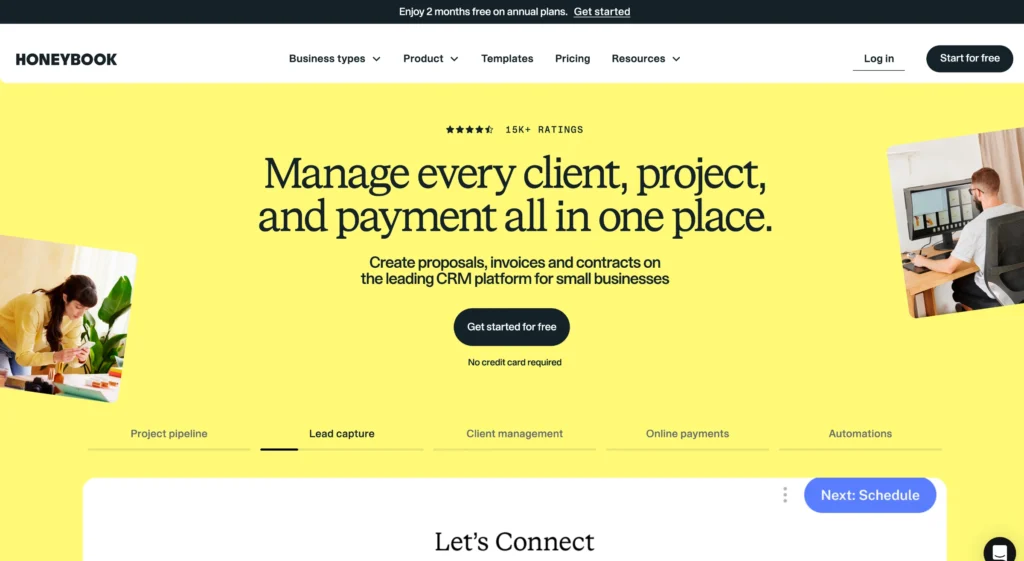
HoneyBook is built for independent business owners like creatives, designers, consultants, and photographers. Its entire purpose is to stop you from using three or four different apps just to get one client booked.
You’re probably looking at it because Vcita is great for appointment-heavy businesses (like coaches or salons), but HoneyBook is built for project-based work that needs proposals and contracts.
Whats Makes HoneyBook Better than Vcita
Combines Proposal, Contract, and Invoice
This is the main thing. You send your client one single link. They can review your services, e-sign the contract, and pay the deposit all in one go. It cuts out all the “did you get the contract?” and “where’s the invoice?” emails. It just gets you booked and paid faster.
Own Business Checking Account
This is a huge deal for freelancers. When a client pays you, the money is available instantly. You don’t have to wait 2-3 days for a bank transfer. The tool also lets you automatically sort your income into “buckets” for taxes or savings, so you’re not scrambling to figure out what you actually owe.
Features
- Invoices and online payments
- Online proposals and e-sign contracts
- Branded client portal
- Online meeting scheduler
- Task and workflow automations
- HoneyBook AI (email drafts, summaries)
- HoneyBook Finance (checking account)
- Lead capture forms
- Project and client management
- Mobile app
Pros
- Proposals, contracts, and invoices in one clean package.
- Client-facing documents and portal look very professional.
- Business checking account with instant deposits.
- Email and task automation
Cons
- Charges payment processing fees (like Stripe or PayPal).
HoneyBook Pricing
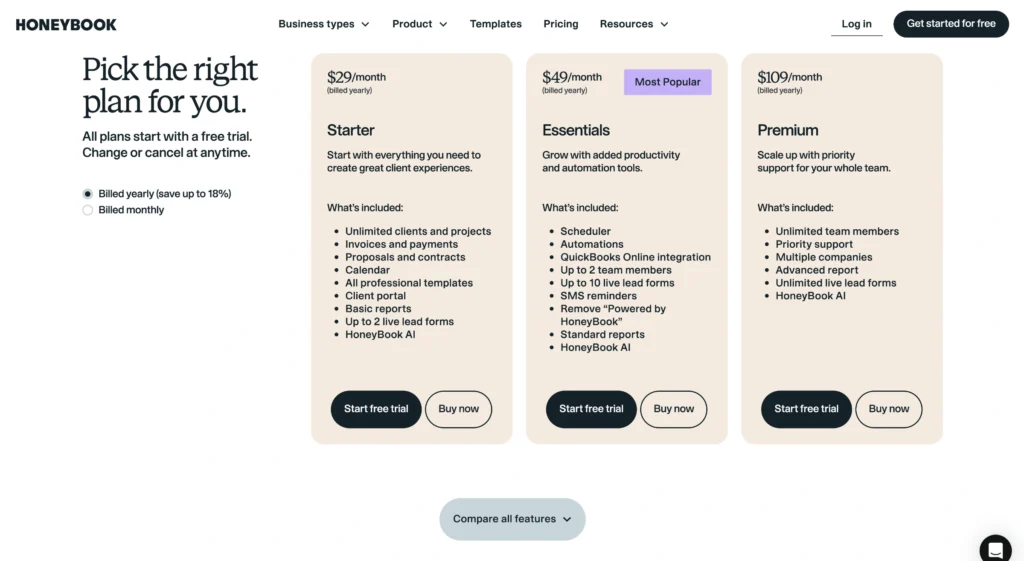
Starter
- $36/month
- $29/month yearly billed
Essentials
- $59/month
- $49/month yearly billed
Premium
- $129/month
- $109/month yearly billed
3. Zoho CRM

First thing you need to know: this is not like Vcita or HoneyBook. This is a massive step up. You don’t get this tool because you’re a solopreneur. You get it because you’re running an actual team; a sales department, a marketing person, and a support desk.
Its real power isn’t just “automation”; it’s “process management.” You get this when your business is big enough that you have real procedures that must be followed, and you’re tired of people skipping steps.
What Makes Zoho CRM Better than Vcita
Blueprint
This feature lets you visually map out your entire sales process, drag-and-drop style. It’s not just a suggestion; it forces your sales team to follow the steps. They can’t move a deal to “Closed” until they’ve completed the required tasks you set.
A Real Service Desk
This isn’t just a client portal. You get to set “SLAs” (Service-Level Agreements). You can make a rule that “high-priority tickets must be answered in 1 hour.” If they aren’t, the system automatically escalates the ticket to a manager. It’s a true customer support system.
Features
- Visual process builder (Blueprint)
- Customer journey mapping (CommandCenter)
- Automated lead scoring
- Sales team approval workflows
- Help desk ticket automation
- Set service levels (SLAs) and escalations
- Guided chatbots
- Automated email & social campaigns
- Smart email inbox sorting
- Cross-team process management
Pros
- Automates the entire company, not just one department.
- Connects your sales, marketing, and support teams.
- Enforces your sales process so no steps are skipped.
- Customer support help desk with escalations.
- Manages complex customer journeys.
Cons
- Overkill for a small team
- Gets expensive as the team grows.
Zoho CRM Pricing

Standard
- Monthly: $20/user/mo
- Yearly: $14/user/mo
Professional
- Monthly: $35/user/mo
- Yearly: $23/user/mo
Enterprise
- Monthly: $50/user/mo
- Yearly: $40/user/mo
Ultimate
- Monthly: $65/user/mo
- Yearly: $52/user/mo
4. Suitedash
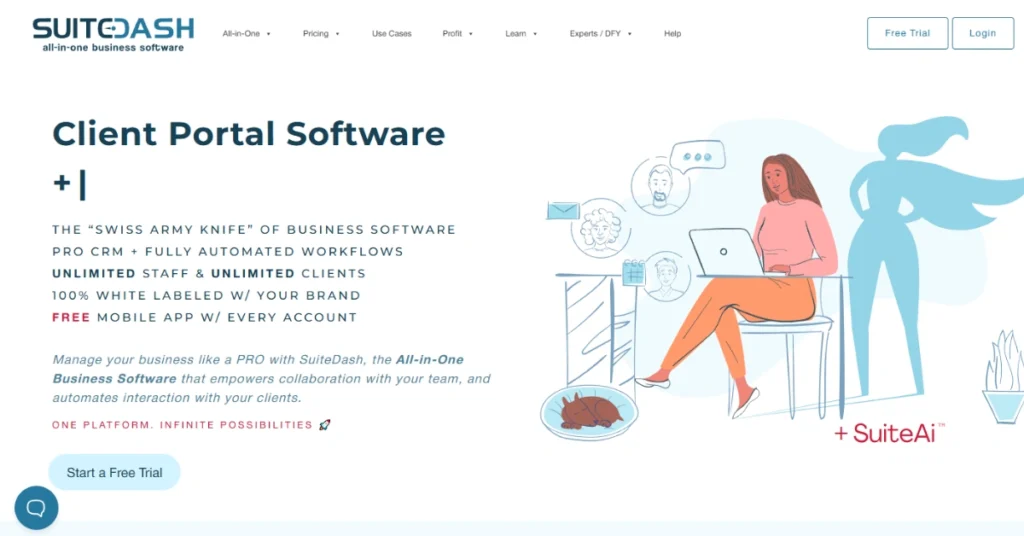
If Vcita is too simple, HoneyBook is too niche, and Zoho is too focused on internal rules, SuiteDash is your alternative.
It’s for businesses (like agencies, consultants, or accountants) who want their clients to log into a portal that looks and feels 100% like their company, not some third-party app.
It’s packed with features—CRM, billing, project management, and even a learning system (LMS).
What Makes SuiteDash Better than Vcita
Extreme White Labeling
This is its main purpose. You can use your own custom URL, your own logo on the login page, and even get a custom-branded mobile app. Your client will never see the SuiteDash name. It looks like you built the software yourself.
Unlimited-User Pricing
This is a huge deal. Unlike Zoho, the price is flat. You do not pay per user. You can add your entire team and all your clients, and your bill doesn’t change. This is a massive cost-saver for growing teams.
SuiteDash Features
- Complete white-label portal
- Custom URL and branded mobile app
- Unlimited CRM contacts and staff
- Dynamic client dashboards
- Proposals, contracts, and e-signatures
- Invoicing and subscriptions
- Project management
- LMS (Learning Management System)
- Support tickets
- “Magic Link” password-free login
Pros
- Unlimited users, staff, and clients on all plans.
- Clients see only your brand, URL, and logo.
- Password-free client portal
- Conducts email marketing campaign
Cons
- Complicated to set up.
- Full automation and LMS are only for top-tier plan
SuiteDash Pricing

Start
- $19/month (monthly billed)
- $180/year (yearly billed)
Thrive
- $49/month (monthly billed)
- $480/year (yearly billed)
Pinnacle
- $99/month (monthly billed)
- $960/year (yearly billed)
5. Bitrix24
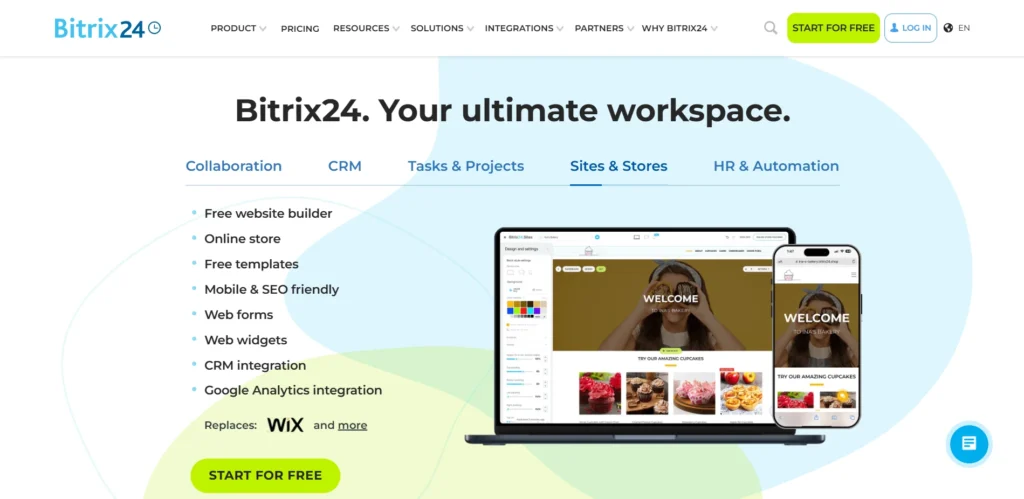
If Vcita is a car, Bitrix24 is an aircraft carrier. You’d look for this as an alternative to Vcita when your problem is not just client management, but the internal mess.
It’s for when you have a growing team and you’re sick of paying for Vcita, plus Slack, plus Asana, plus Google Drive. Bitrix24’s goal is to replace all of them.
It has a CRM, marketing tools, and an AI assistant (CoPilot) just like Vcita, but those are just one small part of a much bigger system.
What Makes Bitrix24 Better than Vcita
Real Project Management
Vcita is great for managing clients, but not the work itself. Bitrix24 has a complete project management tool built-in. You get Gantt charts, Kanban boards, and time tracking. You’re not just managing your client list; you’re managing the actual project your team is doing for that client.
The Pricing (for teams)
This is the main one. Vcita’s price goes up as you add staff. Bitrix24’s “Standard” plan gives you 50 users for one flat price. You can run a whole company on it for what you might pay for just a few users on other platforms.
Bitrix24 Features
- CRM and sales pipeline
- Task and project management
- Kanban and Gantt charts
- Team chat and video calls
- AI assistant (“CoPilot”)
- Website and landing page builder
- Omnichannel contact center
- HR and work time tracking
- Online document storage
- Has a free-forever plan
Pros
- Handles customer relationship management aspects well
- Includes CRM, projects, and chat.
- The project management tools are deep (Gantt, Scrum, etc.).
- Hostable on own server (On-premise).
Cons
- Overwhelming and complicated.
- Not for solopreneurs
Bitrix24 Pricing
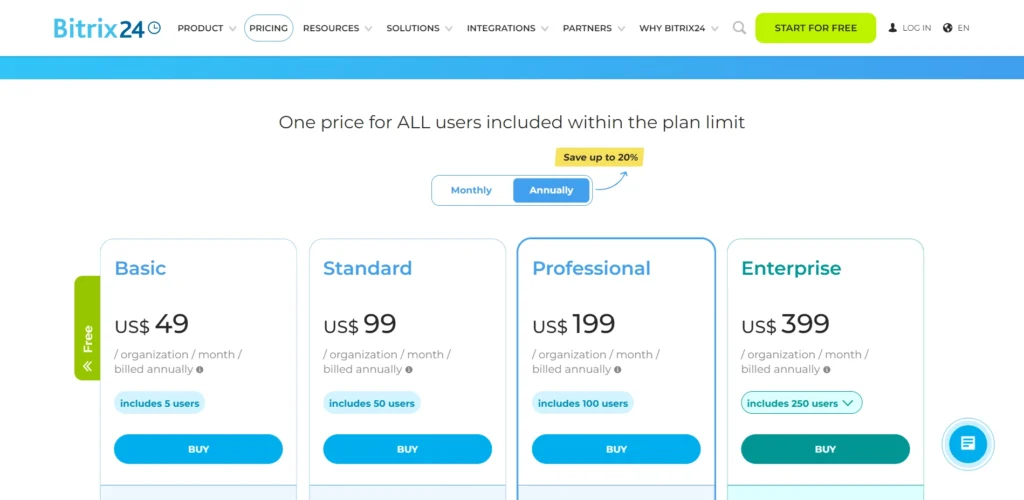
Basic
- $61/month (monthly billed)
- $49/month (yearly billed)
Includes 5 users
Standard
- $124/month (monthly billed)
- $99/month (yearly billed)
Includes 50 users
Professional
- $249/month (monthly billed)
- $199/month (yearly billed)
Includes 100 users
Enterprise
- $499/month (monthly billed)
- $399/month (yearly billed)
Includes 250 users
6. Pipedrive
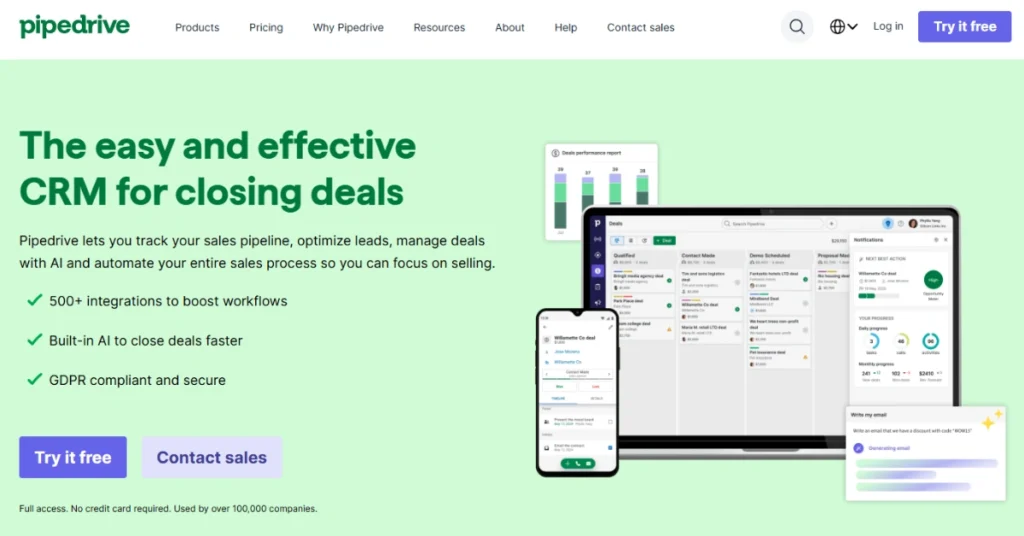
You’d switch from Vcita to Pipedrive when your main problem isn’t scheduling or client portals, but that your sales process is a mess. I
It’s for when you have a real sales team (or you’re a solo owner who acts like one) and you need to track leads, follow-ups, and deals with zero guesswork.
It has a CRM and AI, but they’re built for one thing: closing deals.
What Makes Pipedrive Better than Vcita
Visual Sales Pipeline
This is what they’re famous for. It’s a drag-and-drop Kanban board for your deals. Vcita’s CRM is a list of clients. Pipedrive shows you exactly where every dollar is in your sales process, what’s stuck, and what’s about to close. It’s built to be looked at all day by a salesperson.
Sales-Focused AI & Automation
Vcita’s BizAI is a general assistant for writing emails or creating estimates. Pipedrive’s AI is your sales manager. It tells you which deals to focus on, scores your leads, and gives you performance tips. Its automation is also built for sales, like “when a deal moves to this stage, automatically send this specific follow-up email.”
Pipedrive Features
- Visual sales pipeline (Kanban)
- Lead, deal, and calendar management
- Sales-focused AI (scoring, mentor)
- Sales workflow automation
- Real-time sales reports & forecasts
- Smart Contact Data (finds lead info)
- Email sync and tracking
- Chatbot and live chat (add-on)
- Large integrations marketplace (500+)
Pros
- Modern and user friendly interface.
- Organizes team for sales.
- AI gives clear, actionable sales advice.
- Useful reporting and forecasting.
- Laser-focused on sales, with no distracting features.
Cons
- Many key features are paid add-ons.
- Gets expensive for growing teams.
Pipedrive Pricing

Lite
- $19/seat/month (monthly billed)
- $14/seat/month (yearly billed)
Growth
- $34/seat/month (monthly billed)
- $24/seat/month (yearly billed)
Premium
- $64/seat/month (monthly billed)
- $49/seat/month (yearly billed)
Ultimate
- $89/seat/month (monthly billed)
- $69/seat/month (yearly billed)
7. Dubsado
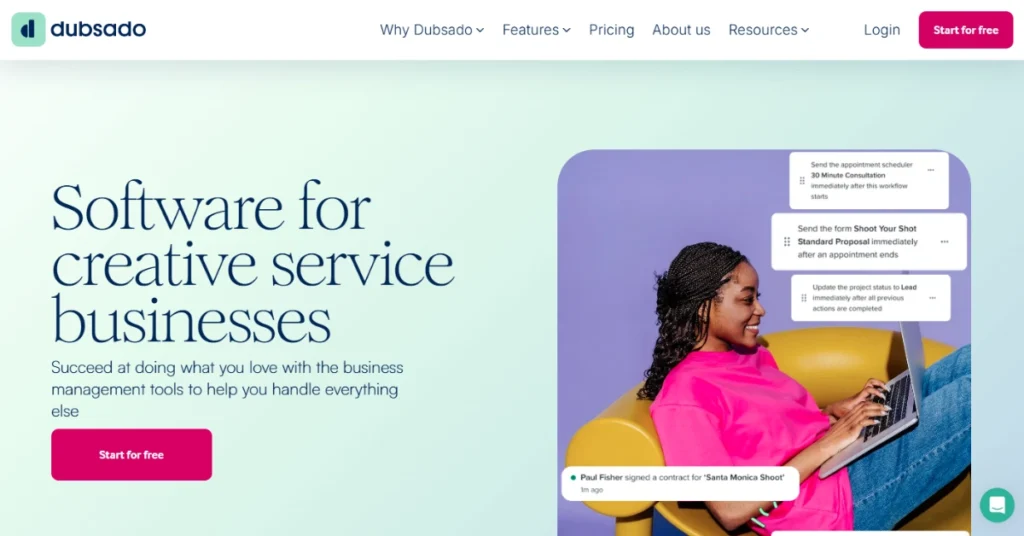
Much like HoneyBook, Dubsado is a major Vcita alternative for creative business owners, designers, photographers, and consultants.
You’d switch from Vcita to Dubsado when your biggest headache isn’t just scheduling, but the entire client onboarding process. Vcita is great for booking a single appointment. Dubsado is built to automatically manage a 6-month project.
It has a CRM and Client Portal like Vcita, but it’s really a machine for handling your proposals, contracts, and payment plans all at once.
What Makes Dubsado Better than Vcita
Powerful Automated Workflows
Vcita has reminders and marketing automation. Dubsado lets you build entire ‘if-then’ journeys for your projects. You can set it to automatically send a proposal, and when the client signs, then it automatically sends the invoice, and when that’s paid, then it automatically sends your welcome packet.
Public Proposals
You can put your proposals right on your website. A client can go to your site, pick a package, sign the contract, and pay, all without you lifting a finger. It turns your website into an automated booking engine, which is a big step up from Vcita’s lead capture.
Dubsado Features
- Automated workflows
- Public proposals
- Legally-binding contracts
- Invoices and payment plans
- Client portals
- Appointment scheduler (Premier plan)
- Custom-branded forms
- Lead capture forms
- Reporting and goal tracking
- No-time-limit free trial
Pros
- Efficient workflow automation
- It combines proposals, contracts, and invoices into one clean booking step.
- It offers business financing (Dubsado Payments Capital) to its users.
- You can manage multiple brands from one account (for an extra fee).
Cons
- Best features come with expensive plans
Dubsado Pricing

Starter
- $20/month (monthly billed)
- $200/year (yearly billed)
Premier
- $40/month (monthly billed)
- $400/year (yearly billed)
8. Thryv

Thryv is a completely different conversation. This isn’t just a Vcita alternative; it’s a full-service marketing agency that also gives you a business management tool.
You’d switch from Vcita to Thryv when your biggest problem is getting found. Vcita’s tools (CRM, Client Portal, BizAI) are useful for managing the clients you already have. Thryv is for the business owner who needs the phone to start ringing in the first place.
Its entire focus is on marketing you across the internet.
What Makes Thryv Better than Vcita
“Done-For-You” Marketing
This is the key. Vcita gives you tools to do your own marketing. Thryv does it for you. The text says you get “Ads managed for you,” “done-for-you SEO management,” and a “Professionally designed website.” You are paying for a service, not just software.
Online Presence Management
Thryv will get your business listed on “50+ sites like Google, Facebook, Yelp” and actively manage your customer reviews, even using AI to respond. This is an active marketing service that Vcita’s platform doesn’t offer.
Thryv Features
- Done-for-you SEO management
- Managed ad campaigns
- Online listings on 50+ sites
- Social media management
- AI for review responses and copy
- CRM and lead management
- Scheduling and appointments
- Invoices and payments
- Marketing automation
Pros
- Hyper-focused on getting you new leads from Google, Yelp, etc.
- Brings essential marketing and sales tools into a single platform
- Offers a dedicated representative and 24/7 support.
- Local listing ensures digital footprints
- Easy to use social media management tools
Cons
- Expensive option
- You have to purchase their marketing bundle
Thryv Pricing
Thryv’s pricing is for bundles that include services and software. The text does not offer a “yearly billed” rate, but it does mention a 5% discount for paying semi-annually.
Kickstart
- $646/month (monthly billed)
Ignite
- $881/month (monthly billed)
Accelerate
- $1,475/month (monthly billed)
9. 17hats

Alright, let’s look at 17hats. This tool is another “all-in-one” platform, and it’s a direct competitor to Dubsado and HoneyBook.
You’d look at this as an alternative to Vcita for the same reason: you run a project-based business (like a designer, coach, or photographer) more than an appointment-based one (like a salon).
It has the core stuff Vcita has; scheduling, a client portal, and lead management. But 17hats is built around documents (proposals, contracts, invoices) rather than just booking a time slot.
What Makes 17hats Better than Vcita
The 3-in-1 Document
This is its version of the feature HoneyBook and Dubsado have. It lets you send one file that is a Quote, Contract, and Invoice all together. The client can pick a package, sign the contract, and pay the deposit in one shot. This is a workflow Vcita’s “small business” tool doesn’t have, and it’s essential for project-based work.
One All-Inclusive Plan
This is its main gimmick. There are no confusing tiers. You pay one price, you get everything. All the “Advanced Workflows,” all the “Online Scheduling” features, all the document types. You don’t have to upgrade to unlock the good stuff.
17hats Features
- 3-in-1 documents (Quote + Contract + Invoice)
- Advanced automation workflows
- Client portal
- Online scheduling (with payments)
- Lead capture forms
- Questionnaires with “if/then” logic
- Email sync and templates
- Project and contact management
- Profit/Loss reporting
- Mobile app
Pros
- Lead pipeline management
- Document editing with templates
- “If/Then Logic” in questionnaires for onboarding.
- Built-in profit/loss reporting.
- Schedules online meeting
Cons
- Doesn’t have AI like Vcita
- Expensive per user cost
17hats Pricing
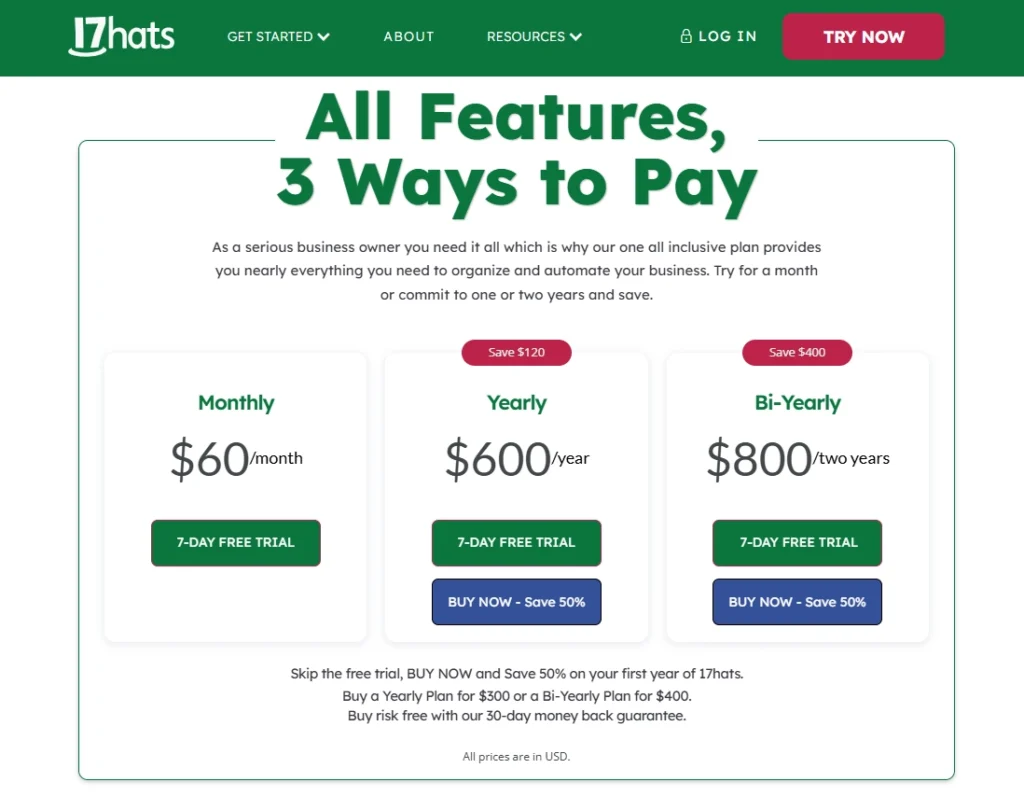
Monthly
- $60/month (monthly billed)
Yearly
- $600/month (yearly billed)
Bi-Yearly
- $800/month (bi-yearly billed)
10. Calendly

It’s important to be crystal clear: Calendly is not an all-in-one Vcita replacement. It’s an alternative for the person who thinks Vcita is too much.
Vcita’s platform includes a CRM, Client Portal, BizAI, and Marketing tools. Calendly does one of those things: Scheduling.
You’d switch to Calendly if your only problem is booking meetings. If you find Vcita’s scheduler clunky, or you feel like you’re paying for a big platform just to use 10% of it, Calendly is your answer.
Or another scenario might be that your team is already using HubSpot or Salesforce. Instead of a clunky in-built scheduler, you want to use Calendly.
Calendly Features
- Online appointment scheduling
- Free-forever plan
- Automated reminders and follow-ups
- Collect payments (Stripe, PayPal)
- Team scheduling (round robin, routing)
- Meeting polls
- 100+ integrations (Zoom, Salesforce, etc.)
- Website embedding
- Browser extensions
- Mobile app
Pros
- Integrates with HubSpot and Salesforce
- Sends email and SMS reminders
- Browser extensions are a huge time-saver
- Handles group scheduling for team and multiple clients
Cons
- It’s only a scheduler; no CRM, no client portal, nothing else
Calendly Pricing

Standard
- $12/month (monthly billed)
- $10/month (monthly billed)
Teams
- $20/month (monthly billed)
- $16/month (monthly billed)
Enterprise
- $15,000/year (yearly billed)
Features to Look for in a Vcita Alternative

People use Vcita mainly for appointment scheduling, client management through CRM, billing and invoicing, payment processing, and marketing automation. Your alternative needs to nail these basics and ideally, do them better or cheaper.
Online Appointment Scheduling with Automation
91% of Vcita users praise its scheduling features for customization and ease of use. Your alternative better have solid scheduling too.
Look for platforms that let clients book appointments 24/7, sync with your calendar (Google, Outlook, whatever you use), and send automated reminders via email or SMS.
Automated reminders are crucial—they significantly reduce no-shows and save you from chasing people down.
Bonus points if the alternative supports group appointments, recurring bookings, and has a visual calendar that actually makes sense.
CRM and Client Management
Look for lead management features, custom fields, tags for segmentation, and the ability to see the entire client journey at a glance.
For agencies, you’ll want something more robust—like a proper lead pipeline with stages so you know exactly where every prospect stands.
Billing, Invoicing, and Payment Processing
You need the ability to create and send branded invoices, accept online payments (Stripe, PayPal, etc.), set up payment reminders, and handle recurring billing for subscriptions.
If your alternative charges ridiculous transaction fees or limits payment options, keep looking.
White-label Client Portal
Client portals give customers 24/7 access to book appointments, make payments, share files, and communicate with your business. This is non-negotiable. Your clients should be able to handle stuff themselves without constantly emailing or calling you.
If you’re running an agency, you need white-label support so the portal looks like it’s yours, not some third-party software. Vcita doesn’t offer this, so don’t settle for an alternative that skips it either.
Marketing and Communication Tools
Your alternative should have email marketing built in, along with SMS campaigns, coupons, and promotional tools.
The goal is to keep clients engaged and coming back without you having to lift a finger every single time.
Workflow Automation
Vcita users appreciate how it automates processes, allowing teams to focus on specific tasks while the software handles administrative work.
Look for alternatives that automate client onboarding, send welcome emails with portal credentials, and trigger tasks based on client actions. Generally just run in the background while you focus on actual work.
If the platform makes you do everything manually, it’s not worth your time or money.
Conclusion
You’ve compared features, pricing, and use cases across 10 Vcita alternative platforms. Some are affordable but basic. Others are powerful but expensive. A few hit the sweet spot of functionality and value.
Your next move depends on whether you need appointment scheduling, project management, marketing automation, or all three combined.
If you’re managing an agency, Agency Handy is purpose-built for you. Start your free 7-day trial today.
Frequently Asked Questions
What are the best Vcita competitors for agencies?
The best Vcita competitors for agencies include Agency Handy, HoneyBook, and Dubsado. Agency Handy offers white-label client portals, project management, and automated onboarding starting at $19/month. HoneyBook and Dubsado excel at proposals and contract management for creative businesses.
Is Vcita pricing worth it for small teams?
Vcita pricing starts at $29/user/month (Kickstart), $54/user/month (Business), and $93/user/month (Premium) when billed annually, or $35, $65, and $110 monthly. A 5-person team pays $175/month minimum, which is costly for a small team.
Does Vcita scheduling integrate with Google Calendar?
Yes, Vcita scheduling integrates with Google Calendar, Outlook, and other calendar apps. It offers automated reminders, online booking widgets, and 24/7 client self-scheduling. However, alternatives like Calendly provide more robust scheduling features with better integration options at lower costs.
Can I white-label the Vcita client portal?
No, Vcita client portal does not offer white-label customization. While clients can book appointments, make payments, and share files through the portal, they’ll see Vcita’s branding. Alternatives like Agency Handy, Suitedash, and Dubsado provide fully white-labeled client portals with custom branding.
What’s cheaper than Vcita but has similar features?
Agency Handy ($19/month), Suitedash ($19/month), and Dubsado ($20/month) are all cheaper than Vcita’s $35/month starting price. These alternatives offer comparable or superior features including CRM, scheduling, invoicing, and client portals.
Can Vcita automate client onboarding?
Vcita does not offer automated client onboarding workflows. Users must manually send welcome emails, portal credentials, and project details to new clients.
Is there a free alternative to Vcita?
Calendly offers a free plan for basic appointment scheduling, though it lacks CRM and billing features.