 Skip to content

Top 7 Alternatives to Moxie
Apart from the Moxie competitors mentioned earlier, there are some other alternatives you might want to check out before you make your decision.
Let’s get into what makes these options stand out and how they can help your company thrive. But before diving into the details, have a look at the quick list of the alternatives.
Quick List of 7 Alternative Client Management Tools
- Agency Handy: Offers fully white-labeled portals, automated order forms, and built-in ticketing for smooth client workflows.
- Dubsado: Built to simplify client onboarding with smart workflows, custom forms, and branded client portals.
- Copilot: You can customize every client touchpoint with billing, messaging, forms, and file-sharing modules.
- Bonsai: Combines contracts, invoicing, CRM, and time tracking into one easy-to-use freelance dashboard.
- Plutio: With powerful project boards and time tracking, Plutio manages everything from proposals to payments.
- Indy: Great for solo professionals, Indy simplifies proposals, contracts, task tracking, and client communication.
- Moxo: Built around secure collaboration, Moxo automates client-facing workflows like onboarding, approvals, and messaging.
Let’s have a look at the specific reasons why businesses might consider switching from Moxie.
Here is the quick comparison table of each software –
Tool | Multi-Package Service Listing | White Labeling on All Plans | Multiple Workspace Support | Average Per User Cost | User Rating |
Moxie | ❌ | ❌ | ✅ | 4.5/5 | |
✅ | ✅ | ✅ | $10.4/Month | 4.9/5 | |
Dubsado | ❌ | ❌ | ✅ | 4.2/5 | |
Copilot | ❌ | ❌ | ❌ | 4.8/5 | |
Queue | ❌ | ✅ | ❌ | 4.3/5 | |
Bonsai | ❌ | ❌ | ❌ | 4.6/5 | |
Plutio | ❌ | ❌ | ❌ | 4.6/5 | |
Indy | ❌ | ✅ | ❌ | 4.7/5 | |
Moxo | ❌ | ❌ | ❌ | 4.5/5 |
Now you know the basic differentiation. Let’s dive into the main with a detailed overview of each software to find out the right one.
1. Agency Handy
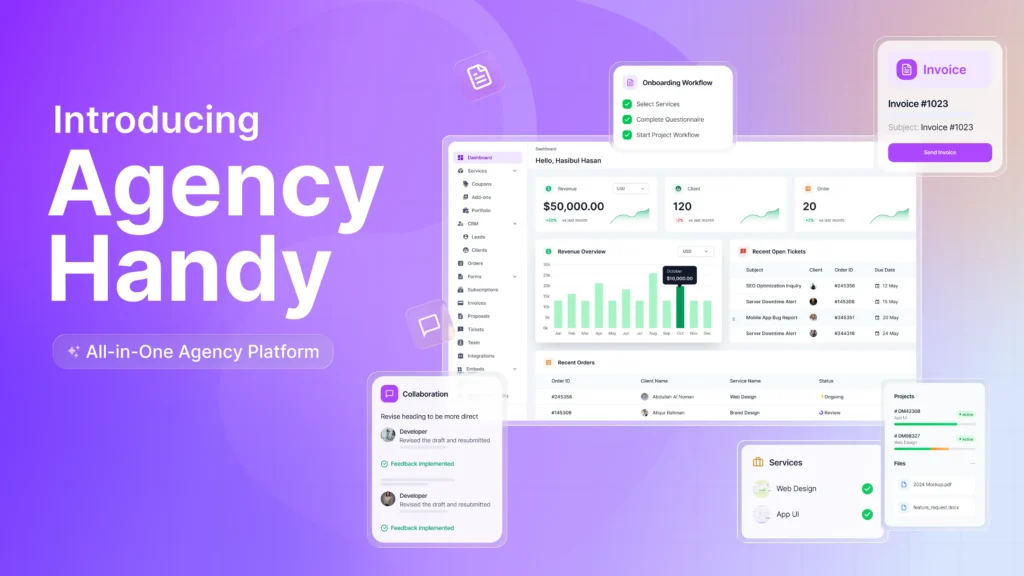
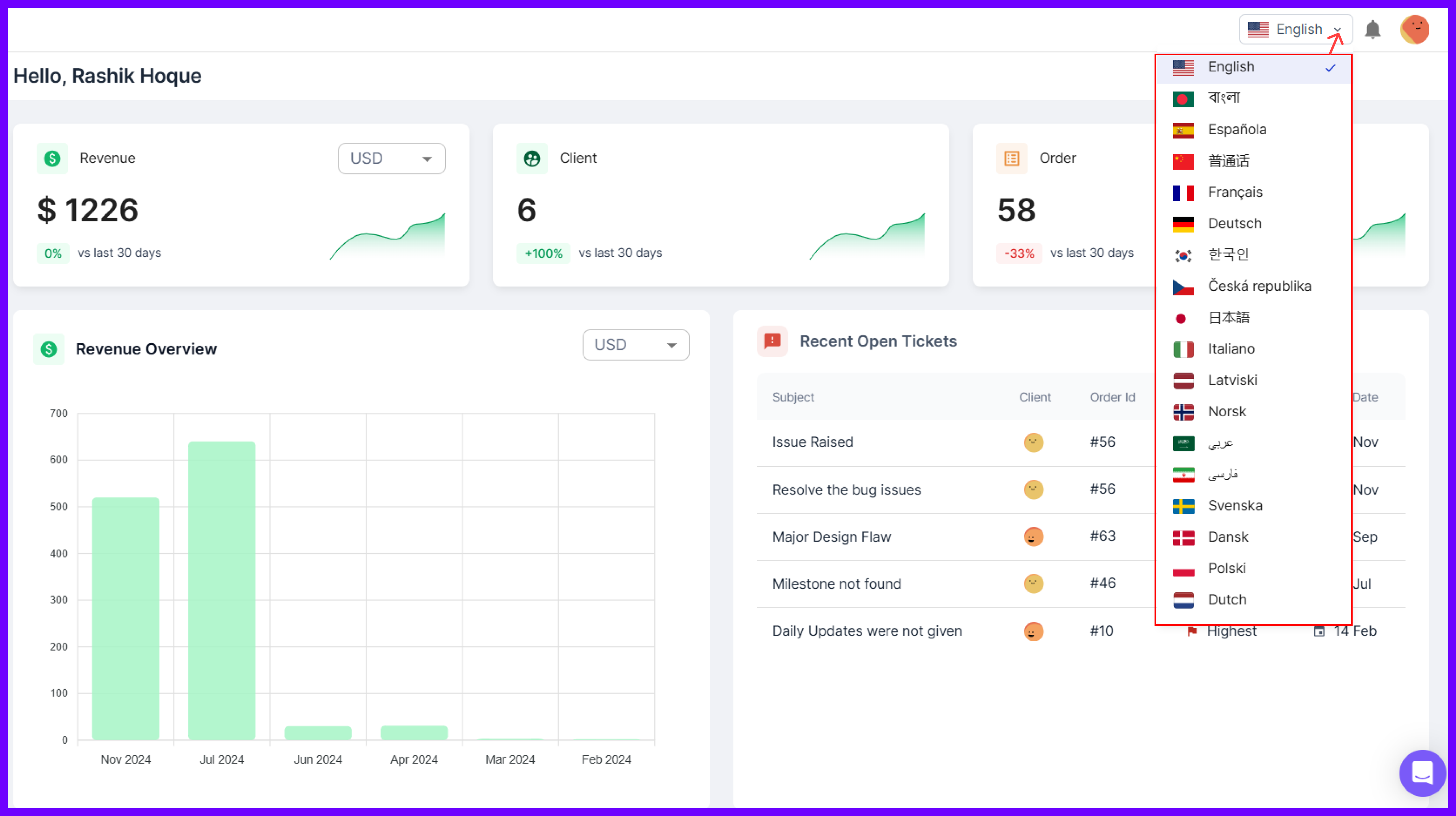
Agency Handy is an all-in-one platform built for growing agencies that need more than just task lists and time logs. As a Moxie user you should know that it leans heavily into solo freelancer workflows. However, Agency Handy supports complex client relationships, service catalogs, team collaboration, and billing.
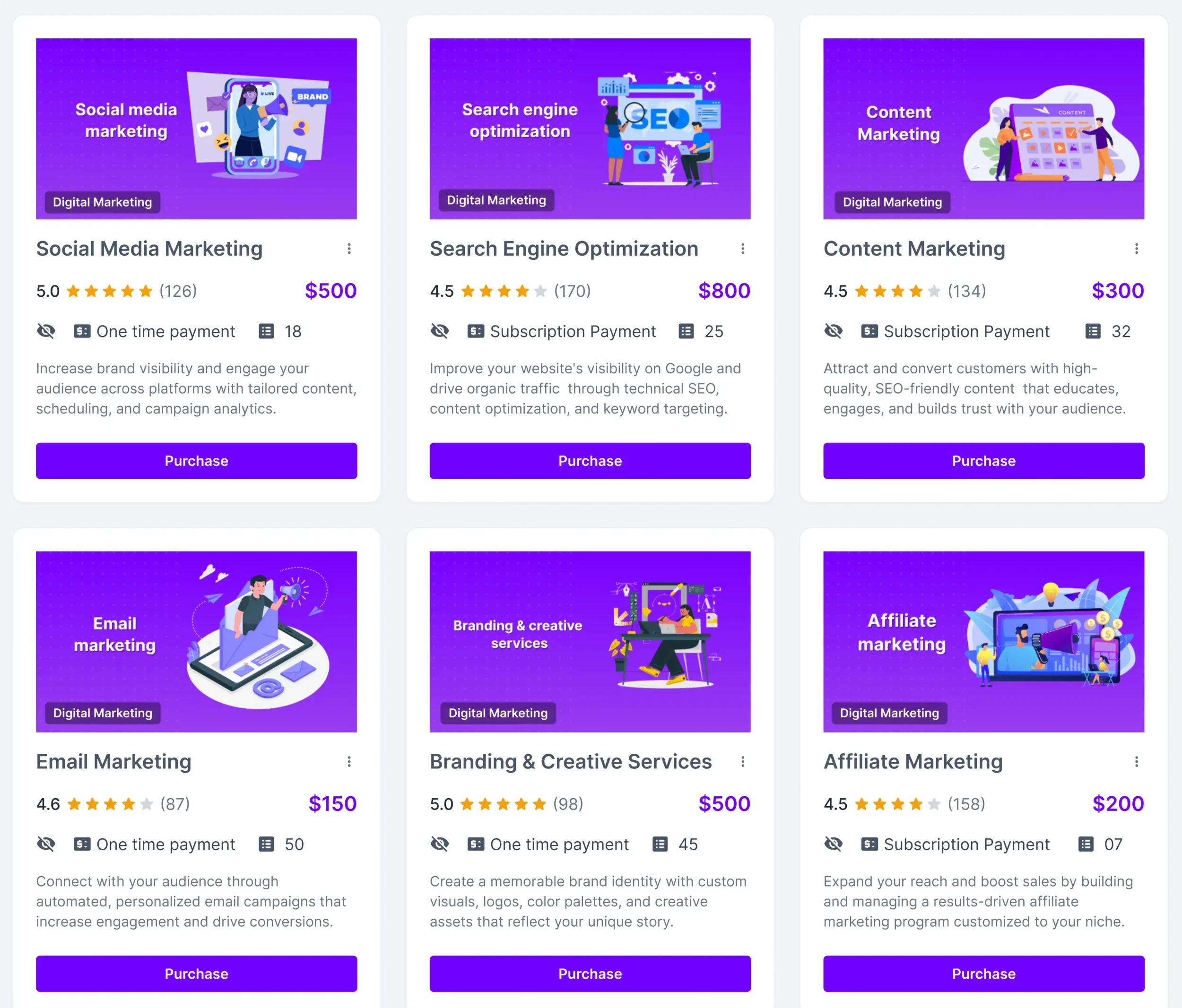
You can create service catalogs with flexible packages, which is a major lack in Maxie. Plus, Agency Handy offers custom order forms and a full onboarding flow that ties proposals, contracts, and invoices together. It’s all connected!
When projects kick off, you can break work into tasks, set priorities, assign them, and track progress in Kanban view. Plus, your team can collaborate in real time. On top of that, clients can review, approve, and give feedback without switching tools.
Billing? Built-in. Time tracking? Native. CRM? Actually usable with a full view of every conversation, order, file, and payment. You get white-label control, role-based permissions, and the ability to embed tools your team already loves.
We know that no platform gets everything right. But Agency Handy comes close by focusing on clarity, control, and room to grow.
Key Features of Agency Handy
Here’s what you can actually do with Agency Handy.
CRM & Lead Management
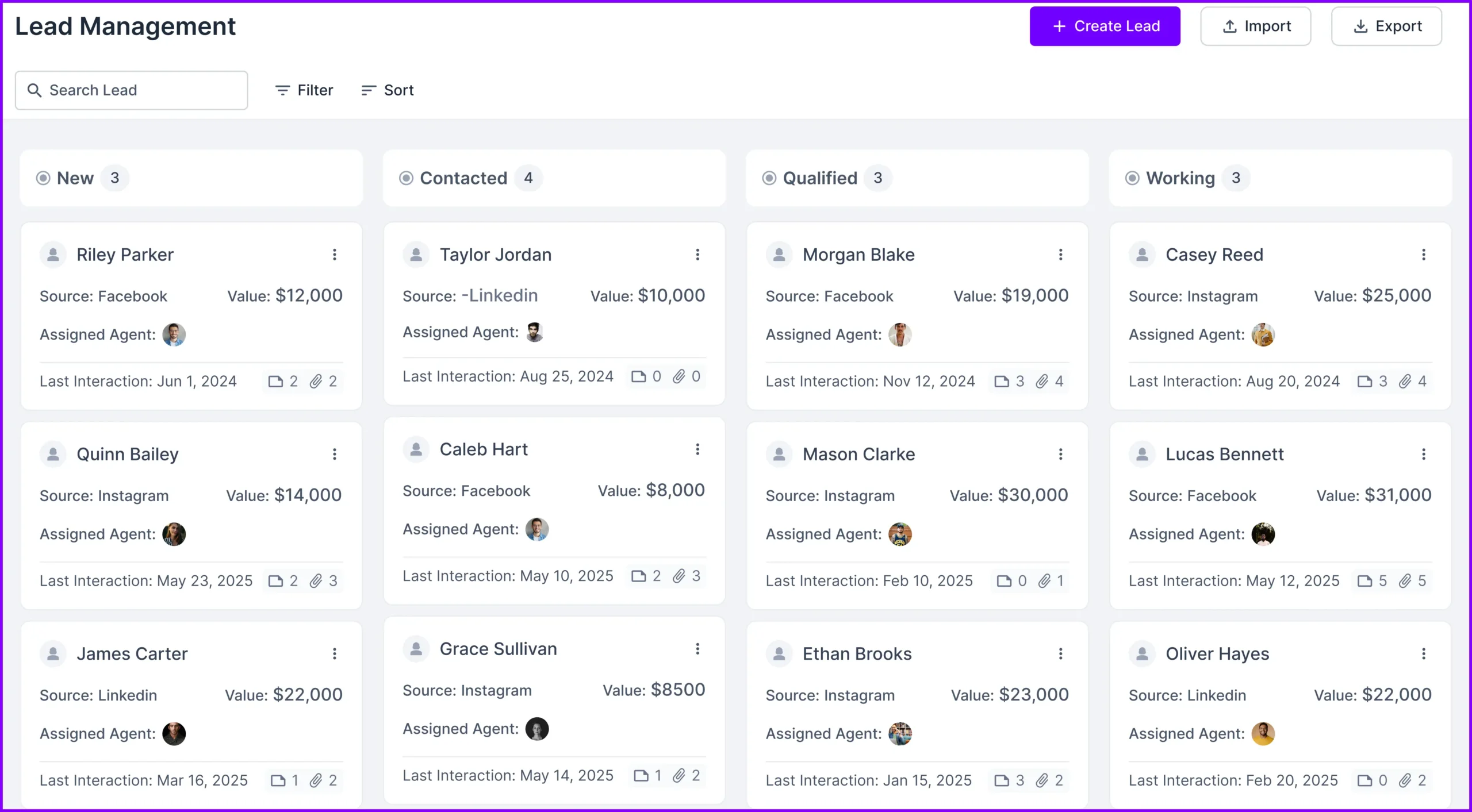
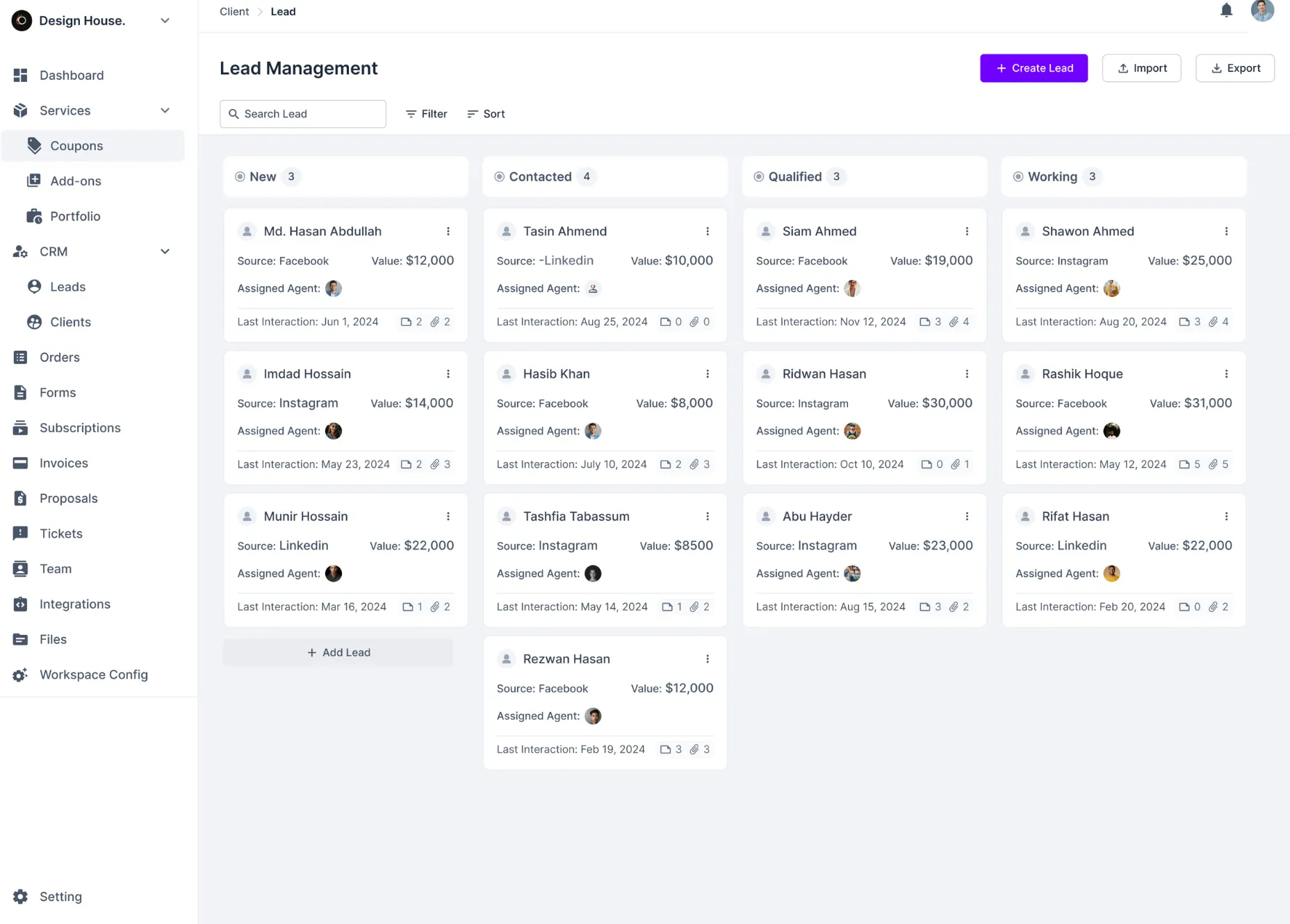
You can create leads using a simple form that captures client details, source, value, and contact history. Leads move through a clear status pipeline: New, Contacted, Qualified, Working, Proposal Sent, Negotiation, Client.
Once a lead converts, Agency Handy links all communication, invoices, tickets, and orders automatically to their client record.
Proposal & Quotation Tool

Whenever you need to send a quote, just use a saved proposal template or create one from scratch. You can include service descriptions, pricing, deliverables, and even e-signatures. Besides, proposals are tied to specific clients and orders, so tracking revisions or approvals is easy.
Custom Intake & Order Forms
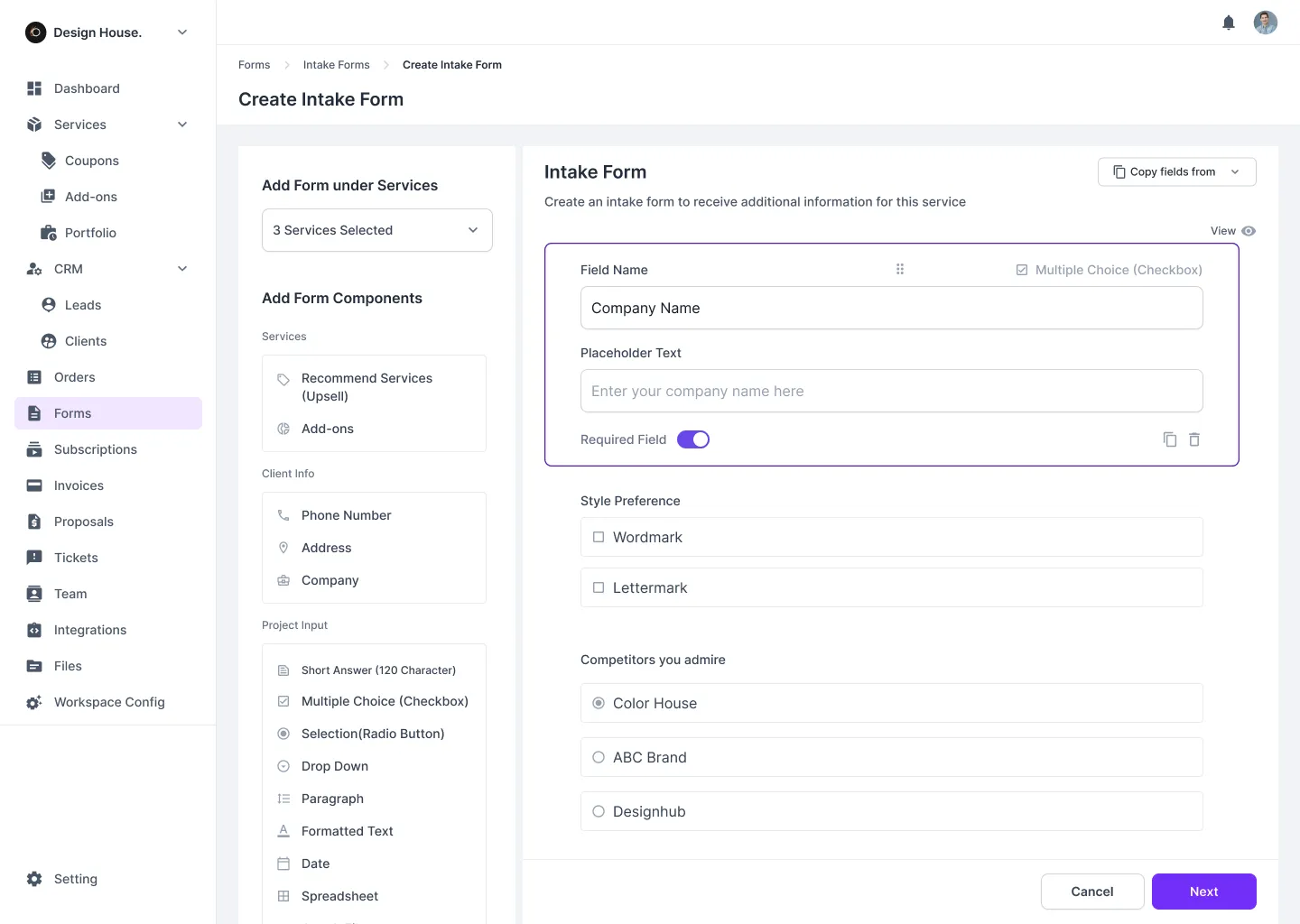
You can build forms that collect everything you need up front, like project type, goals, timeline, budget, and more. These forms automatically create a client profile and order entry. On top of that, Agency Handy organizes files, comments, and tickets under each submission.
Task & Order Management
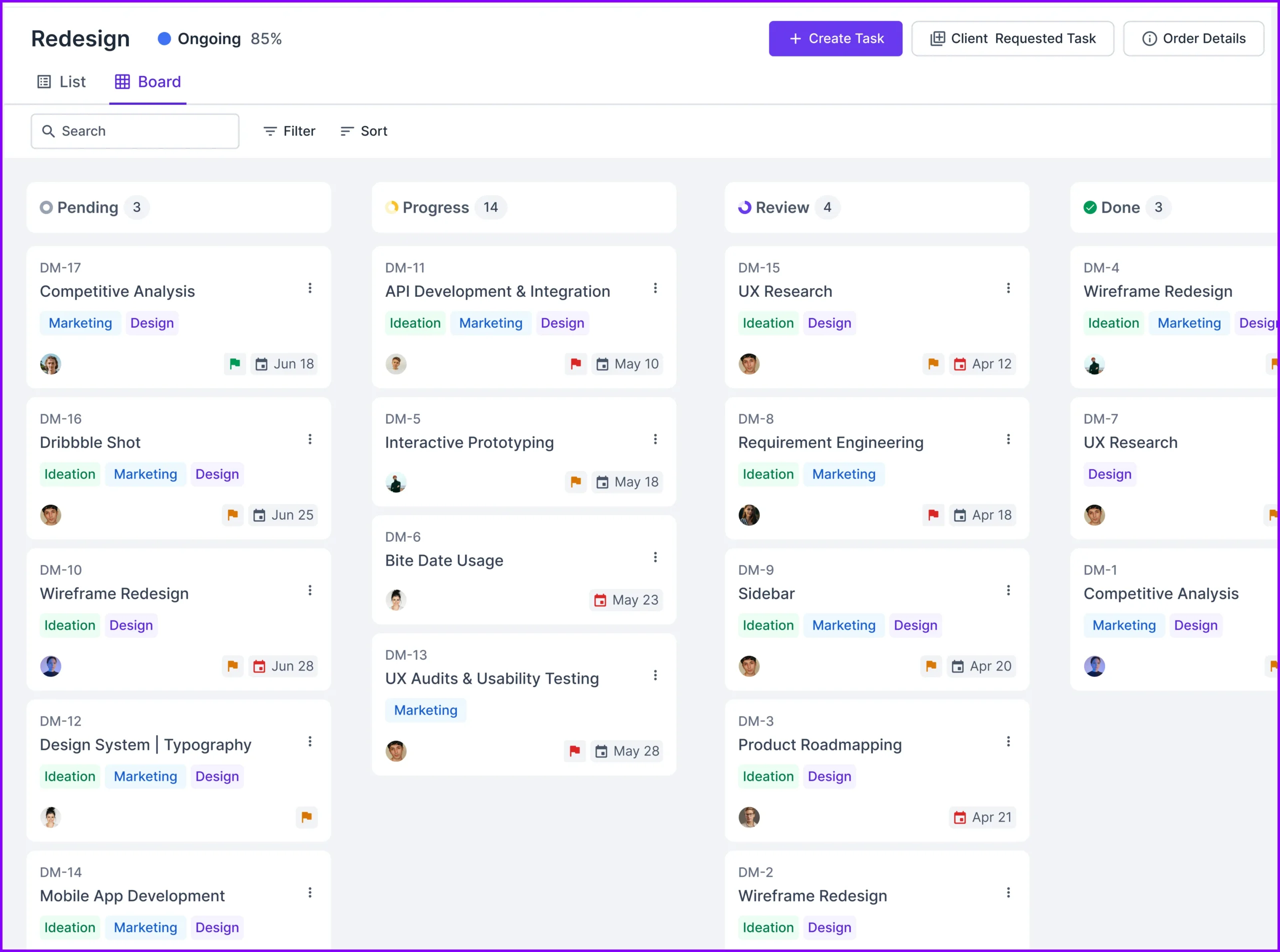
Every order gets its own workspace. You can break it down into detailed tasks, assign each one to your team, add deadlines, set priorities, and track progress via a visual Kanban board.
Moreover, you get real-time updates and drag-and-drop rescheduling, so nothing slips through the cracks.
Client & Team Collaboration

You get a shared workspace where clients and team members can review progress, leave comments, approve tasks, and upload or download files. Agency Handy saves you the hassle of switching between apps to answer a quick question or request a revision.
Built-in Ticketing System
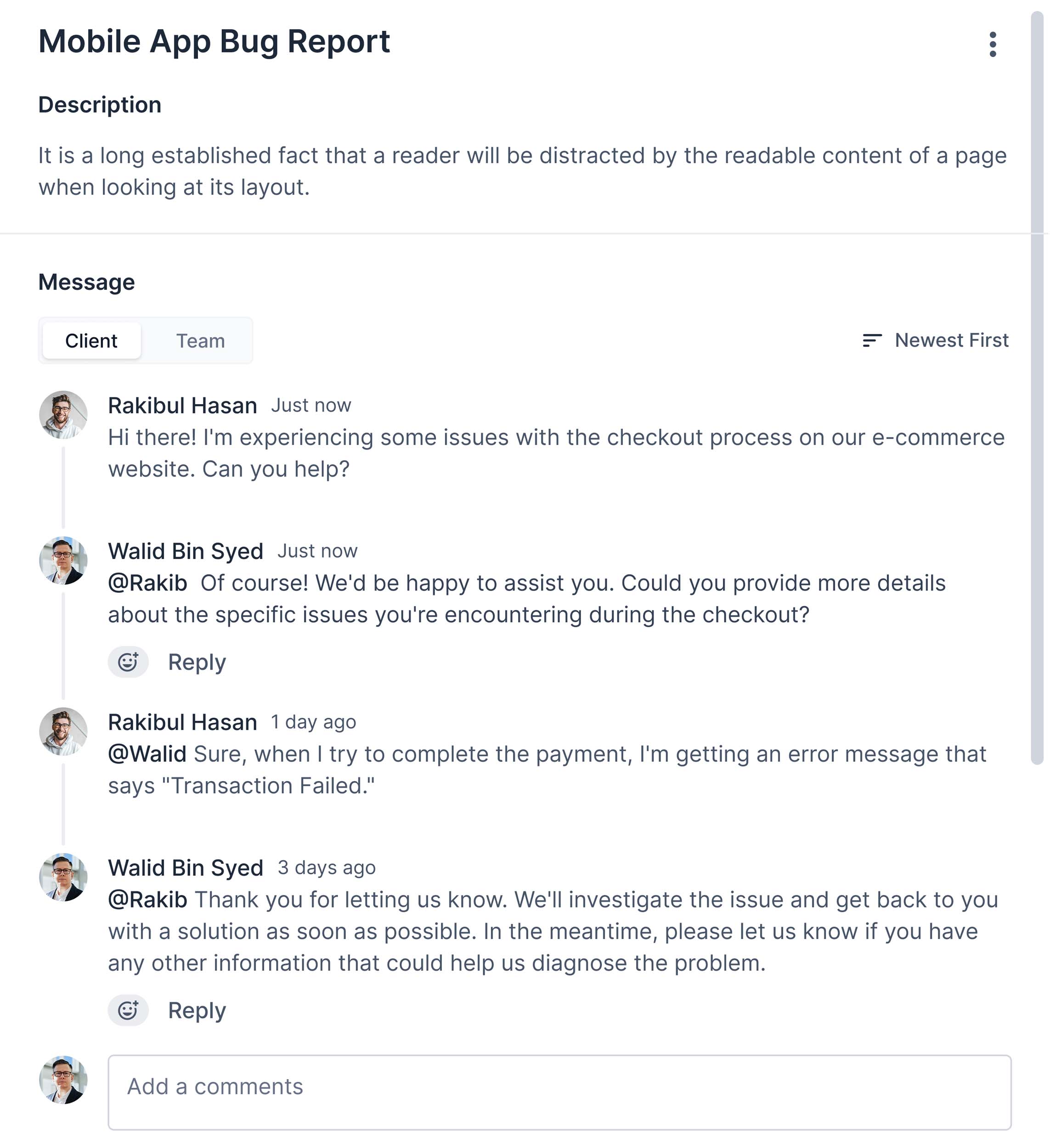
Clients can submit tickets from their dashboard, whether it’s for tech issues, service requests, or general support. You can assign each ticket to the right team member, set deadlines and priorities, and track the entire conversation history.
Billing & Subscription Management
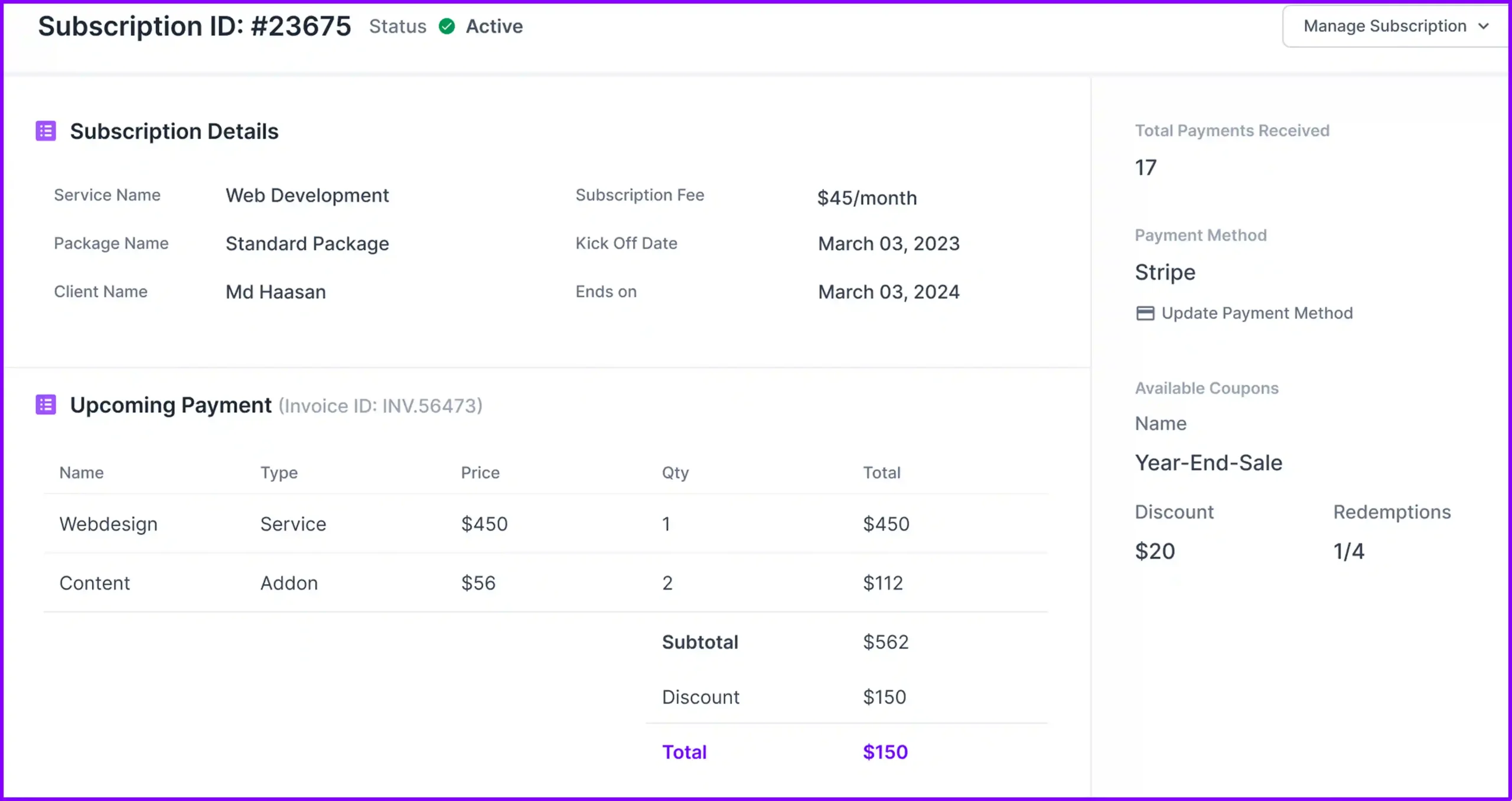
Agency Handy creates Invoices manually or auto-generated as soon as a client places an order. You can set pricing as one-time or recurring, choose currency, apply taxes, and add notes. Accept payments via PayPal, Stripe, Wise, or bank transfer.
To top it all, you can set and send automatic reminders for unpaid invoices and upcoming renewals.
Time Tracking & Timesheets
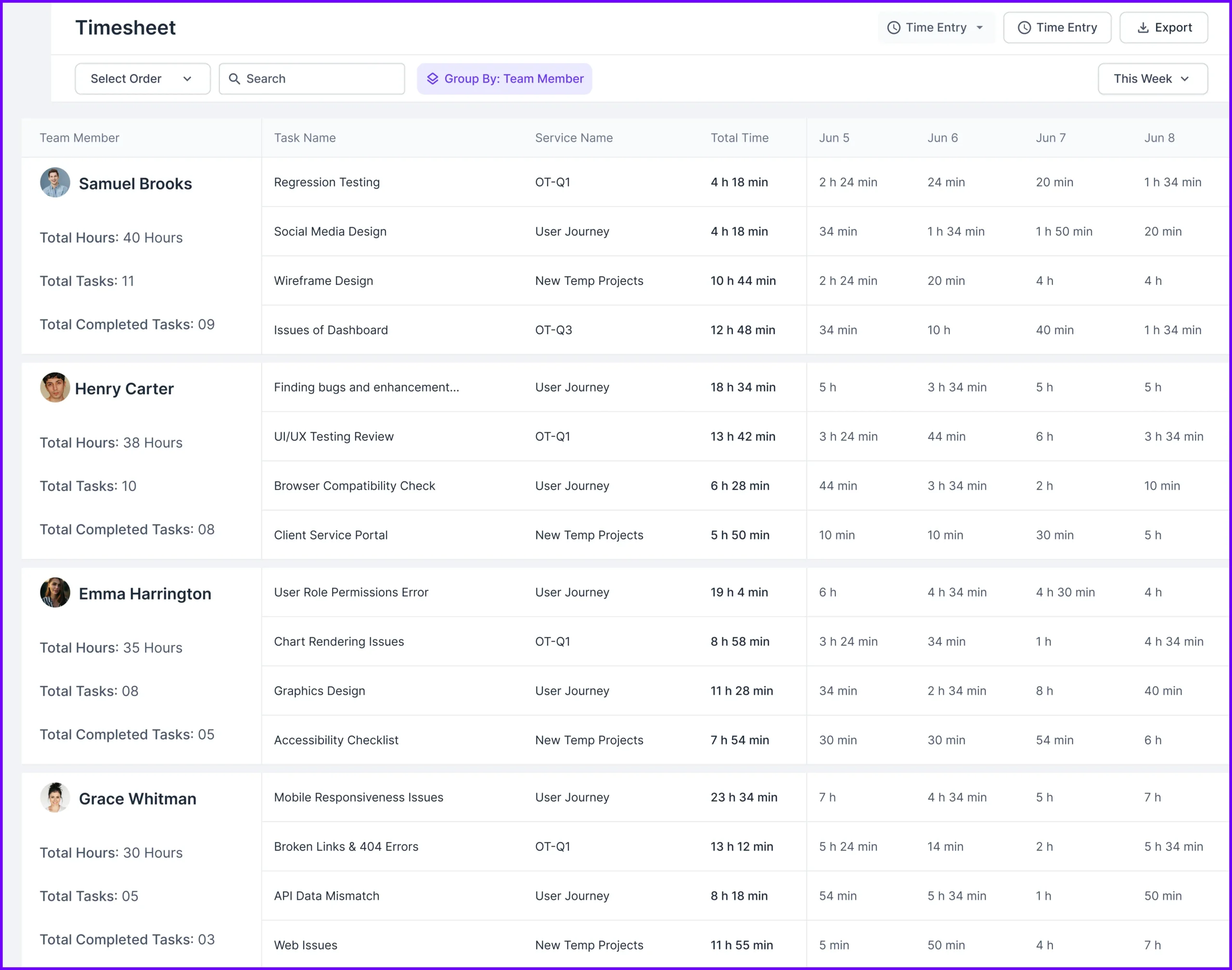
Track time as you work with a built-in timer, or log it manually later. Each entry is tied to a specific task or service, and can include notes for clarity. You can view all logs in your timesheet, filter by team member or project, and even start timers directly from the dashboard.
However, once you mark a task a “done,” its time log becomes read-only
Client Portal & Role Permissions
Clients can log in to a custom-branded portal to view tasks, files, tickets, and invoices. You can control what each client sees and allow real-time collaboration.
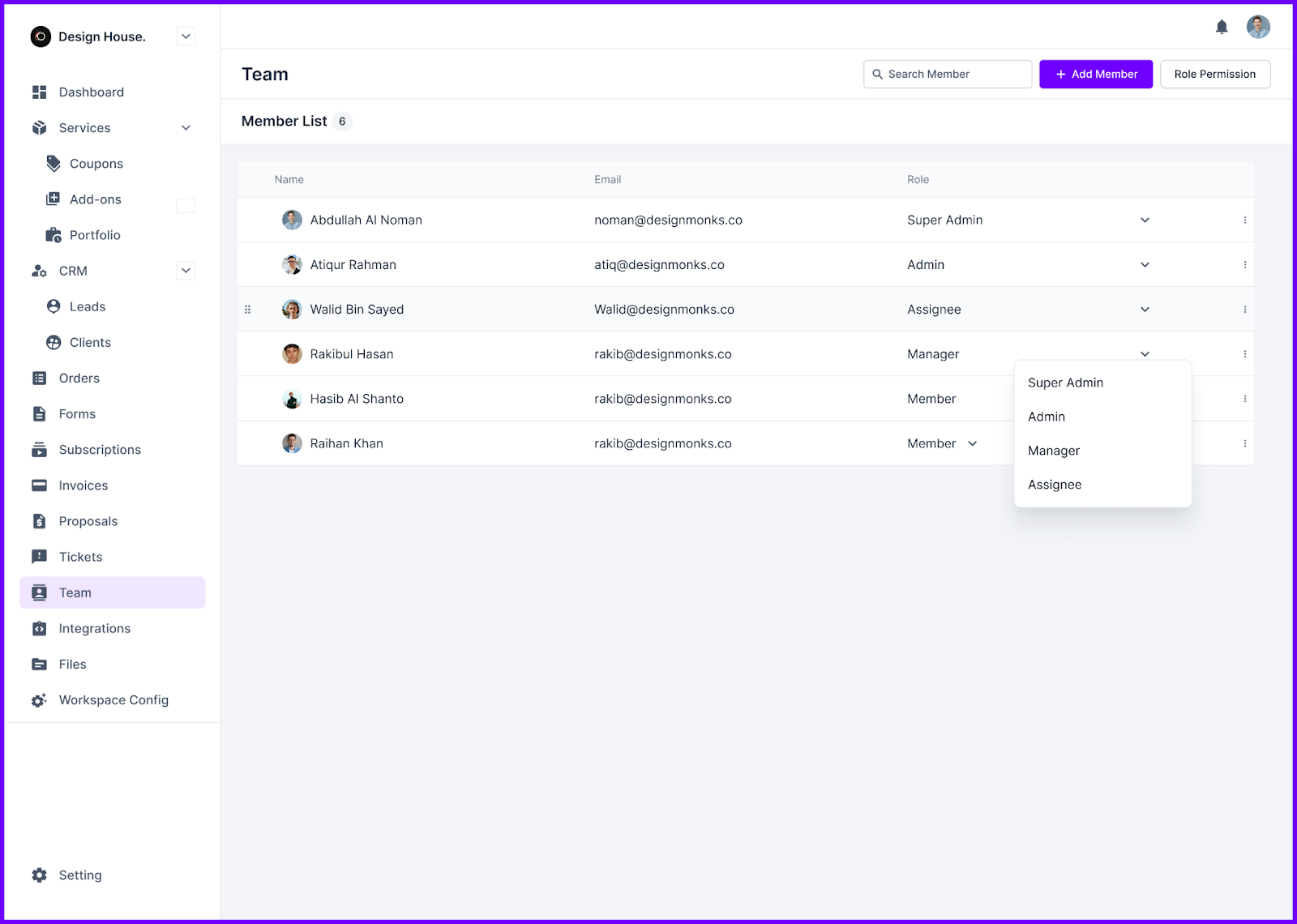
On the team side, roles like Super Admin, Manager, or Assignee help restrict access so only the right people see the right data.
Service Catalog with Multiple Packages

This feature lets you clearly present your multiple offerings with optional pricing tiers. You can group related services to make browsing easier, offer trial versions to attract hesitant buyers, and embed the entire catalog on your website.
Also, you can share catalog links via email or chat, helping prospects pick what works
Coupons & Add-Ons
You can create limited-time discounts or special offers using the Coupons feature. It allows you to set percentage or flat rates, control redemption limits, and decide who can use them. Add-ons let you upsell extra services (like faster delivery or extra revisions) with clear pricing that can be added to any existing order.
Portfolio & File Feedback
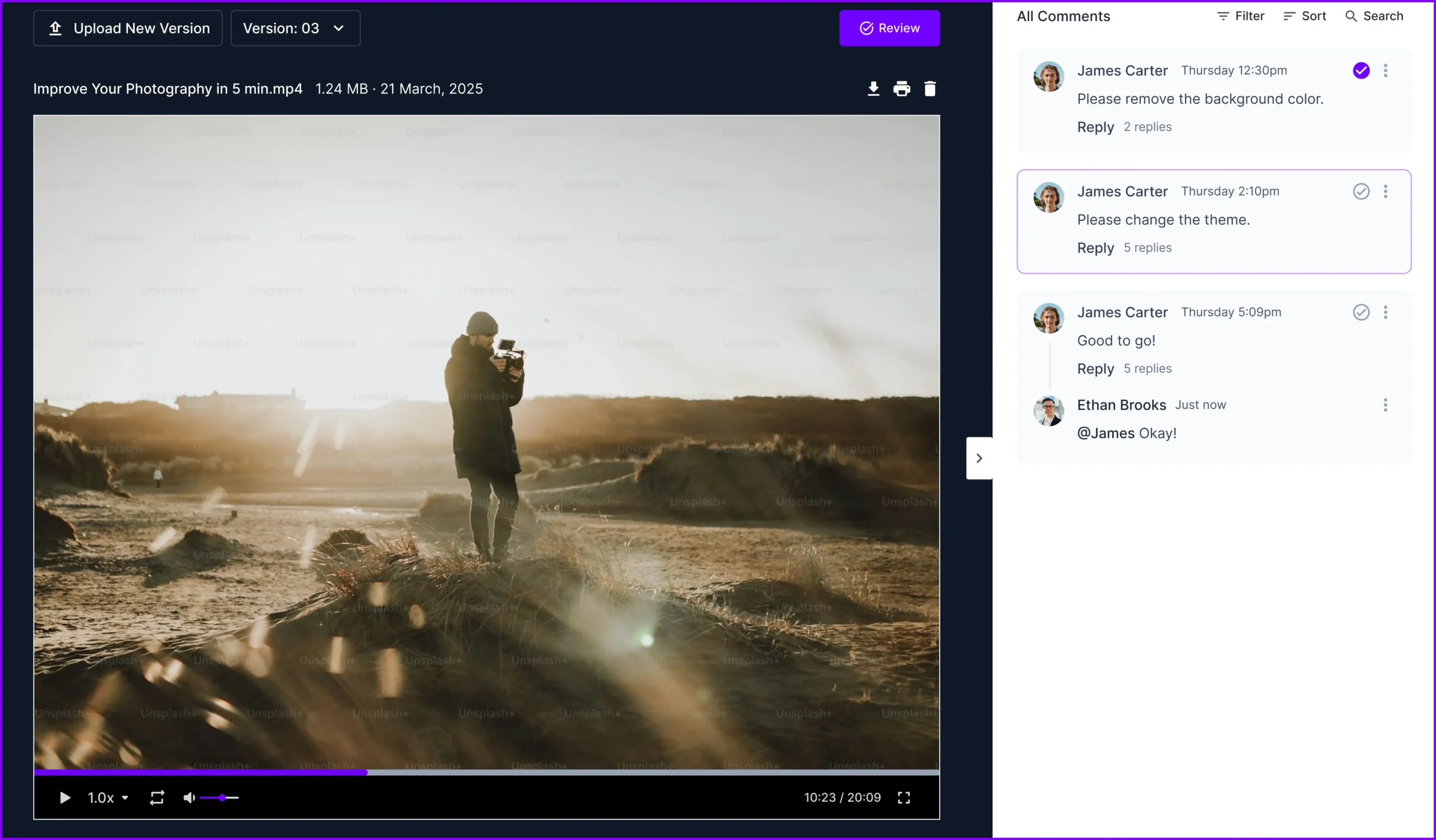
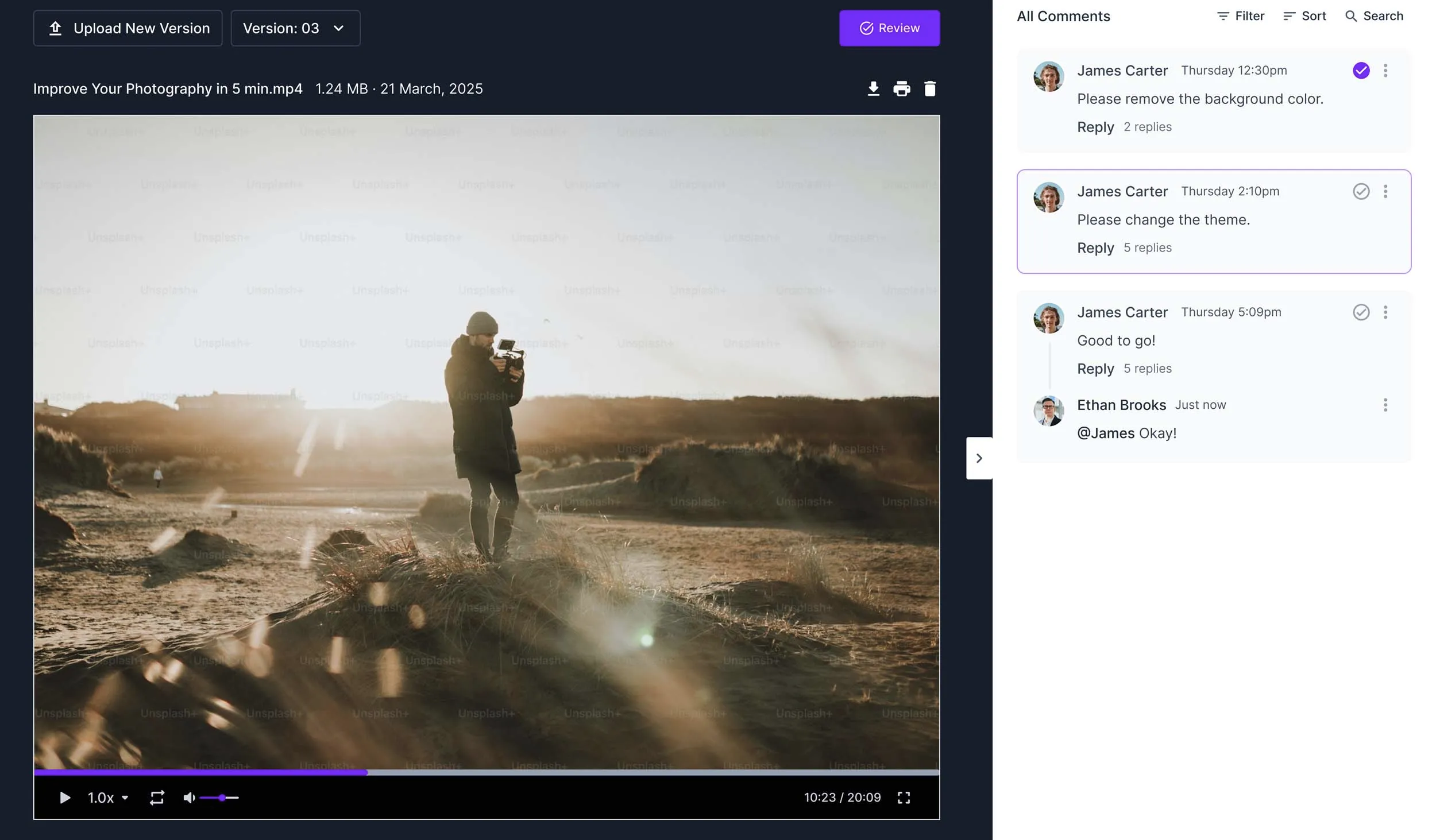
Agency Handy lets you showcase real projects by uploading samples tied to services like web design, branding, or video editing. Clients can leave feedback directly on uploaded files via commenting, highlighting, or drawing over PDFs and images.
You can also upload multiple file versions to keep a visual history of changes.
Email Setup & Templates

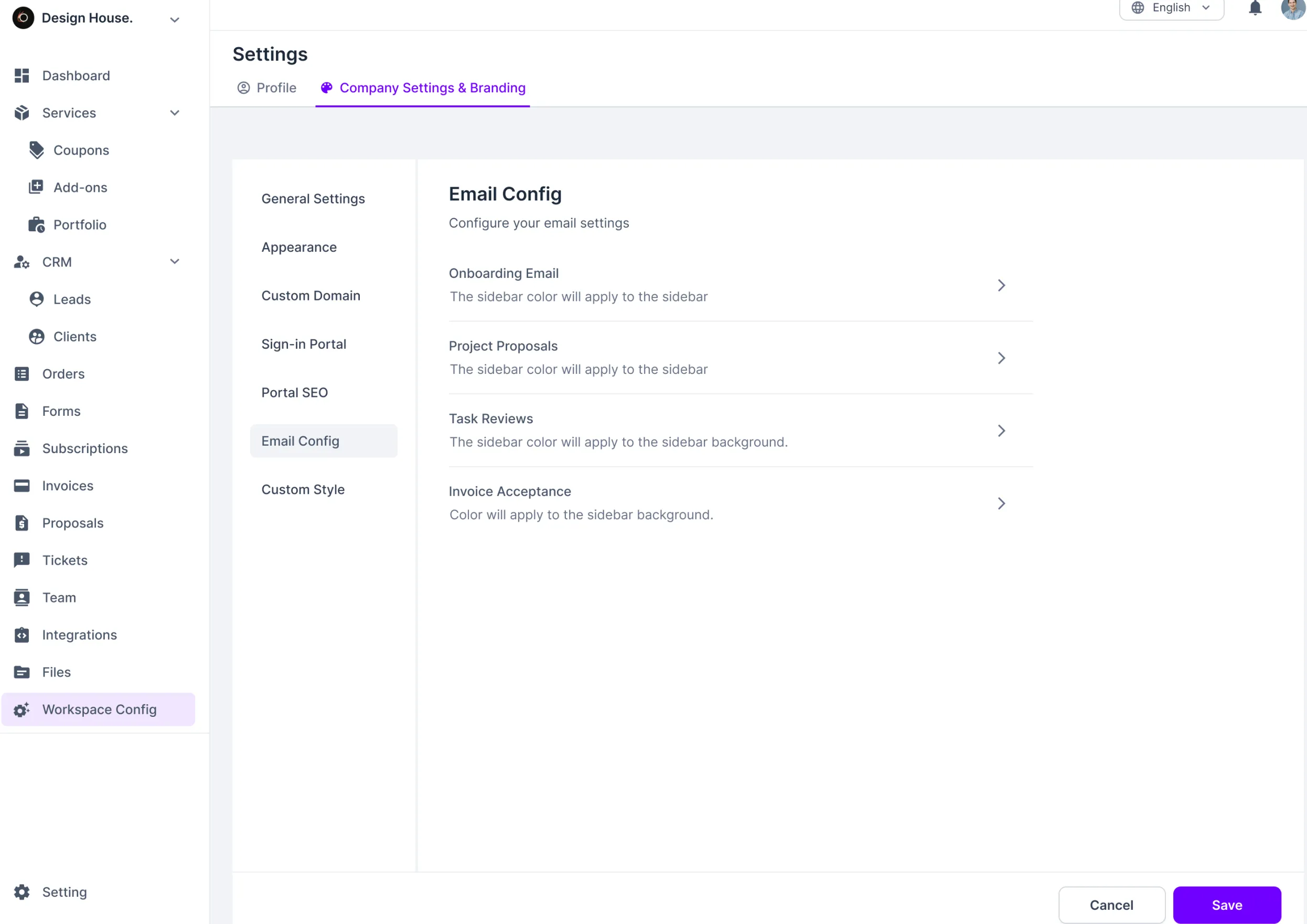
Connect your domain, verify SPF/DKIM, and set default sender names. You can customize email templates for everything from signups and invoices to project comments and reminders. That way, every message your client receives feels like it came directly from your team, not from a system.
Reporting & Analytics
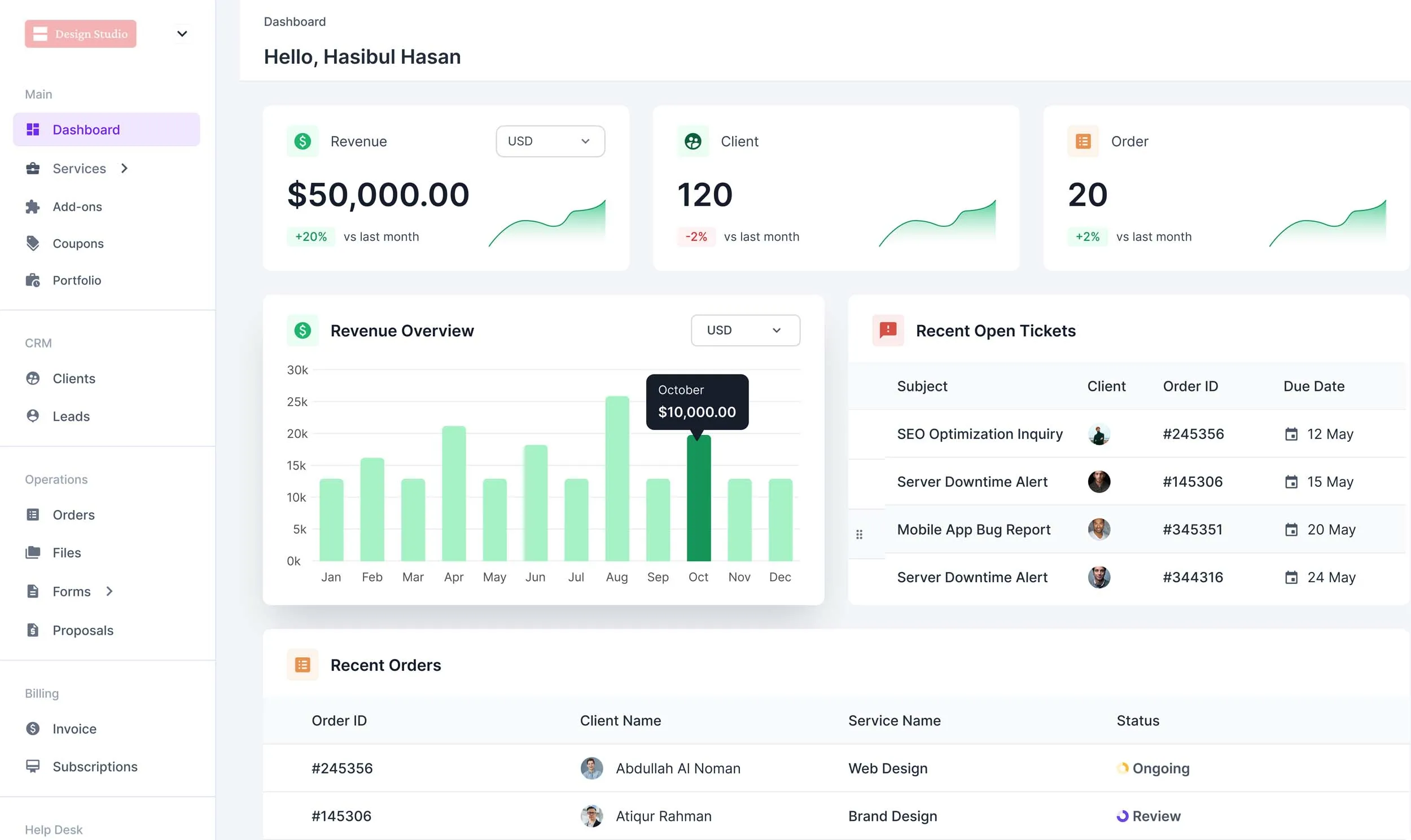
From your dashboard, you can monitor revenue, project count, open tickets, and client activity. This visual help you identify which services are performing well and where bottlenecks exist. No need to export data into another app.
White-Label Customization
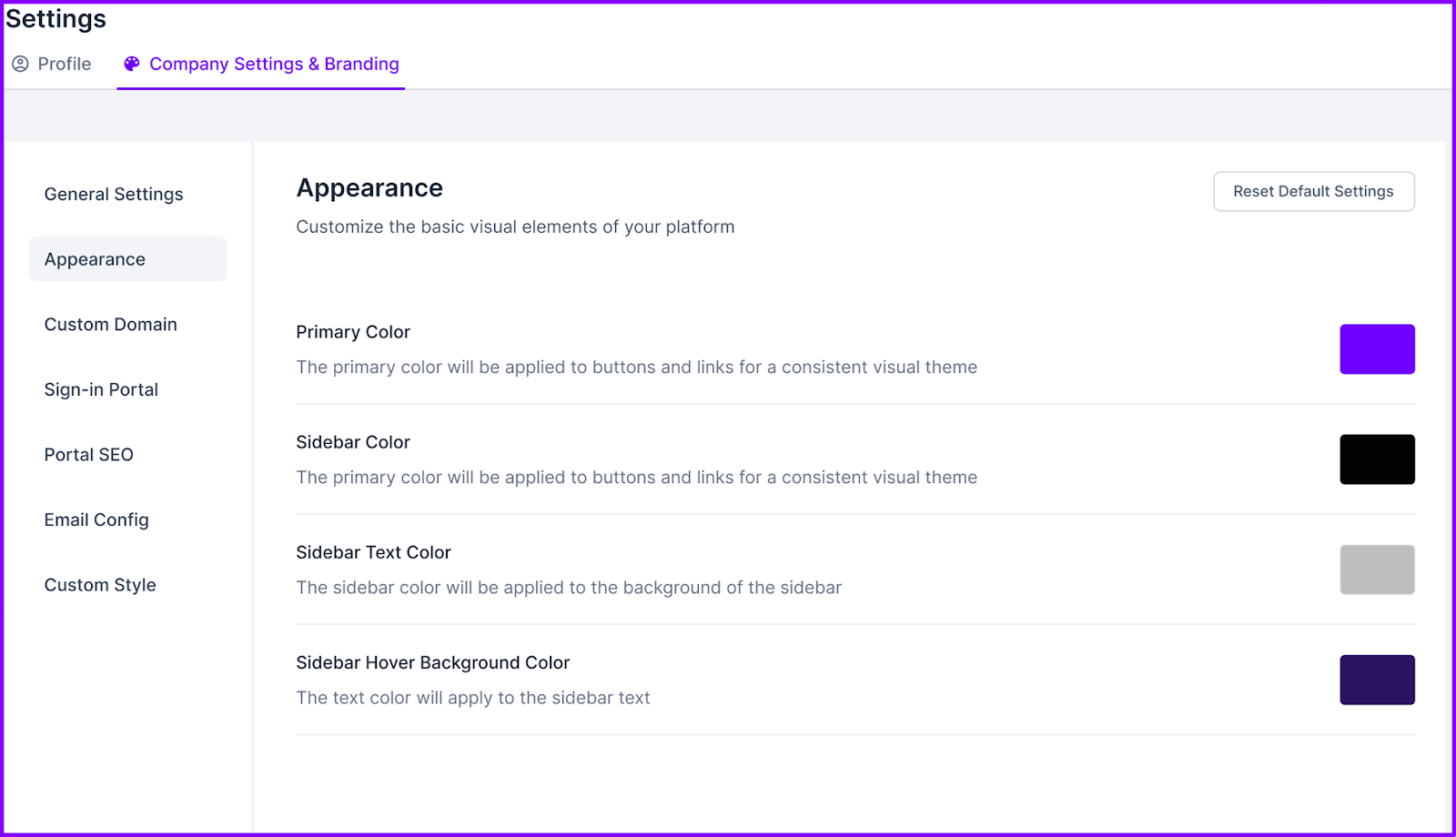
You can fully rebrand the platform to match your agency’s identity. Upload your logo, adjust color themes, and set your own custom domain (like portal.youragency.com). All emails, invoices, and proposals sent through the system carry your branding, not Agency Handy’s.
And yes, it’s available on the basic plan, no upsell required.
Embed & Workspace Tools
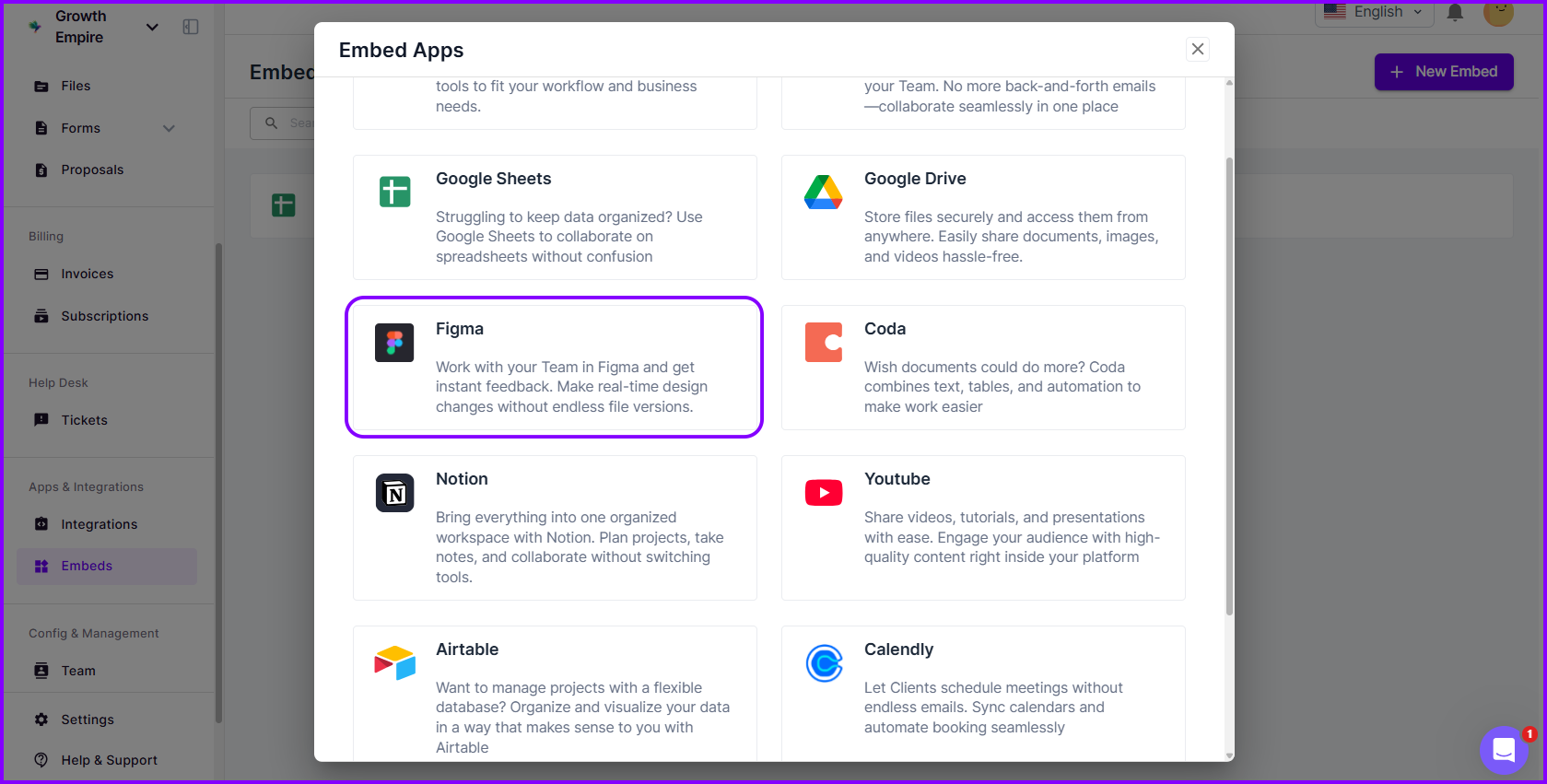
You can embed external tools, like Google Docs, YouTube videos, and Figma files, right into your workspace. Set visibility rules for internal use or client access. Meanwhile, workspace settings let you manage your branding, contact info, and timezone settings so everything stays aligned.
Tax Configuration
You can add tax rates by country, state, or region. Set whether they’re inclusive or exclusive, and the system will calculate everything for you, including discounts and add-ons. It’s designed to keep you compliant and your invoices clear.
Best Use Cases of Agency Handy
Whether you’re running a digital agency or offering freelance services, here’s where Agency Handy delivers the most value.
- Digital Marketing & Creative Agencies: Easily manage service catalogs, automate client intake, and assign work through Kanban boards. Use white-labeled portals and proposals to impress clients and keep communication streamlined.
- Freelancers (Design, Development, Copywriting): Stay organized with task-based time tracking, integrated invoicing, and file feedback tools. From proposals to payment reminders, freelancers can manage everything in one place without juggling apps.
- Consultants & Coaches: Build personalized onboarding workflows, schedule sessions, and track leads from first contact to signed agreement. Use the CRM and subscription billing tools to manage recurring clients effortlessly.
- Small IT & Web Service Teams: Handle support requests with the built-in ticketing system, manage tasks across team roles, and embed tools like Figma or Google Drive into your workspace for seamless collaboration.
- Startups & Productized Service Providers: Showcase multi-tiered offerings, automate order handling, and centralize client data to scale services without added complexity.
Pros of Agency Handy
- White-label branding included from the start
- Automates tasks, billing, and client onboarding
- Easy setup with no coding required
- Flexible service catalog and client portal
- Supports team collaboration and role-based access
- Affordable pricing for solo and small teams
Cons of Agency Handy
- No mobile app available
Agency Handy Pricing
You get 3 affordable packages from Agency Handy —
- Freelancer: $29 per month
- Team Starter: $99 per month
- Business Pro: $199 per month
What Users Say About Agency Handy?
Rating on Product Hunt: 5 out of 5
“Super clean product! Not cluttered with any unnecessary features. The user experience is amazing!” – Raihan Mahmood
Rating on G2: 4.9 out of 5
“I am extremely satisfied with Agency Handy. It has streamlined our client management process and has become an essential tool for our business operations.” – Vikas P.
Why Should You Choose Agency Handy?
Here’s a quick side-by-side comparison to show you how Agency Handy checks more boxes than Moxie.
Limitations of Moxie | How Agency Handy Meets |
Outdated Client Portal Design | Modern, branded portal with logo, colors, and custom domain |
No Public Proposal Sharing | Share proposals via public links |
Confusing UX & Scattered Settings | Clean, intuitive layout with well-labeled sections |
No Email Preview or Testing | Preview and edit emails before sending |
Limited Onboarding Guidance | Guided setup with step-by-step walkthroughs |
Unpolished Visual Design | Consistent UI across forms, invoices, and dashboards |
Basic CRM Functionality | Full-featured CRM with pipeline, tags, and activity logs |
Basic Time Tracking | Real-time and manual tracking with full timesheets |
2. Dubsado
Dubsado is a CRM software with advanced workflow automation and financial management capabilities. From the moment you log in, the dashboard gives you a quick read on your income, expenses, tasks, calendar, and what needs your attention next.
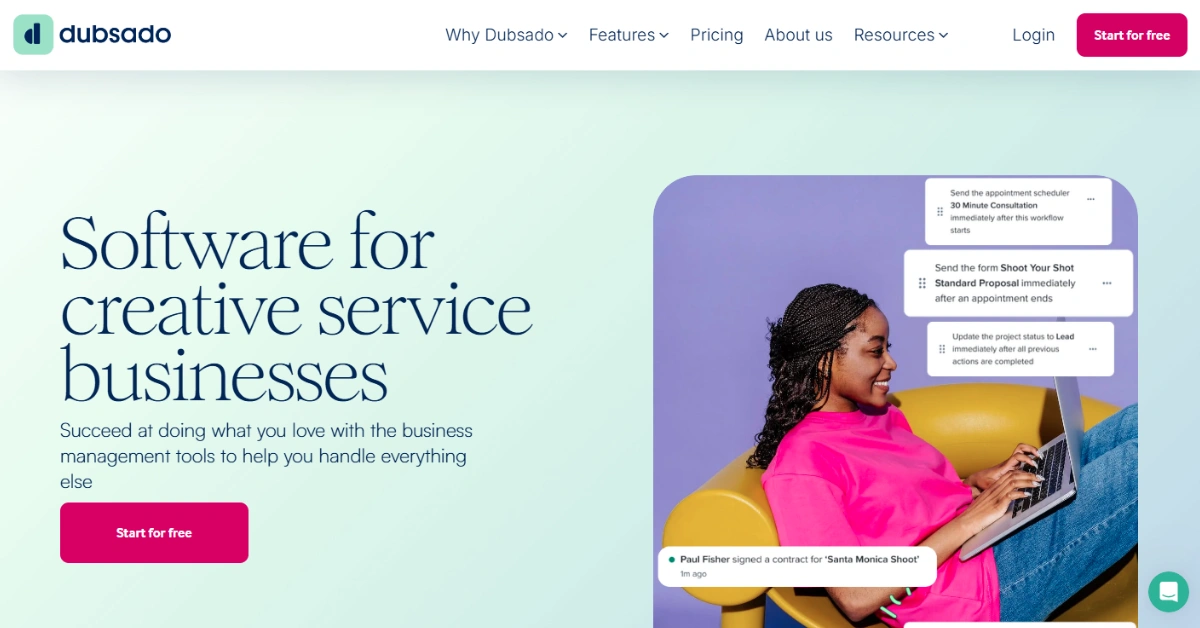
With Dubsado, you can create workflow sequences with specific timing to set them off. It automates a lot of processes for you, like onboarding. Your clients get emails you set up beforehand, forms, and reminders for specific tasks, or an invite to the scheduler.
There’s also a clean client portal where conversations, payments, and shared files all live in one place. When it comes to UX, Moxie surely feels a bit rough around the edges, but Dubsado offers a smoother, more complete experience.
Now, if you’ve tried something like Plutio, you’ll notice it’s flexible with how you manage tasks and chat with clients. Meanwhile, Dubsado goes deeper when it comes to handling your full client journey. From the first lead form to the final invoice, everything flows in one system.
Further Read: Top 6 Dubsado Alternatives for Agency Management!
Key Features of Dubsado
Dubsado offers a range of incredible features that make managing your workflows and business activities much easier:
- Customizable Forms & Templates: You can build branded lead capture forms, contracts, and questionnaires that match your business identity. It’s flexible but may take a bit of time to get used to.
- Client Portals: Each client gets a private, password-protected hub with everything organized, including forms, invoices, messages, and project updates.
- Brand Customization: Add your domain, logo, and colors to every client-facing element. Whether it’s a form or portal, your brand stays front and center.
- Custom Proposals: It lets you combine proposals, contracts, and invoices into one link. Clients can review, select services, sign, and pay.
- Easy Invoicing & Reporting: Send online invoices and automate reminders to ensure prompt payments from clients, streamlining your financial processes.
- Personable Automation: It allows you to create workflows that send emails, forms, or invoices automatically. This saves time and keeps the client journey moving without manual check-ins.
- Built-in Scheduler: You can sync calendars, avoid double bookings, and let clients to book calls, sessions, and appointments in their timezone. It works with Zoom, Google Meet, and Teams for instant links.
- Integrated Payment Solution: You can accept payments via credit cards and ACH using Stripe. Third-party use may add fees, but you gain global reach and payment flexibility.
Alt: Dubsado Integrated Payment Solution
- Workflow Automation: Automate repetitive tasks like sending emails, assigning tasks, and updating project statuses.
- Lead Capture & Onboarding Forms: Embed forms on your site to gather lead info, automate onboarding, and kickstart projects. Once submitted, they trigger workflows, create new projects, and begin the sales process.
- Automated Workflows: Automate lead conversion and customer onboarding processes to move prospects through your sales funnel efficiently.
Pros of Dubsado
- Automates client workflows to save time
- Track project progress using visual task boards
- Log time or bill clients with ease
- Sort, filter, and search through projects
- Set automated reminders within project workflows
- Keep client chats organized with threading
Cons of Dubsado
- The user interface feels outdated and clunky
- Lacks advanced tools for larger teams
Dubsado Pricing
Dubsado offers two pricing plans with annual and monthly billing options:
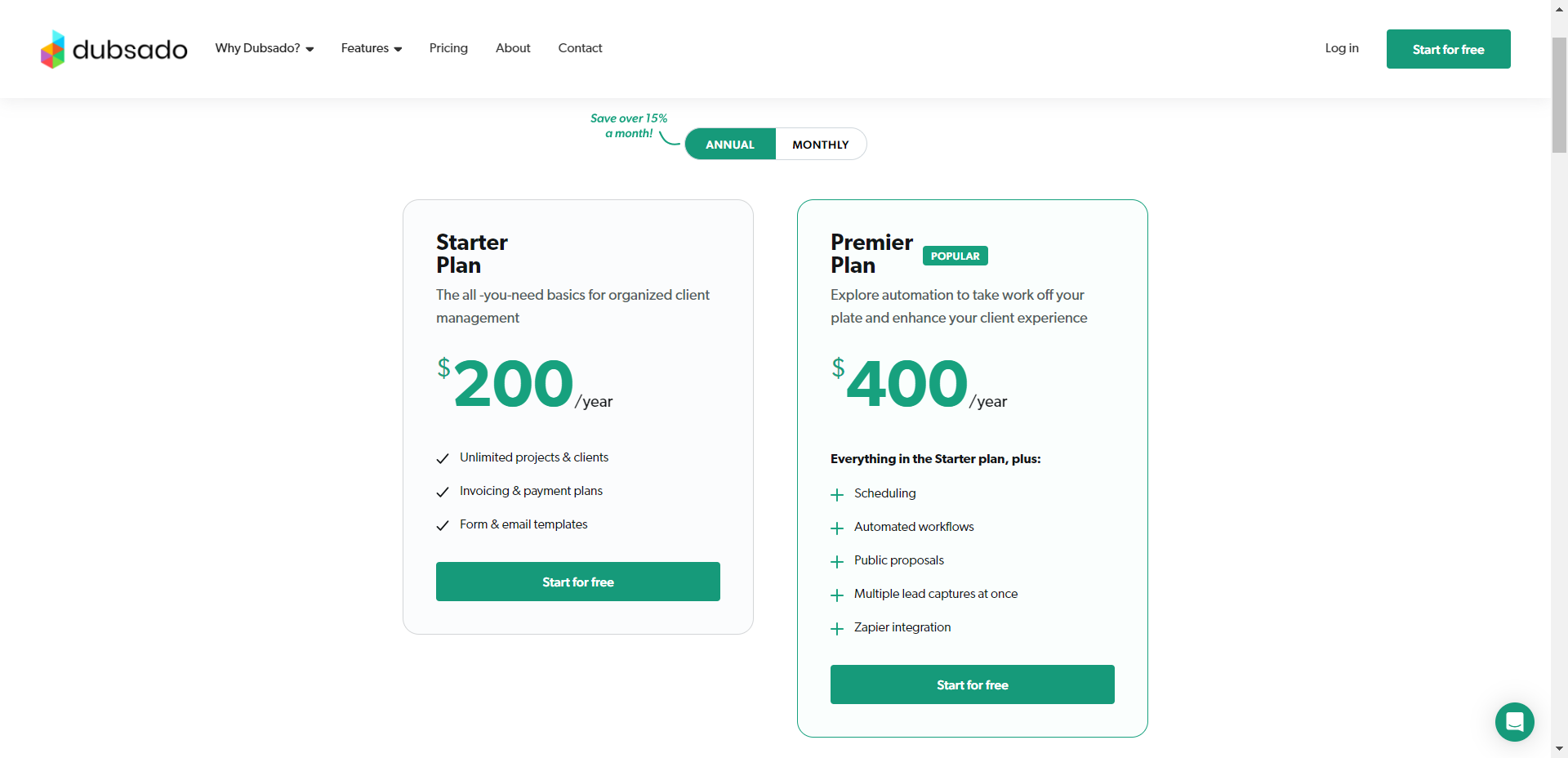
- Starter Plan: $200/year (billed annually) or $20/month (billed monthly).
- Premier Plan: $400/year (billed annually) or $40/month (billed monthly).
Read More: Dubsado Pricing Plans: Which Plan is Right for Your Creative Business?
What Users Say About Dubsado
Rating on G2: 4.2 out of 5
Rating on Capterra: 4.2 out of 5
Is Dubsado Better than Moxie?
Yes, Dubsado is the better option if you need a professional system with advanced automations, sleek client portals, and smooth scheduling tied to payments and proposals. It excels Moxie in areas like integrated billing, branded experiences, and client-facing polish.
However, Moxie can still be a good fit if you’re a freelancer or a small team looking for something simpler. It can handle basics like invoicing and task management without overwhelming you.
3. Copilot
Copilot is a client portal software offering strong customization options without making the initial setup complicated.
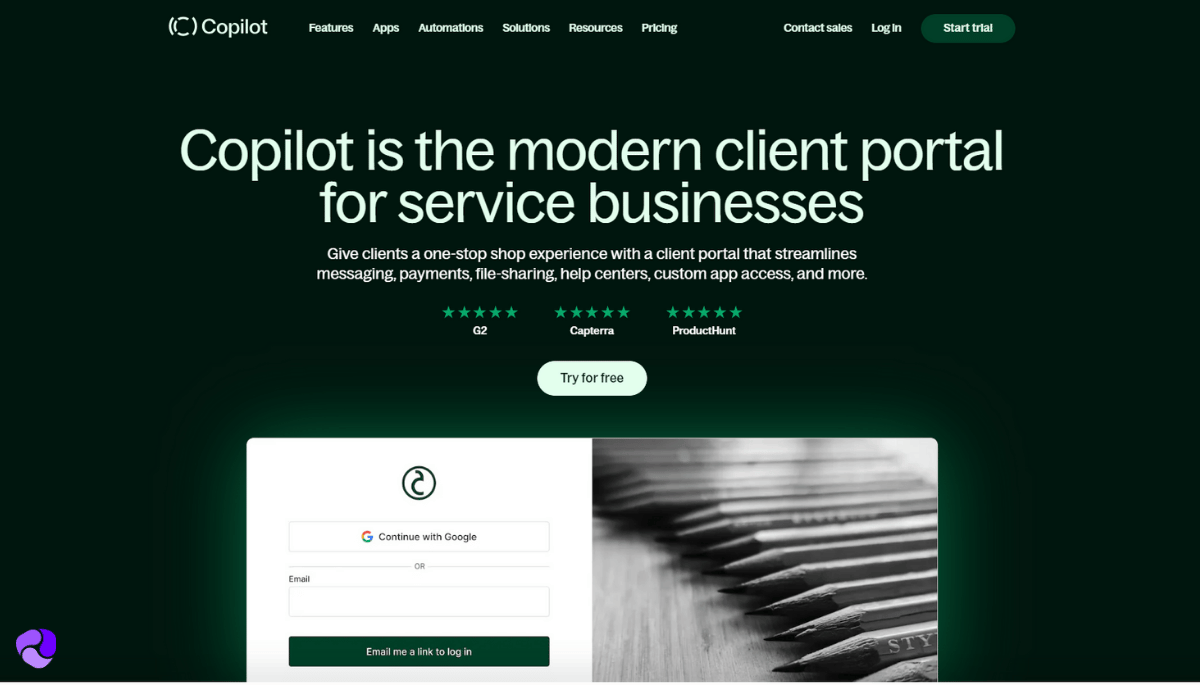
What we love about Copilot is that there are a lot of resources. It includes videos, checklists, sample data, and user guides to make onboarding smoother for you. You can even custom-brand the login and sign-up pages, so your clients enter through something that feels like your business.
Moreover, you can embed Calendly, Airtable, Google Data Studio, etc., on the sidebar. The internal CRM keeps everything tidy, while granular permissions and custom properties help you decide who sees what.
Now, if you’re comparing it to Moxo—yes, Moxo excels when security is the top concern. Its step-by-step “Flows” are perfect for industries with strict compliance needs, like healthcare or finance. But for creative agencies or consultants valuing branding, ease of use, and client-facing flexibility, Copilot gives you a smoother front-end experience.
Further Read: 8 Best Copilot Alternatives & Competitors
Key Features of Copilot
Copilot is focused on giving businesses total control over the client experience. Here’s a look at the top features:
- Customizable Client Portals: Build fully branded, personalized client portal with granular permissions, making each client’s experience tailored and secure.
- Internal CRM: Manage companies and individual clients with detailed records, tags, properties, and lifetime value tracking from one clean dashboard.
- Secure Messaging: Centralize all client communications into one chat interface while also allowing email replies that sync back automatically.
- Automated Invoicing: Generate invoices, set up one-time or recurring payments, and manage subscriptions through Stripe integration.
- File Sharing & Approval System: Share folders, documents, or links with individuals or companies and let clients upload their own files securely.
- Custom Intake & Order Forms: Collect structured client data with customizable forms for onboarding, service requests, and project details.
- Direct Sign-Up Links: Let leads create their own portal accounts, access lead magnets, and start onboarding without manual input.
- Client Home App: Create a customized homepage for each client with action items, portal navigation help, and welcome messages.
- Third-Party Embedding: Embed tools like Google Docs, Notion, or Looker Studio to create an interactive client experience.
- Custom Role-Based Permissions: Assign permissions, manage internal users, and simplify workflows with automated triggers.
- Helpdesk: Improve customer service with a dedicated helpdesk, addressing client inquiries promptly and effectively.
Pros of Copilot
- A central hub for client tasks and communication
- Digital contracts with built-in e-signatures
- Custom intake forms to gather client info
- Branded client portal with white-label options
- Embed Google Docs, Notion, and other tools on the portal
Cons of Copilot
- The messaging system lacks snooze and tagging
Copilot Pricing
Copilot provides four pricing tiers designed for small to large agencies. While the plans are on the higher end, they offer strong value for the investment.
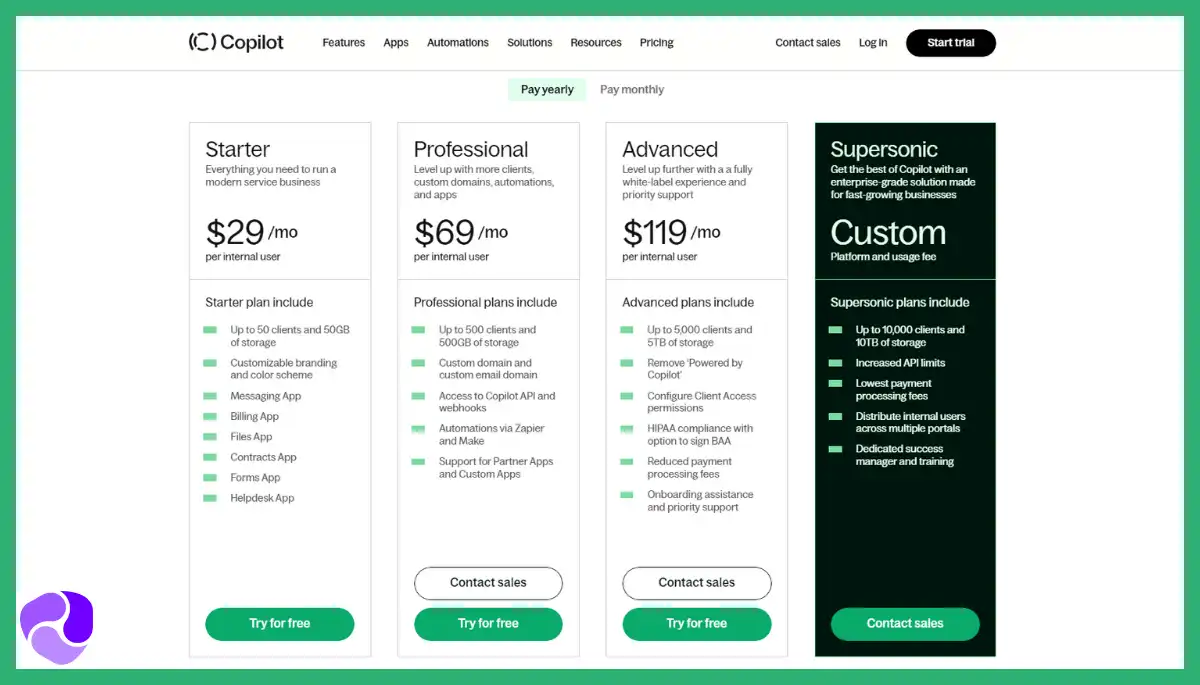
- Starter: $59/month (billed monthly) and $39/month (billed annually)
- Professional: $189/month (billed monthly) and $149/month (billed annually)
- Advanced: $499/month (billed monthly) per user and $399/month (billed annually)
- Supersonic: Custom pricing
What Users Say About Copilot
Rating on Capterra: 4.7 out of 5
Rating on G2: 4.8 out of 5
Is Copilot Better than Moxie?
Copilot is better than Moxie for businesses needing a white-label client portal with third-party app embedding, secure messaging, and automated billing.
It offers more flexibility and control over the client experience with modular customization.
4. Bonsai
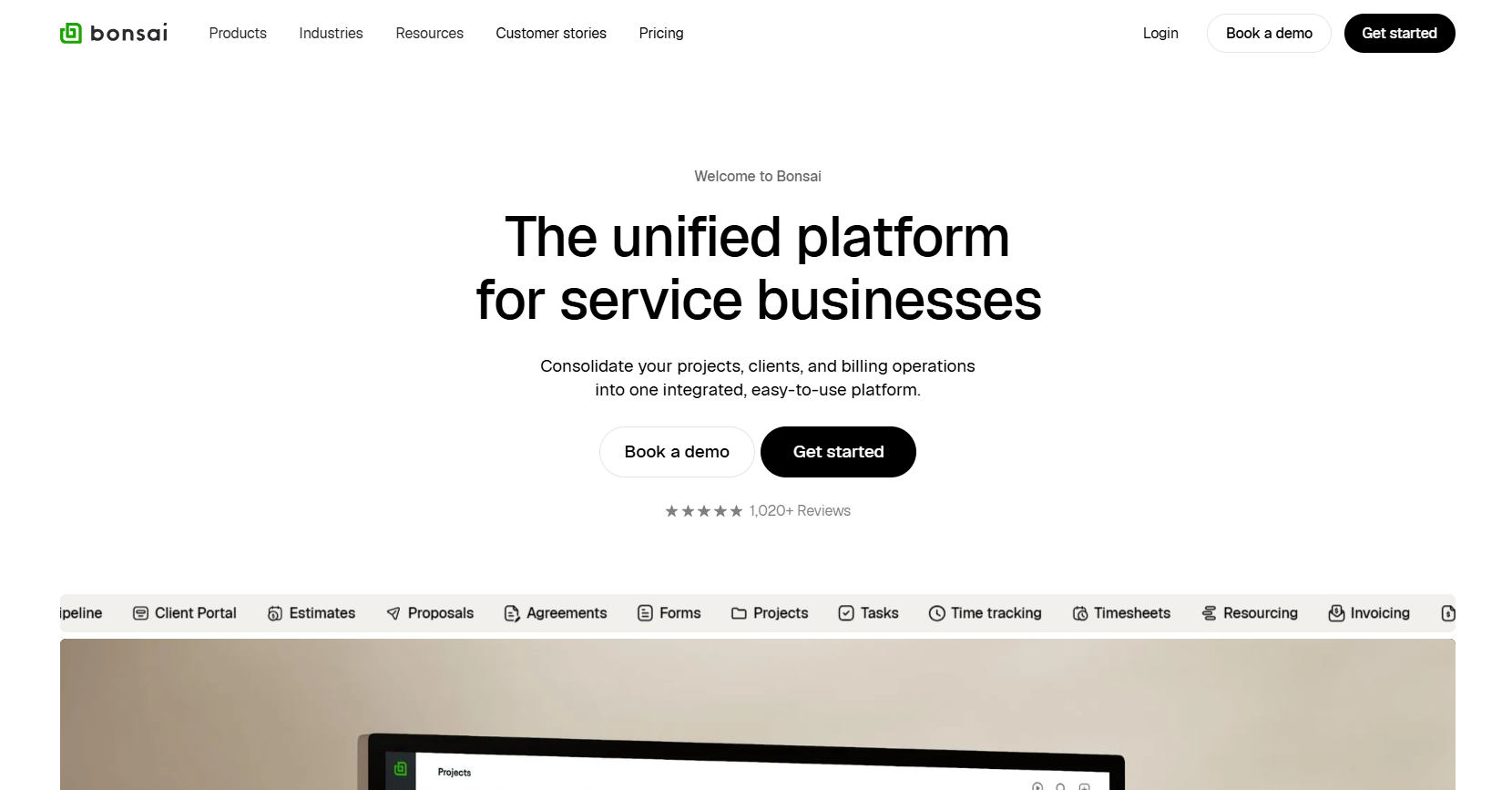
Bonsai is a CRM that offers advanced financial management with decent project management tools and pipeline tracking.
You’ll see later that just like Indy, Bonsai lets you collect leads through custom forms. But where Indy keeps things basic, Bonsai connects form submissions to invoices, meetings, and contracts automatically.
It also offers strong financial features. You can do basic bookkeeping by logging your expenses. There’s a banking feature that’s a budgeting tool, allowing you to automatically allocate funds to different accounts. For example: owner’s income, tax, re-investment, etc.
Beyond that, Bonsai simplifies everything from proposal creation to contract signing with branded templates and e-signatures. You can also generate different reports, like profitability, utilization, activity, and real-time insight into KPIs.
Moreover, you can automate recurring invoices, set up client scheduling, and even apply late fees or lock deliverables until payment is received.
Key Features of Bonsai
These features showcase how Bonsai simplifies the freelance business workflow—from proposals to payments—in one place.
- CRM: Manage contacts, leads, and project timelines with a centralized relationship management system.
- Proposals & Contracts: Create professional proposals and legally binding contracts with integrated e-signature support.
- Time Tracking: Log billable hours across tasks and convert them directly into invoices.
- Task Management: Organize tasks using lists, due dates, and priorities to keep projects on track.
- Built-in Scheduling: Set up meetings with flexible durations, booking rules, and your own branding, no need for separate scheduling tools.
- Branded Forms: Create custom forms for lead capture, inquiries, and project details with full control over branding and layout.
- Expense Tracking: Log expenses, review income, and allocate funds across categories like taxes and reinvestment (available in select regions).
- Customizable Templates: Use ready-made templates for proposals and invoices customized to reflect your brand and services.
- Multiple Payment Options: Accept payments via credit card, PayPal, ACH, and Bonsai Payments, with options for auto-pay and payment reminders.
- Proposals: Build and send sleek, customizable proposals with pricing options and themes that align with your brand.
- Time Tracking: Track billable hours with timers or manual entry, and link time to tasks, clients, or services for reporting.
- Services & Packages: Create predefined service packages you can easily reuse in proposals and invoices to speed up your workflow.
- Bonsai Tax: Identify deductible expenses and simplify self-employed tax filing (U.S. only), reducing the year-end scramble.
- Workflow Automations: Trigger follow-ups, emails, and calendar links after actions like form submission simplifying your client onboarding.
Pros of Bonsai
- Ready-to-use templates for a polished look
- Built-in time tracking improves task efficiency
- Auto-generated invoices help avoid late payments
- Expense logging keeps finances organized
- Tax tools assist with quarterly estimates
Cons of Bonsai
- Limited flexibility in accounting functions
- Some users report delayed payment processing
Bonsai Pricing
Here are the Bonsai pricing plans for both monthly and annual billing:
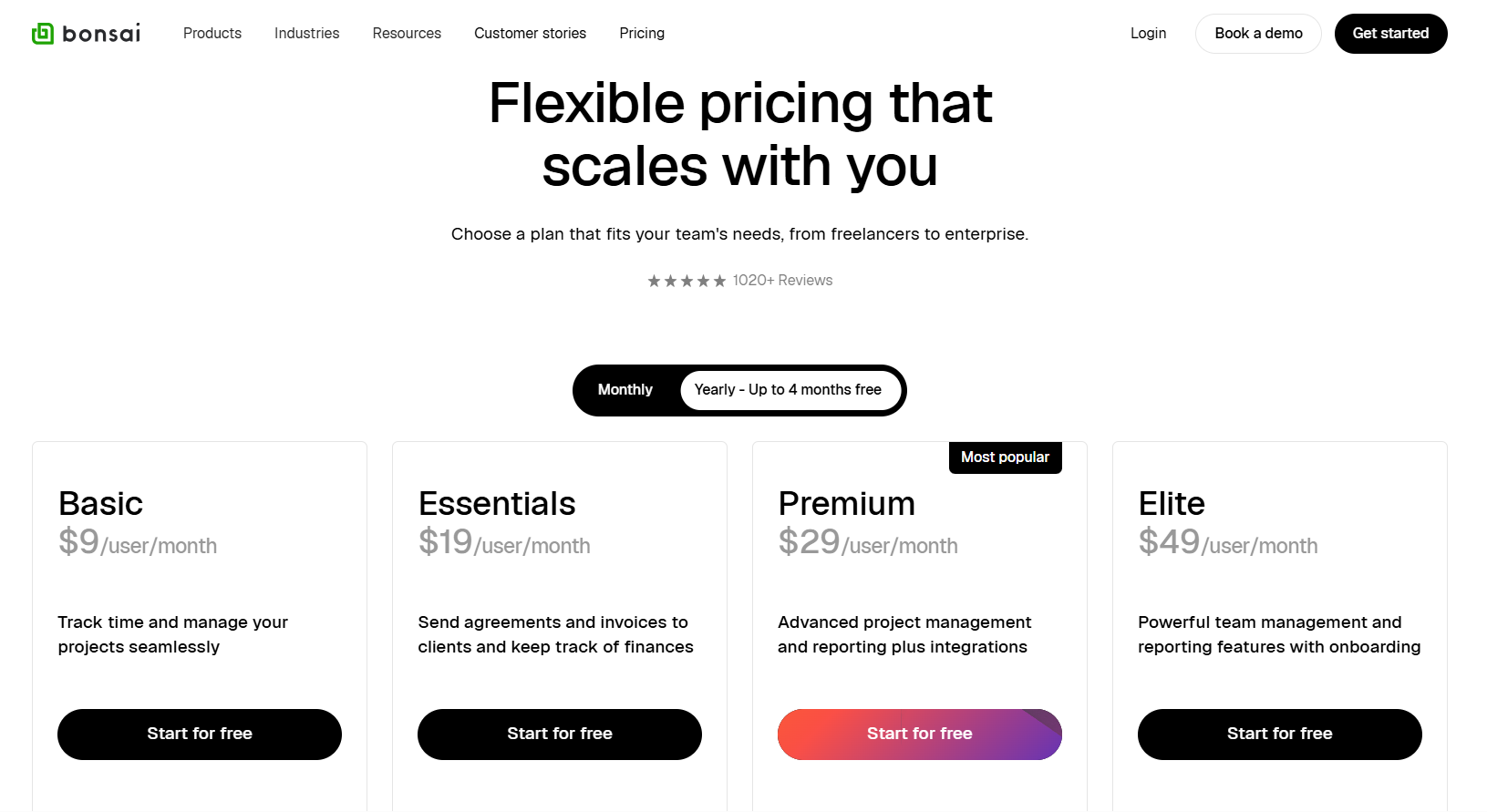
- Basic: $15/month (billed monthly) or $9/month (billed annually)
- Essentials: $25/month (billed monthly) or $19/month (billed annually)
- Premium: $39/month (billed monthly) or $29/month (billed annually)
- Elite: $59/month (billed monthly) or $49/month (billed annually)
What Users Say About Bonsai
Rating on G2: 4.3 out of 5
Rating on Capterra: 4.6 out of 5
Is Bonsai Better than Moxie?
Yes, Bonsai is the better option if you want an all-in-one platform that combines client onboarding, contracts, invoicing, tax tracking, and scheduling. Its proposals, recurring invoices, and automation workflows save real time and make freelancers look more professional.
That said, Moxie still works when you need a more complete business suite with time tracking, contracts, and payments in one dashboard.
5. Plutio
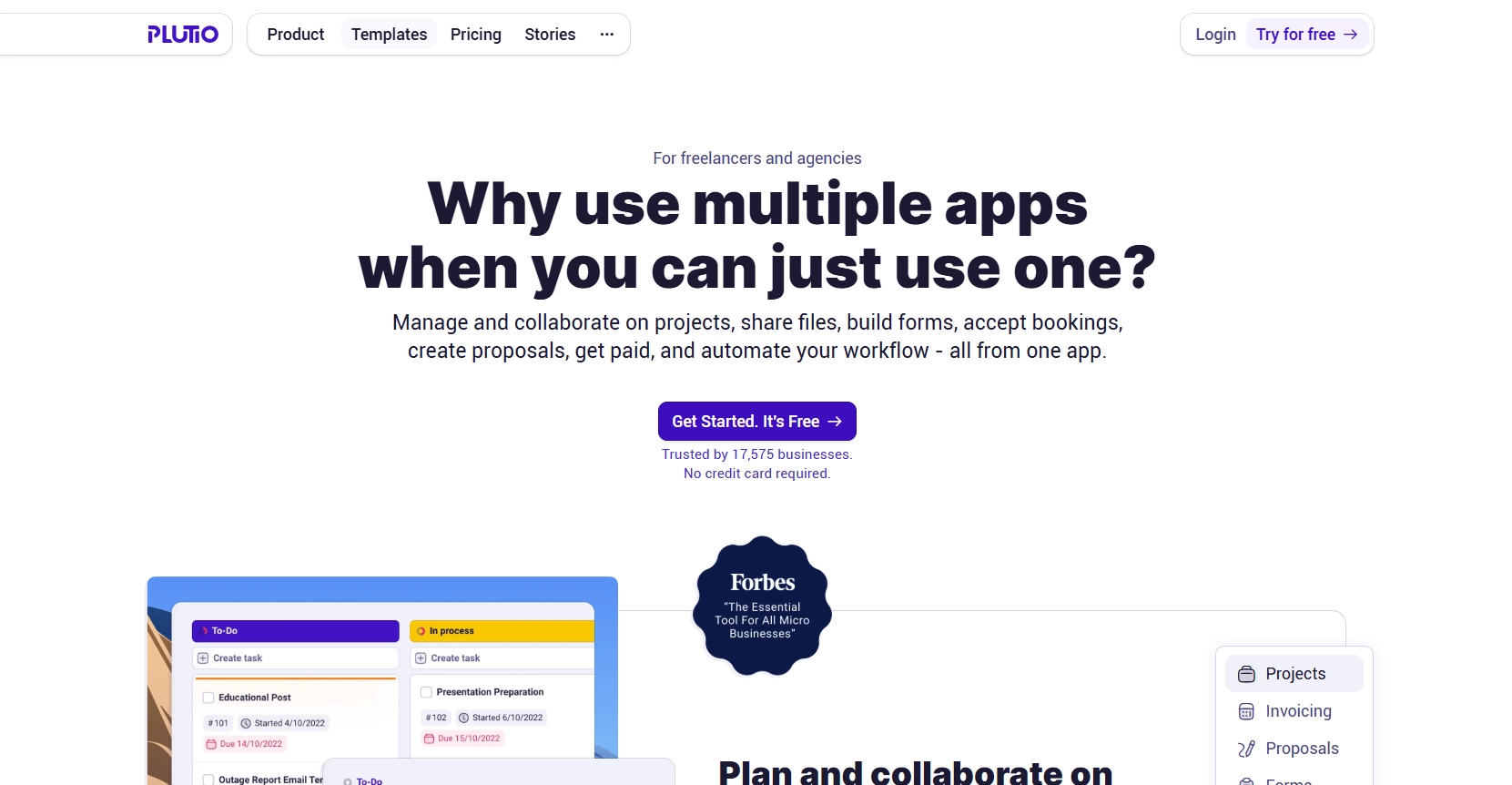
Plutio is an all-in-one business management platform built for freelancers and small teams. It allows them to manage projects, clients, and payments in one place.
Now, if you find Copilot leaning too hard on client portals alone, Plutio gives you the tasks, projects, payments, and forms inside one workspace. On top of that, what stood out during testing was how intuitive the drag-and-drop builder is for proposals, forms, and contracts.
Plus, you can customize views, set user permissions down to the fine details, and track time without needing five different tools. Compared to Moxie, it feels more structured, more flexible, and easier to scale with.
Plus, time tracking is built in, and you can assign it to different projects and specific tasks to hold your team accountable. We also love Plutio’s client communication features. You can contact clients through comments, direct messaging, channels, and project discussions.
Overall, Plutio is a flexible, well-rounded solution for everyday operations with excellent client-facing tools.
Key features of Plutio
With the following features, Plutio allows you to run every part of your business from one flexible platform:
- Project & Task Management: Organize workflows using timelines, Kanban boards, and recurring tasks with automation options.
- Time Tracking with Billable Rates: Track time by task or project and assign custom hourly rates for accurate billing.
- Client Portals: Build branded, interactive portals that display tasks, invoices, time logs, and updates in one centralized view.
- Proposal Builder with Interactive Elements: Design modern, clickable proposals that clients can review, comment on, and accept.
- File Management: Store, share, and comment on files directly inside Plutio with structured folders and in-app file previews.
- Custom Dashboards: Build personalized dashboards with widgets to monitor tasks, time, income, and other key metrics.
- Internal Chat for Team Collaboration: Communicate in real time with your team inside Plutio using built-in chat threads.
- Invoicing: Generate responsive, fully branded invoices with flexible payment options, recurring billing, and real-time payment tracking.
- Client Activity Feed: Monitor each client’s full timeline, from messages to payments, all in one place.
- Automation & Triggers: Set rules to automate actions like sending emails, creating tasks, or updating statuses.
- Plutio Inbox: Centralize communications from different projects or clients into one unified inbox for easier management.
Pros of Plutio
- Custom workflows simplify recurring task creation
- Timers link directly to project invoices
- Proposal builder supports client-side commenting
- Embedded form builder replaces external tools
- Drag-and-drop dashboards offer real-time insights
Cons of Plutio
- Limited native integrations without Zapier
- Notification settings feel overly basic
Plutio Pricing
Plutio offers three-tier pricing plans with monthly payments suitable for freelancers and small businesses.
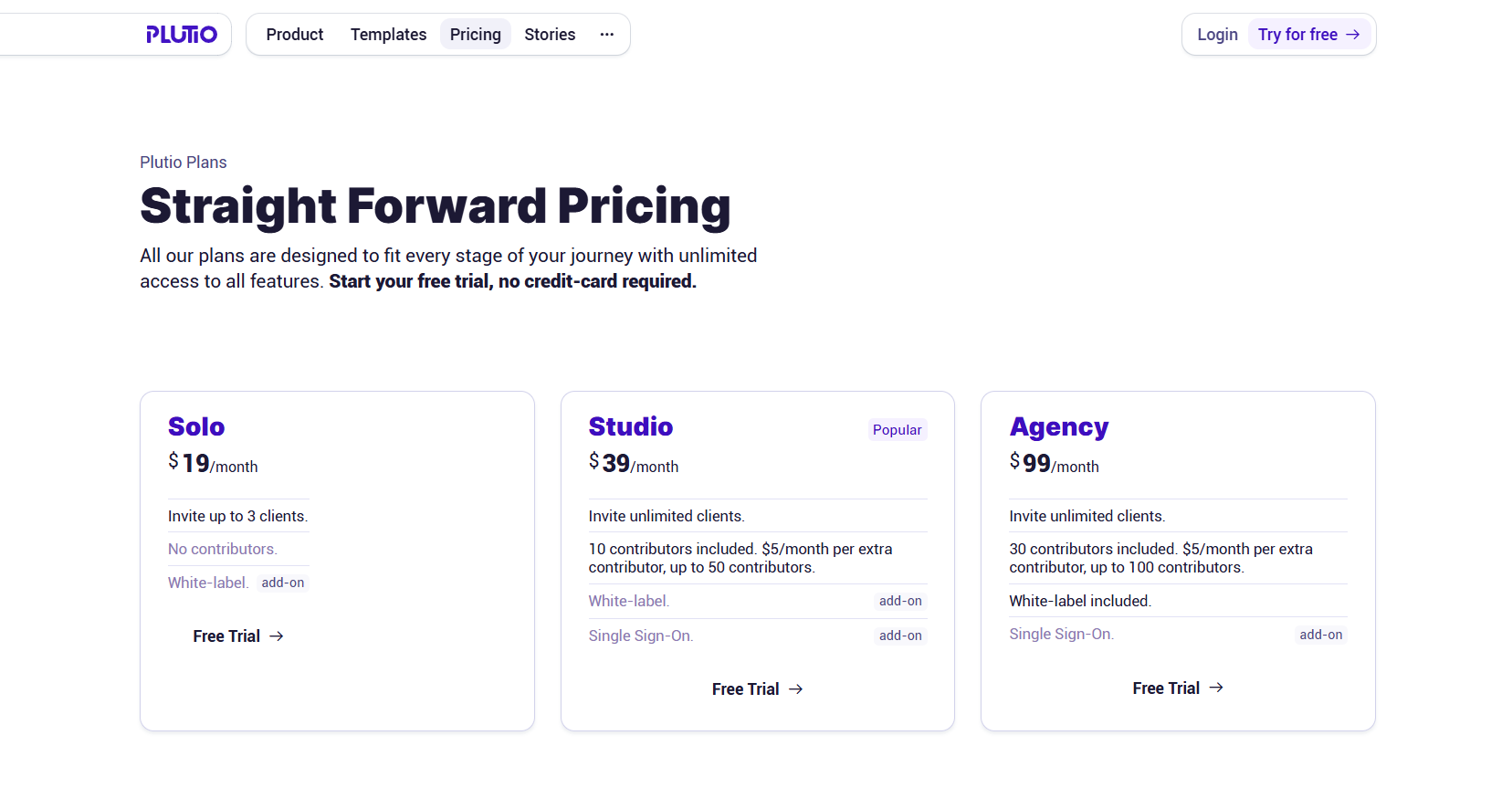
- Solo: $19/month, no contributors.
- Studio: $39/month, 10 contributors.
- Agency: $99/month, 30 contributors.
What Users Say About Plutio
Review on G2: 4.3 out of 5
Review on Capterra: 4.6 out of 5
Is Plutio Better Than Moxie?
Yes, Plutio is the better choice as it gives you client portals, branded invoicing, task boards, schedulers, and full customization without needing separate tools.
That said, Moxie still works well for solo freelancers or very small teams who need basic automation, integrated proposals, and internal chat.
6. Indy
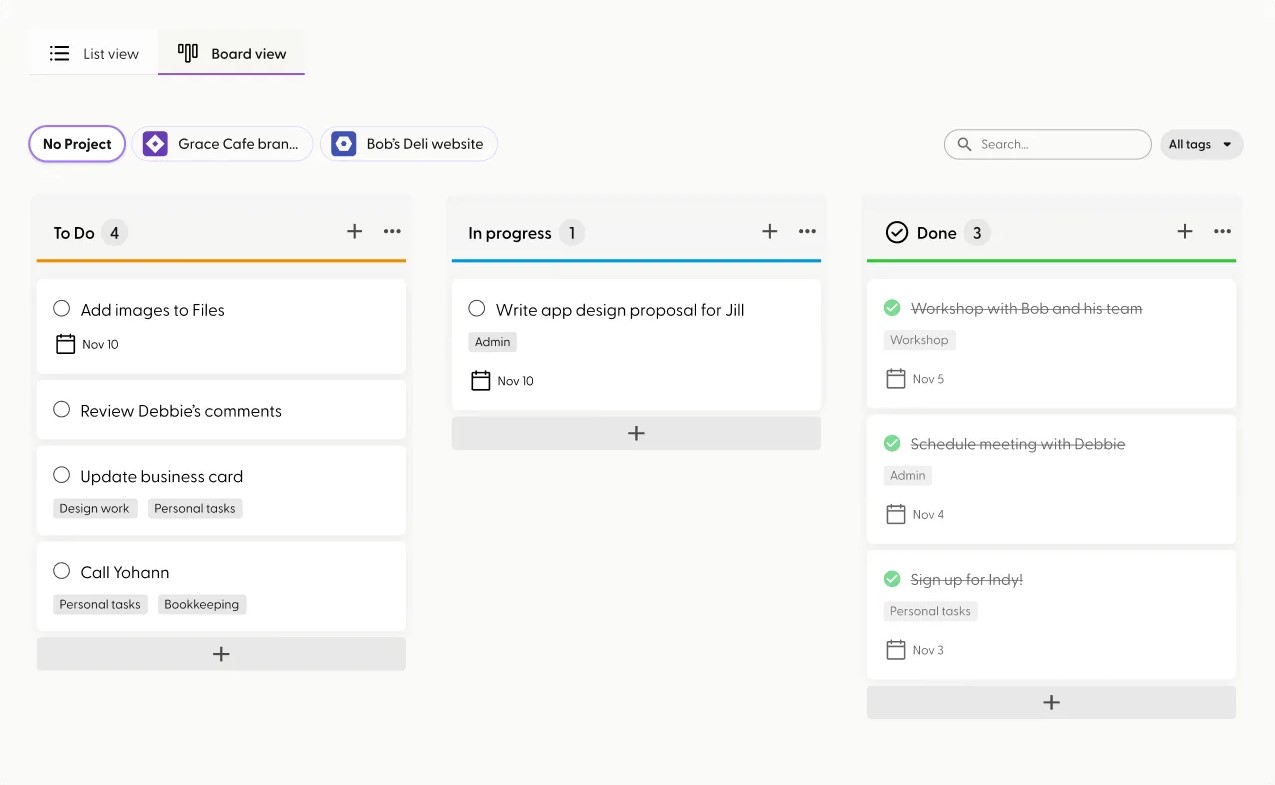
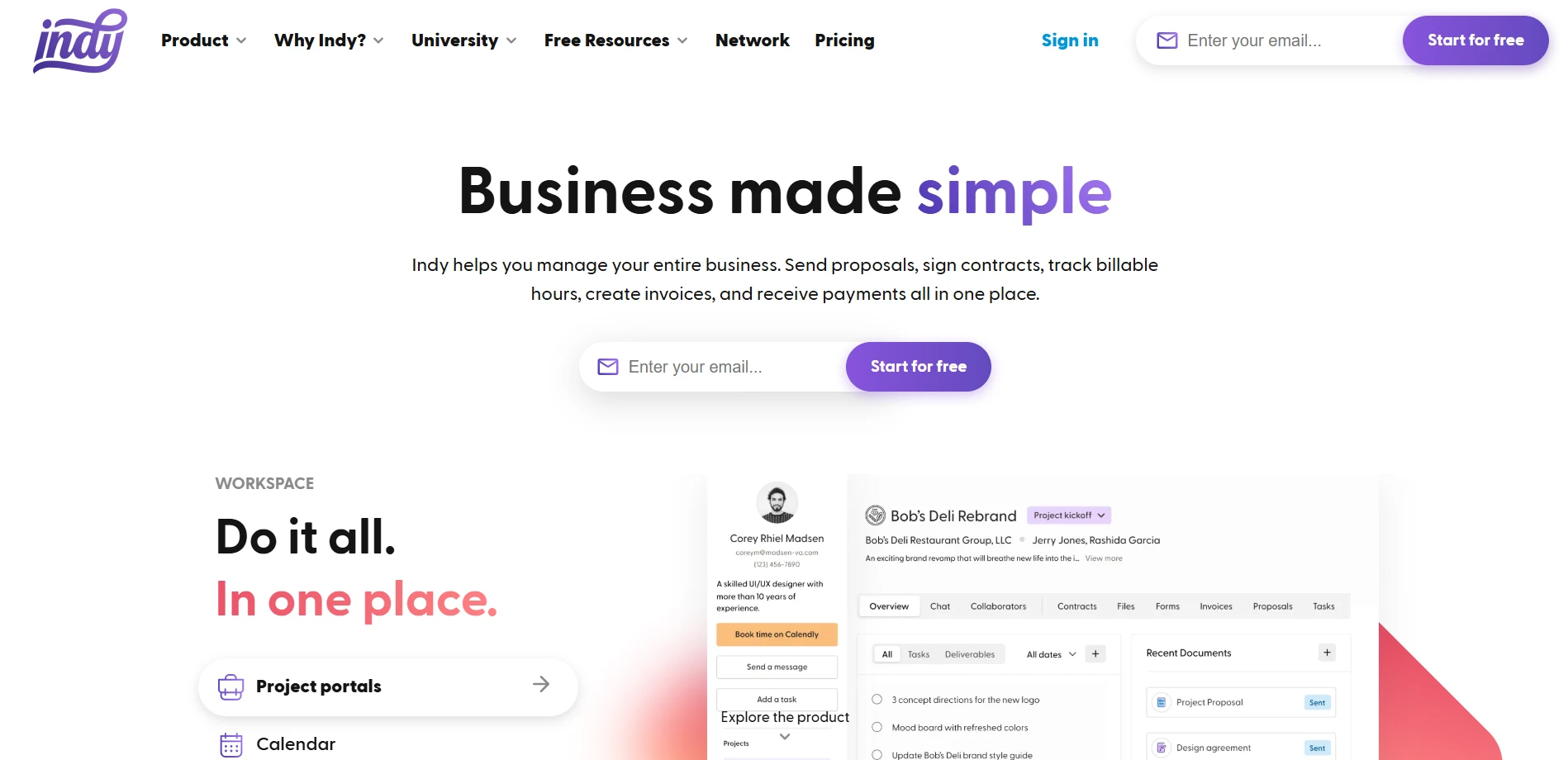
Indy is a business management platform designed for solopreneurs and freelancers with simple workflows.
One thing that stands out right away is Indy’s contract and proposal system. it’s quick to set up, fully customizable, and doesn’t require your clients to create an account just to sign.
As you’ve seen, Dubsado goes deep with automation. Indy makes the core client journey effortless and simplifies the chaotic parts of client work. The contract builder offers legally-reviewed templates with built-in e-signatures.
Also, the file sharing comes with version control and approval workflows. Its unique project management setup lets you add people to the project and assign them roles (admin, client, or collaborator).
Compared to Moxie’s limited CRM, Indy gives you a clearer view of clients and projects in one space. Moreover, if you upload files on Indy, you can send them to anyone with a shareable link.
Key features of Indy
Indy focuses on making freelance work easier by combining contracts, tasks, payments, and communication in one place.
- Proposal Builder: Create customizable, media-rich proposals with embedded scheduling links to impress prospects and fast-track project approvals.
- Contract Templates: Customize and send legally vetted contracts with built-in e-signature support.
- Project Overview: Monitor proposal, contract, invoice, and task status for each project in a unified view.
- Time Tracker: Track billable hours with one click, organize time logs by project, and convert them directly into invoice-ready entries.
- Task Management: Manage to-dos with list or board views, filter tasks, and link them to projects for clearer progress tracking.
- File Management: Upload, share, and approve files with version control, secure permissions, and threaded comment conversations for easy collaboration.
- Invoice Generator: Generate branded invoices in minutes, connect to time tracking, and accept payments via Stripe, PayPal, and direct deposit.
- Form Builder: Collect intake info, feedback, or project requests using drag-and-drop forms.
- Project Portal: Give clients a shared workspace to view tasks, files, and updates, removing cluttered email chains and confusion.
- Client CRM: Keep contact details, notes, and project links in a centralized client view.
- Calendar Integration: See your tasks, invoices, and meetings in one view as well as connect to Google Calendar for full schedule alignment.
Pros of Indy
- Easy-to-use interface with low learning curve
- Contracts include e-signature and reminders
- Time tracker integrates with invoicing directly
- Smart proposals show approval activity status
- Calendar sync supports Google integrations
- Built-in form builder supports branding
Cons of Indy
- Lacks file versioning or annotations
- Limited automation for repetitive workflows
Indy Pricing
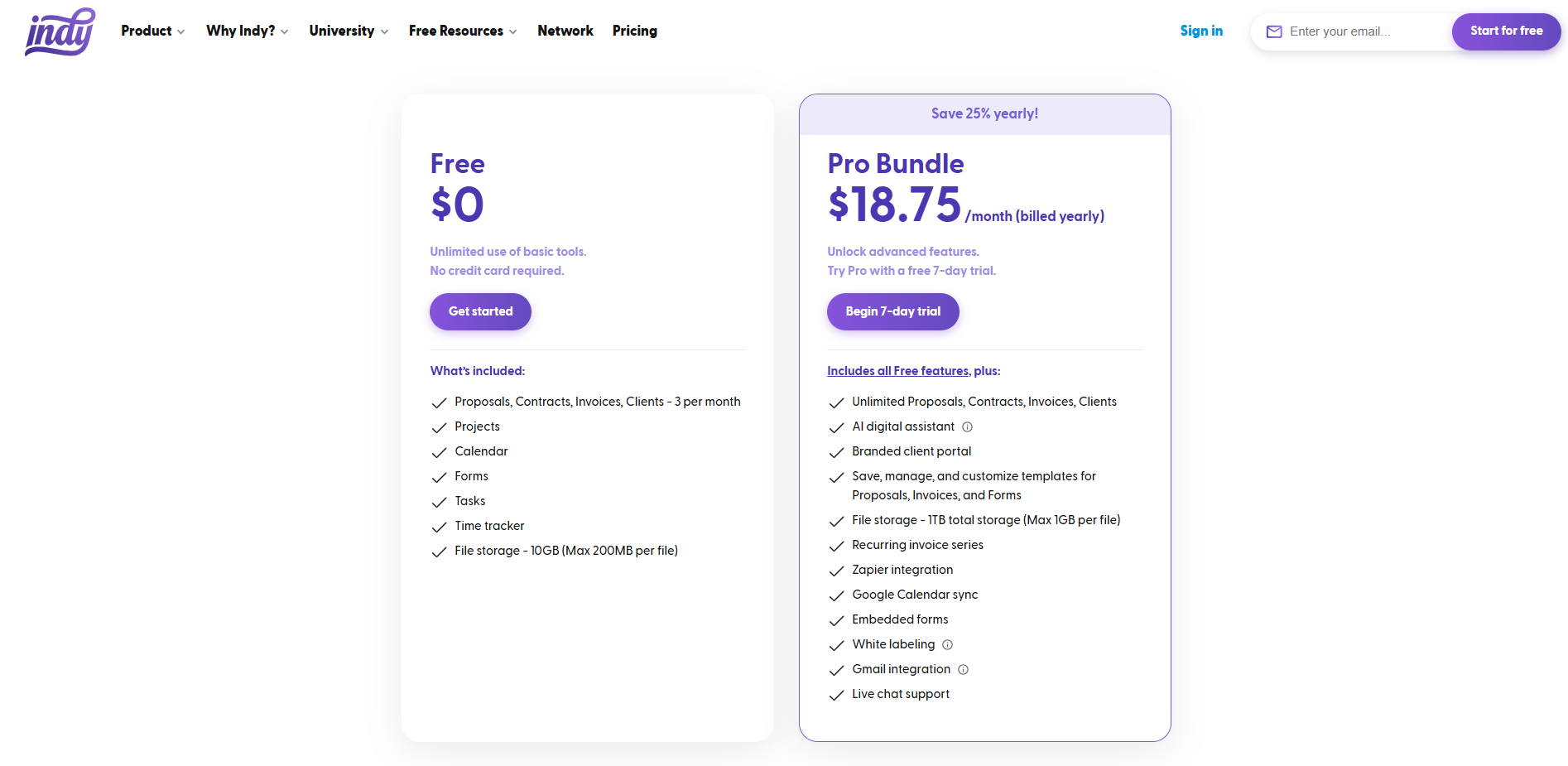
- Free
- Pro Bundle: $25 per month (billed monthly) or $18.75 per month (billed annually)
What Users Say About Indy
G2 Ratings: 4.5 out of 5
Capterra Ratings: 4.7 out of 5
Is Indy Better Than Moxie?
If managing contracts is a big part of your workflow, Indy might be the better fit. You get lawyer-reviewed templates, a flexible contract builder, and e-signatures that work, even if your client doesn’t have an Indy account.
Still, Moxie has its place. If you’re after something that’s easy to start using right away with helpful extras like built-in phone support, Moxie makes sense.
7. Moxo
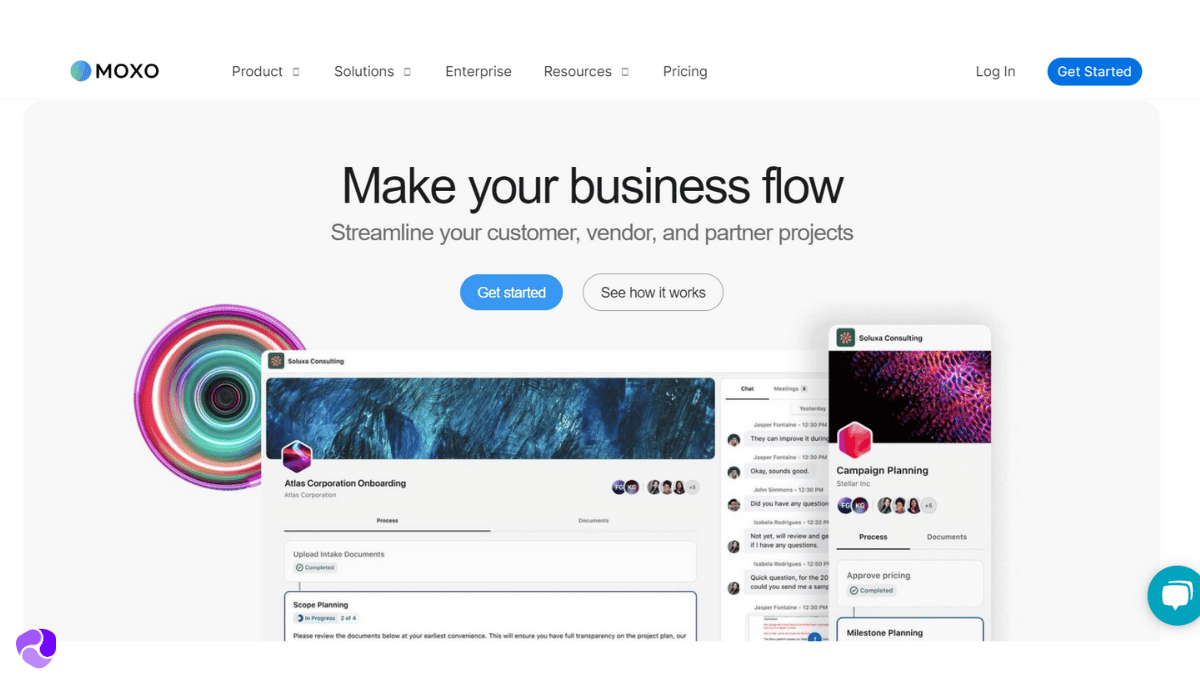
Moxo is built for client-facing teams that manage high-touch workflows in finance, legal, consulting, healthcare, and enterprise IT industries.
While Bonsai offers solid financial features, Moxo’s automated flows and real-time task alerts make it more powerful. Flow is a guided, automated process that walks clients and team members through a series of steps, like onboarding, approvals, or document collection.
Flows include conditional logic, file requests from clients, team approvals, and client acknowledgement of receiving info and policy.
Moreover, you also get a custom-branded client portal, secure document handling with audit trails, and built-in messaging and video calls. Unlike Moxie, where you’re switching tools, Moxo centralizes communication, project actions, and feedback loops.
Moxo is quite popular among banks world-wide for these heavy security features.
Key Features of Moxo
Moxo is built for teams managing high-touch workflows like onboarding, approvals, and service delivery:
- Client Action Workflows: Automate client-facing steps like onboarding, approvals, and document collection with predefined flows.
- Secure Messaging System: Keep all communication encrypted with built-in chat, voice, and video options.
- Task & Activity Management: Assign, track, and organize tasks across teams and clients with built-in reminders.
- Integrated Document Collaboration: Share, annotate, and collect eSignatures on files within secure client workspaces.
- Role-Based Access Controls: Control visibility and access for clients and team members to protect sensitive data.
- Interaction Suite: Collaborate seamlessly within workspaces using messaging, video meetings, and file sharing with annotations, increasing productivity and communication.
- Embeddable: Embed Moxo’s suite of interaction capabilities into existing apps and portals using SDKs for iOS, Android, JavaScript, React Native, and Cordova.
- Reporting: Measure KPIs, track performance, and receive actionable insights to optimize processes and drive efficiency.
Pros of Moxo
- Flows automate multi-step client interactions
- Secure portals protect sensitive client documents
- Embedded eSignature speeds up document approval
- Real-time messaging improves task resolution speed
- Mobile app mirrors desktop feature set
Cons of Moxo
- Lacks specialized financial tools
- Cross-platform embedding may require tech skills
Moxo Pricing
Moxo pricing depends on the plan and number of users, with additional costs for private-label apps and deployment options.
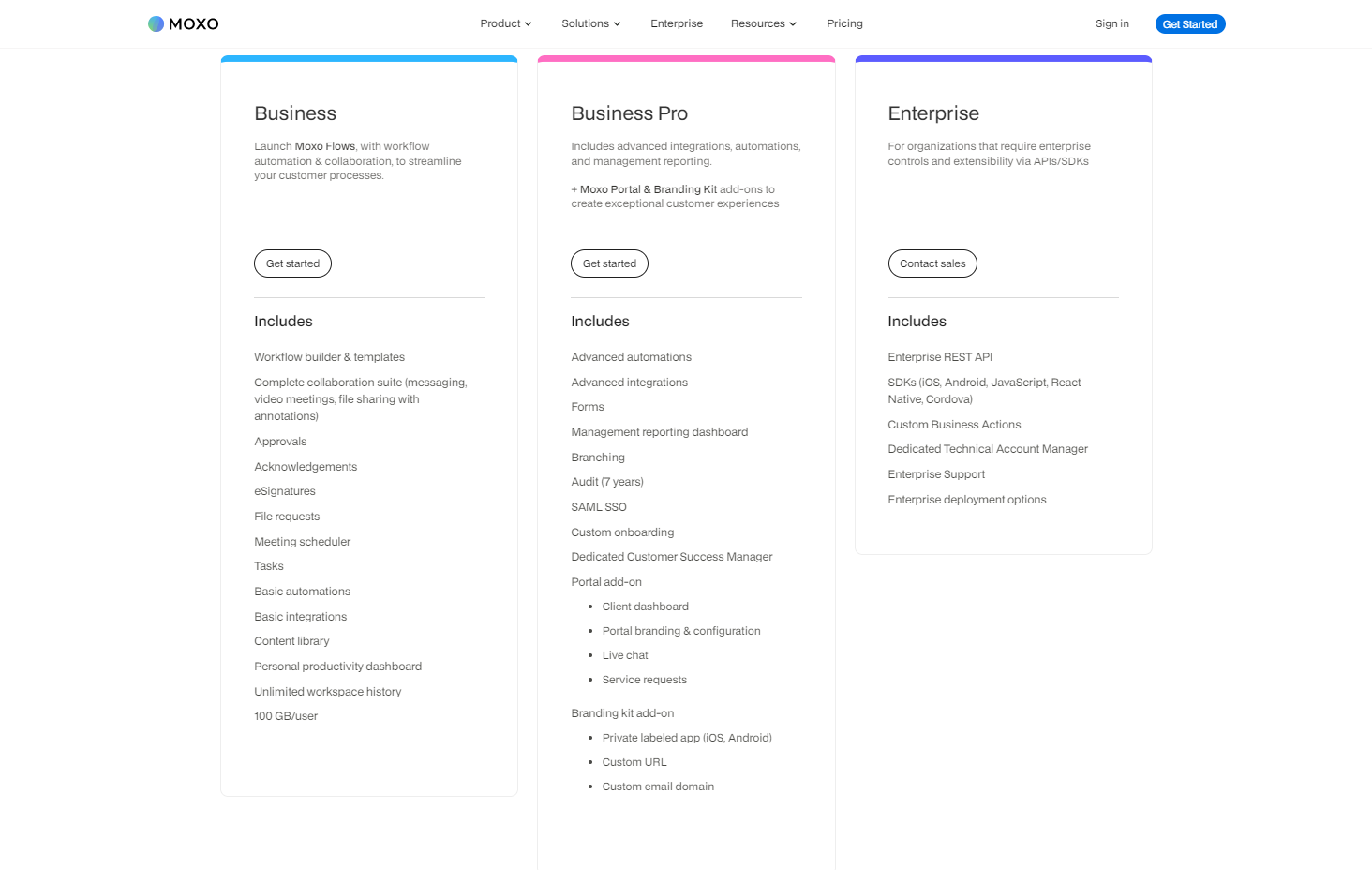
- Business: Workflow automation and collaboration tools.
- Business Pro: Adds conditional logic, advanced automation, and forms.
- Enterprise: Includes API access, custom business actions, and enterprise controls.
Note: Learn more by reading Moxo Pricing and Plans: Is Moxo Worth the Cost?
What Users Say About Moxo
Rating on G2: 4.5 out of 5
Rating on Capterra: 4 out of 5
Is Moxo Better than Moxie?
Yes, especially if workflow automation is central to how you serve clients. Moxo’s drag-and-drop builder, reusable templates, and real-time notifications give it a clear edge over Moxie.
That said, Moxie still works well for freelancers and small teams who want simplicity without the setup.
What Features Should You Look for Moxie Alternatives?
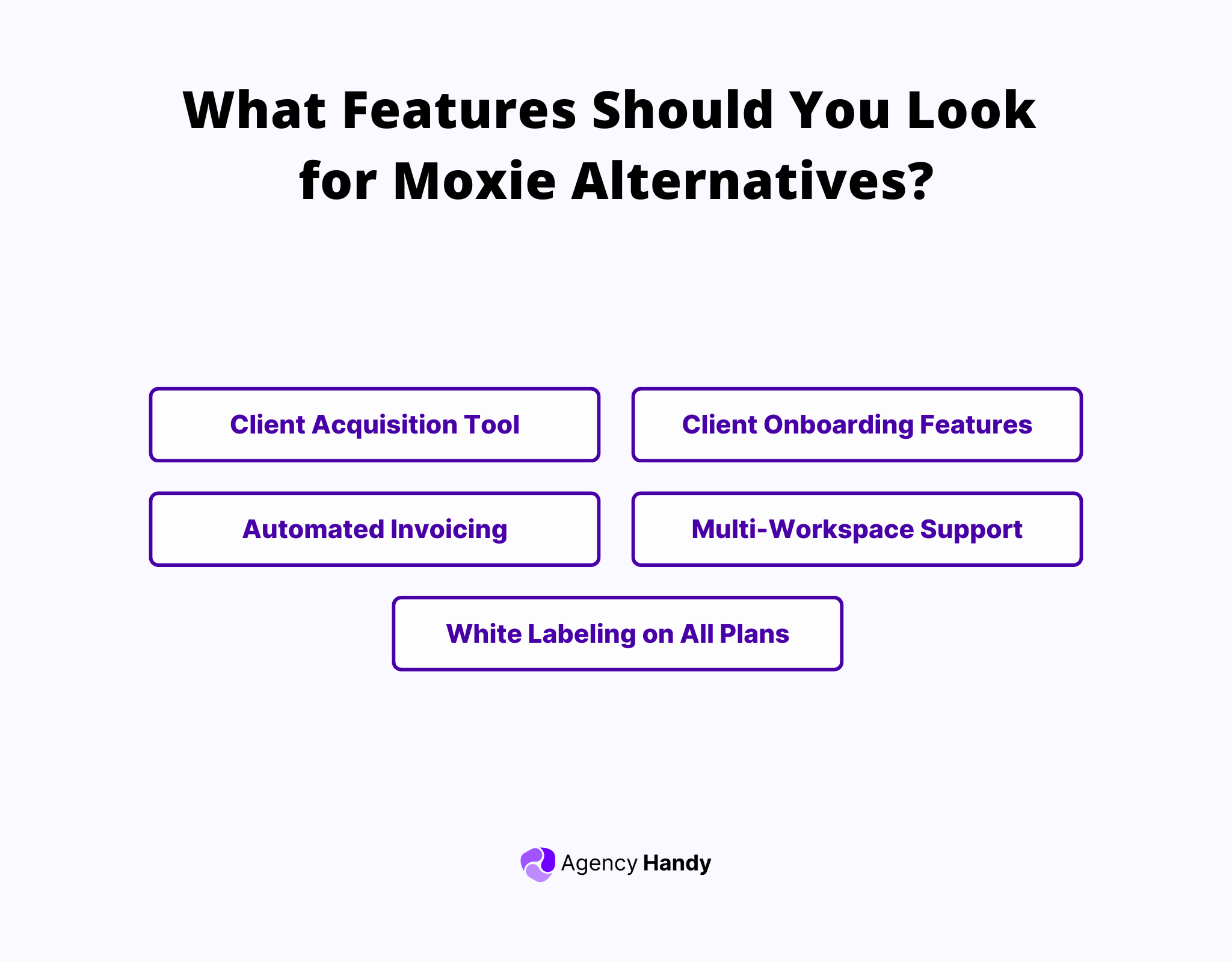
When exploring alternatives to Moxie, you should prioritize the following key features:
- Client Acquisition Tool: Seek alternatives that provide client acquisition tools like: service catalog, website embedding capabilities, and self checkout. This lets you effectively showcase your services and attract new clients.
- Client Onboarding Features: Prioritize solutions offering customizable order forms, multiple pricing options, and self-checkout functionality to ensure a smooth client onboarding.
- Automated Invoicing: To manage billing and reduce manual overhead, look for alternatives that offer self-checkout and automated invoice creation capabilities.
- Multi-Workspace Support: If your agency has diverse operational lines or multiple teams, consider alternatives that provide multi-workspace functionality. It simplifies managing different operational wings, client bases, and teams.
- White Labeling on All Plans: If branding is a priority, consider alternatives that allow white labeling of the platform, client-facing portals, and communication channels.
So, Which One Is the Best Moxie Alternative?
Agency Handy stands out as the strongest Moxie alternative for teams that manage complex client workflows and want full control. Unlike Moxie, it offers multi-package service catalogs, proposals, CRM, and white-labeled portals, even on basic plans.
Its client invoicing is smooth, workflows are connected end-to-end, and the pricing is far more affordable for solo users or small teams.
That said, Dubsado is worth a look if your focus is heavy automation and smart form triggers. And Copilot is solid for polished portals and app integrations.
Wrapping Up
Choosing the right client management platform depends on how much flexibility, automation, and branding your business needs. Moxie works well for solo professionals who want simplicity.
However, it can feel limiting as your workflows and client expectations grow. Across the board, most Moxie alternatives offer deeper automation, stronger client portals, and better integration with tools you already use.
If you’re looking for a modern, all-in-one system built for teams, Agency Handy stands out. It’s white-labeled, workflow-rich, and built to grow with you.