Skip to content
  Once in a lifetime deal →




You need a tool that handles both clients and projects, basically a project management software with CRM functionalities. But tools often come with CRM features and weak project tracking, or amazing PM capabilities with barely functional lead management.
Or worse, you get a bloated platform with 50 features you’ll never use, while missing the 5 you actually need.
We built one. We’ve tested all the major options. This guide breaks down what works for sales teams, project-heavy agencies, freelancers, and marketing-focused businesses. Pick what matches your workflow.
Quick List of 10 Project Management Software with CRM
- Agency Handy: Full CRM and project management for small agencies and service businesses.
- HubSpot: Marketing automation with CRM for inbound-focused agencies running campaigns.
- ManyRequests: Subscription-based request management for unlimited design and development services.
- Service Provider Pro: White-label client portals for consultants and small service businesses.
- Flowlu: All-in-one business management for small teams needing CRM and invoicing.
- Bonsai: Contract management and invoicing for freelancers and solo consultants.
- Zoho: Enterprise-level CRM features at budget pricing for growing businesses.
- Monday: Customizable project management with decent CRM for mid-sized teams.
- Trello: Simple Kanban boards for basic internal task tracking only.
- Pipedrive: Sales pipeline management for deal-focused agencies without project needs.
Top 10 Project Management Software with CRM
Before the actual review, here’s a quick comparison focused on core PM and CRM features and their cost.
| Tool | Task Management | Client & Team Collaboration | Lead Pipeline | Contact Management | Starting Price |
| Agency Handy | Kanban boards | Task messaging + client portal | Visual pipeline with customizable stages | Full interaction history | $19/mo |
| HubSpot | Kanban task boards | Internal messaging only | Deal pipeline with stages | Automatic activity logging | Free |
| ManyRequests | Kanban-style request queue | Client portal messaging | Basic lead tracking | Simple contact database | $29/seat/mo |
| Service Provider Pro | Kanban project boards | Client portal messaging | Basic lead management | Contact records with history | $129/mo |
| Flowlu | Gantt charts and task boards | Client portal messaging | Deal stages with automation | Contact database with history | $12/user/mo |
| Bonsai | Simple task lists | Client portal access | Basic contact tracking | Proposal tracking | $15/user/mo |
| Zoho | Gantt charts with dependencies | Internal collaboration only | Advanced pipeline automation | Detailed contact records | $20/user/mo |
| Monday | Multiple views (Kanban, Gantt, Timeline) | Internal team messaging | Customizable CRM pipelines | Visual contact management | $12/seat/mo |
| Trello | Kanban boards only | Card comments | ❌ | ❌ | Free |
| Pipedrive | Basic task lists | Email integration only | Visual sales pipeline | Contact activity tracking | $14/user/mo |
1. Agency Handy

You’re probably here because you’re tired of switching between three different tools just to move a client from “interested” to “paying and happy.”
Agency Handy is CRM project management software built specifically for small agencies and service businesses. We built it after testing every mainstream option and realizing none of them actually work the way agencies operate.
Most tools do one thing well. HubSpot CRM is great for lead tracking but weak on project execution. Monday handles tasks beautifully but feels clunky for sales pipelines. Trello is simple but has zero CRM functionality.
Agency Handy does both because that’s how client work actually happens. You capture a lead, move them through your sales process, close the deal, and immediately start delivering the project all in the same system.
Here’s what matters more. Your clients actually use it. They’re not just names in your database. They log into their portal, see what you’re working on, upload files, leave feedback, and message your team directly in tasks. No more “just checking in on the status” emails clogging your inbox.
We didn’t pack it with features you’ll never use. No marketing automation you don’t need. No advanced analytics that require a data analyst to understand. Just lead management, project tracking, client collaboration, time tracking, and invoicing.
If you’re a small agency with 5-20 people and you need one tool that handles client relationships and project delivery without the enterprise price tag, this is it.
Agency Handy Key Project Management and CRM Features
Here’s what you can expect to get from Agency Handy –
Lead Capture Forms You Can Embed Anywhere
Drop a form on your website or send it as a link. When someone fills it out, their info lands directly in your CRM dashboard. You’re not copy-pasting from email or Google Sheets. The lead is already in your pipeline ready to work.
Kanban Pipeline That Shows Your Entire Sales Process
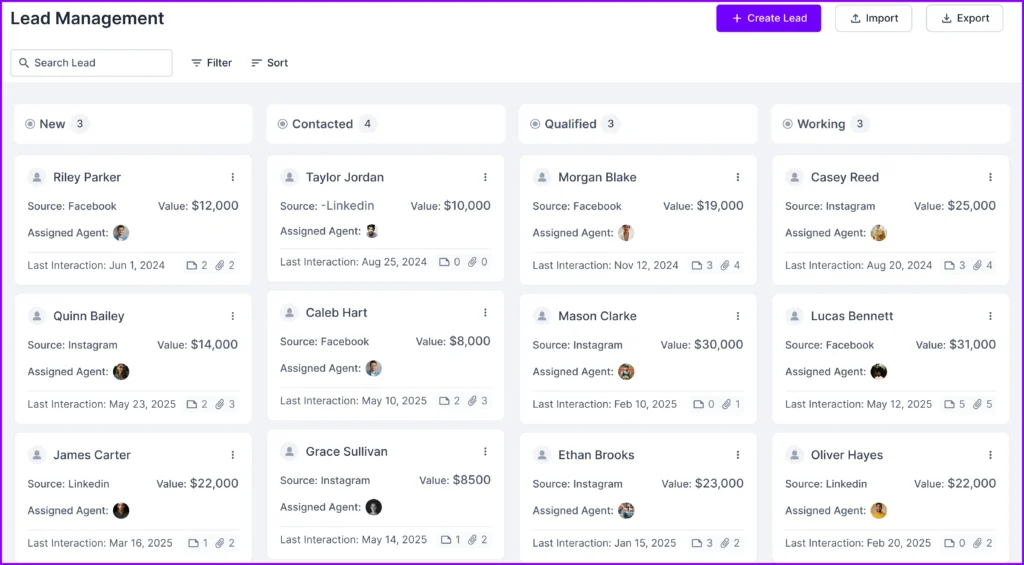
Every lead sits on a board moving from New to Contacted, Qualified, Working, Proposal Sent, and Client. You see exactly who needs a follow-up call and who’s waiting on a proposal. One glance tells you where your revenue is stuck.
Clients See Real-Time Project Updates

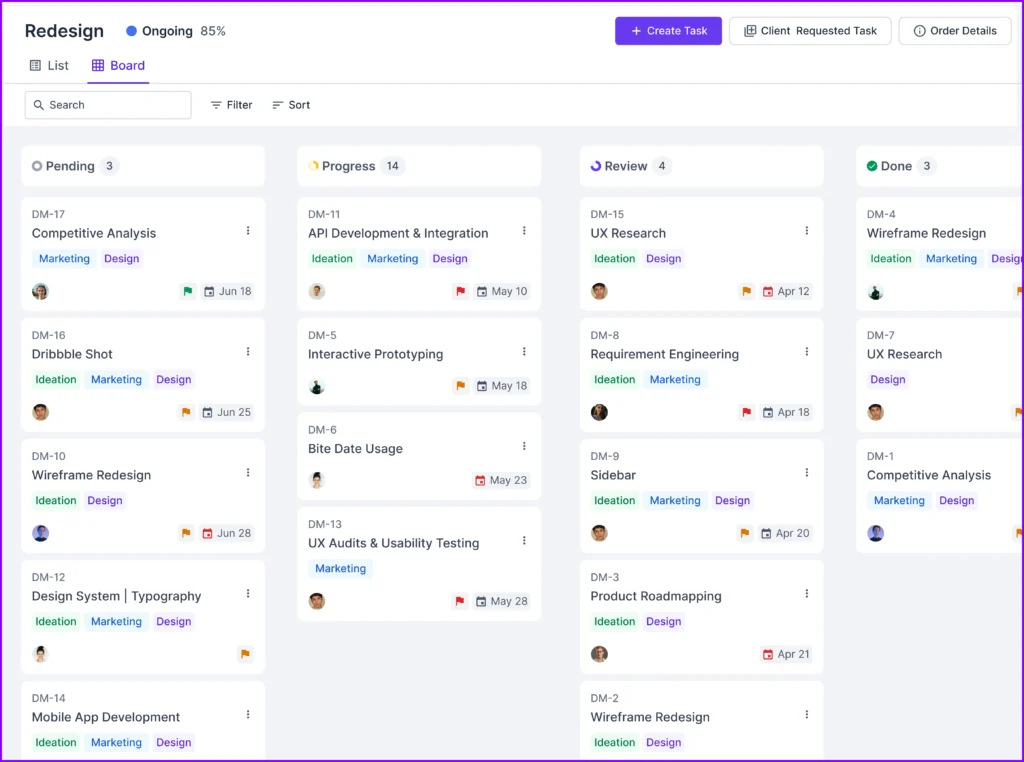
They log into their portal and see what’s in progress, what’s pending, what you’re reviewing, and what’s done. They’re not left guessing. You’re not answering “what’s the status?” three times a week.
Task Messaging That Keeps Everything in One Place
Your team and clients message directly inside each task. Questions, feedback, file requests, all stay attached to the work. Six months later when someone asks about a deliverable, the entire conversation is right there.
Time Tracking Built Into Every Task

Your team logs hours as they work. You see exactly how much time each person spent on each project. Helps with billing, capacity planning, and figuring out if you’re underpricing your services.
Client Portal for Self-Service
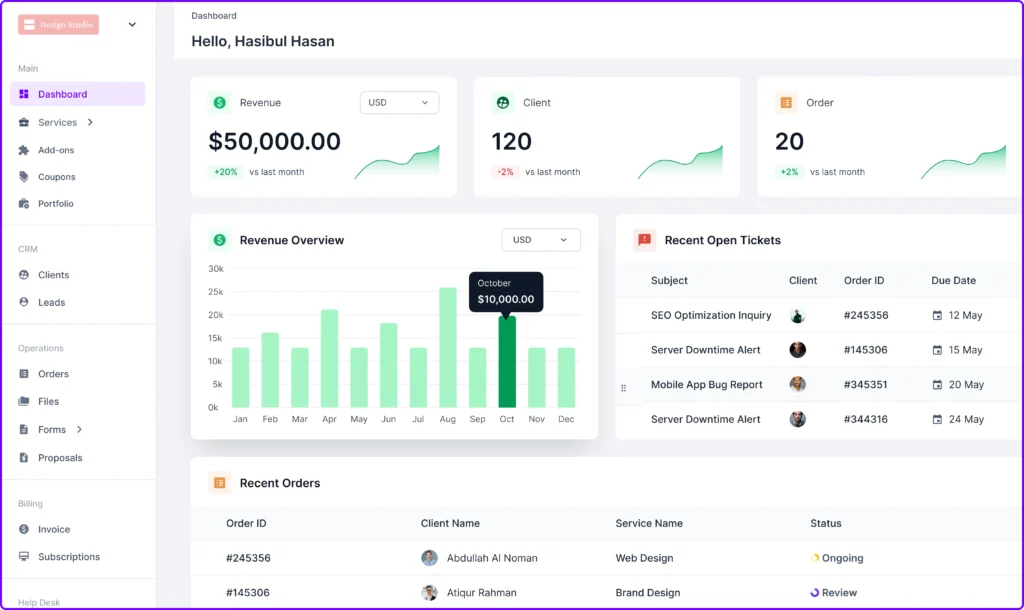
Clients upload files, check timesheets, review project progress, and leave annotated file feedback on deliverables without emailing you. Cuts down on back-and-forth.
API and Webhooks for Custom Integrations
Need Agency Handy to talk to your other tools? Connect them yourself. Build custom workflows, sync data automatically, whatever your setup needs. You’re not stuck with only our integrations.
Other Key Features
- Kanban boards for projects and lead management
- Team role assignments and permissions
- Annotated file feedback
- Invoice tracking tied to client records
- Contact management with full interaction history
- Unified messaging for clients and team
- Ticketing system for client support requests
- White label options for client portal
- Project templates for repeatable workflows
- Assignee management across tasks
What Users Say About Agency Handy
G2: 4.9 out of 5
“I really like how Agency Handy keeps everything in one place—it makes managing tasks and tracking team hours super easy. The proposal tool is awesome too. It lays out all the package options in a way that makes sense to clients, and then it automatically creates tasks for my team based on what they select. It honestly saved me so much time.” – Sheena S.
Capaterra: 4.5 out of 5
“Agency Handy is an all-in-one solution that has streamlined our operations, improved client satisfaction, and boosted team productivity. It’s an indispensable tool for any digital agency looking to scale their business efficiently.” – Priyanka P.
Agency Handy Pricing

Freelancer
- Monthly: $19/mo
- Yearly: $13/mo
Team Starter
- Monthly: $99/mo
- Yearly: $66/mo
Business Pro
- Monthly: $199/mo
- Yearly: $133/mo
2. HubSpot
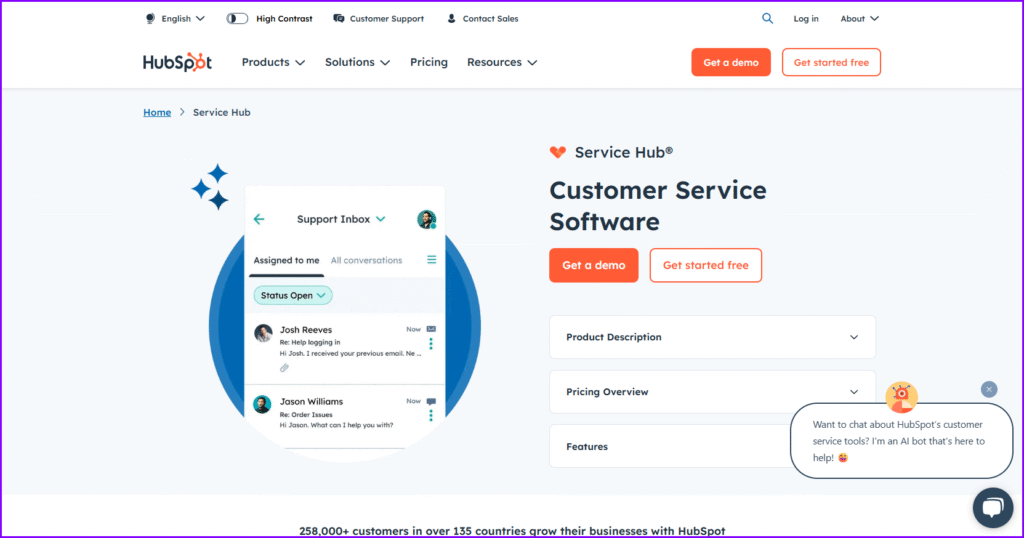
HubSpot CRM started as free CRM software and grew into a full marketing and sales platform. The CRM itself is excellent, including deal pipelines, contact management, email tracking, and automation, all of which work smoothly.
The project management features exist, but feel like an afterthought. You get basic task boards and assignment options, nothing close to what Monday or Agency Handy offer for actual project execution.
If you’re already using HubSpot for marketing and sales, the PM tools are a decent add-on. If you need real project tracking with client collaboration, you’ll hit limits fast.
HubSpot shines for agencies running heavy inbound marketing campaigns. The CRM ties directly into email campaigns, landing pages, and lead scoring. That integration is its biggest advantage over standalone tools.
HubSpot Key Features
- Deal Pipeline with Email Integration: Track deals through stages while HubSpot logs every email, call, and meeting automatically. You see the full conversation history before jumping on a client call.
- Contact Database with Activity Tracking: Every interaction with a contact gets recorded in one place. Your team knows exactly what’s been said, sent, or promised without asking around.
- Task Boards for Internal Work: Assign tasks to team members and move them across Kanban boards. Works fine for simple internal to-dos but lacks depth for client-facing project delivery.
- Basic Time Tracking on Tasks: Log hours against tasks to see where time goes. Reporting is surface-level compared to dedicated PM tools but good enough for billing estimates.
Pros
- Free tier includes core CRM features
- Strong marketing and sales automation
- Clean interface with low learning curve
- Scales well as your agency grows
Cons
- Overkill without marketing needs
HubSpot Pricing
Starter
- Monthly: $15/month/seat
- Yearly: $9/month/seat yearly billed
Professional
- Monthly: $1450/month
- Yearly: $1300/month yearly billed
3. ManyRequests
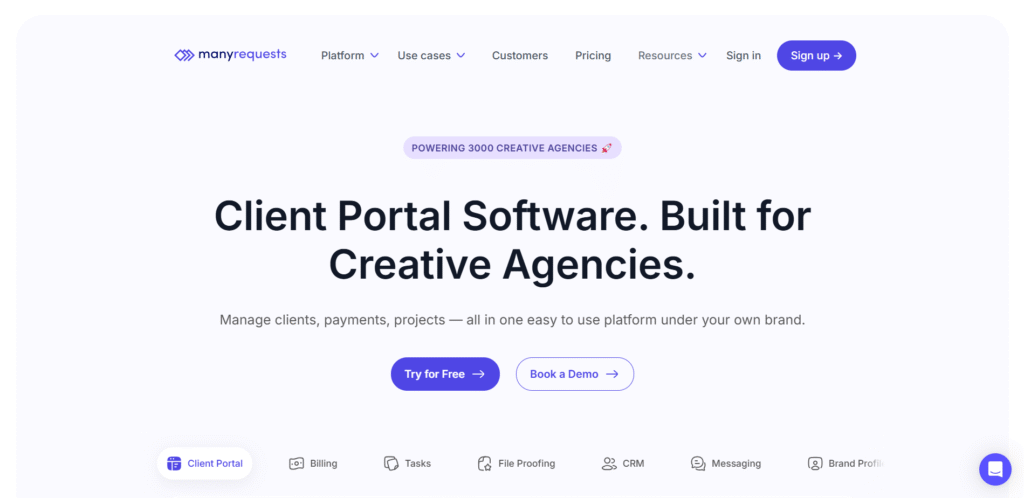
ManyRequests is built for agencies selling unlimited design, development, or content services. If you run a subscription-based agency where clients submit requests and you deliver work on a rolling basis, this tool makes sense.
The CRM is light. You can track leads and manage client contacts, but it’s not built for complex sales pipelines. The real focus is request management and project execution.
Clients submit requests through forms or a portal, you queue them up, assign them to your team, and mark them complete.
It works well if your service model is simple and repetitive. Client asks for a logo, you design it, they approve, done. Next request. The workflow is clean and clients like the self-service portal.
But if your projects involve multiple phases, dependencies, or detailed tracking, it feels too basic.
ManyRequests Key Features
- Client Request Portal: Clients log in and submit requests through a simple form. Everything lands in your queue automatically.
- Request Queue with Priority Management: All incoming requests sit in one queue. You prioritize them, assign them to team members, and move them through your workflow.
- Task Boards for Delivery Tracking: Each request becomes a task you can track on boards—basic Kanban setup with columns for stages like In Progress, Review, and Complete.
- Client Portal with File Sharing: Clients upload briefs and assets directly to their portal. You deliver finished work there, too.
Pros
- Perfect for subscription-based service models
- Clean client-facing request portal
- Simple setup with minimal learning curve
- Clients can track their own requests
- Good for productized agency services
Cons
- CRM features are basic
- Limited for complex projects
ManyRequest Pricing

Starter
- Monthly: $29/month/seat
- Yearly: $19/month/seat
Core
- Monthly: $59/month/seat
- Yearly: $39/month/seat
Pro
- Monthly: $99/month/seat
- Yearly: $79/month/seat
4. Service Provider Pro
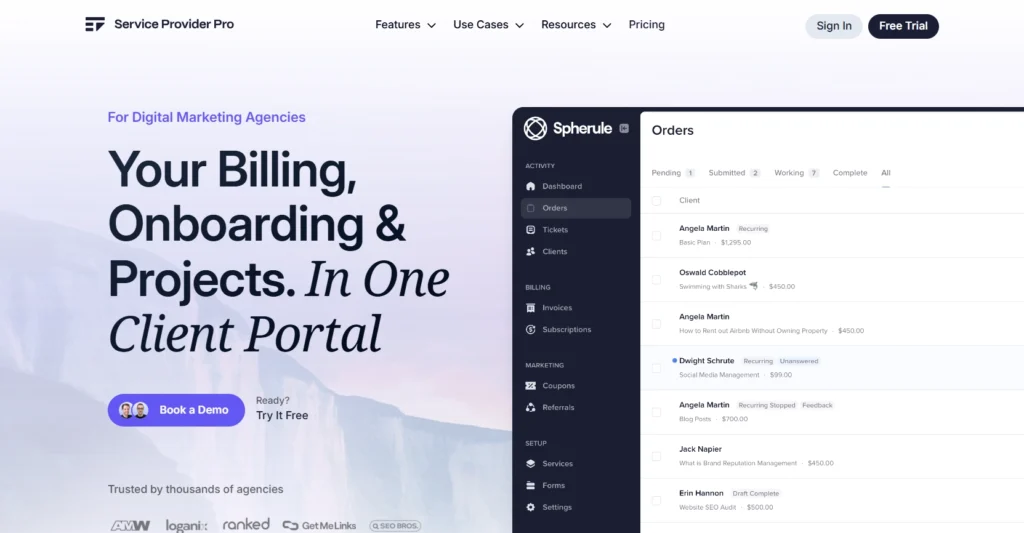
Service Provider Pro is CRM project management software aimed at service businesses. It’s built for consultants, coaches, and small agencies needing client portals and project tracking tools.
The CRM handles basic contact management and lead tracking, but doesn’t go deep into sales automation. The project management side is more developed with task boards, client portals, file sharing, and invoicing, all work smoothly together.
What sets it apart is the white-label client portal. Your clients log in under your branding, see their projects, upload files, and communicate with your team.
But their white-label is quite expensive compared to what Agency Handy offers. SPP costs $249, whereas Agency Handy $99 for white-label.
Service Provider Pro Key Features
- White-Label Client Portal: Clients access their projects under your agency branding. They see tasks, timelines, files, and messages in one place.
- Project Task Management: Break projects into tasks, assign team members, set deadlines, and track progress on boards. Clients can view task status in real time.
- Time Tracking and Invoicing: Log hours directly on tasks and generate invoices based on tracked time. Integrates billing with project work so you’re not managing spreadsheets separately.
- Client Communication Hub: All messages, file uploads, and feedback happen inside the platform.
Pros
- White-label branding for professional appearance
- Simple interface with fast onboarding
- Combines project tracking and client billing
- Good for solo consultants and small teams
Cons
- Limited CRM depth
- Advance features are in top-tier plans
SPP Pricing
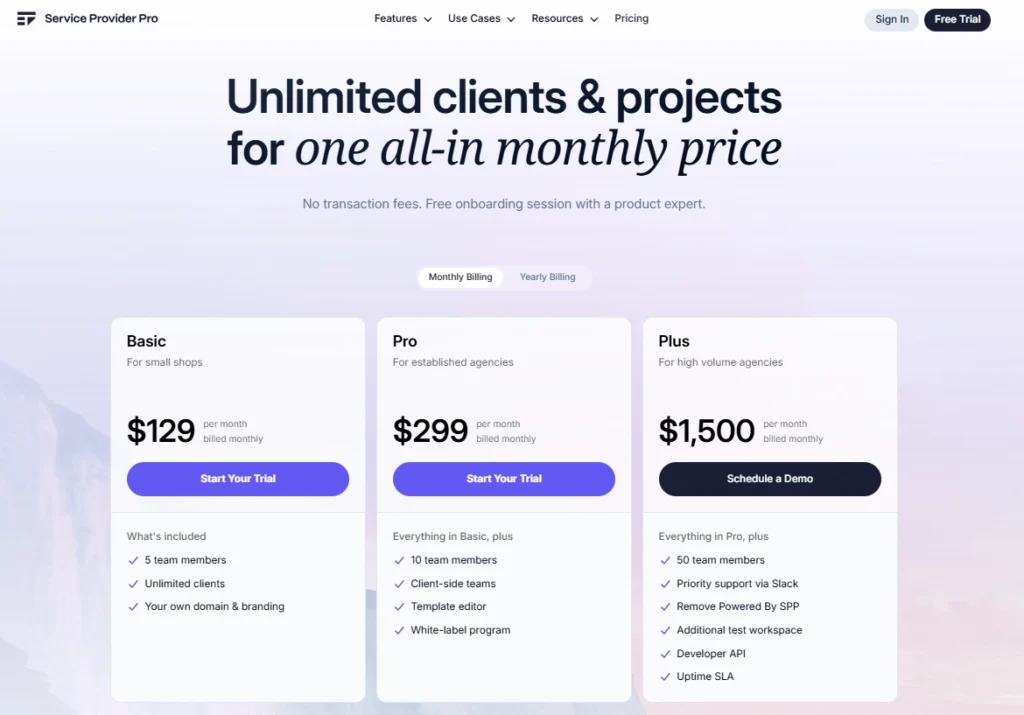
Basic
- Monthly: $129/month
- Yearly: $99/month
Pro
- Monthly: $299/month
- Yearly: $249/month
Plus
- $1,500/month
5. Flowlu

Flowlu is an all-in-one business management platform that combines CRM, project management, invoicing, and knowledge base tools. It’s designed for small businesses that want everything under one roof without piecing together multiple subscriptions.
The CRM includes lead pipelines, contact management, and sales tracking. The project management side offers Gantt charts, task boards, time tracking, and team collaboration. You also get financial tools like invoicing, expense tracking, and basic accounting features built in.
You’re not paying for separate tools for CRM, projects, billing, and documentation. Everything connects, so data flows between modules without manual imports or integrations.
However, each feature works adequately but doesn’t match the depth of specialized tools. The CRM is simpler than HubSpot. The PM features are less flexible than Monday.
Flowlu works best for small businesses (5-15 people) that need decent functionality across multiple areas and prefer simplicity over advanced features.
If you’re managing under 20 active clients and don’t need complex workflows, it’s solid. Larger teams will hit its limits fast.
Flowlu Key Features
Sales CRM with Pipeline Management: Track leads through customizable deal stages and manage contacts with full interaction history. Basic automation moves deals forward based on triggers you set.
Project Management with Gantt Charts: Plan projects with Gantt timelines, assign tasks, set dependencies, and track progress. Works well for teams that need visual project planning without overwhelming complexity.
Time Tracking and Financial Management: Log hours on tasks and projects, then generate invoices based on tracked time. Expense tracking and basic accounting features keep financials in one place.
Centralized Client Portal: Clients log in to view their projects, upload files, and communicate with your team. Portal access is included without extra per-client fees.
Pros
- Affordable pricing for small businesses
- Gantt charts for visual project planning
- Built-in invoicing and expense tracking
- Knowledge base for internal documentation
Cons
- Interface feels dated
Flowlu Pricing

Essential
- Monthly: $12/user/month
- Yearly: $9/user/month
Advanced
- Monthly: $22/user/month
- Yearly: $17/user/month
Ultimate
- Custom
6. Bonsai
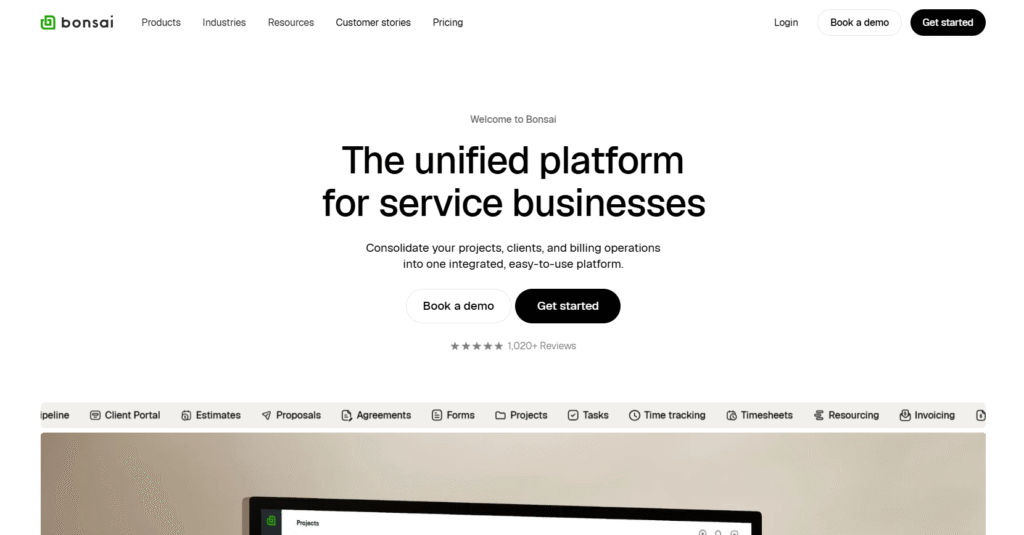
Bonsai is built for freelancers and small agencies that need contracts, proposals, invoicing, and basic project tracking in one place. It’s more of a business management tool than pure CRM project management software.
The CRM features contact management and basic lead tracking. Where Bonsai shines is in client onboarding and financial management. You create proposals, send contracts for e-signature, track project tasks, log time, and invoice clients all from one dashboard.
Project management is straightforward. Task lists, deadlines, file sharing, and client collaboration work fine for simple projects. But if you need Gantt charts, dependencies, or advanced resource planning, look elsewhere.
If your biggest pain point is chasing signatures and invoices, Bonsai makes more sense. If you need deeper project tracking, Service Provider Pro or Flowlu are better fits.
Bonsai Key Features
- Contract and Proposal Builder: Create professional contracts and proposals using templates, send them for e-signature, and track when clients view or sign. Automates the entire client onboarding process.
- Task Management with Client Access: Break projects into tasks, set deadlines, and give clients portal access to track progress. Simple task boards keep everyone aligned without overwhelming features.
- Time Tracking with Automatic Invoicing: Log hours on tasks and automatically generate invoices based on tracked time. Supports hourly, project-based, and retainer billing models.
- Expense Tracking and Tax Prep: Record project expenses, categorize them for tax purposes, and generate reports. Helpful for freelancers managing their own books without a dedicated accountant.
Pros
- Excellent for contracts and proposals
- Automated invoicing saves time
- Clean interface built for freelancers
- Tax categorization for expense tracking
- Strong client onboarding workflow
Cons
- Weak CRM capabilities
- Expensive per user cost
Bonsai Pricing
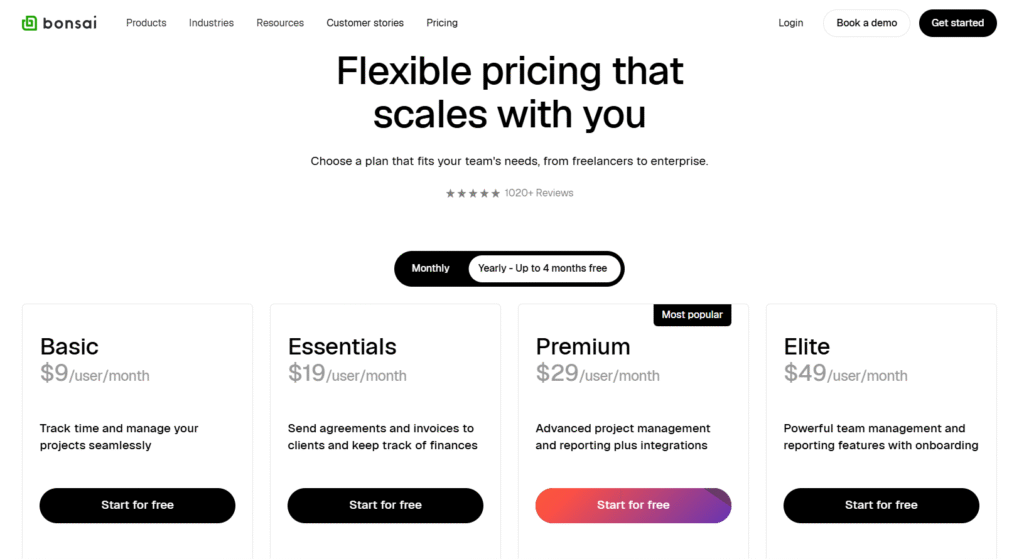
Basic
- Monthly: $15/user/month
- Yearly: $9/user/month
Essentials
- Monthly: $25/user/month
- Yearly: $19/user/month
Premium
- Monthly: $39/user/month
- Yearly: $29/user/month
Elite
- Monthly: $59/user/month
- Yearly: $49/user/month
7. Zoho

Zoho CRM is one of the most established CRM platforms with a separate project management tool called Zoho Projects. Together, they form a solid CRM project management solution if you’re willing to use two connected tools from the same ecosystem.
The CRM handles lead tracking, contact management, sales pipelines, and automation extremely well. It’s feature-rich and competes directly with Salesforce at a fraction of the cost.
Zoho Projects offers Gantt charts, task dependencies, time tracking, and team collaboration. The integration between the two is native, so client data flows smoothly.
The challenge is that you’re managing two separate interfaces. A deal in Zoho CRM doesn’t automatically become a project in Zoho Projects—you have to set that up.
Once configured, it works reliably, but the initial setup takes time. The UI also feels dated compared to newer tools like Monday or ClickUp.
Zoho works best for small businesses already invested in the Zoho ecosystem (Zoho Books, Zoho Mail, etc.) or teams that need enterprise-level CRM features without enterprise pricing.
Zoho Key Features
- Advanced Sales CRM: Manage leads through customizable pipelines with workflow automation, email integration, and detailed analytics.
- Zoho Projects Integration: Convert CRM deals into projects automatically with native integration. Tasks, milestones, and timelines sync between both platforms once you configure the connection.
- Gantt Charts and Task Dependencies: Plan complex projects with visual timelines, set task dependencies, and track critical paths.
- Time Tracking and Resource Management: Log hours on tasks, track team capacity, and generate timesheets for billing.
Pros
- Powerful CRM at affordable pricing
- Native integration with Zoho ecosystem
- Advanced automation and workflow rules
- Gantt charts for complex project planning
- Scalable for growing businesses
Cons
- Two separate tools to manage
- Outdated interface design
- Steep learning curve initially
Zoho CRM Pricing

Standard
- Monthly: $20/user/mo
- Yearly: $14/user/mo
Professional
- Monthly: $35/user/mo
- Yearly: $23/user/mo
Enterprise
- Monthly: $50/user/mo
- Yearly: $40/user/mo
Ultimate
- Monthly: $65/user/mo
- Yearly: $52/user/mo
8. Monday

Monday is a work operating system that started as a project management tool and added CRM functionality later. It’s known for its colorful, visual interface and extreme flexibility in customizing workflows.
The project management side is excellent. Boards, timelines, Gantt charts, automations, and integrations work smoothly. You can build almost any workflow you need using their building blocks.
Its CRM includes lead pipelines, contact management, deal tracking, and email integration all function well.
The biggest strength is customization. You can adapt Monday into exactly what your business needs. The biggest weakness is also customization. Setting it up takes time.
Monday compares well to ClickUp in flexibility but with a cleaner interface. It’s more intuitive than Zoho but lacks Zoho’s depth in CRM automation. Pricing sits in the mid-range, cheaper than HubSpot’s paid tiers but more expensive than Zoho or Flowlu.
Works best for teams of 10-50 people that need powerful project management with decent CRM features, not the other way around.
Monday Key Features
- Customizable CRM Pipelines: Build sales pipelines with custom stages, fields, and automation rules. Visual boards show exactly where deals sit and what action comes next.
- Advanced Project Boards: Create boards with multiple views, including Kanban, timeline, calendar,and Gantt. Customize columns with dropdowns, dates, people, and formulas.
- Automation Builder: Set up automated workflows without coding. When a deal closes, create a project. When a task is marked done, notify the client.
- Time Tracking and Workload Management: Track hours on tasks and visualize team capacity across projects.
Pros
- Highly customizable for any workflow
- Clean, visual interface that teams like
- Strong automation capabilities reduce manual work
- Integrates with most popular business tools
- Scales well from small teams to large agencies
Cons
- Gets expensive with add-ons
- CRM feels secondary to project management
Monday Pricing
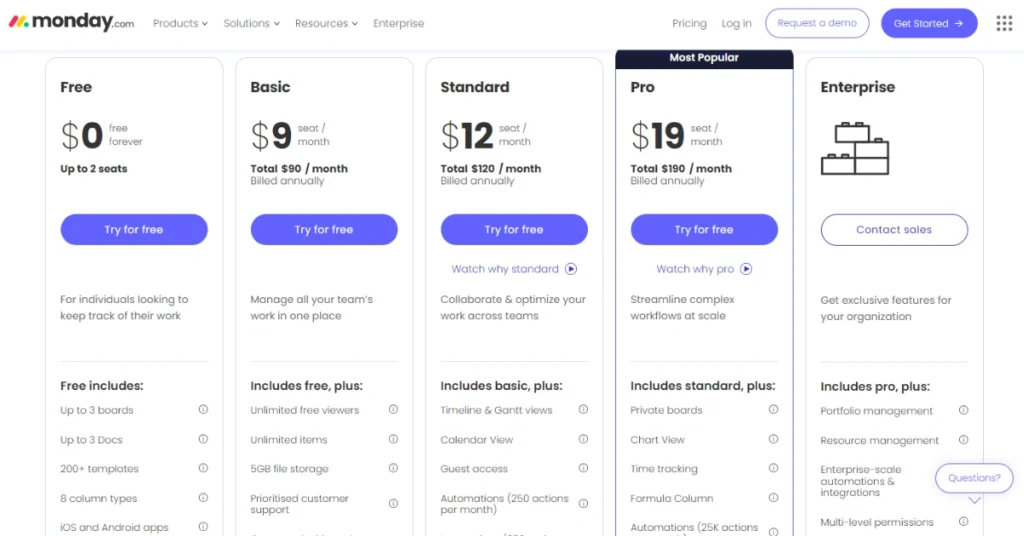
Basic
- Monthly: $12/seat/month
- Yearly: $9/seat/month
Standard
- Monthly: $14/seat/month
- Yearly: $12/seat/month
Pro
- Monthly: $24/seat/month
- Yearly: $19/seat/month
9. Trello

Trello is a simple Kanban board tool owned by Atlassian. It’s built for visual task management and collaboration, not as true CRM project management software.
There’s no real CRM functionality. You can create a board for leads and move cards through stages, but it’s manual and basic. No contact management, no email integration, no pipeline analytics. If you need actual CRM features, Trello isn’t it.
Project management works well if your needs are simple. Cards, lists, due dates, attachments, and comments handle straightforward workflows.
You can add power-ups (integrations) for time tracking, calendars, and automation, but those cost extra and still don’t match dedicated PM tools.
Trello’s main advantage is simplicity and price. Free tier is generous. Paid plans are cheap. It’s fine for internal task tracking or personal projects.
For client work requiring both CRM and project management, you’ll need something more robust, like Monday, Flowlu, or a purpose-built solution.
Trello Key Features
- Kanban Boards for Task Tracking: Create boards with lists and cards to visualize workflows. Drag cards across lists as work progresses from To-Do to Done.
- Power-Ups for Extended Functionality: Add integrations for calendar views, time tracking, automation, and custom fields.
- Team Collaboration on Cards: Comment on cards, tag team members, attach files, and set due dates.
- Butler Automation (Paid Plans): Automate repetitive actions like moving cards, assigning members, or setting due dates based on triggers you define.
Pros
- Extremely simple and intuitive interface
- Free tier works for small teams
- Fast setup with minimal configuration
- Good for basic task visualization
- Large library of power-up integrations
Cons
- No CRM features
Trello Pricing
Standard
- $5/user/month
Premium
- $10/user/month
Enterprise
- $17.50/user/month
10. Pipedrive
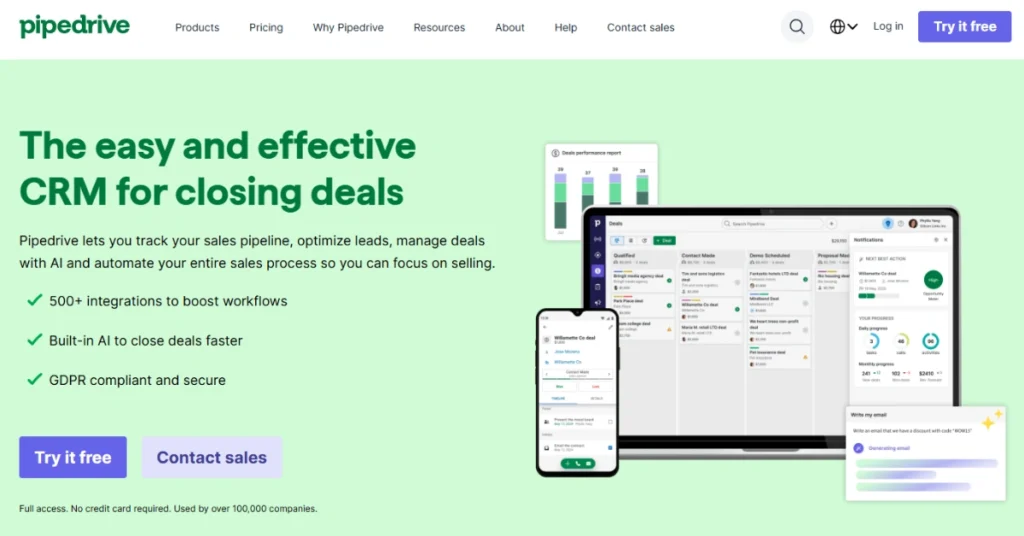
Pipedrive is a sales-focused CRM built specifically for teams that need to close deals fast. It’s designed around visual pipelines and activity-based selling, not project management.
The CRM is strong. Pipeline management, contact tracking, email integration, and sales reporting all work exceptionally well.
Project management features are minimal to nonexistent. There’s a projects add-on, but it’s basic including task lists and due dates, nothing approaching real project tracking.
Pipedrive makes sense for sales-heavy agencies where closing deals is the priority and project delivery happens elsewhere. If you’re running outbound campaigns, managing a large prospect database, or need detailed sales analytics, it’s excellent.
But for agencies needing CRM and project management in one platform, it falls short. You’d need to pair it with Monday, Trello, or a dedicated PM tool.
Pipedrive Key Features
- Visual Sales Pipeline: Move deals through customizable stages with drag-and-drop simplicity. Color-coded cards show deal value, stage, and next action at a glance.
- Activity-Based Selling: Schedule calls, emails, and meetings tied to specific deals. Pipedrive prompts you with next actions to keep deals moving and prevents leads from going cold.
- Email Integration and Tracking: Sync your inbox to log all client communication automatically. Track email opens and clicks to know when prospects engage with your messages.
- Sales Reporting and Forecasting: Generate reports on pipeline value, win rates, and individual rep performance. Forecast revenue based on deals in progress and historical close rates.
Pros
- Best-in-class sales pipeline management
- Clean interface focused on deal progression
- Strong email integration and tracking
- Excellent sales analytics and reporting
- Affordable for CRM-only needs
Cons
- Almost no project management
- Not built for agencies
Pipedrive Pricing
Lite
- Monthly: $19/user/month
- Yearly: $14/user/month
Growth
- Monthly: $34/user/month
- Yearly: $24/user/month
Premium
- Monthly: $64/user/month
- Yearly: $49/user/month
Ultimate
- Monthly: $89/user/month
- Yearly: $69/user/month
Features to Look for in Project Management Software with CRM
Project management and CRM are two different tools. Platforms that combine these tools should have features your business needs the most. Not all CRM and PM tools are marketing-focused. There are ones with sales focused, and also some are built for proper lead management.
The following features will make it clear for you –
- Visual Sales Pipeline: You need to see where every lead sits at a glance. A Kanban-style pipeline lets you move prospects from initial contact to closed deal without digging through spreadsheets.
- Contact and Interaction Management: Every email, call, meeting, and note should tie back to a contact record. When someone on your team talks to a client, the full history is right there. No one asks “wait, what did we promise them?” because it’s all documented.
- Lead Capture Forms: Prospects should land directly in your CRM when they fill out a form on your website. No manual copy-pasting from email or Google Sheets. Forms embedded on your site or shared as links, and submissions flow straight into your pipeline.
- Task and Project Boards: Once a deal closes, it should convert into a project with tasks, deadlines, and assignees. Kanban boards work well for most agencies as it’s visible, flexible, and easy for teams to adopt. Gantt charts help if you manage complex timelines with dependencies.
- Client Portal Access: Clients need to see project progress without asking you. A portal lets them check task status, upload files, and leave feedback in one place. Cuts down on status update emails and makes your agency look organized.
- Time Tracking Built Into Tasks: Your team logs hours directly on the work they’re doing. You see exactly how much time goes into each project for billing and capacity planning. Helps you figure out if you’re pricing services correctly or burning hours on low-margin work.
- Team Collaboration and Messaging: Comments and messages should attach to specific tasks or deals. Email chains get messy. Slack conversations disappear. When everything lives inside the platform, you find what you need six months later without hunting.
- File Management and Sharing: Clients upload briefs and assets. You deliver finished work. All files stay organized by project and accessible to the right people. No more “can you resend that file?” requests because someone lost the email attachment.
- Invoicing Tied to Projects: Generate invoices based on tracked time or fixed project rates without switching tools. Invoice data connects to client records so you see payment history, outstanding balances, and billing status in one view.
- Automation for Repetitive Work: Move deals to the next stage automatically. Send follow-up reminders when a task is overdue. Create projects from deal templates when you close a sale. Automation handles the boring stuff so your team focuses on actual work.
- Reporting and Analytics: See which projects are profitable, which team members are overloaded, and where leads drop off in your pipeline. Reports should be visual and easy to understand, not spreadsheets that take an hour to interpret.
- Integrations With Your Existing Tools: Your CRM and project management software should talk to your email, calendar, accounting software, and other tools you already use. Native integrations or API access keeps data flowing without manual syncing.
Conclusion
Pick the project management software with CRM platform that matches your actual workflow, not the one with the longest feature list.
If you’re running a small agency and need both CRM and PM without the bloat, Agency Handy handles it. Test a few options, see what your team actually uses, and stop paying for features sitting idle.
Frequently Asked Questions
Can a CRM be used for project management?
Yes, but with limitations. Basic CRMs can track tasks and deadlines, but they lack Gantt charts, dependencies, resource planning, and time tracking. For complex project delivery, you need dedicated PM features or a combined tool like Agency Handy or Monday.
What is the difference between CRM and project management software?
CRM manages client relationships—leads, contacts, sales pipelines, and communication history. Project management handles task execution—assigning work, tracking progress, timelines, and team collaboration. Best CRM and project management for small business combines both in one platform.
What is the most common CRM tool?
Salesforce dominates enterprise markets. HubSpot CRM and Zoho CRM are more common for small businesses—HubSpot offers a generous free tier, Zoho provides enterprise features at budget pricing.
Which is the easiest CRM software?
Pipedrive and HubSpot have the flattest learning curves. Pipedrive focuses purely on sales pipelines with minimal setup. For agencies needing CRM plus project management, Agency Handy and ManyRequests are easiest—designed for small teams without IT support.
How much do project management software with CRM cost?
Project management software with CRM cost $10-$40/month per user. Team focused tools cost $100-$300/month. Enterprise solutions cost above $500/month.