Skip to content
  Once in a lifetime deal →




Do missed bookings, messy calendars, or scattered client details slow you down? We understand that it’s not easy to run your service-based business smoothly, especially without the right tools.
Well, Vcita could be the solution you’re looking for. It combines scheduling, invoicing, client management, and even AI-driven automation in one platform.
Hence, let’s see exactly how vcita works, its key features, pricing, pros and cons, and if it’s truly right for your business.
Key Takeaways
- vcita is an all-in-one app helping small businesses manage scheduling, payments, client relations, and automated tasks.
- vcita pricing starts at $35/user/month (Kickstart), $65/user/month (Business), $110/user/month (Platinum).
- And the best alternative to vcita is Agency Handy, that starts at just $19/month. You’ll get complete control over your agency and client management.
What is vcita?
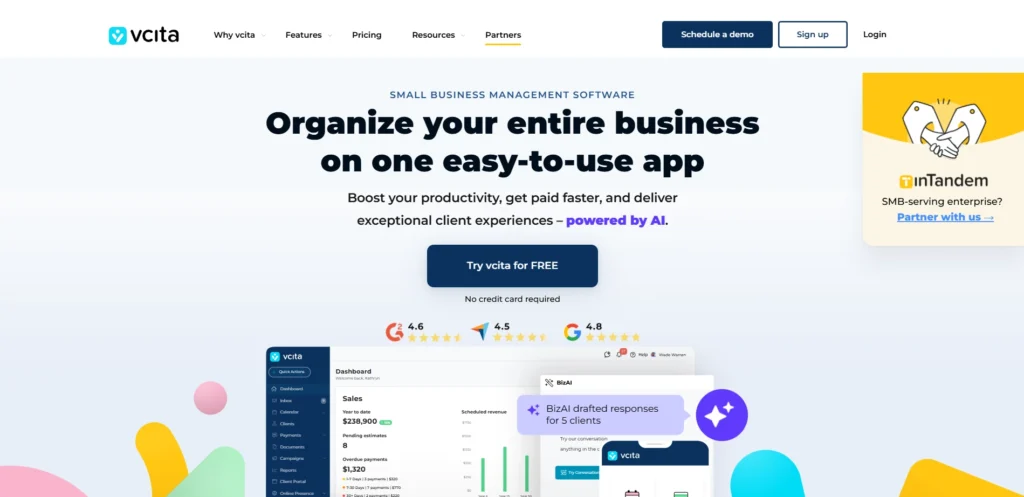
vcita is a business management platform you can use to organize, run, and grow your small service-based business from one place. You’ll get CRM, scheduling, payments, and marketing tools in a single app.
Once you sign up, you can manage your calendar, track payments, respond to clients, and automate routine tasks. Plus, you can use its built-in AI, BizAI, to handle draft replies, prepare estimates, and offer smart business tips.
On top of that, the setup is simple. You sign up, set up vcita scheduling, connect your existing tools, like PayPal, Stripe, and start using features instantly. No complex onboarding or IT knowledge is needed.
Now, vcita is ideal for —
- Freelancers and solo entrepreneurs
- Small service providers
- Coaches and consultants
- Fitness and wellness professionals
- Beauty and spa businesses
- Legal and accounting professionals
- Home service providers
- Educators and tutors
How to Set Up and Use vcita
You don’t have to be tech-savvy to set up and get started with vcita, a small business management software. Here’s a step-by-step breakdown to help you get started.
1. Sign Up or Log In
Go to vcita’s homepage and click “Start Free Trial” or “Sign Up.” You can register with your Google account or fill in your business name, email, and password manually. No credit card is required to get started.

2. Complete Your Business Info
You’ll be prompted to fill in your company details, including your business address, number of employees, service type, and contact info. Once saved, you’ll land on your dashboard.
3. Explore the Dashboard
After logging in, you’ll land on the main dashboard.
From here, you can access your calendar, client list, payments, marketing tools, and reports.

The layout is clean and self-explanatory. You can start exploring immediately.
4. Set Up Your First Client
From the dashboard, go to Clients and hit “Add New.”

Enter your test client’s name and email. It will show a preview of how the client portal works.

After creating a client, vcita gives you multiple options for messaging, invoicing, file management, and adding notes.

5. Calendar
Click on the calendar. vcita will open up the appointment booking software settings.

You can select “Calendar View” to see a list of your scheduled appointments. There’s also an “Appointment List” to sort and filter appointments based on different factors.

6. Connect Payment Gateways
To collect your payments, go to Settings > Billing and click “CONNECT TO ONLINE PAYMENTS” to link Stripe or PayPal.

You can now start charging for services right inside the platform.
7. Customize Your Client Portal
You can also customize the client portal to give it your brand’s look.

vcita allows you to add your logo, pick your brand colors to offer more personalized branding.

Features of vcita
Here are the best vcita features to manage clients, process and collect payments, online scheduling, etc.
Client Management
vcita keeps all your client data in one clean view. You can track communication history, upcoming appointments, shared documents, and payment records for every contact.
Also, you can use tags to segment clients by behavior, status, or service type. This allows you to respond faster and serve each client more personally.
Client Portal
With a built-in client portal for SEO agencies, every report, task, and message lives in one place. You can upload backlink reports, technical audits, or even content calendars, then let clients review and approve directly in the portal.
The best part? It’s fully white-labeled. Add your logo, custom domain, and brand colors so your agency looks polished at every touchpoint.
BizAI
BizAI is vcita’s built-in AI assistant. With that, you can manage repetitive tasks like scheduling, replying to clients, and drafting estimates.
It reviews booking requests, suggests smart responses, and prepares invites for your approval. Acting as a business advisor, you can use it for business insights based on your activity.
Lead Capture and Intake Forms
You can add new leads directly through your website using embedded forms. These forms are fully customizable, so you collect only the necessary details.
Once submitted, the data syncs with the vcita CRM instantly. You also get notified as soon as a new lead enters your system.
Scheduling and Calendar
With scheduling software vcita, clients can self-book or re-book using your live calendar.
The system automatically blocks off unavailable slots and can maintain waitlists for last-minute openings.
You can also set up recurring meetings, add locations, and manage your availability in real time.
Team Scheduling
If you manage a team, vcita lets you assign bookings to the right staff based on availability.
Use shared calendars, assign meetings in round-robin order, or set specific schedules for each team member. That means smoother operations and fewer missed appointments.
Billing & Invoice
You can use pre-built invoice templates, add your logo, apply taxes or discounts, and send payment links in just a few clicks.
The system supports deposits, recurring billing, automated reminders, and full payment tracking.
You can also turn approved estimates into invoices instantly and let clients pay through Stripe, or PayPal.
Integrations
vcita works smoothly with the apps you already use. The best vcita integrations include Stripe, PayPal, QuickBooks, Square, Zoom, and Zapier.
These integrations allow you to sync payments, embed scheduling, export financial data, or add payment widgets on your site.
AI and Automation
BizAI, vcita’s built-in assistant, learns your business habits and suggests actions that save time. It can draft replies, recommend next steps, and fill your calendar during downtime.
You’ll also get preset automation flows, such as reminders, overdue payment alerts, and new lead follow-ups.
Reports and Insights
You can track everything from appointments, payments, and campaigns to client interactions in one dashboard. Plus, the reports are simple to read and can be customized to focus on what matters. Whether it’s monthly income or client engagement, you get clear numbers to guide smart decisions.
vcita Pricing
vcita gives you 3 price tiers based on your needs. We’ve listed the pricing for single users.

Here is the vcita pricing table, including both monthly and annual pricing. It’ll help you to decide a cost-efficient option for you.
| Pricing Plan | Price (Billed Monthly) | Price (Billed Annually) | Features |
| Kickstart | $35/user/month | $29/user/month | Client managementBusiness calendar and online schedulerOnline payment and invoicesClient portalSMS notifications and remindersBilling automationService packagesEmail & SMS marketing |
| Business | $65/user/month | $54/user/month | All Kickstart features |
| Platinum | $110/user/month | $93/user/month | All Business featuresQuickBooks integration2-Way SMS TextingZapier integrationGoogle Analytics 4 |
- Kickstart: The Kickstart plan is ideal if you’re a solopreneur looking for all the core tools to get up and running.
- Business: As your business grows, the Business plan gives you more control with advanced features like automated marketing campaigns, waitlist management, etc.
- Platinum: The plan includes everything from the previous tiers along with powerful integrations like Zapier, QuickBooks, Google Analytics 4, and 2-way SMS texting.
What Are the Benefits of Using vcita?
Let’s walk through how vcita can make your life easier —
- Effortless Scheduling & Booking: vcita’s intuitive booking widget lets clients schedule directly on your website, syncing instantly with your Zoom or Office 365 calendar.
- Flexible Payment Options: It allows you to get paid faster with multiple secure payment methods, including credit cards, PayPal, and Stripe.
- Smart Client Management: vcita allows you to keep every client interaction organized in one place. vcita’s CRM for small business stores contact details, messages, documents, and payment history, so you have full visibility at a glance.
- Automation for time efficiency: It handles repetitive tasks like appointment confirmations, payment reminders, and follow-up emails, all of which happen automatically.
- Reliable support: vcita’s support team responds quickly with clear, actionable solutions. Whether it’s setup tweaks or troubleshooting, you’ll never feel left hanging with a problem you can’t solve.
Limitations of vcita
No tool is perfect and vcita has its fair share of drawbacks. Here’s what we found lackings in vcita —
- You’ll hit a cap on uploads, and deleting old files isn’t always smooth. If you frequently attach images or contracts, you might need workarounds or an upgrade.
- If your clients speak different languages, you can’t display multiple options at once. You have to pick one, which isn’t ideal for global businesses.
- You’re locked into PayPal and Stripe. If you prefer bank transfers (like BACS), your clients may face extra fees.
- Sometimes calendar sync delays, especially with Google. Most times, it’s fine. But when it fails, appointments get messy.
The Best Alternative to vcita: Agency Handy
vcita works fine for basic scheduling or invoicing, but soon feels limited. If your needs include advanced client management, flexible branding, or better team collaboration, consider Agency Handy.
| Aspects | vcita | Agency Handy |
| Free Trial | 14-Days | 7-Days |
| User | 1 | 1 |
| Pricing | $35/user/month | $19/month |
| Major Pros | – Easy scheduling and basic invoicing- Simple mobile app access | – Multi-package services – Built-in forms to onboard clients and projects |
| Major Cons | Limited client management | Basic proposal |
| Best Suitable For | Small business | Small to large agencies |
| Customer Ratings | 4.6 | 5.0 |
Agency Handy vs vcita
When you’re running a growing service business, limitations feel like roadblocks.
For starters, vcita works if you only need to schedule meetings or send invoices. But once you try to scale, you can’t do anything at all if you don’t move up from $35 to $65/user/month. No services, client workflow, subscription payments. Nothing.

But you’ll get all of that in Agency Handy just for $19/month. Unlike vcita, which hides more advanced features behind higher pricing walls, Agency Handy is flexible from day one.

From day one, you can setup your services, create forms, and integrate payment gateways (e.g, PayPal, Stripe, Wise, Crypto, and manual banking) to onboard clients. You can start managing the whole process right away.
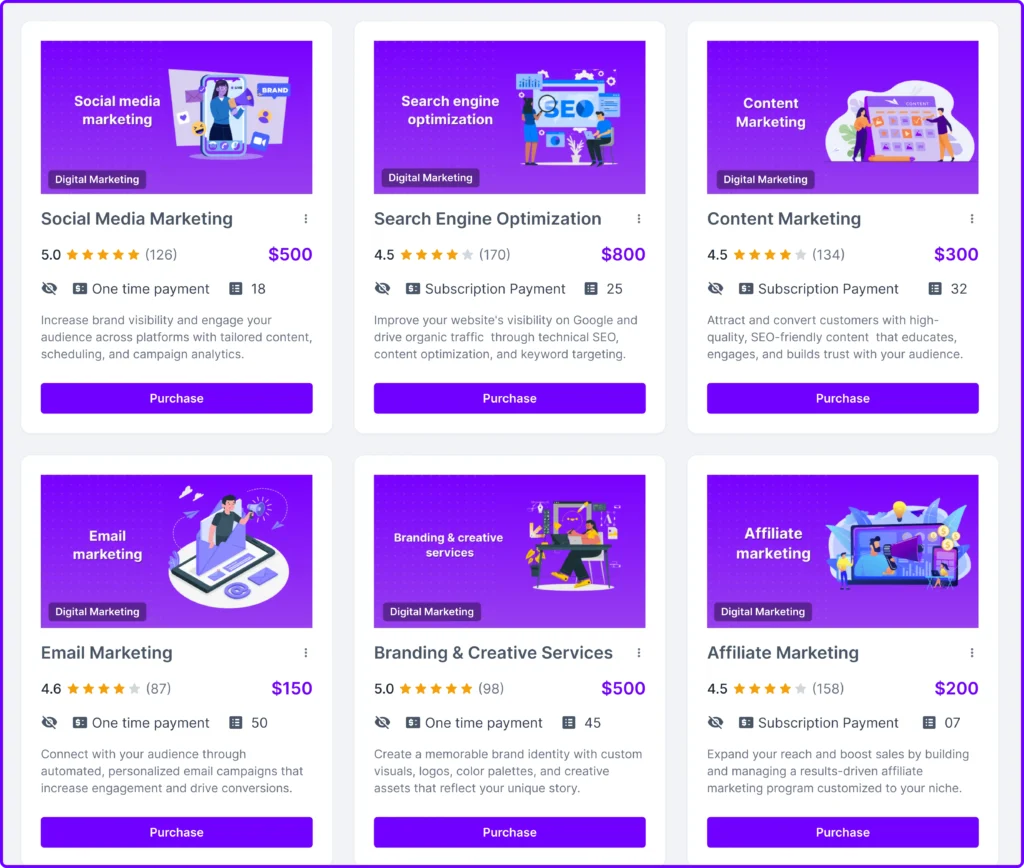
Plus, you can run both one time and recurring services. There’s no limitation to service, forms, or invoice management.
Agency Handy supports real time client collaboration, too. It allows you to assign tasks, track progress on Kanban boards, and store everything with up to 10 TB of storage
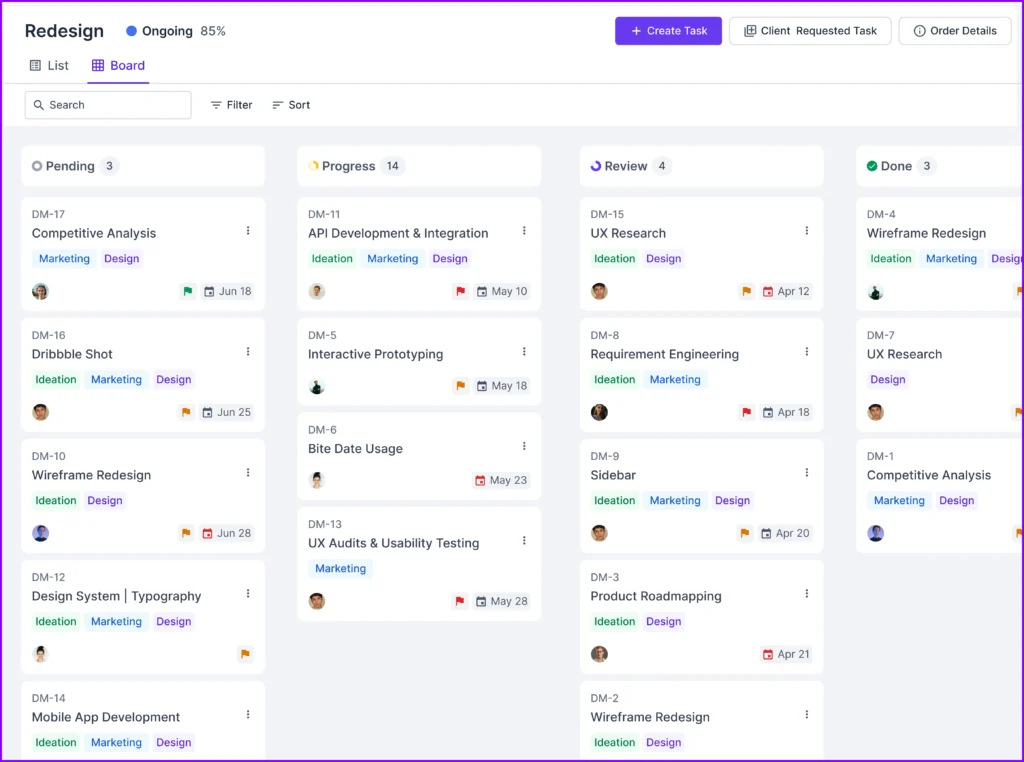
If you need branding, control, and workflows that fit your business, Agency Handy is the best fit for you.
Final Words
If you’re running a small service-based business, vcita gives you a simple way to handle bookings, payments, and client management in one place. You can get set up fast, stay organized, and even automate the daily tasks that tend to pile up.
That said, if you’re working with a team or offering more complex services, Agency Handy might fit better. It gives you more control over how you manage projects, brand your client portal, and organize your services.
FAQs
Can vcita help me organize schedules for my team?
Yes, vcita lets you easily add staff, set availability, and sync calendars like Google or Outlook. In fact, clients book appointments directly, with automated reminders helping to avoid double-bookings and missed meetings.
Can vcita connect with the calendar I already use?
Absolutely. vcita syncs effortlessly with Google, Apple, Outlook, or any ICS-supported calendar. Appointments booked by clients appear instantly on your personal calendar, preventing double bookings and simplifying your day.
What’s the client booking process like with vcita?
Clients easily schedule meetings through booking buttons on your website, social media, or via direct email and text links. Plus, vcita shows open times clearly, then sends automated confirmations and reminders to cut down on missed appointments.