Skip to content



Most agencies have written reviews. Only a few have videos.
That’s the gap. And it’s easier to fill than you think.
Video testimonials convert 34% better on average than pages without them. They build the kind of trust that written reviews simply can’t. Because prospects can see the person and hear their voice, and decide for themselves whether it’s worth it.
You don’t need a production crew. You need a process. This article covers exactly that.
Why Video Testimonials Convert Better Than Written Reviews
Written reviews are fine. But every agency has them.
Prospects know a happy client can leave one in two minutes. Video testimonials are hard to fake. When someone sits down and talks about working with you, that carries real weight.
Think about the last time you were picking a service. If there was a video of someone sharing their experience, you watched it. And it showed you more than any written review could.
People remember 95% of a video but only 10% of written text. That gap matters when your prospect is comparing you against three other agencies.
For high-ticket services, that’s often what gets them to reach out. Adding video testimonials to key pages can boost conversion rates by 25–34% on average, and up to 80% in some cases, according to Teleprompter.
And it’s not just conversions. Electro IQ claims that pages featuring video are 53 times more likely to appear on the first page of Google.
One good testimonial video on your homepage does more work than a full page of written reviews.
How to Ask a Client for a Video Testimonial
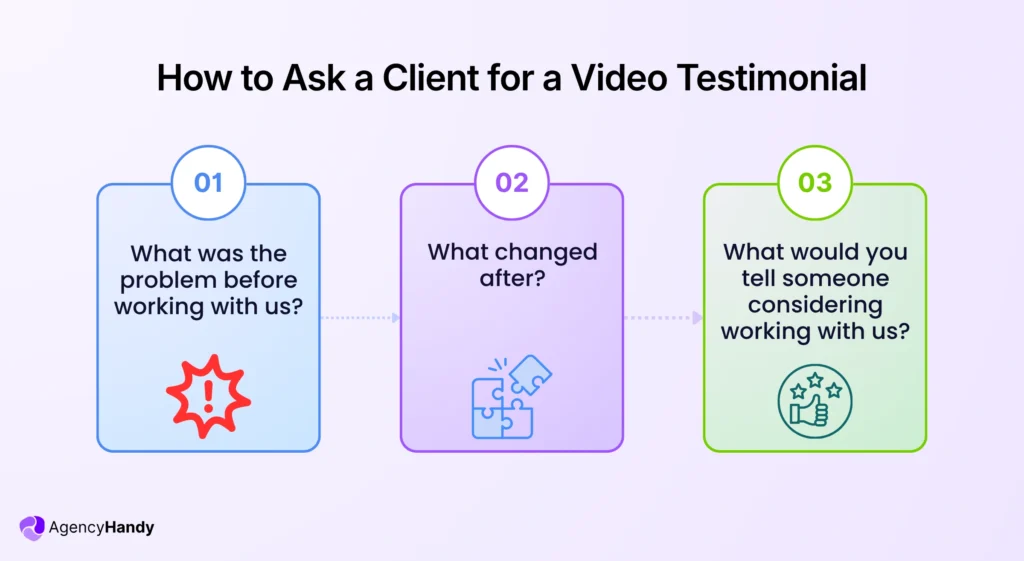
Ask right after a win.
That’s when they’re happy and the details are on point. Keep it short. It can be something like: “Can you record a two-minute video? I’ll send you three questions so it’s easy.”
That part matters. Most clients freeze without a structure. Give them:
- What was the problem before working with us?
- What changed after?
- What would you tell someone considering working with us?
They’ll do it. And it’ll actually be useful.
Quick tip: Keep the video under two minutes. Mobile users are 3.4x more likely to watch a testimonial video than read written reviews. But only if it’s short enough to watch on the go.
Send the request through your client portal so it sits alongside the rest of their project work rather than getting buried in their inbox.
How to Manage the Editing Workflow Inside Your Team
Once the raw recording comes in, assign it that same day.
Set who’s editing it, when it’s due, and what format you need. Treat it like any other client deliverable, because it is one.
Use your project management tool to create the task, set the assignee, attach the raw file, and track it through to completion. Your editor knows what to do. Your account manager knows when to follow up. Nothing sits waiting on a Slack reply that never comes.
44% of marketers have spent $15,000 or more on a single testimonial video, according to Influencer Marketing Hub.
This is largely because production gets disorganized and drags on. Keeping it inside your existing project workflow keeps both the timeline and the cost in check.
How to Review the Video Before It Goes Live
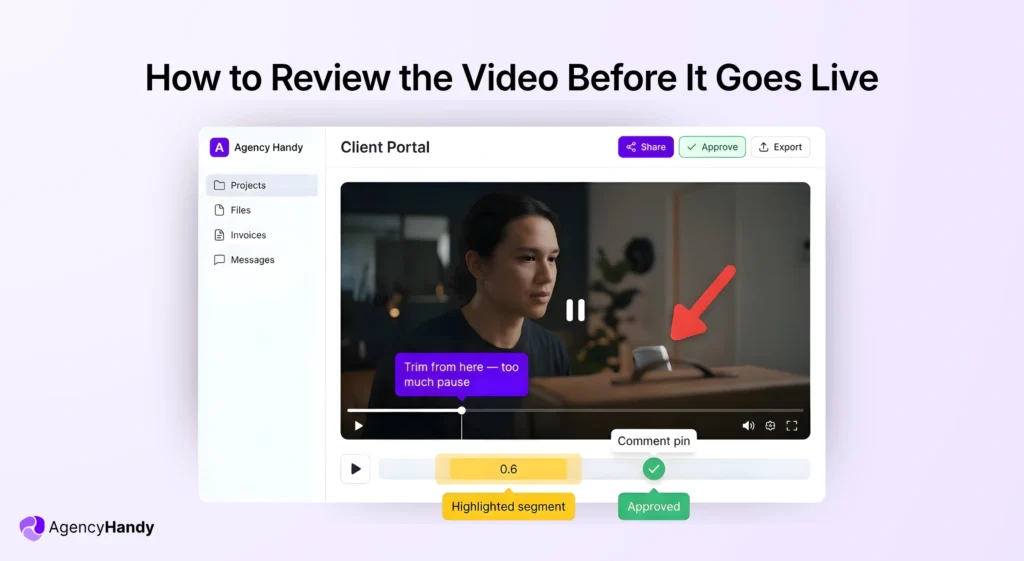
Most agencies do this over email. “At 0:43 the audio cuts out.” “Can you trim the beginning?” Three reply threads later, nobody knows which version is final.
Upload the video to your client portal instead. Leave feedback directly on it.
What You Can Do With the Annotation Tool
- Text comments: pin a note to the exact frame where something’s off
- Highlighter: mark sections that need trimming or re-recording
- Arrows and shapes: point to specific visual elements that need fixing
- Color coding: separate feedback types at a glance
Use Agency Handy platform to give visual file feedback with annotation tools.
Red for pacing issues. Yellow for audio. Green for approved sections. Everyone on the team knows what’s what without reading through a comment chain.
How the Client Reviews It
Your client gets access to the same view. They can:
- Approve sections directly on the video
- Flag changes with their own annotations
- Reply to your comments in context
Everything stays in one place. No “which version did we land on” moments. No forwarded email chains.
The Result
Fewer revision rounds. Faster sign-off. And a cleaner handoff to whoever is publishing it.
Compress the Video Before It Goes on Your Website
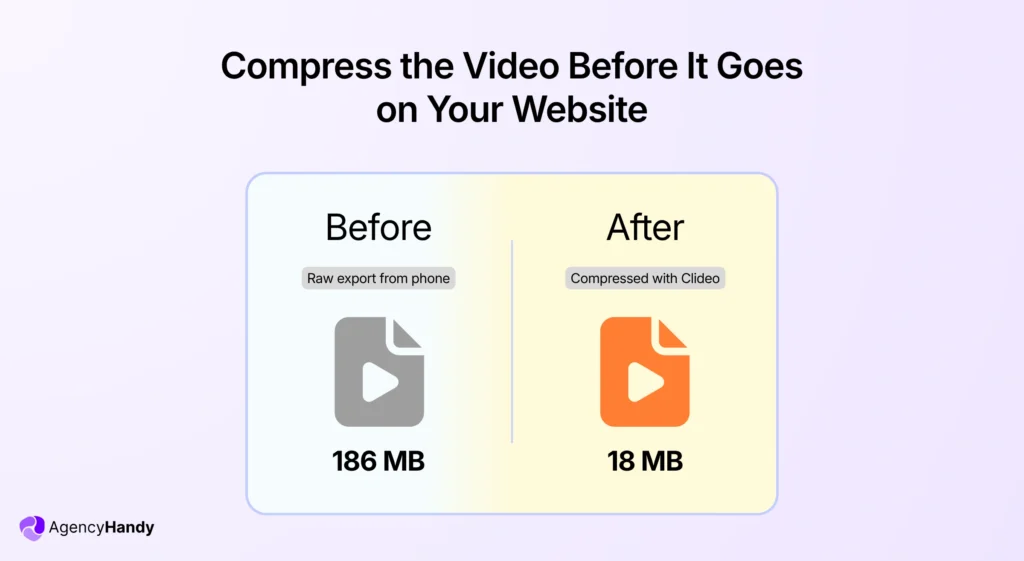
The final edit is approved. Now it needs to go live.
Most video raw files are bigger than they need to be. Whether you record on a phone or export from editing software. And a heavy file slows your page down.
For every one-second increase in page load time, bounce rates increase by 32%. That’s a prospect landing on your testimonial page and leaving before the video even plays.
Run it through online video compressor before you upload it anywhere.
Why It Matters
- Faster page load time
- Better Core Web Vitals scores, which Google uses as a ranking factor
- Smoother playback for visitors on slower connections
- Smaller file size for sharing in proposals or emails
How It Works
No software to download. Open Clideo in your browser, upload the file, and compress it. Takes a few minutes. The output quality stays clean, you won’t notice a difference visually, but your page will load noticeably faster.
Worth knowing: Media files make up 70–90% of a webpage’s total weight. A single uncompressed testimonial video can be the reason your otherwise fast site suddenly crawls.
Where to Use the Compressed File
- Homepage testimonial section
- Service landing pages
- Proposal decks
- Case study pages
One compressed file. Works across all of them.
Conclusion
And once you have one good testimonial video on your site, you’ll want five more. 73% of B2B businesses that use video as part of their marketing report a positive ROI. It will act like a library or social proof and get you clients more than ever.