Skip to content
  Get the best 3-year deal NOW →



Key Takeaways:
- Subscription payment processing handles recurring charges, approvals, and retries. Adjusts rates when plans change.
- Subscription payment gateways use secure tokenization to protect customer card details.
- Smart retry logic in recurring billing helps to recover failed payments.
- Subscription management software separates pricing logic from the actual payment collection process.
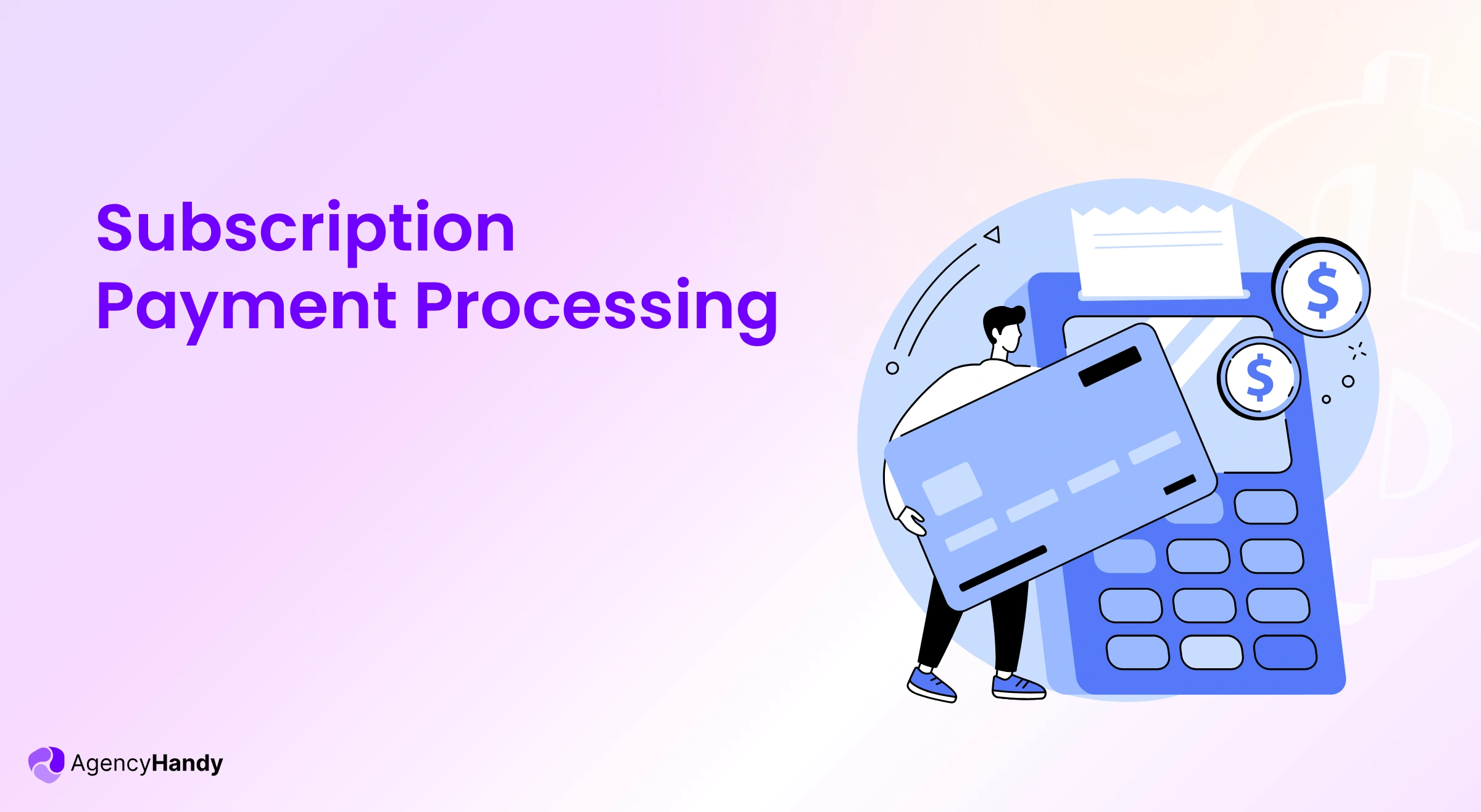
The subscription payment process automatically collects money from your clients on recurring schedules. The system kicks in when your bank or card authority authorizes your identity and verifies account or card details.
OpenView’s research shows 46% of SaaS companies offer usage-based or hybrid subscription plans. That’s also the case with agencies with tiered packages
This guide breaks down how the subscription payment process works. You will know what happens at each step. And how you can manage complex pricing without manual billing.
What is Subscription Payment Processing?
The subscription payment process is the sequence of actions to transfer the funds from clients to service providers every month. It grabs your client’s saved payment info on renewal day, processes the charge and puts the money in your account. The best part, it does everything automatically.
The subscription payment process charges money for services like SaaS and software licensing. Most popular examples these days include content library subscriptions and streaming.
The process securely stores the card or bank info of your clients. It then sends confirmation emails to clients. And logs all transactions for later use.
The system also retries automatically when a card declines. It sends clients automatic reminder emails and tries again in a few days.
So basically, the subscription management software knows who your clients are and which plan they are on. The billing part knows how much to charge from a particular client this month. And the payment process is what charges their card that amount.
Manage your client’s subscriptions for automated payments in Agency Handy
How Subscription Payment Processing Works?
The subscription payment system uses the payment details of your clients. Then it goes through a secure process to finally get you the payment. Here’s how it works:
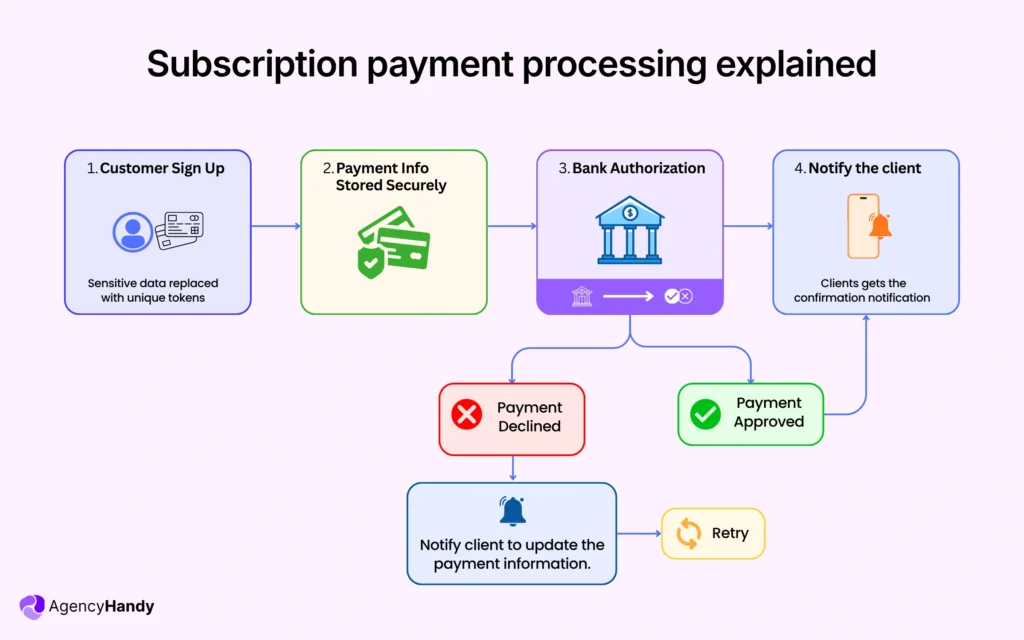
1. Customer Signs Up
The process starts when a client signs up for your recurring subscription plan. The client has to provide the necessary details, including name, address, and payment information of credit cards, bank or digital wallets.
2. Payment Info Stored Securely
The client will be asked to authorize to save the payment info for future billing. Payment processors like Stripe, PayPal encrypt the info and stores securely using tokens. It replaces the client’s card data with unique identification tokens.
Tools like Stripe and PayPal store this data for you. Both are PCI DSS compliant, so your clients’ payment info stays secure.
The subscription system stores subscription details, plans and billing frequency. Most importantly, it secures payment information using the tokenized system.
3. Sends the Payment Request
The system sends a payment request when a client’s payment is due. The request specifies the amount to charge. It tokenizes payment information to the payment gateway. The gateway then asks the payment processor to contact the card provider or the bank to authorize the transaction.
4. Authorization
The client’s bank then checks the transaction details and sees if the funds are there. If they are, your payment goes through. If not, it’s declined.
5. Notifies the Client of Payment
Once the charge goes through, the system records the transaction and updates the status. Your client gets a confirmation email the moment the amount is deducted from their card.
If the payment is declined, the payment processor then asks the client to update their card info and sends reminder emails. The process tries to collect the payment after a certain period of time.
Types of Subscription Payment Models
There are primarily 5 subscription payment models for businesses to choose from. You need to opt for one depending on your business model and product or service type.
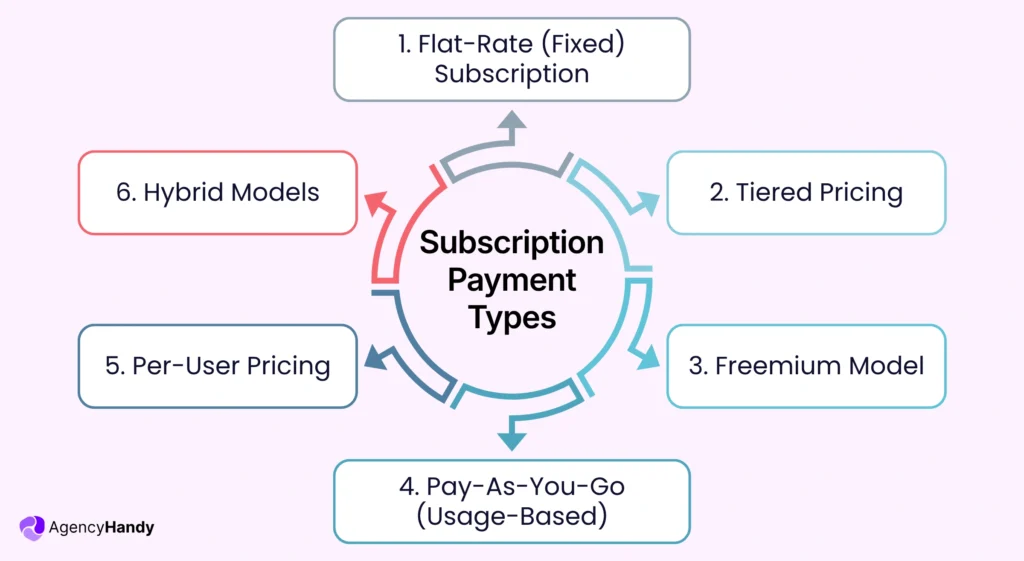
1. Flat-Rate (Fixed) Subscription
In a flat-rate subscription model, customers have to pay the same amount at regular intervals. The payment can be monthly, quarterly, or annually.
For example, Netflix charges a monthly fee to give users unlimited access to its content library.
2. Tiered Pricing
Tiered pricing gives customers plans at different price points based on features or usage. Clients pick what works for their needs. SaaS and B2B platforms typically use this model because it fits a wide range of budgets and needs.
For example, Agency Handy has Freelancer, Team Starter, and Business Pro plans for different clients.
3. Freemium Model
The freemium model offers users basic features for free. If clients need advanced features or fewer restrictions, they have to pay for them and upgrade. It creates trust and makes it easier for customers to begin using the product. LinkedIn and Spotify follow this payment model.
4. Pay-As-You-Go (Usage-Based)
Subscribers only pay for services they use in this payment model. Clients have to pay more if they use more services. It’s common for cloud-based services like Google Drive, web hosting services, etc.
5. Per-User Pricing
The price of a subscription increases by the number of users in this model. This model is widely used with business and team tools. B2B SaaS companies commonly implement this payment model in their business.
6. Hybrid Models
The hybrid payment model includes multiple of the above-mentioned models. The purpose is to get clients who want flexibility. It works well across multiple product platforms.
For example, Amazon Prime uses this model. It offers basic membership and optional services such as cloud storage.
How Agency Handy Handles Subscription Payment Processing for Agencies
Agency Handy, as a subscription management software, uses automated payment processors like Stripe, PayPal, Wise, and manual banking through integration. Agencies and businesses can manage subscription-based services using any of these payment options. Agencies with subscription model business get the most out of this platform for the following reasons –
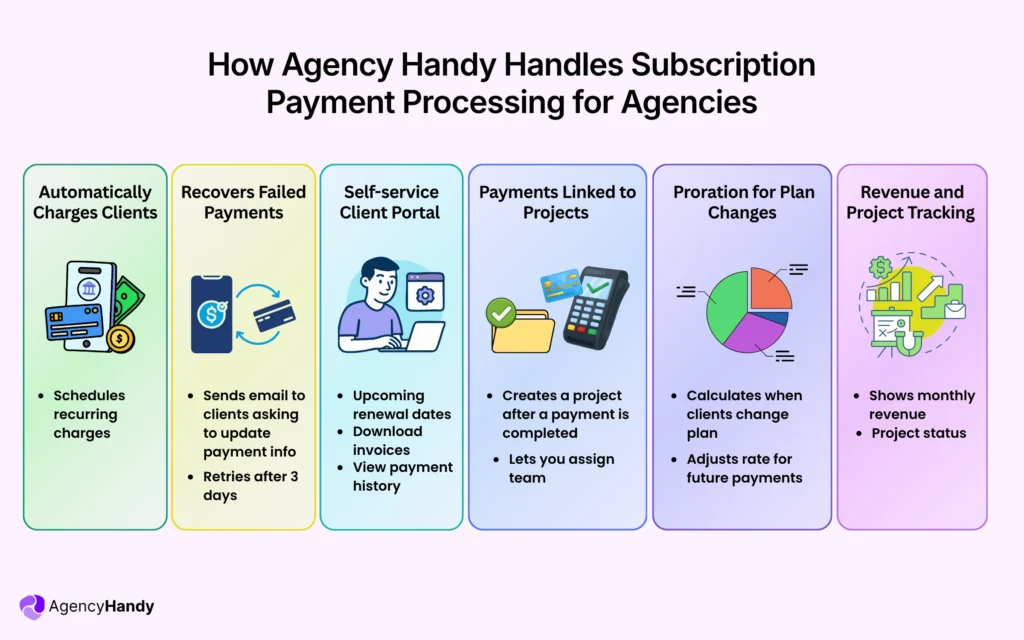
Automatically Charges Clients
Clients only need to create service packages once with pricing and billing frequency. When anyone subscribes, Agency Handy schedules their recurring charges. Based on their signup date, they will be charged each month/year.
Let’s say Client A renews on the 5th, Client B on the 22nd. The system processes payments automatically across all clients. No need to manage spreadsheets.
Recovers Failed Payments
When payments fail, Agency Handy immediately sends an email to clients. The email has a portal link to update their card. The system will automatically retry to charge the amount. It’s typically within 3-5 days, then again if needed.
This approach alone recovers 60-70% of failed payments. Whereas, manual follow-up can recover up to 30-40%.
Self-service Client Portal
Your clients can access things related to their ends from the client portal. They can see upcoming renewal dates from the portal. They can also download invoices and view payment history. When needed, they can update payment methods too. They can actually do a lot without bothering your team
Payment Status Linked to Project Access
After a subscription is renewed, Agency Handy creates a project against the purchase service. You can assign your team to that project. You can see projects from all clients.
Creative File Feedback Within Subscriptions
Clients can give advance file feedback with annotation tools. This is extremely useful for agencies that deliver creative projects like designing, video editing, etc.
Automatic Proration for Plan Changes
When a client changes their package mid-month, Agency Handy does the calculation. The system will charge the prorated difference for the rest of the billing period and adjust the rate for future payments.
Revenue and Project Tracking in One Dashboard
Agency Handy shows your Monthly Recurring Revenue across all active subscriptions. You will see what renewals are coming up in the next 30, 60, or 90 days, how your payment success rates are, and which packages are generating the most revenue.
Right alongside that financial data, you will see the project status of clients. Like what work is in progress, what’s waiting in review, what’s been completed, etc.
How to Set Up Subscription Payments: A Beginner-Friendly Guide
You can set up subscription payments very easily, following these five steps:
Step 1: Select an Appropriate Payment Processor
First things first, choose a processor that has multi-currency support, retry logic for failed payments and automated recurring billing. Integration is also important if you want to import data from other platforms.
Step 2: Establish Your Billing Model and Subscription Plans
Once you set up your pricing structure for monthly, yearly or custom cycles, then you can offer discounts or client-specific deals on top of it. A clear pricing model will make billing consistent. It also helps clients to pick the right plan.
Step 3: Provide Multiple Types of Payment Options
Make sure you’re offering multiple payment methods. The most popular methods are BNPL, digital wallets, bank transfers, and credit/debit cards.
Step 4: Make Retry Logic Active for Invalid Payments
Now, set up your system to send reminders before charging the subscription amount. Also set things up for retiring failed transactions.
Step 5: Start Your Subscription Setup
After you make your subscription plans live, you have to keep an eye on performance. You can increase user engagement using self-service tools, trial offers, or loyalty benefits.
Run A/B tests every once in a while to alter plans based on the response you get from prospects.
Final Words
Subscription payment processing is a key driver of your agency’s revenue. The system should be well-integrated with billing, project delivery, and client communication. These put your agency’s admin work on autopilot and let you focus on scaling. And that’s what Agency Handy wants for your agency growth.
FAQs
How secure is storing client payment information for recurring charges?
Payment information is stored securely through tokenization by PCI-compliant payment processors. Meaning actual card numbers never touch your servers and are replaced with encrypted tokens.
What are the problems of subscription services?
Common problems include failed payments due to expired cards, tracking multiple billing schedules manually, clients forgetting to update payment methods, churn from payment friction, and disconnected systems for billing and service delivery.
What is the difference between a payment and a subscription?
A payment is a single transaction for a specific amount, while a subscription is an agreement for recurring payments at regular intervals (monthly, annually) for ongoing access to a service or product.
What’s the difference between subscription billing and subscription payment processing?
Subscription billing calculates what to charge based on plans, discounts, and prorations, while subscription payment processing executes the actual money transfer from client to business.
Can I charge clients on different billing cycles with subscription payment processing?
You can charge clients on different billing cycles based on their individual signup dates or set custom renewal schedules for each client’s subscription.
Can I switch payment gateways after launching my subscription model?
You can switch payment gateways after launching by migrating customer billing data, getting customers to reauthorize payment methods, and updating your API setup. Use a platform that supports gateway switching or token transfers for smoother transitions.
How do I manage pricing changes for customers already subscribed?
Apply new pricing at the next renewal or after a grace period. Communicate the change clearly, give customers time to accept or switch plans, and use prorated billing to make the transition fair.
How often should I retry failed payments?
Retry failed payments 3-5 times over several days using smart retry logic—schedule attempts when customers are likely to have funds available, like after typical payday periods.