Skip to content
  Get the best 3-year deal NOW →
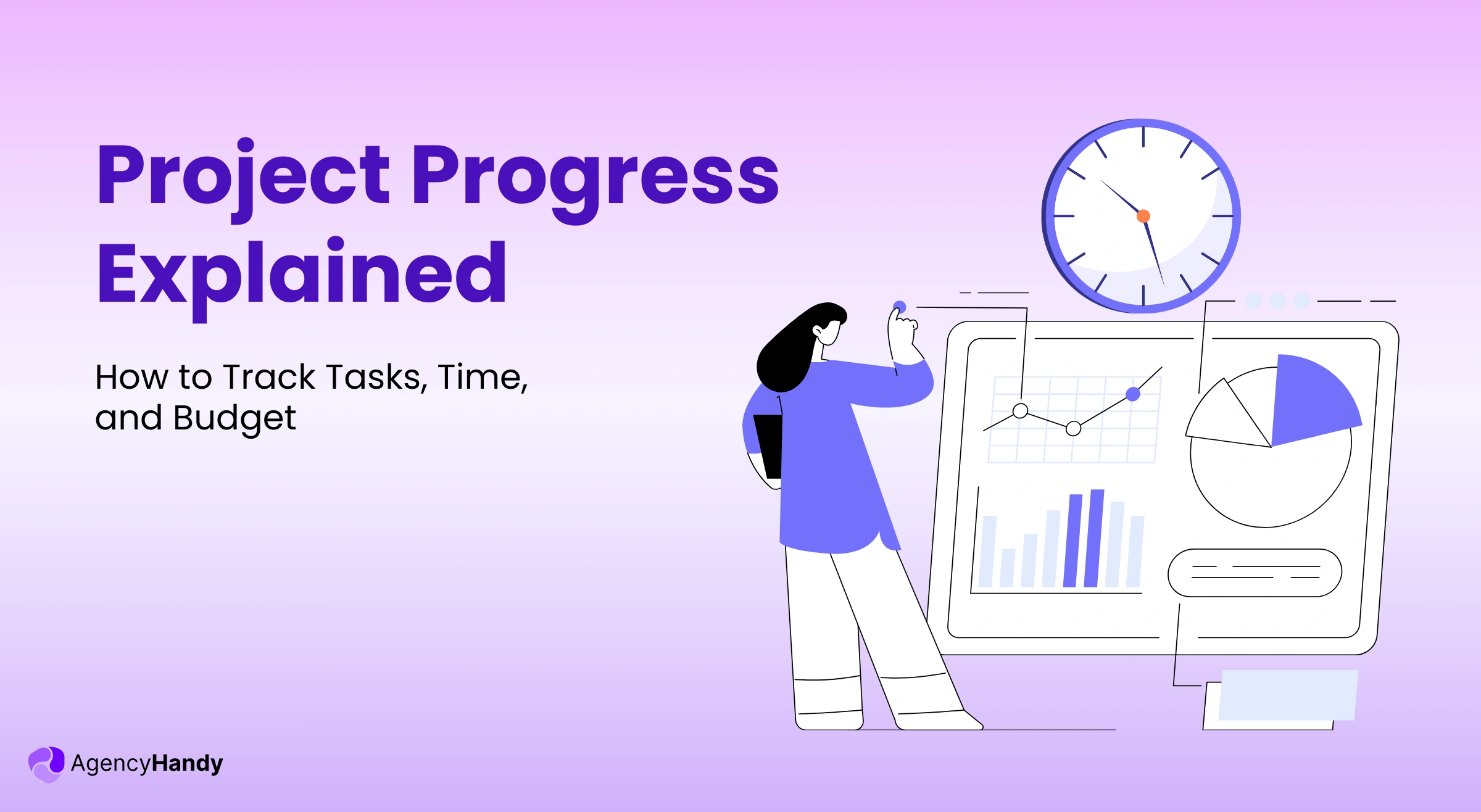



You start a project with a defined scope, time, and budget. But midway, you start to see that those tasks slow down, scope creep, feedback piles up, and effort crosses the budget.
Does it sound familiar? If yes, then you’re not doing project progress properly!
Well, no worries, we’ll clearly explain what project progress actually means, why it matters for agencies, and how to track it. You’ll see simple ways to deliver timely, protect your budget, and successfully finish the project.
What is Project Progress?
Project progress is when you compare the completed work across a project’s tasks, time, and costs with the original planned work. It helps to keep the project within the agreed scope, identify risks early, deliver on time, and maintain consistent profitability.
If you’re an agency handling client projects, you should view project progress through finished tasks, time logging, and used budget.
Why Project Progress is Important for Agencies?
Here are the key reasons an agency should give importance to tracking project progress —
- Prevent Scope Creep: Project progress checking helps you clearly see what’s moving, pending, and on hold from the original plan. If any new requests come, you can instantly impact the timeline and cost on the initial scope.
- Deliver Within Timeline: When you monitor progress, it allows you to view the delays, clear bottlenecks, and achieve milestones even when you’re managing multiple clients.
- Keep Your Team Focused: Every team member knows their responsibility and the next steps. It reduces back and forth, which keeps the team focused and productive.
- Compare Time Spent to Budget: Project progress links to how much time you spend and use the budget for task completion. It ultimately helps you to locate where you overworked, underbilled, or put in extra effort.
What are the Types of Visual Project Progress?
When it comes to project progress, visuals work best as they show your work status visually. You can see what’s in progress, under review, stuck, and next tasks.
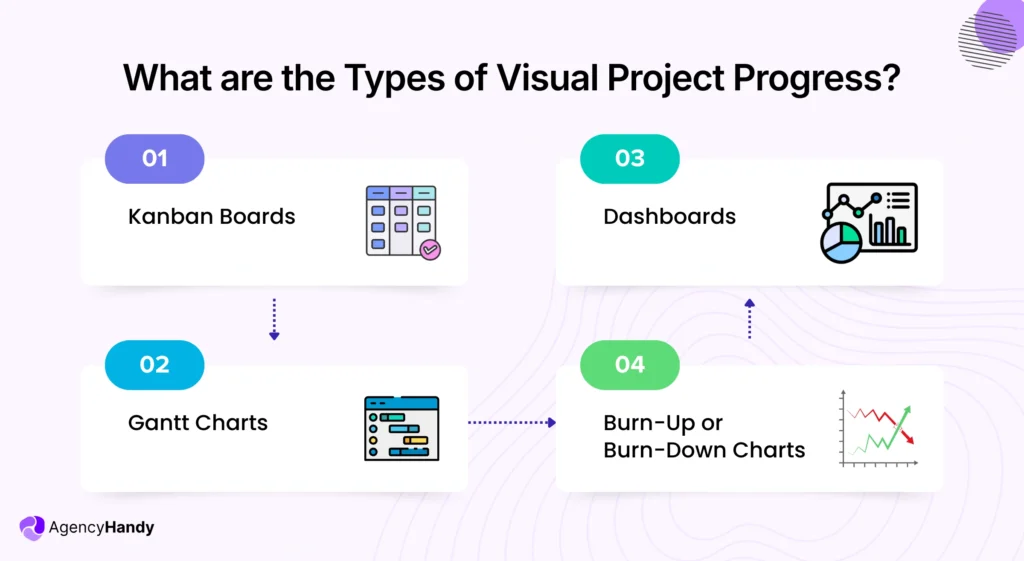
Now, let’s see a few types of visual project progress.
1. Kanban Boards
The Kanban board comes first, as it comes with clear and organized stages, like To Do, In Progress, In Review, and Done. Plus, each task is presented as a card with a description and a progress bar.
As the work moves forward, you can drag-and-drop the card from one stage to another stage. Hence, project progress becomes easier without opening spreadsheets or messaging teams.
Besides, Kanban boards help you to manage multiple clients. You can keep multiple cards in one column with different owners at once. If a card gets stuck in any of the stages, it means there is a problem that needs your attention.
Thus, you can take necessary stops early, clear confusion, move the project forward, and deliver within the timeline.
2. Dashboards
Dashboard gives you a live view of project progress by bringing all projects, task status, milestones, time tracking, and budgets in one place. You don’t need to open anything to see the owners of the task, what’s done, what’s pending, time logs, and more.
However, the data you see might vary depending on the specific system’s dashboard. Also, the accuracy of the dashboard depends on accurate data. Hence, you need to update tasks, budgets, owners, time entries, and deadlines.
3. Gantt Charts
A Gantt chart project progress mainly focuses on showing a time-based view of your project. It places all the tasks on a visual timeline where you can see tasks in a horizontal bar with start date, end date, and duration.
Hence, you can easily see when the tasks start, finish, and how much work is done. It also helps you to understand what should be the next task to finish the project on time.
4. Burn-Up or Burn-Down Charts
The burn-up and burn-down charts project progress are common in agile project management. That’s because you usually handle a lot of small tasks throughout the project. Mainly, it focuses on the real work you complete.
- Burndown Chart: It moves downward as your team starts to complete tasks. When the line drops at a stable pace, the project is progressing forward. But if you see the line drops suddenly, or stays flat, understand that something is blocking the task or scope creep.
- Burn-up Chart: It moves upwards to show the finished work and changes in total planned work. Thus, you can clearly locate when new tasks get into the original plan or when project progress slows down.
What are the Core Metrics You Can Use to Measure Project Progress?
There are 3 key metrics that can be used to analyze your project progress. If one of them misaligns, the whole project can get delayed.
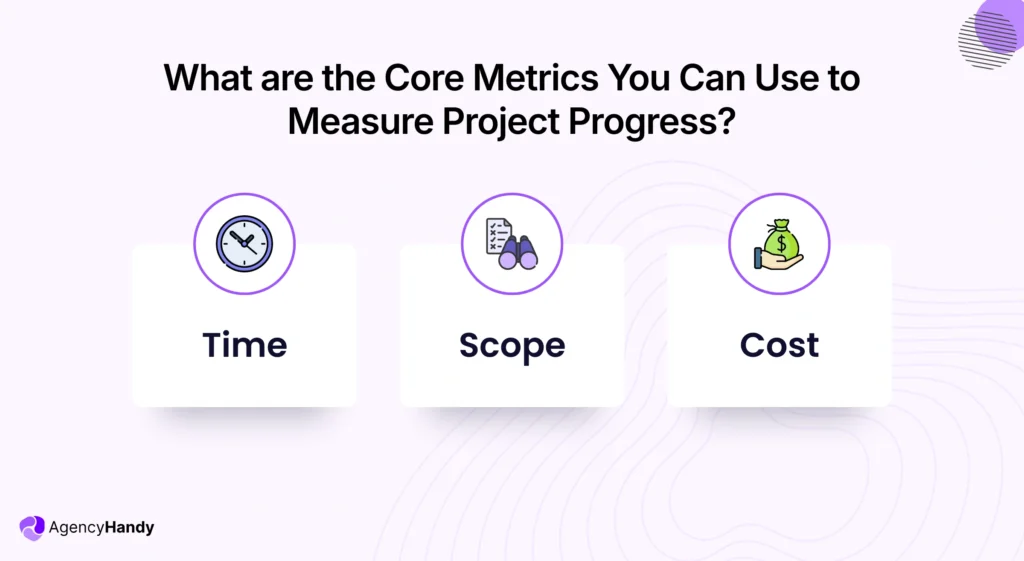
1. Time
Though time might seem an easier metric, it alone can’t tell you much. Thus, you must read the time on the side of tasks and milestones. See, when you’re measuring time, you should compare what you’ve initially planned and how the project is progressing using the plan.
Now, it can include —
- Start and end date
- Missed timeline
- Duration of each task
Hence, you can see where the project might be delayed, tasks can pause, and change dependencies. It can save you project cost and deliver within the deadline.
2. Scope
Scope mainly includes the work details with inclusions and exclusions. And it often changes depending on client feedback while working on a project, especially for agencies.
Sometimes, clients request changes, add new tasks, and change priorities. Without a proper project progress view, new tasks can add up and extend the original work without anyone even noticing.
And remember, scope creep can impact the timeline and cost of the whole project, let alone the endless revision and approval cycle. Thus, align project progress after documenting the original scope, so that the work proceeds smoothly without any hassle.
3. Cost
Another major metric of measuring project progress for your agency is the cost. We all know that every project starts with a budget. But midline, the project can sometimes exceed the estimated cost.
That’s why you must compare the planned cost with the real work cost. You must ensure that the planned budget is not exceeded while completing the project. In that case, you should always review cost alongside time and scope. Thus, you should regularly watch —
- Actual costs compared to the approved project budget
- Billable hours compared to completed tasks
- Cost-effectiveness of delays, rework, or client changes
How to Track Project Progress Step-by-Step
To track your project progress, you must follow the given project progress tracking methods to avoid problems right before delivery.
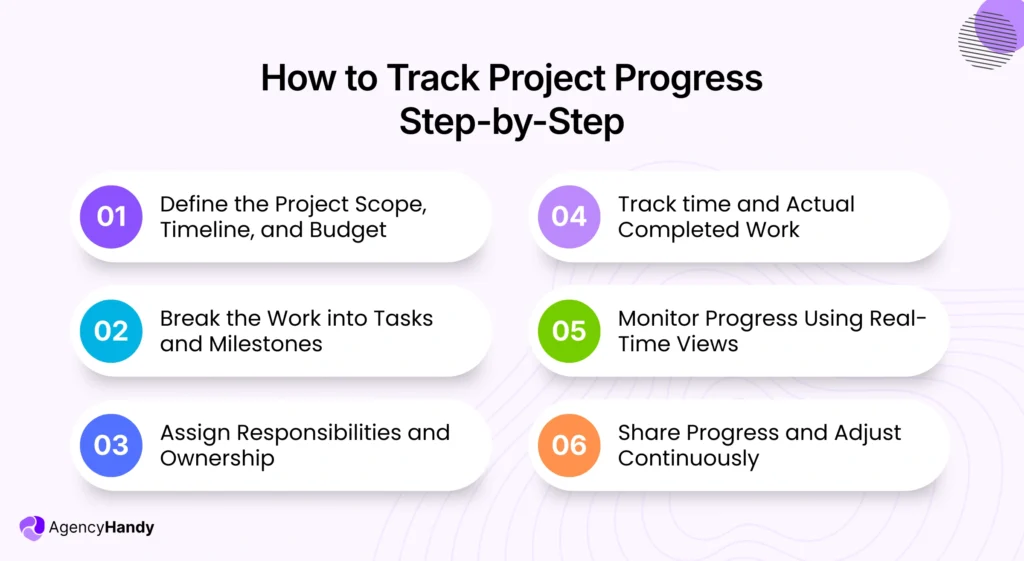
Step 1: Define the Project Scope, Timeline, and Budget
Since time, scope, and budget are key metrics, they must be clear to you and your client before project initiation. In this case, you must —
- Write down the inclusions and exclusions of the project
- List deliverables clearly and mention final deadlines
- Explain how your support system works
- Set the budget and break it down so clients can understand clearly
Also, mention that the deadline may extend based on any additional requests or feedback from the client. Outlining this from the beginning can help you to judge project progress later.
Step 2: Break the Work into Tasks and Milestones
You can simplify most of the project progress tracking by breaking down work into tasks and milestones. Your goal is to make each task small enough to start, finish, review, and deliver on its own.
And then group the tasks into milestones to weigh whether the project is advancing as planned or not. If you can properly execute this process, you can easily avoid scope creep, bottlenecks, and improve the work delivery rate.
Step 3: Assign Responsibilities and Ownership
When you have a lot of tasks, assign the owner to each task for a clear view of project progress. That way, you know who’s doing which task and how efficiently each task is done.
In this case, you should assign each task based on skill, role, and existing workload. Also, mention the responsibilities and deadlines clearly.
That said, to accelerate the project delivery, clarify —
- Who talks to the client
- Who assigns owners and sets up the tasks
- Who gives the approval
Step 4: Track time and Actual Completed Work
Track time and the work your team has completed to observe project progress properly. It helps you to see how much time members are taking to complete each task. Plus, you get to know whether the time you’ve expected is feasible.
From that clarity, you can find delays, what causes backlogs, and most importantly, budget shocks.
On top of that, ask the team to log time for each task properly. Otherwise, it won’t help you to measure project progress clearly.
Step 5: Monitor Progress Using Real-Time Views
Now that you have tasks, owners, and time tracking in place, you must monitor the project progress carefully. For this, you can use Kanban boards, dashboards, or Gantt charts. Thus, you’ll get a clear picture of tasks, milestones, and timelines in one place.
As the project moves forward, from pending, in progress, review, to done, you see the updates instantly. It helps you to understand where a task is taking more time and the reasons behind that.
Step 6: Share Progress and Adjust Continuously
Finally, share the project progress updates with your teams and clients regularly. If there is any scope for improvement, like adjusting the timeline, priorities, or workload, implement the changes.
Also, measure whether the implementation really helped to reduce delays, remove bottlenecks, and improve project delivery. It’s an iterative process, so make it a habit. That way, you’ll be able to finish projects efficiently and build trust.
Common Project Progress Problems in Agencies
Even after applying all the steps, you’ll face some common issues with project progress. And they’re —
- Scope Creep: Client’s ticketing for a service request or one extra revision can add to your original work scope. And if you forget to link them to timelines and budgets, it often crosses the budget, delays delivery, and creates needless stress.
- Delayed Task Updates: During progress, even a single delay in moving the task from Pending to In Progress can impact time and cost. It also shows false information in the Dashboard that creates confusion on both ends.
- Inaccurate Time Logs: When teams log wrong time entries or fail to input accurate time, it impacts the whole project. Even worse, it can cost your margin if you work with billable hours.
- Disconnected Tools: If you manage the whole project using different tools, project progress gets disorganized. You spend way more time just putting things together, let alone viewing progress and adjusting time, scope, and budget accurately.
Best Practices for Project Progress Tracking
The following practices should let you do efficient tracking of project progress —
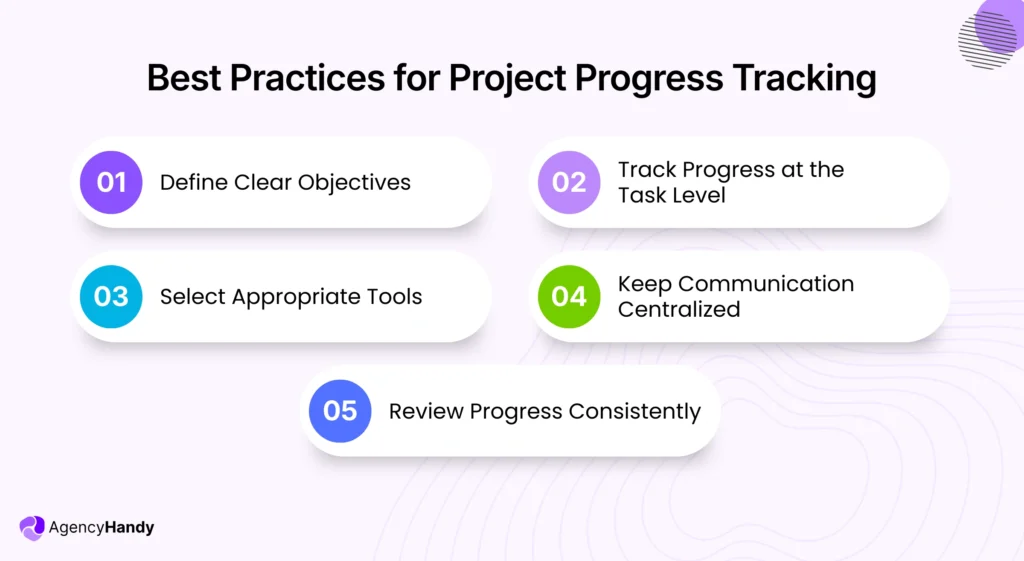
Define Clear Objectives
Before you even think about project progress, you must have clear objectives outlined. In that case, you should —
- Decide the probable final outcome or success of the project
- Write the work scope, set the timeline, and budget clearly
- Also, mention the exclusions to avoid misunderstanding
- Split big projects into small tasks and group them into milestones
- Align the original plan with your client and set rules for the new scope
This clarified setup ultimately makes the project’s progress easy to measure and fix any parts when required.
Track Progress at the Task Level
Start tracking project progress from the task level, even if it’s a small task like changing the fonts on a flyer. Since a project involves multiple tasks, tracking each task’s progress enables you to observe —
- The momentum of work
- Amount of time each task is taking
- Which tasks are on hold
- Tasks that need revision or approval
Plus, you can notice if any new tasks mix in with the original work. Thus, you can solve any situation by sitting back early, submitting projects on time, and maintaining good relations with clients.
Select Appropriate Tools
If you get project progress updates through email, Slack, WhatsApp, and calls, it’ll create an information gap. Thus, you’ll miss tasks, accurate billable hours, and deadlines.
Instead, you should use a tool that keeps tasks, time, and budget, and shows visual progress in one place. That way, you won’t need to jump between tools and spend manual hours tracking project progress.
Keep Communication Centralized
It links to using the appropriate tool, but it should centralize all communication. If you have all the tasks, files, comments, and approvals in one place, you can easily see the progress.
In fact, client portal software gives clients self-service access to seeing the real-time progress. Hence, it eases the pressure on your shoulders of updating clients now and then. That way, you and your clients stay on the same page without any typical confusion.
Review Progress Consistently
Regular review of the progress of a project allows you to solve repeated problems early, before they start to impact workflow. Thus, make it a routine to check task status, work time, coming deadlines, and budget.
In the meantime, you’ll also notice that some tasks take too long, with unnoticeable bottlenecks. Consistent reviews here can help to solve the issues before they drain your budget and cause you to miss deadlines.
Top 5 Tools To Track Project Progress for Agencies
For agencies, you need the right project progress tool to prevent scope creep and deliver timely results without exceeding the budget. Here are the five that do it best.
1. Agency Handy
Agency Handy is an agency management system that you can use to track project progress effortlessly. It lets you break a project into small tasks, set owners, priority, and track progress through Kanban boards. Therefore, you can easily spot which task is pending, in progress, and done.
Most importantly, it integrates built-in time tracking. Teams can either use it automatically while doing each task or manually input the time. Hence, you can measure the scope and budget alongside time, error-free.
On top of that, it centralizes files and feedback in the same place, thanks to its client portal, so your team and clients stay in alignment. Thus, when everything is connected, project progress becomes simple for you.
2. Asana
Asana is mainly a project management tool that can help you to monitor project progress in an organized manner. It does that by allowing you to create a project, assign tasks, set deadlines, and priority levels.
Most importantly, it supports lists, timelines, calendars, and boards for a visual view of progress. In this way, you can easily measure progress at a glance.
Likewise, Asana centralizes files, approvals, and conversations, so that progress doesn’t stall.
3. Hive
Hive allows you to plan a project, track progress, and deliver from one place. The best part is that it gives you multiple options for visual views from Kanban boards, Gantt charts, and dashboards. Thus, you can select however you like to work while observing the momentum.
It also brings collaboration built in so that you and your client can review files, share comments, and approve work in one place. Besides, its time tracking allows your team to input hours. Hence, you can bill accurately and allocate the budget accordingly.
4. Trello
When it comes to visual work progress view, Trello stands out. You can use its boards, cards, or lists to view how the tasks of a project are progressing.
Most importantly, it’s pretty simple to use. You add tasks to a board, add labels, dates, checklists, and members to each task. As the work moves forward, teams move cards from one stage to another smoothly.
On top of that, you and clients can comment inside a card. That way, teams don’t go back and forth for clarification, and you can view the status of all the tasks of a project from one board.
5. Wrike
With Wrike, you get all the tools you need for project progress tracking. It comes with Kanban boards along with Gnat charts so you can move work and see the timelines easily.
You also manage tasks while tracking time to keep the billable hours on track. Most importantly, its Dashboard task status, like what’s complete, what’s in progress, assignees, and new tasks. As a result, you don’t need to knock on each member individually for overall project progress.
How Agency Handy Solves Project Progress Issues
Agency Handy fixes core project progress issues by offering the key features in one place. For example —
- You can partition a large project into small tasks, assign owners, set priority, and monitor the Kanban board.
- Clients can also view the board, share their feedback, and request new tasks using their own client portal.
- It allows you to link every feedback to a specific task so that the chance of adding new tasks is reduced.
- With its time tracking, teams can log their time spent on each task either automatically or manually.
- It keeps all the tasks, files, feedback, tickets, and approvals in one place to minimize manual messages and confusion.
Eventually, you can see real-time project progress while aligning the time, scope, and cost.
Conclusion
Project progress is nothing but knowing where your work stands, what has changed, and what it is costing you compared with the initial plan. So, track time properly, keep a check on the scope, and budget within limits. That way, you and the team can deliver work without any stress.
If you need an all-in-one solution, Agency Handy is a solid option. It keeps tasks, client feedback, a Kanban board, and time tracking in one place. Therefore, you can see live progress and reduce surprises before delivery.
FAQs
How do I record the progress of a project?
To record the progress of a project, define objectives, break them into realistic tasks, assign owners, and follow the progress visually using Kanban boards. You can also use an agency management tool that offers a client portal. Thus, you and clients can view the progress simultaneously while the conversation stays centralized.
How do I show the progress of a project?
You can show the progress of your project using a Kanban board, Dashboards, or Gantt charts. Using any of them, you can track the progress of tasks, timelines, and milestones. It helps you to compare planned work with the real progress, so that the project stays aligned with the scope, time, and budget.
What is a project progress report?
A project progress report is a document where you summarize the development, finished tasks, pending tasks, and achieved milestones. You can also include any issues you faced, shifts in priorities, and new budget scope. In this way, stakeholders stay informed about the momentum of the project.