Skip to content
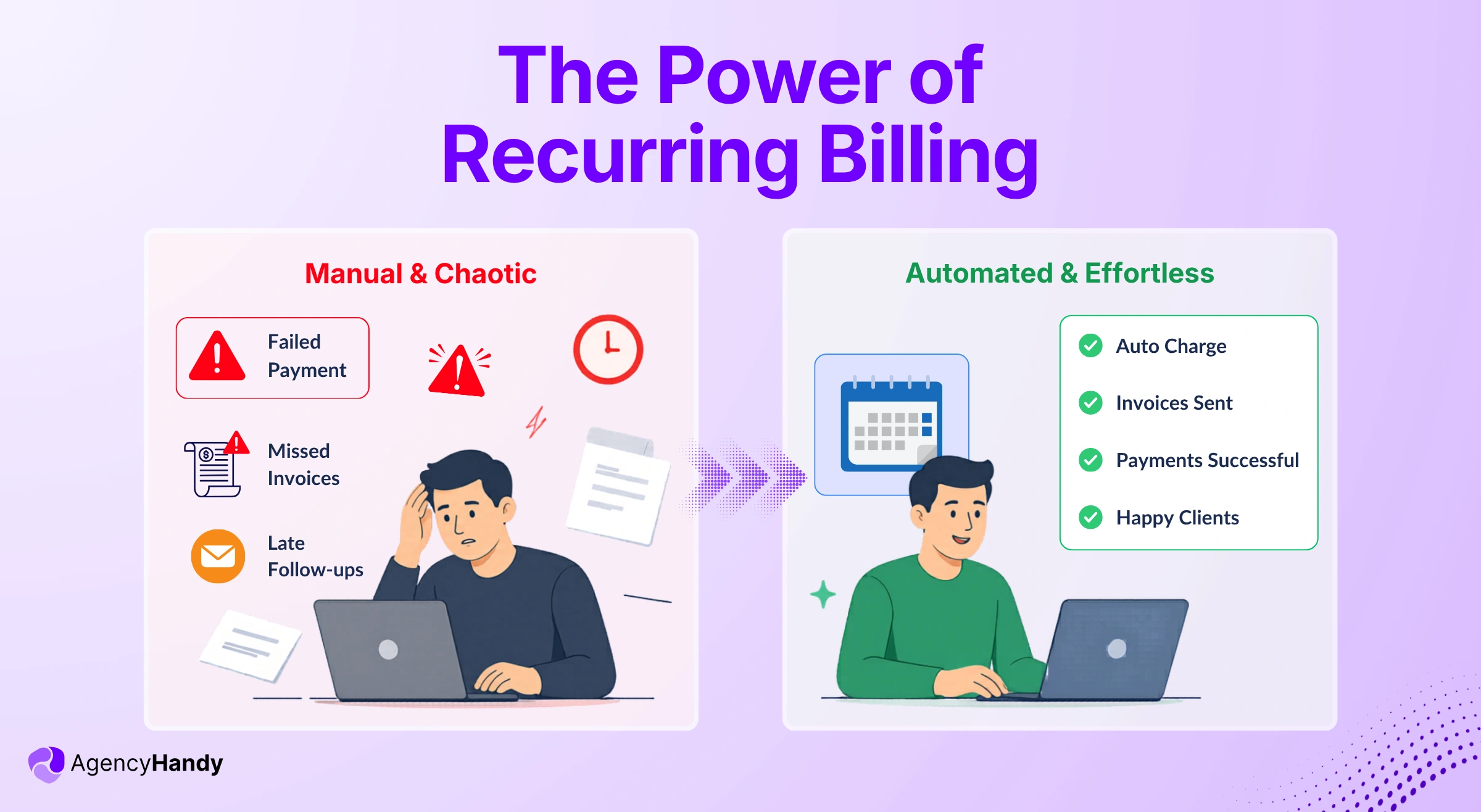



So you set up recurring billing thinking it’ll just handle itself, right?
Then someone upgrades their plan halfway through the month, and you have no idea what to charge them.
Or cards start bouncing, and you don’t even know until clients ask why their service got cut off.
Suddenly, you’re losing like 15% of what you should be making just because the system’s not catching failed payments. Turns out there’s actually stuff you need to understand – billing cycles, how the retry thing works, proration – or you’re just automating a disaster.
Let me show you what’s actually happening and how to set it up properly for agency work.
What is Recurring Billing?
Recurring billing is a payment model where clients or customers are automatically charged at regular intervals for ongoing access to a particular product or service. The billing frequency can be weekly/monthly/annually.
This is the same payment model that people pay for their Spotify or Netflix subscriptions. Each month, the service provider charges a specific amount from the credit card. This automated payment is ideal for the following scenarios:
- Ongoing productized services that are billed monthly.
- Monthly subscription to access the content library, gym, etc.
- SaaS based platform billed per month.
How Does Recurring Billing Work for Businesses
Let’s say you sell “Project Management Tool”. Your clients purchase your service, giving their payment info just once. They agreed to your payment terms.
The recurring billing system would charge automatically. It can be monthly/quarterly/annually.
You get the money in your account on time without manual effort. You’re not creating invoices, following up on late payments, and sending emails. It runs autopilot.
Also, from the client’s end, they don’t have to remember and manually pay every month, wasting time for whatever number of subscriptions they bought.
Here’s a breakdown of how the recurring billing system works –
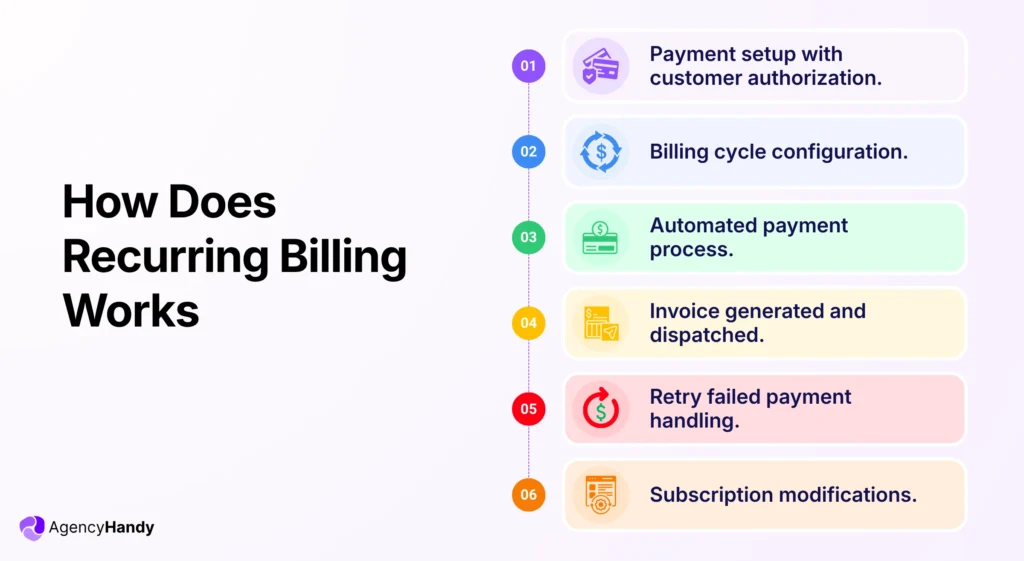
Payment setup with customer authorization
The process begins when a client provides billing information, be it a debit/credit card or bank account. While setting up the payment, the client authorizes automatic charges in future as per the billing terms.
Billing cycle configuration
The billing system sets each client’s billing cycle based on the subscription model. The billing frequency can be monthly/quarterly/annually. The software automatically tracks the cycle and initiates charges on the scheduled billing date.
Automated payment processing
At the billing date, the payment gateway processes transactions automatically. The system charges the client’s previously stored payment method and transfers funds to your merchant account. It also generates an invoice and sends it to the client.
Further Read:
How Subscription Payment Processing Works Automatically for Businesses
Failed payment handling
Payments typically fail due to expired cards, insufficient funds, or bank declines. Then the system initiates the dunning process by retrying the logic. The client gets an automated email sent from the system to update the payment information.
Subscription modifications
Clients get to manage their subscriptions through a client portal. They can update their payment information, methods, or even change or cancel recurring charges. From the business side, the system allows you to edit pricing and set custom rules like usage-based pricing without any coding.
What are the Core Components of Recurring Billing Systems?
Several interconnected components work in a recurring billing software to automate the payment collection. Here’s a basic breakdown of those –
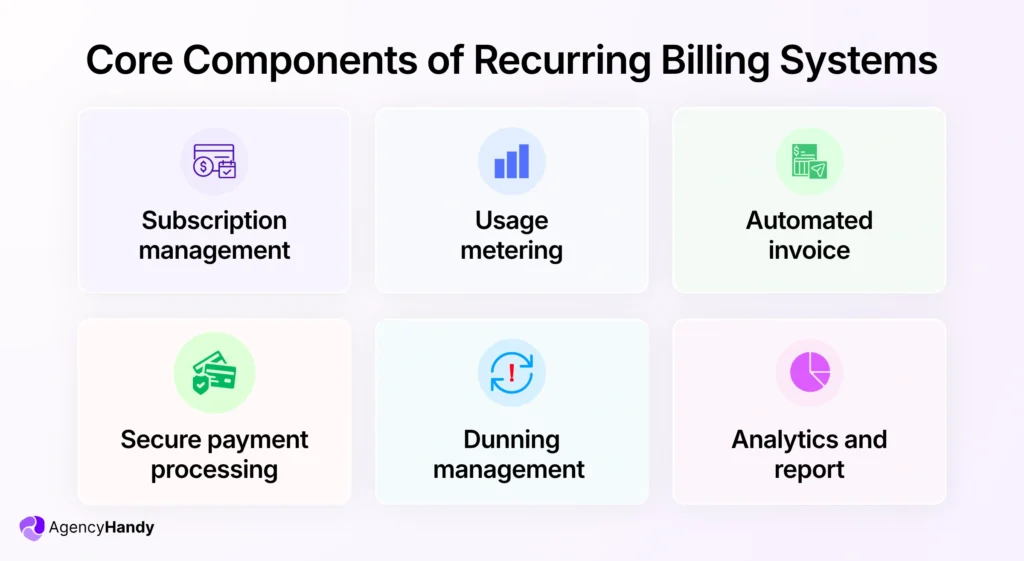
Subscription management
Subscription management is the system that handles the entire subscription mechanism. It starts when a client signs up till cancellation. It also tracks the subscribers, their plans, and the frequency of their billings.
Here’s how it works in practice:
You create plans, be it monthly, yearly, or based on usage. The system tracks who’s on what plan and when to bill them.
When a customer signs up, it logs their info. Then the system handles plan upgrade, pause, cancellation, and renewal. If someone changes plans mid-cycle, it auto-adjusts the charge.
Customers can also manage their subscriptions from a dedicated client portal. You can update pricing, offer discounts, or add features without touching code.
If a subscription ends, access stops, and a final invoice is sent.
Further Read:
Subscription Management Software: A Complete Guide & Tool Comparison in 2026
Usage metering
Usage metering tracks how much of a service a customer uses. These are primarily API calls, storage, or active users.
The system first collects usage data in real-time for each client. Then it turns that data into billable units. But it depends on how you define rules for plans. It can be flat fee plus usage, or fully usage-based, or tiered pricing.
When a customer crosses a limit or enters a new tier, the system will update charges automatically.
Customers see their usage inside a portal, so there are no surprises.
You get accurate, dynamic billing that grows with your customer’s usage—ideal for SaaS, infrastructure, or any service where usage varies month to month.
Automated invoices
Recurring billing software creates and sends invoices when it’s due time. You don’t need to prepare invoices and send them manually. The software also adds taxes, applies discounts, and sends it to the customer on schedule.
If a user upgrades mid-month, the system will adjust the amount (prorated), and then invoice. Most of this software supports multiple currencies and tax regions.
Each invoice reflects the correct plan, usage, and payment status. Customers get clear records; you stay compliant.
Secure payment processing
Billing software comes with a secure payment processor. It handles all transactions safely, be it credit cards, bank transfers, or digital wallets. You can use trusted gateways like Stripe or PayPal.
The system encrypts payment data that clients input following PCI-DSS standards. So, no sensitive info is stored unsecured. Customers enter their payment info once, and future charges happen automatically.
The software supports both one-time and recurring payments.
From your side, you will see all transaction logs. Funds will go straight to your account.
Dunning management
Dunning management recovers failed payments when cards get declined. Happens all the time – card expires, bank flags something, not enough funds that day.
Instead of you following up manually, the system handles it. When payment fails, it waits a few days and retries the charge. If that doesn’t work, your customer gets an email asking them to update their payment info. You get notified, so you know what’s happening.
You control how many times it retries and when those emails go out. You also decide what happens if the payment never goes through – pause their account, downgrade their plan, or cancel them entirely.
Analytics and reporting
Analytics and reporting show you how your billing is actually performing. You will know what’s working, what’s leaking revenue, and where you’re growing.
Many of these software come with a dashboard. You can track MRR, churn rate, customer lifetime value, and active subscriptions from the dashboard. Every invoice, payment, refund, or failed charge shows up in real time.
You can segment the data however you need – by subscription plan, region, or customer segment. Makes it easier to spot patterns and make calls quickly.
You can create investor reports or tax filings, too. It allows exporting everything with a click in CSV or API.
Implementing Recurring Billing for the Agency and Productized Service Workflow
Implementing recurring billing means structuring your services clearly, then letting the system handle invoicing and collection automatically. Here’s how you can do it:
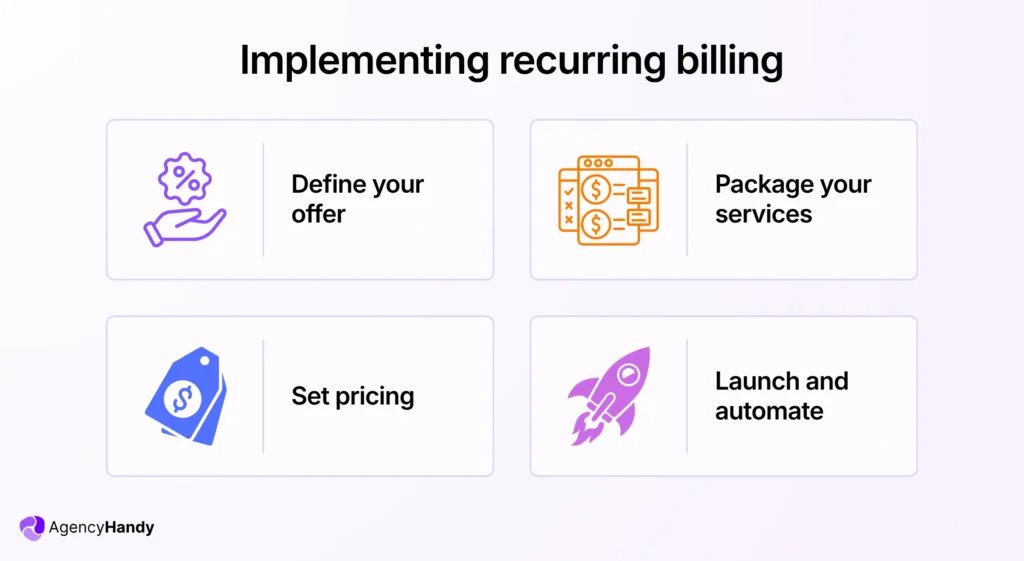
Consider your offer structure
Don’t jump straight to billing software. Figure out what you’re selling first, because the billing has to match how you deliver. Look at your services.
Set the cost
Some repeat every month at a fixed price – like an SEO retainer for $1,500.
Some vary based on what the client uses – design hours, development credits, that kind of thing.
And some are just one-time charges – onboarding fees, initial audits, setup work.
Group packages
Group them that way: fixed recurring, usage-based, one-time.
Then tier them if you’re doing packages. Maybe Starter is 10 blog posts a month with email support. Growth is 20 posts plus social media, and you respond on Slack. Scale is custom volume, and they get a dedicated person.
If you sell different types of services – SEO, web design, and content – you need to decide now whether to bundle them into one subscription or if clients subscribe to each separately. That decision changes how your billing system needs to be configured.
Further Read:
Service Packaging: How to Bundle Packages for Clients and Growth
Annual vs Monthly Billing: Which One is Better?
Your business model and customer preferences will tell whether the annual billing would be a better fit or the monthly one.
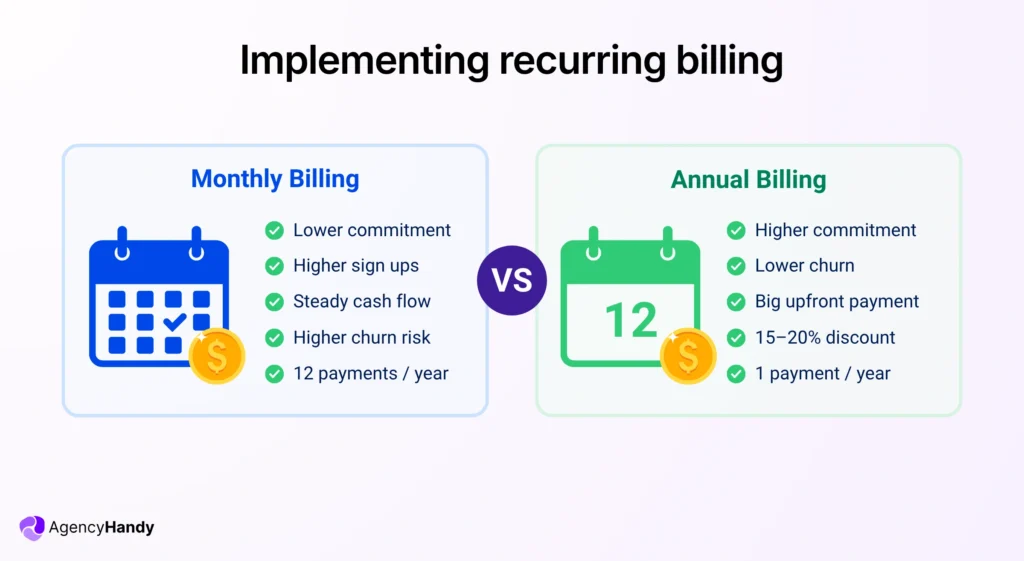
Monthly billing
Monthly recurring billing works best when you’re building trust with new customers. As the commitment is low, people sign up more. You’ll see higher signup rates and higher churn as customers can leave anytime.
For agency businesses, this model maintains a predictable cash flow even though it’s smaller in amount.
Annual billing
Annual recurring billing maximizes cash flow. It collects payment for 12 months upfront. You’ll have to offer 15-20% discounts to convert people into your annual billing model.
Compared to monthly retainers, annual subscribers rarely churn mid-contract. Due to its higher price tag, there will be fewer sign-ups.
| Factor | Monthly Billing | Annual Billing |
| Customer commitment | Low barrier, easy signup | Higher friction, serious buyers |
| Cash flow | Steady and predictable | Large upfront, then gaps |
| Churn risk | Higher, easy to cancel | Lower, locked in for year |
| Discount needed | None | Typically 15-20% off |
| Processing costs | 12 transactions/year | 1 transaction/year |
| Best for | New products, uncertain buyers | Established products, B2B |
Recurring Billing with Different Pricing Models
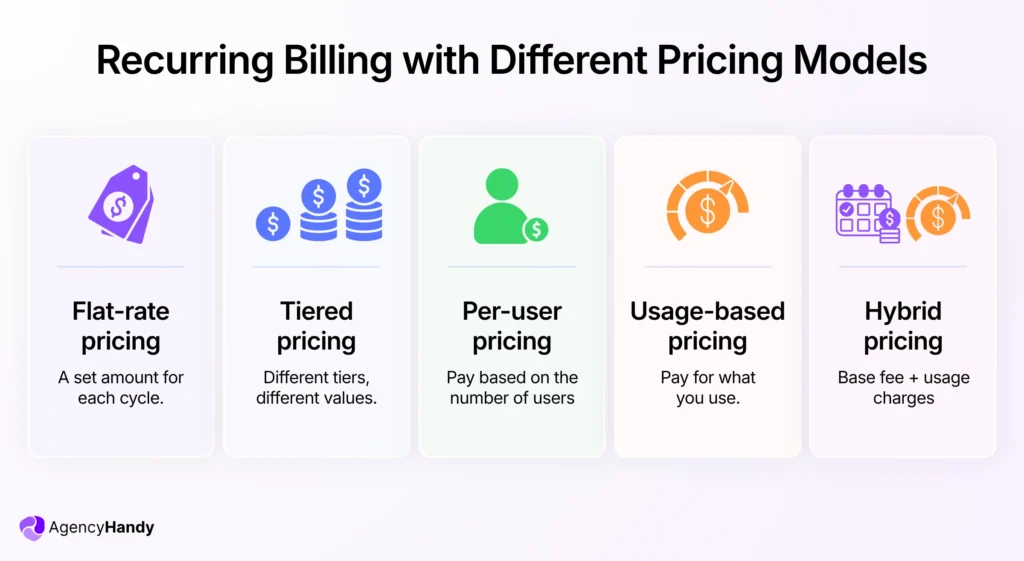
Your pricing model determines how you calculate what customers owe each billing cycle. Here’s the most popular recurring billing pricing models you will come across:
1. Flat-rate pricing
Your billing system charges the exact same amount every cycle. It’s similar to Netflix’s basic plan at $9.99/month. No calculations, no usage tracking, just a fixed recurring charge.
Best for:
- Fixed monthly agency retainers
- SaaS tools with unlimited usage
- Subscription boxes or services with consistent delivery
Further Read:
One Time Pricing for Agencies: When It Works, and How to Set It Up
2. Tiered pricing
Your subscription system tracks which tier each customer is on and charges that rate. When someone upgrades mid-cycle, the system prorates the difference and bills it immediately. Downgrades usually take effect at the next billing cycle to avoid refund hassle.
Best for:
- Project management tools serving solo users through large teams
- Email platforms with different contact limits
- Agency software scaling from freelancers to full agencies
Further Read:
Tiered Pricing for Productized Services: Get the Structure Right
3. Per-user pricing
This model charges based on team size. Add a user, add another charge to your monthly bill. It’s also known as per-seat pricing.
Best for:
- Team collaboration platforms
- Communication tools
- Any software where value scales directly with headcount
4. Usage-based pricing
Charge customers based on what they actually use – API calls, emails sent, storage consumed, transactions processed.
The usage metering system tracks consumption throughout the billing period. When the cycle ends, the billing engine totals everything up, applies your rates, and generates the charge.
Best for:
- Cloud hosting and APIs
- SMS and email services
- Payment processors
- Data storage platforms
5. Hybrid pricing
The system charges the base subscription on schedule, then calculates overage charges for whatever you consumed beyond the included amount. You might charge $50/month as the base, then $0.10 per transaction over 500 included. Both show up on the same invoice at the billing cycle end.
Best for:
- Payment processors combining base fees with per-transaction costs
- Email platforms with contact limits and overage charges
- Agency tools with base plans plus add-on client seats
Further Read:
Service Pricing
How Agency Handy Helps in Recurring Billing for Productized Services
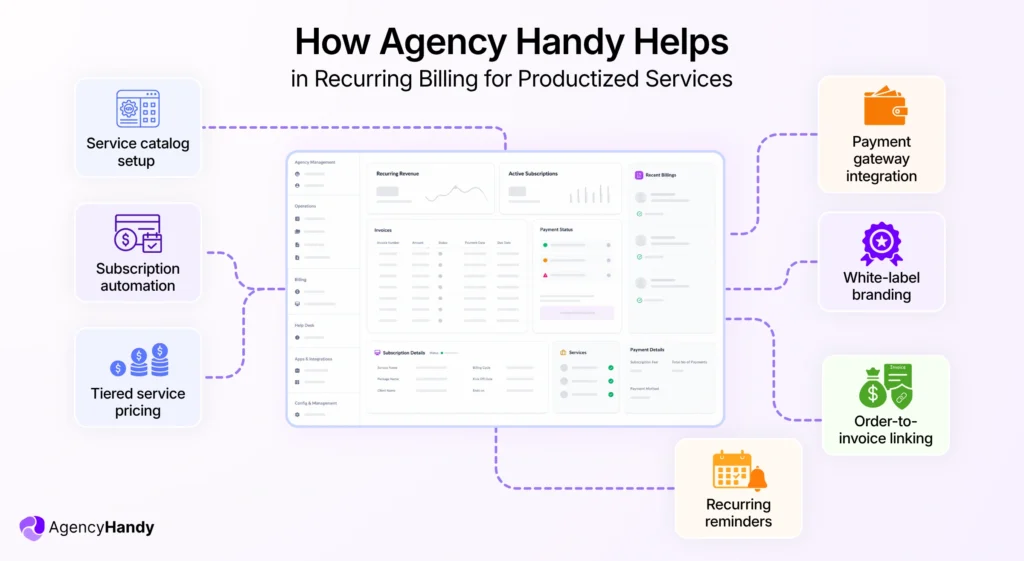
If you sell productized services and need recurring billing software to handle complex billing equations, Agency Handy is the simplest option you can go for. Here’s how Agency Handy handles recurring billings:
Service catalog setup
If you provide multiple services, you can package the offerings. It can be as follows:
- SEO retainer at $2,000/month
- Social media management at $1,500/month
- Content packages at $800/month.
Build the service catalog with clear deliverables, pricing, and description. Clients can browse your offerings, pick the suitable package, subscribe and proceed to the payment.
Further Read:
Service Catalog for Agencies: What It Is, What to Include, and How to Embed It
Subscription automation
If any of your services have a subscription pricing model, Agency Handy can run it on autopilot.
When someone orders a monthly content package, Agency Handy creates the recurring invoice and processes the first payment. Then the system schedules future charges automatically. Your productized service runs on autopilot billing.
Tiered service pricing
You can offer Starter, Pro, and Enterprise versions of your service. Clients choose their tier, and when they’re ready to upgrade, the system handles proration mid-cycle.
Payment gateway integration
Right after choosing any of your services, clients can pay instantly. The platform has native integration for Stripe and Wise to process immediately. Also, there’s an option for a manual bank transfer.
Further Read:
Payment Integration Guide for Agencies
White-label branding
White-label branding puts your brand on everything. Client portals show your logo. Invoices carry your colors. Payment pages use your domain. Clients never know you’re using Agency Handy.
Order-to-invoice linking
Each invoice shows exactly which service package your clients subscribed to. “Monthly SEO Retainer – Pro Package” with all deliverables listed. Clients know what they’re paying for.
Recurring reminders
Agency Handy sends renewal reminders before each billing cycle. Clients get payment confirmations after successful charges. When payments fail, you get notified immediately. Failed charges retry automatically, and clients receive prompts to update their payment details.
Further Read:
When to Send Payment Reminders and Overdue Notices to Clients
Frequently Asked Questions
Can I switch from one-time billing to recurring billing mid-contract?
Yes, but get client agreement first. Most billing systems let you convert existing customers to subscriptions. You’ll need to adjust their account settings, set the billing frequency, and communicate the change clearly.
What happens if my client’s payment method expires during an active subscription?
The system attempts to charge the expired card and fails. Most platforms send automatic notifications asking clients to update their payment info. You can set grace periods to keep service active while they update.
How do I handle refunds for annual subscriptions if someone cancels early?
You can offer prorated refunds for unused months, partial refunds based on your terms, or no refunds as stated in your agreement. Your billing system should handle the calculation and processing once you approve the refund amount.
How do I bill clients in different currencies?
Choose a billing platform with multi-currency support. Set your default currency and enable others you need. The system converts prices automatically or lets you set custom pricing per currency.
Conclusion
The hardest part isn’t the billing system. It’s getting clients comfortable with automatic payments. Be transparent about what they’re subscribing to, when charges happen, and how to cancel. Clear communication upfront prevents disputes and chargebacks later.